@ajaysidhu/react-native-template
v12.0.1
It is a minimalist React Native template with preconfigured common set of packages to start a new app.
69/weekUpdated 4 weeks agoMITUnpacked: 3.3 MB
Published by Ajay Kumar
npm install @ajaysidhu/react-native-template


react-native-template
A starter kit for initializing a new React-Native project to save at least 1 week's worth of effort with some commonly used preconfigured libraries and folder structure.
Key features:
- Pre-configured folder structure
- Common authentication screens(Login, Signup, Forgot Password) and flow
- Reusable common components, utility functions and constants
- Navigation using react-navigation (v7)
- State management using redux-toolkit
- Git hooks using husky
- Development, Testing, Staging and Production environment configurations using react-native-config
- Bundle Ids
- Splash screens
- App icons
- Environment variables
- Application names
- TDD(Test-Driven Development) using jest
- (Unsecured) local data storage using AsyncStorage
- (Secured) local data storage using react-native-keychain
- Splash screen using expo-splash-screen
- API requests using axios
- Localization using i18next
- Responsive UI using flexbox and react-native-size-matters
- SVG files support using react-native-svg and react-native-svg-transformer
- Logger to log data more clearly using coloured logs in Chrome Debugger
- Net Info to listen for network conditions updates.
- React Hook Form and Yup for form state management and validation.
Prerequisite
1. Make sure that you have followed the environment setup instructions properly from the official React Native docs.
2. Make sure that your Cocoapods version is >= 3.5.7. If its lower than 3.5.7, you can update it using the following command:
``shell`
sudo gem install cocoapods
3. The installation command will fail if you have the global legacy react-native-cli installed in your machine. Make sure you uninstall it first:
`shell`
yarn global remove react-native-cli
or if using npm
`shell`
npm uninstall -g react-native-cli
Quick start
Generate a new React Native(v0.81) app using the @ajaysidhu/react-native-template:
`shell`
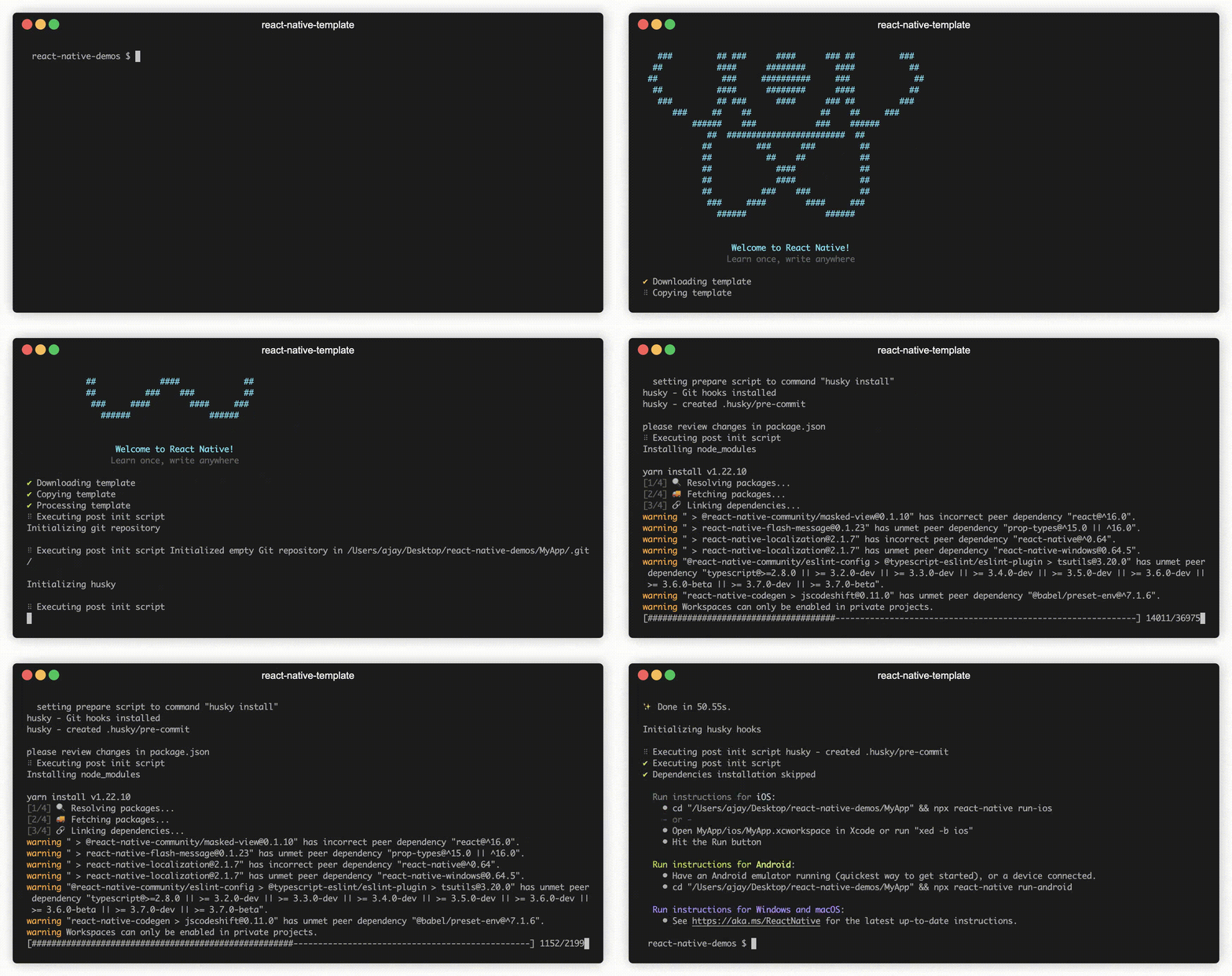
npx @react-native-community/cli@latest init myapp --template @ajaysidhu/react-native-template --skip-install --pm npm --skip-git-init
You might also be prompted to confirm the installation for the packages react-native and husky. Simply hit enter to proceed.
The template will automatically install the npm dependencies and the pods (if you are on the MacOS).
Install from GitHub
If you want to use the template directly from the GitHub
or try out the latest features which are not release to the npm yet, then you can run:`shell
npx @react-native-community/cli@latest init myapp --template https://github.com/ajaykumar97/react-native-template.git --skip-install --pm npm --skip-git-init
`Notes
1. Starting React Native v0.74, Xcode does not start Metro bundler automatically. If you are running the app from the XCode, please make sure that your metro bundler is running before running the build from XCode. You can start the metro bundler by running the following command in the root directory of your newly created project using this template:shell
npm start
`2. Minimum supported versions:
- iOS: 15.1
- Android: 26
Use Older versions
If you want to use an older version of the template, then you can run(replace
with your desired version):`shell
npx @react-native-community/cli@latest init myapp --template @ajaysidhu/react-native-template@version --skip-install --pm npm --skip-git-init
``You can look at all versions, that I have published here.
Digging Deeper
Check out the documentation website to learn more about the template.
Configure Google Service Files
If you want to extend the setup further to configure Google Service files for Development, Testing, Staging and Production environments, you can follow my this Medium post.
Maintenance & Updates
This template is not on an automated or scheduled upgrade cycle. It is intentionally kept stable and only updated when:
- A breaking React Native or dependency change requires it, or
- Someone explicitly requests a newer version
This repository exists to demonstrate architecture, tooling, and engineering practices, not to chase every weekly package release.
If you need this template upgraded to a specific React Native version or dependency set, request it here.
When a request comes in, I update the template to the latest stable stack and push a new release.
Happy coding, and I look forward to hearing from you!
Roadmap
- [x] Add react-native-keychain for secured user data storage
- [ ] Add dark mode
- [ ] Add docs to explain provided common components usages
- [ ] Add atomic structure for components
- [ ] Add common styles
- [ ] Add website docs versioning
- [ ] Add RTL languages support