@brandonkal/pptxgenjs
v3.4.0-beta2TypeScript
Create JavaScript PowerPoint Presentations
javascript-create-powerpointjavascript-create-pptxjavascript-generate-pptxjavascript-powerpointjavascript-powerpoint-chartsjavascript-pptxjs-create-powerpointjs-create-pptxjs-generate-powerpointjs-powerpoint
0/weekUpdated 3 years agoMITUnpacked: 2.1 MB
Published by Brent Ely
npm install @brandonkal/pptxgenjsPptxGenJS
Create JavaScript PowerPoint Presentations
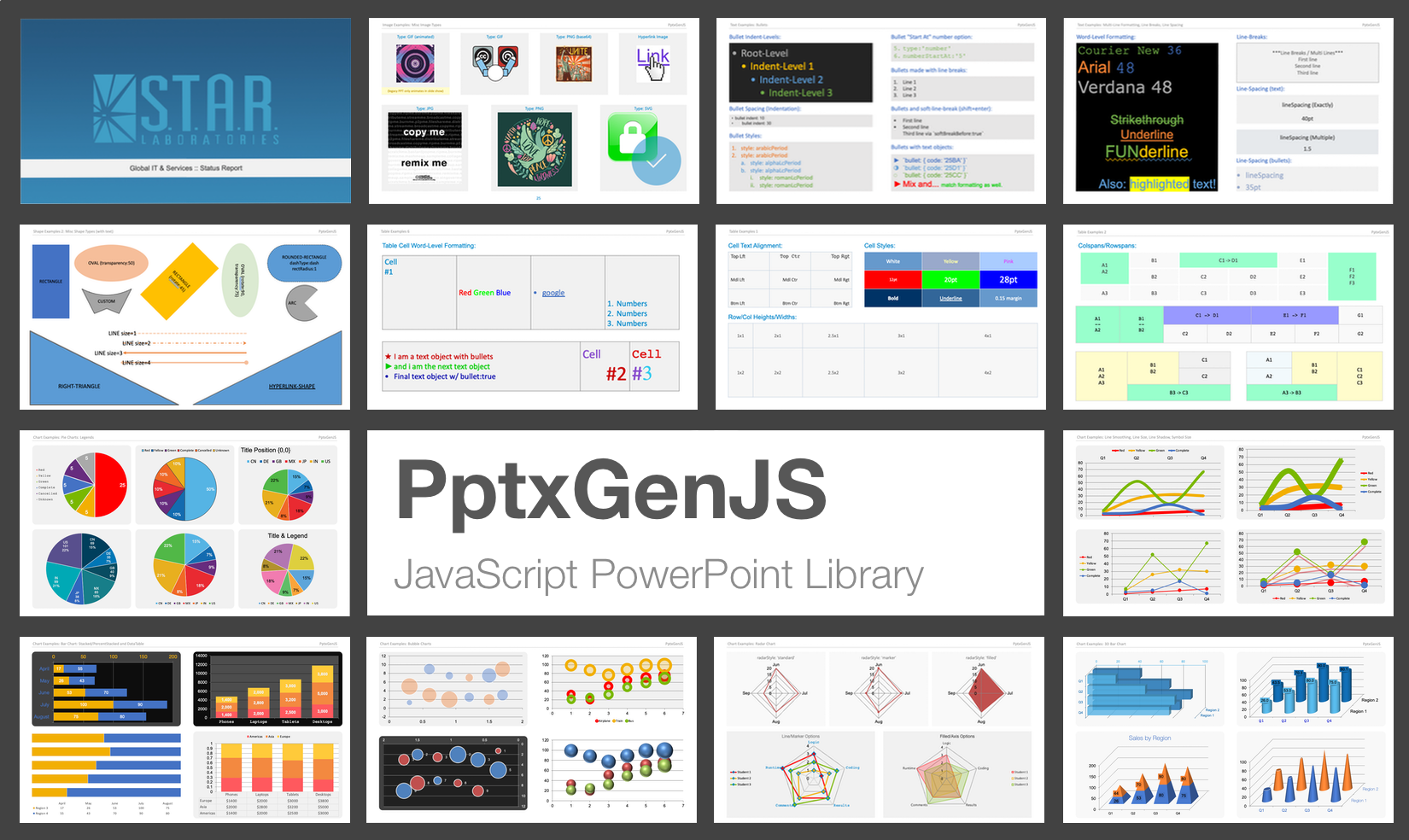
   
Table of Contents
- Introduction
- Features
- Live Demo
- Installation
- CDN
- Download
- Npm
- Yarn
- Additional Builds
- Documentation
- Quick Start Guide
- Angular/React, ES6, TypeScript
- Script/Web Browser
- Library API
- HTML-to-PowerPoint Feature
- Library Ports
- Issues / Suggestions
- Need Help?
- Contributors
- License
Introduction
This library creates Open Office XML (OOXML) Presentations which are compatible with Microsoft PowerPoint, Apple Keynote, and other applications.
Features
Extensive Support
- Generate presentations on every modern desktop & mobile web browser
- IE11 is supported via bundle polyfill
Comprehensive Objects
- Create any object type: Charts, Images, Links, Media, Shapes, Tables, Text
- SVG images and YouTube videos are supported when viewed in PowerPoint online/2019+ desktop application
Modern Architecture
- Supports client web browsers, NodeJS, and React/Angular/Electron
- Export methods return promises
- Client browsers have only a single dependency: JSZip
- Easy Angular/React integration (available via npm, cjs or es files)
- Typescript definitions included
HTML to PowerPoint
- Includes powerful HTML-to-PowerPoint feature to transform HTML tables into presentations with a single line of code
Live Demo
Use the online demo to create a simple presentation to see how easy it is to use pptxgenjs, or check out the complete demo which showcases every available feature.
- Simple Demo
- Complete Feature Demo
- PptxGenJS jsFiddle
Installation
CDN
Bundle: Modern Browsers and IE11
``html`
Min files: Modern Browsers
`html`
Download
Bundle: Modern Browsers and IE11
`html`
Min files: Modern Browsers
`html`
Npm
`bash`
npm install pptxgenjs --save
Yarn
`bash`
yarn add pptxgenjs
Additional Builds
- CommonJS: dist/pptxgen.cjs.js
- ES Module:
---
Documentation
Quick Start Guide
PptxGenJS PowerPoint presentations are created via JavaScript by following 4 basic steps:
$3
`typescript
import pptxgen from "pptxgenjs";
// 1. Create a new Presentation
let pres = new pptxgen();
// 2. Add a Slide
let slide = pres.addSlide();
// 3. Add one or more objects (Tables, Shapes, Images, Text and Media) to the Slide
let textboxText = "Hello World from PptxGenJS!";
let textboxOpts = { x: 1, y: 1, color: "363636" };
slide.addText(textboxText, textboxOpts);
// 4. Save the Presentation
pres.writeFile("Sample Presentation.pptx");
`
$3
`javascript
// 1. Create a new Presentation
let pres = new PptxGenJS();
// 2. Add a Slide
let slide = pres.addSlide();
// 3. Add one or more objects (Tables, Shapes, Images, Text and Media) to the Slide
let textboxText = "Hello World from PptxGenJS!";
let textboxOpts = { x: 1, y: 1, color: "363636" };
slide.addText(textboxText, textboxOpts);
// 4. Save the Presentation
pres.writeFile("Sample Presentation.pptx");
`
That's really all there is to it!
---
Library API
Full documentation and code examples are available
- Creating a Presentation
- Presentation Options
- Adding a Slide
- Slide Options
- Saving a Presentation
- Master Slides
- Adding Charts
- Adding Images
- Adding Media
- Adding Shapes
- Adding Tables
- Adding Text
- Speaker Notes
- Using Scheme Colors
- Integration with Other Libraries
---
HTML-to-PowerPoint Feature
Easily convert HTML tables to PowerPoint presentations in a single call.
`javascript`
let pptx = new PptxGenJS();
pptx.tableToSlides("tableElementId");
pptx.writeFile("HTML2PPT.pptx");
Learn more:
- HTML-to-PowerPoint Documentation
- Online HTML-to-PowerPoint Demo
---
Library Ports
React: react-pptx - thanks to Joonas!
---
Issues / Suggestions
Please file issues or suggestions on the issues page on github, or even better, submit a pull request. Feedback is always welcome!
When reporting issues, please include a code snippet or a link demonstrating the problem.
Here is a small jsFiddle that is already configured and uses the latest PptxGenJS code.
---
Need Help?
Sometimes implementing a new library can be a difficult task and the slightest mistake will keep something from working. We've all been there!
If you are having issues getting a presentation to generate, check out the code in the demos directory. There
are demos for both client browsers, node and react that contain working examples of every available library feature.
- Use a pre-configured jsFiddle to test with: PptxGenJS Fiddle
- View questions tagged PptxGenJS on StackOverflow. If you can't find your question, ask it yourself - be sure to tag it PptxGenJS`.
---
Contributors
Thank you to everyone for the issues, contributions and suggestions! ❤️
Special Thanks:
- Dzmitry Dulko - Getting the project published on NPM
- Michal Kacerovský - New Master Slide Layouts and Chart expertise
- Connor Bowman - Adding Placeholders
- Reima Frgos - Multiple chart and general functionality patches
- Matt King - Chart expertise
- Mike Wilcox - Chart expertise
- Joonas - React port
PowerPoint shape definitions and some XML code via Officegen Project
---
License
Copyright © 2015-2020 Brent Ely