@chris-lewis/todo-cli
v1.4.0
Simple todo list command line interface
37/weekUpdated 5 months agoMITUnpacked: 57.6 KB
Published by C-D-Lewis
npm install @chris-lewis/todo-clitodo-cli
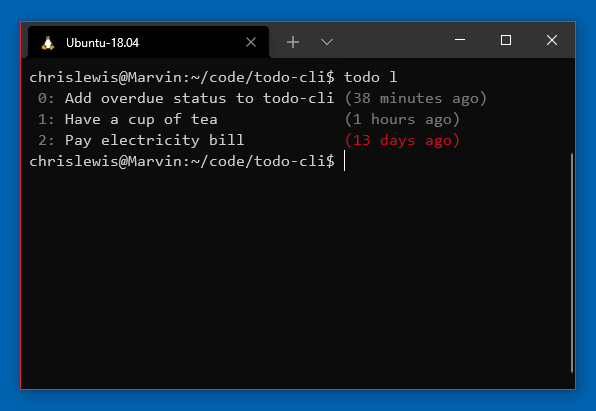
Simple todo list command line interface. Manages a list of todo items,
displaying them with date.
* Install
* Commands
* Configuration
Install
Install with npm:
``
npm i -g @chris-lewis/todo-cli
Then run with todo.
Commands
> Most commands have shorter versions available, such as 'a' in place of 'add'.
$3
Add a new item with add:
`
todo add Review login page PR
$3
List current items with list:
`
todo list
A history of the 10 most recently completed tasks will be shown on list.
> --no-recent can be used to hide recently completed items.
$3
Update an item by index in the list with update:
`
todo update 0
You will be prompted for the updated todo text.
$3
Delete an item by index in the list with done to mark it as complete:
`
todo done 0
Configuration
$3
The display of colors for overdue items listed is configurable in days, after
which time they will be displayed with a red highlight.
`
todo config overdueDays $days