@devrue/directus-config-toolkit
v1.1.4TypeScript
A toolkit for managing Directus configurations
0/weekUpdated 3 months agoMITUnpacked: 285.6 KB
Published by Peter Olom
npm install @devrue/directus-config-toolkit Directus Config Toolkit (DCT)
Directus Config Toolkit is a utility for managing Directus configurations across environments. It provides robust tools for exporting, importing, and versioning your Directus instance configurations, making it easier to implement DevOps practices with Directus.
| 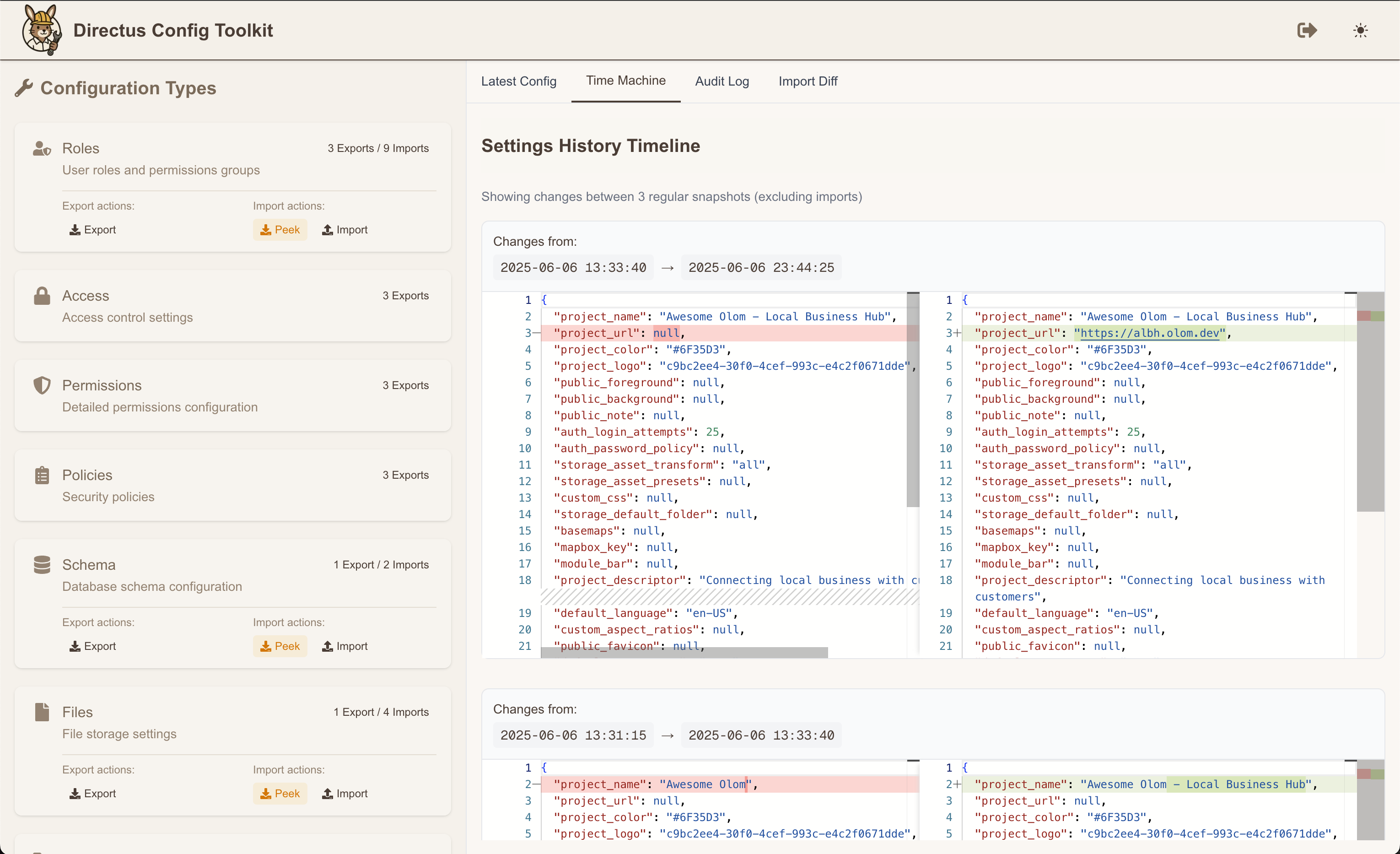 |
| 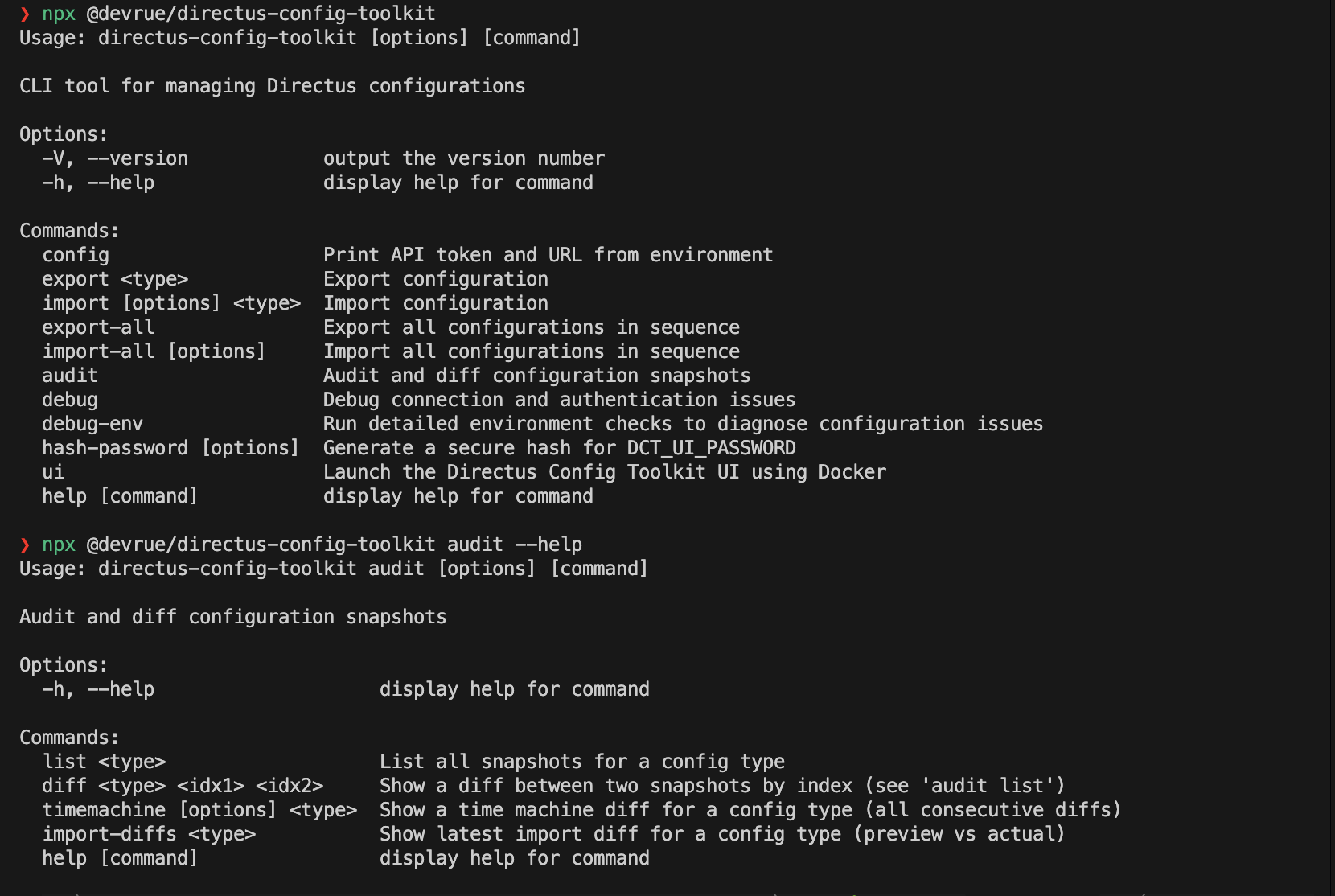 |
|
| ------------------------------------------------------------------------------------------------------------------------------------------------------------ | ------------------------------------------------------------------------------------------------------------------------------------------------------ |
Features
- Export & Import: Easily backup and restore Directus configurations including flows, roles, settings, files, and schema
- Configuration Versioning: Track changes over time with audit snapshots
- Web Dashboard: Intuitive GUI for managing configurations
- Docker Support: Containerized deployment options
- CI/CD Integration: Seamlessly integrate with CI/CD pipelines
- Time Machine: View configuration history and changes over time
- Import Preview: See changes before applying them
- Role & Permission Management: Safely transfer role configurations between environments
Project Structure
The project is now organized as a monorepo with two main packages:
- packages/core (@devrue/directus-config-toolkit): Core CLI functionality (formerly directus-ct)
- packages/ui (@devrue/directus-config-toolkit-ui): Web dashboard for GUI-based management
Installation
$3
``bashInstall globally
npm install -g @devrue/directus-config-toolkit
Or use with npx
npx @devrue/directus-config-toolkit [command]
`
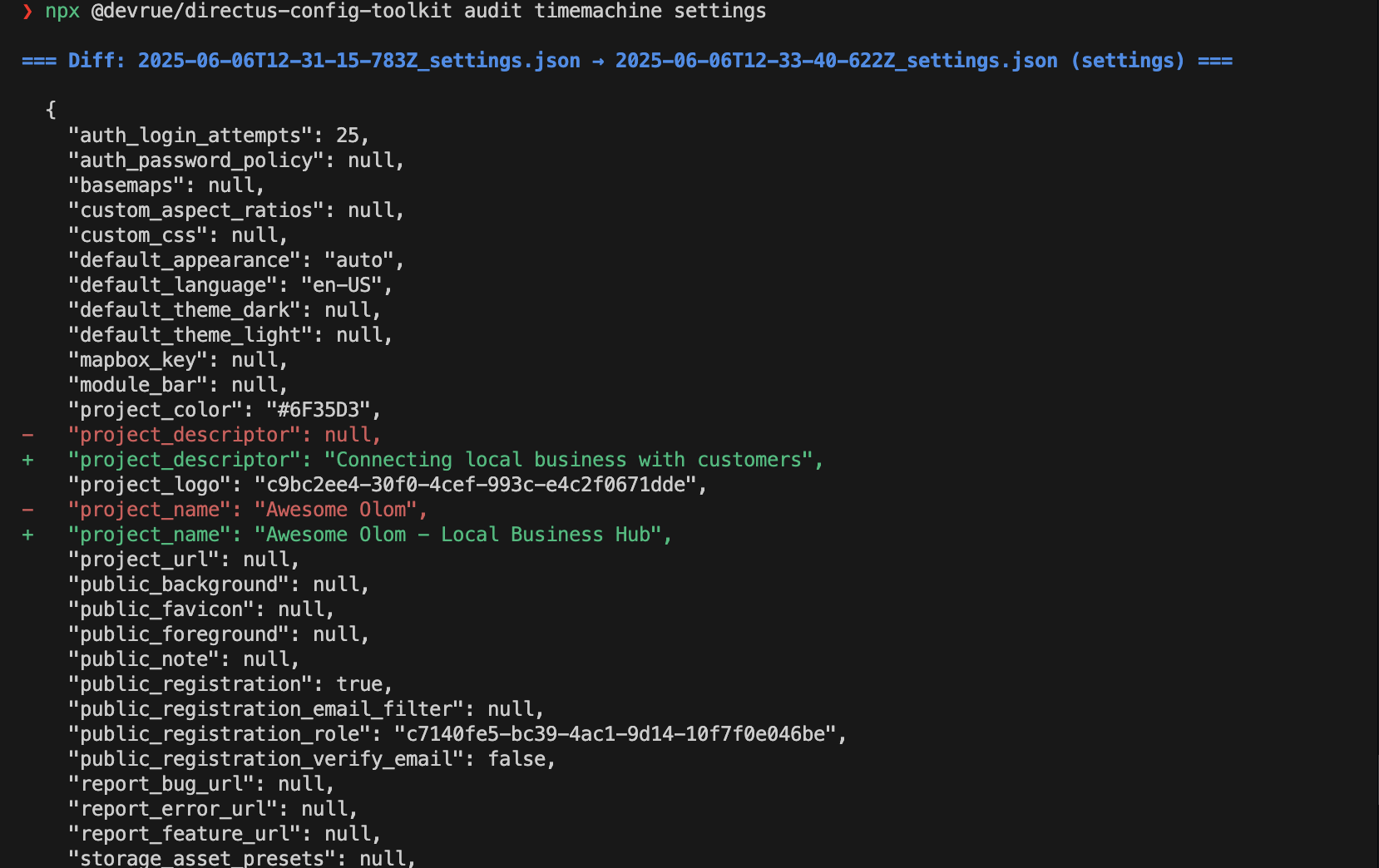
$3
bash
Pull and run the CLI image
docker pull ghcr.io/peter-olom/directus-config-toolkit:latest
docker run -v $(pwd)/config:/app/config -e DCT_API_URL=http://directus:8055 -e DCT_TOKEN=your_token ghcr.io/peter-olom/directus-config-toolkit:latest [command]Pull and run the UI image
docker pull ghcr.io/peter-olom/directus-config-toolkit-ui:latest
docker run -p 3000:3000 -v $(pwd)/config:/app/config -e DCT_API_URL=http://directus:8055 -e DCT_TOKEN=your_token ghcr.io/peter-olom/directus-config-toolkit-ui:latest
`Configuration
DCT can be configured using environment variables:
bash
Required variables
DCT_API_URL=http://localhost:8055  # Your Directus instance URL
DCT_TOKEN=your_token               # Your Directus API tokenOptional variables
DCT_CONFIG_PATH=./config           # Path to store configuration files
DCT_AUDIT_PATH=./audit             # Path to store audit logs and snapshots
DCT_AUDIT_RETENTION_DAYS=30        # Days to keep audit snapshotsIf Using the UI
AUTH_SECRET=random-secret-used-by-next-auth
AUTH_TRUST_HOST=true # Use this if you run into - UntrustedHost: Host must be trusted. URL was: http://localhost:PORT/api/auth/session. Read more at https://errors.authjs.dev#untrustedhost
DCT_UI_URL=http://localhost:3000
DCT_UI_USERNAME=admin
DCT_UI_PASSWORD=bcrypt-hash-string # DCT can generate this for you
`You can set these variables in your shell, a
file, or pass them directly when using Docker.CLI Commands
> Note: The binary name has changed from
directus-ct to dct$3
bash
Export configuration
dct export             # Export a specific configuration type
dct export-all               # Export all configuration types in the correct orderImport configuration
dct import             # Import a specific configuration type
dct import-all               # Import all configuration types in the proper sequence
dct import-all --continue-on-error  # Continue importing if one type failsAvailable types: schema, roles, files, settings, flows
`$3
bash
List snapshots
dct audit list Show differences between snapshots
dct audit diff   See configuration changes over time
dct audit timemachine  [--limit ] [--start-time ]Show import differences
dct audit import-diffs
`$3
bash
Show environment configuration
dct configDebug connection issues
dct debug
dct debug-envGenerate secure password hash for UI authentication
dct hash-password [-p password] [-o output-file]
`$3
bash
Start the UI
dct ui start [-p port] [-t tag] [-n name]Check UI status
dct ui status [-n name]Stop the UI
dct ui stop [-n name]View UI logs
dct ui logs [-n name] [-f]
`Web Dashboard
For those who prefer a graphical interface, DCT includes a web-based dashboard for managing your Directus configurations.
$3
bash
Using the CLI
dct ui startUsing Docker
docker run -p 3000:3000 \
  -e DCT_API_URL=http://directus:8055 \
  -e DCT_TOKEN=your_token \
  -v $(pwd)/config:/app/config \
  -v $(pwd)/audit:/app/audit \
  ghcr.io/peter-olom/directus-config-toolkit-ui:latest
`
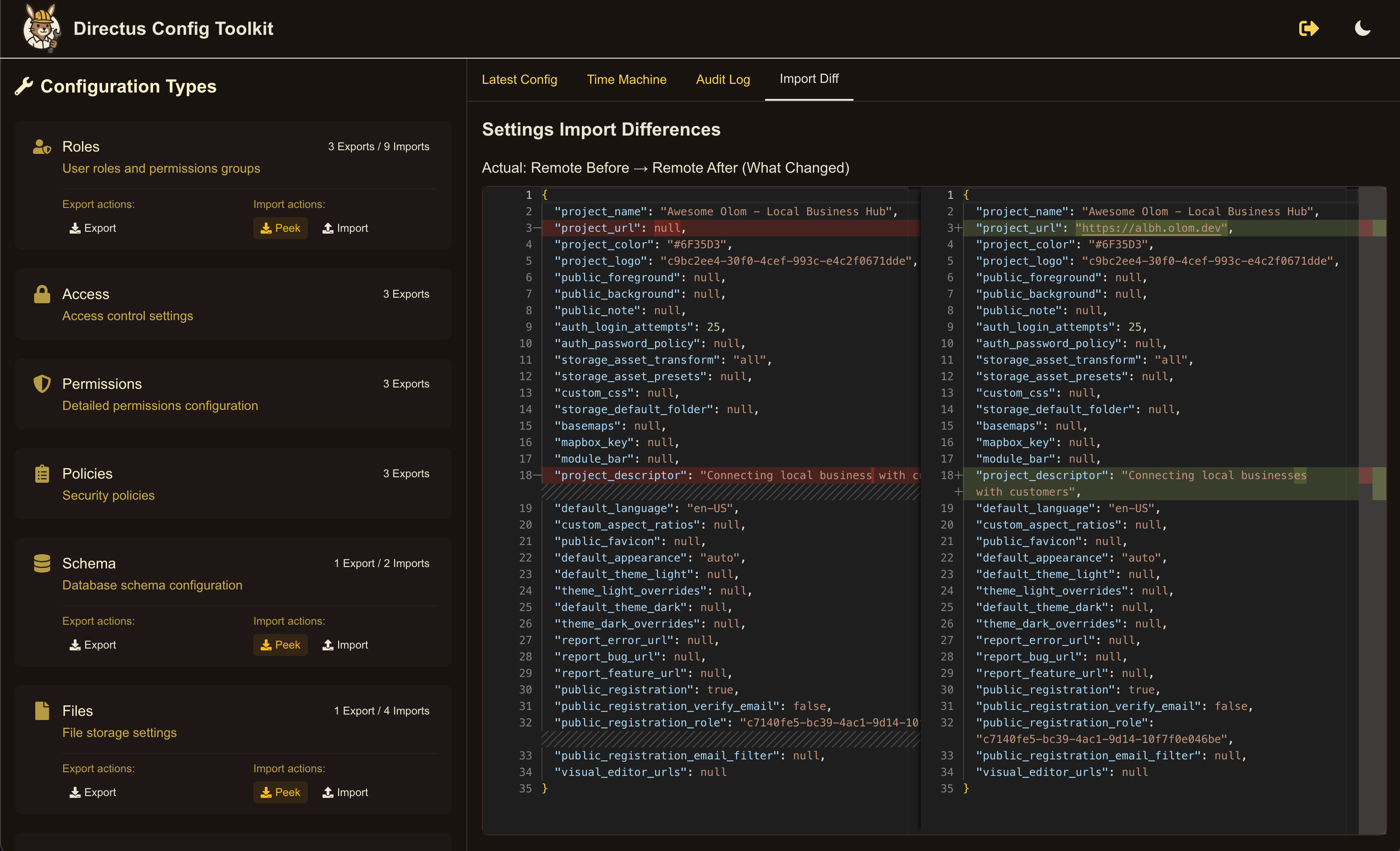
The dashboard provides:
- At-a-glance configuration status
- Interactive diff viewing
- Configuration export/import with visual feedback
- Time machine for browsing configuration history
- Easy setup for CI/CD pipelines
How It Works
$3
When you export configurations, DCT:
1. Connects to your Directus instance using the provided API token
2. Fetches the specified configuration type(s)
3. Stores the configurations as JSON files in the config directory
4. Creates audit snapshots for tracking changes over time
$3
When you import configurations, DCT:
1. Reads the configuration files from the config directory
2. Creates a snapshot of the current state of your Directus instance
3. Applies the configurations to your Directus instance
4. Creates an "after" snapshot to document changes
5. Follows the correct sequence to handle dependencies between configuration types
Troubleshooting
$3
If you're having trouble connecting:
bash
Check your environment configuration
dct debug-envTest connection and authentication
dct debug
`$3
Schema imports can fail if there are incompatible changes:
bash
Try running the schema import in dry-run mode
dct import schema --dry-run
`$3
The tool handles special cases like admin roles and public permissions:
- Admin roles are automatically excluded from export/import
- Public roles are mapped between environments by name and icon, not by ID
- Role references in permissions and policies are automatically remapped
Development
To contribute to DCT:
bash
Clone the repository
git clone https://github.com/peter-olom/directus-config-toolkit.git
cd directus-config-toolkitInstall dependencies
npm installBuild the packages
npm run buildRun the core package in development mode
cd packages/core
npm run devRun the UI in development mode
cd packages/ui
npm run dev
``See DEVELOPMENT.md for more detailed development instructions.
Acknowledgements
- The Directus team for their amazing headless CMS 🤩
- Contributors to this project
- Users who provide feedback and bug reports
---
For more information, visit the GitHub repository.