@ducdh-origin/react-native-modals
v0.0.4
React Native Popup Dialog for IOS & Android.
dialogpopupreact dialogreact-nativereact-native-popup-dialogreact-native-dialogreact native dialogpopup-dialogreact-componentios
0/weekUpdated 3 years agoMITUnpacked: 4.4 MB
Published by jacklam
npm install @ducdh-origin/react-native-modals
![npm]()
![npm]()
React Native Popup Dialog
React Native Popup Dialog for iOS & Android.
Another similar dialog component: react-native-dialog-component the main difference is style.
Pull request are welcomed. Please follow Airbnb JS Style Guide
#### How to thank me ?
Just click on ⭐️ button 😘

BREAKING CHANGE
Has a lot of backward incompatible changes in
v0.16.0. Please, Read the Docs before upgrading to v0.16.0Installation
``
npm install --save react-native-popup-dialogOR
yarn add react-native-popup-dialog
Exposed Modules
* Dialog
* Overlay
* DialogButton
* DialogContent
* DialogTitle
* DialogFooter
* Animation
* FadeAnimation
* ScaleAnimation
* SlideAnimation
* DialogProps
* DialogFooterProps
* DialogButtonProps
* DialogTitleProps
* DialogContentProps
* OverlayProps
Examples
Example
Basic Usage
`
jsx
import Dialog, { DialogContent } from 'react-native-popup-dialog';
import { Button } from 'react-native'
onPress={() => {
this.setState({ visible: true });
}}
/>
onTouchOutside={() => {
this.setState({ visible: false });
}}
>
{...}
`Usage - Animation
jsx
import Dialog, { SlideAnimation, DialogContent } from 'react-native-popup-dialog';
dialogAnimation={new SlideAnimation({
slideFrom: 'bottom',
})}
>
{...}
`Usage - Dialog Dialog Title
jsx
import Dialog, { DialogTitle, DialogContent } from 'react-native-popup-dialog';
dialogTitle={
>
{...}
`Usage - Dialog Action
jsx
import Dialog, { DialogFooter, DialogButton, DialogContent } from 'react-native-popup-dialog';
footer={
onPress={() => {}}
/>
onPress={() => {}}
/>
}
>
{...}
`
Props
$3
| Prop | Type | Default | Note |
|---|---|---|---|
| | boolean | false | |
| rounded | boolean | true | |
| useNativeDriver | boolean | true | |
| children | any | | |
| dialogTitle? | React Element | | You can pass a DialogTitle component or pass a View for customizing titlebar |
| width? | Number | Your device width | The Width of Dialog, you can use fixed width or use percentage. For example 0.5 it means 50%
| | Number | 300 | The Height of Dialog, you can use fixed height or use percentage. For example 0.5 it means 50%
| | | FadeAnimation | animation for dialog | |
| dialogStyle? | any | | | |
| containerStyle? | any | null | For example: ` { zIndex: 10, elevation: 10 } ` | |
| animationDuration? | Number | 200 | | |
| overlayPointerEvents? | String | | Available option: auto, none |
| overlayBackgroundColor? | String | #000 |
| overlayOpacity? | Number | 0.5 |
| hasOverlay? | Boolean | true | | |
| onShow? | Function | | You can pass shown function as a callback function, will call the function when dialog shown | |
| onDismiss? | Function | | You can pass onDismiss function as a callback function, will call the function when dialog dismissed | |
| onTouchOutside? | Function | () => {} | | |
| onHardwareBackPress? | Function | () => true | Handle hardware button presses | |
| footer? | React Element | null | for example: ` | |
$3
| Prop | Type | Default | Note |
|---|---|---|---|
| title | String | | | |
| style? | any | null | | |
| textStyle? | any | null | | |
| align? | String | center | Available option: left, center, right | |
| hasTitleBar? | Bool | true | | |
$3
| Prop | Type | Default | Note |
|---|---|---|---|
| children | any | | | |
| style? | any | null | | |
$3
| Prop | Type | Default | Note |
|---|---|---|---|
| children | DialogButton | | | |
| bordered? | Boolean | true | | |
| style? | any | null | | |
$3
| Prop | Type | Default | Note |
|---|---|---|---|
| text | String | | | |
| onPress | Function | | | |
| align? | String | center | Available option: left, center, right | |
| style? | any | null | | |
| textStyle? | any | null | | |
| activeOpacity? | Number | 0.6 | | |
| disabled? | Boolean | false | | |
| bordered? | Boolean | false | | |
$3
| Prop | Type | Default | Note |
|---|---|---|---|
| visible | Boolean | | | |
| opacity | Number | 0.5 | | |
| onPress? | Function | | | |
| backgroundColor? | string | #000 | | |
| animationDuration? | Number | 200 | | |
| pointerEvents? | String | null | Available option: auto, none | |
| useNativeDriver? | Boolean | true | | |
Animation
$3
$3
##### Preview:
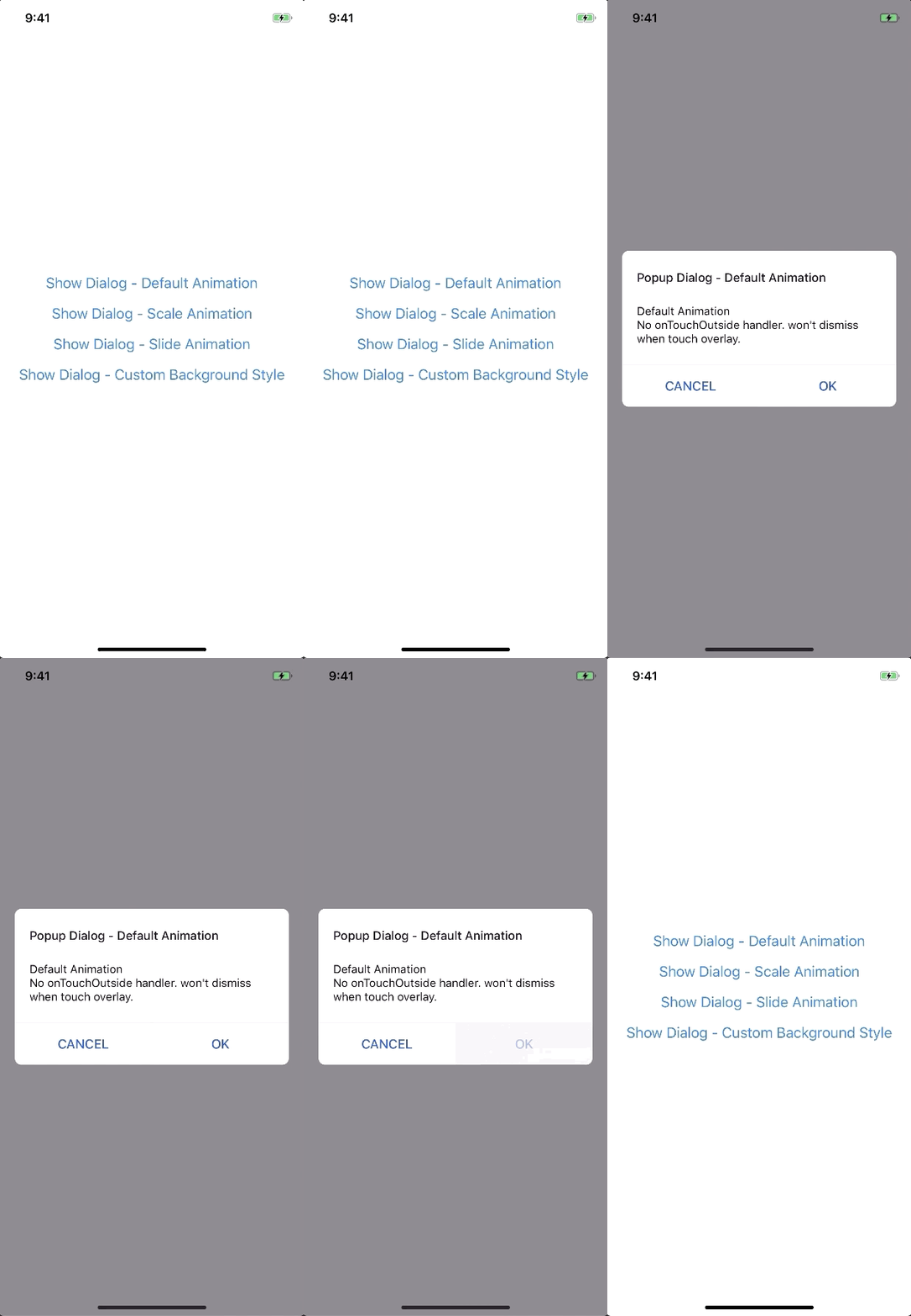
##### Example:
`javascript
new FadeAnimation({
initialValue: 0, // optional
animationDuration: 150, // optional
useNativeDriver: true, // optional
})
`
| Param | Type | Default | Note |
|---|---|---|---|
| | Number | 0 | |
| animationDuration? | Number | 150 | |
| useNativeDriver? | Boolean | true | |$3
##### Preview:
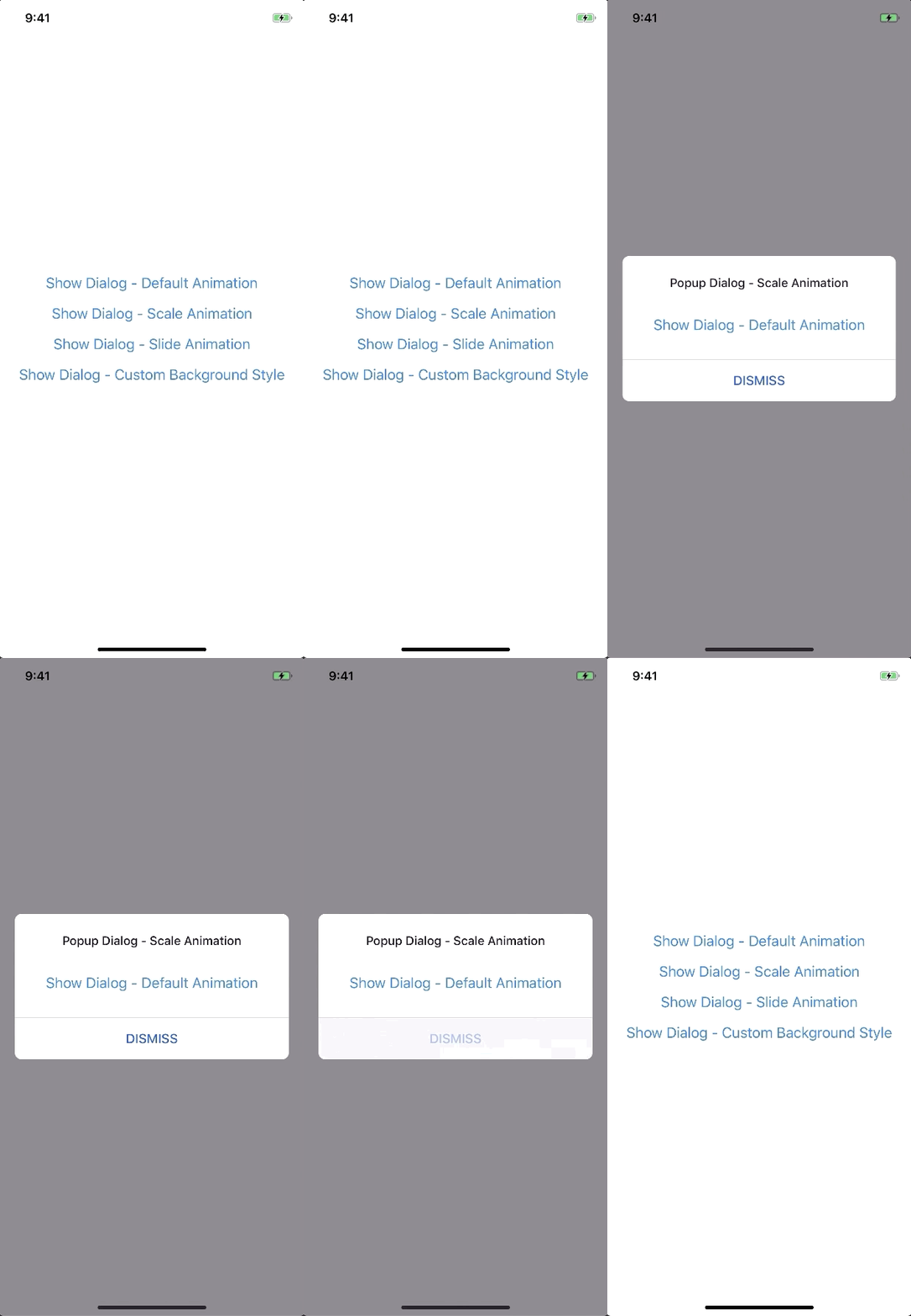
##### Example:
`javascript
new ScaleAnimation({
initialValue: 0, // optional
useNativeDriver: true, // optional
})
`
| Param | Type | Default | Note |
|---|---|---|---|
| | Number | 0 | |
| useNativeDriver | Boolean | true | |$3
##### Preview:
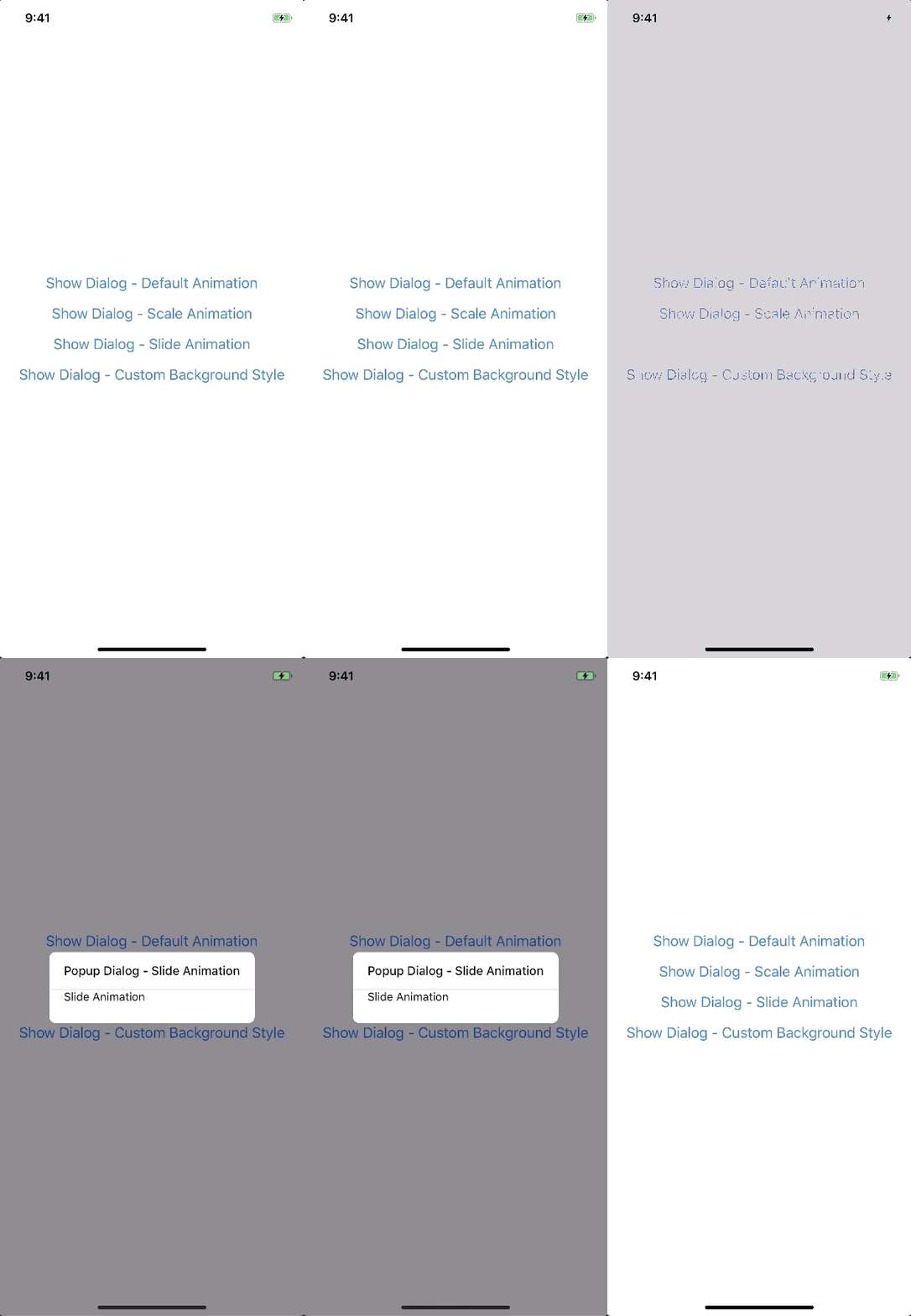
##### Example:
`javascript
new SlideAnimation({
initialValue: 0, // optional
slideFrom: 'bottom', // optional
useNativeDriver: true, // optional
})
`
| Param | Type | Default | Note |
|---|---|---|---|
| | Number | 0 | |
| slideFrom | String | bottom | Available option: top, bottom, left, right |
| useNativeDriver | Boolean | true | |$3
##### Example:
`javascript
import { Animated } from 'react-native';
import { Animation } from 'react-native-popup-dialog';class CustomAnimation extends Animation {
in(onFinished) {
Animated.spring(this.animate, {
toValue: 1,
useNativeDriver: this.useNativeDriver,
}).start(onFinished);
}
out(onFinished) {
Animated.spring(this.animate, {
toValue: 0,
useNativeDriver: this.useNativeDriver,
}).start(onFinished);
}
getAnimations() {
return {
transform: [{
translateY: this.animate.interpolate({
inputRange: [0, 1],
outputRange: [800, 1],
}),
}],
};
}
}
`Development