@e-n-v/env
v0.0.7TypeScript
Interactive setup and runtime validation for environment variables
10/weekUpdated 2 months agoMITUnpacked: 1.5 MB
Published by agorischek
npm install @e-n-v/env
> Environments, niftily? Very!
e·n·v is a suite of handy stuff for working with environment variables and .env files, including interactive setup and runtime validation.
``ts`
/ 1. Define environment variables /
const model = vars({ PORT, NODE_ENV, API_KEY });
`ts`
/ 2. Validate at runtime /
const env = parse(process.env, model);
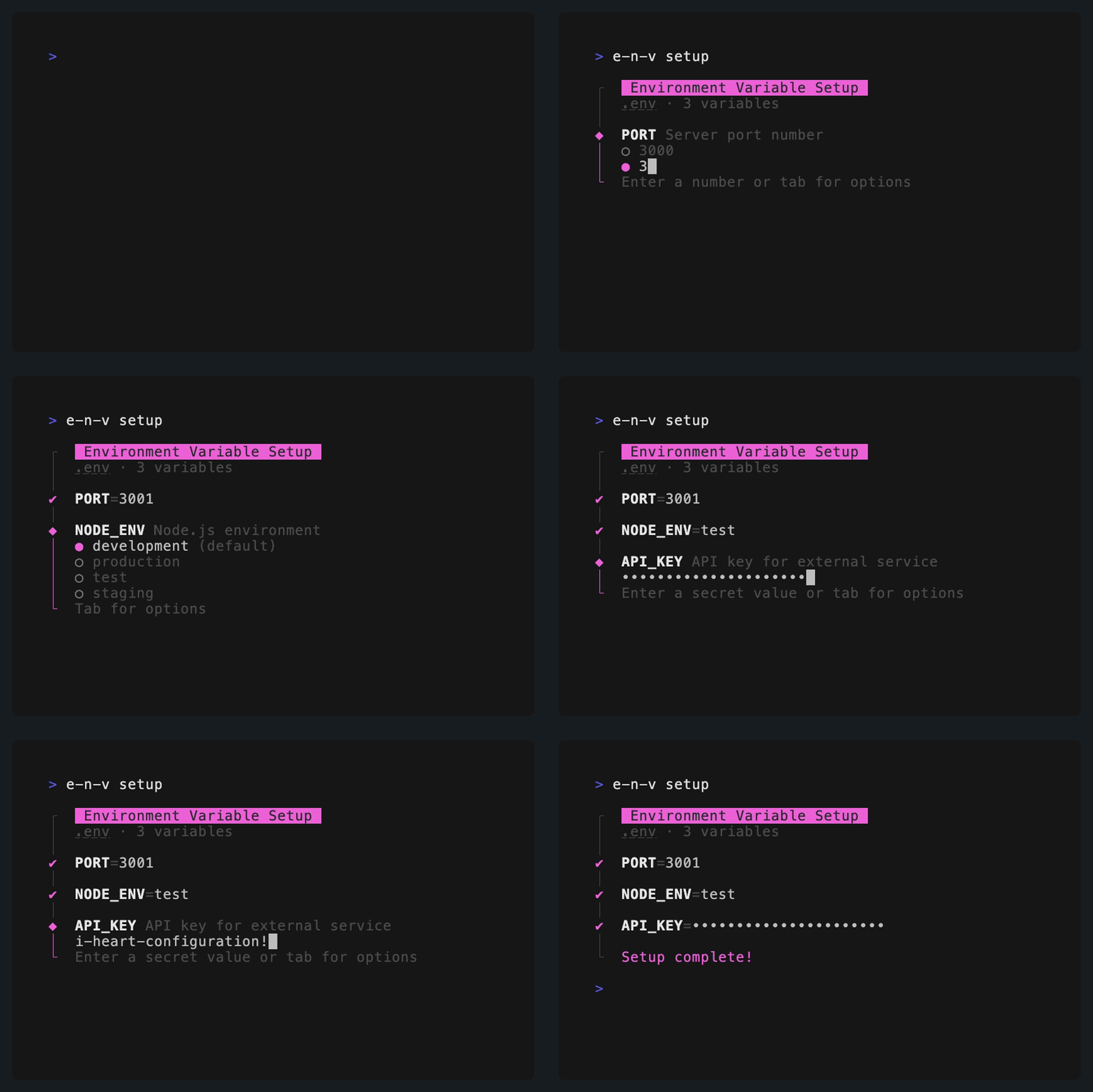
`tse-n-v setup
/ 3. Set up during development /
await prompt(model); // or use
Usage
$3
An env model defines the structure of your environment variables. e·n·v provides built-in schemas for common variables, and custom schemas can be authored using Zod.
`ts
// env.model.js
import vars, { NODE_ENV, PORT, DATABASE_URL } from "@e-n-v/env/vars";
export default vars({ NODE_ENV, PORT, DATABASE_URL });
`
$3
Run e-n-v setup to interactively author your local .env file during development. This can be wrapped in a package script, e.g. npm run env. (Alternatively, a prompt method is available for programmatic use.)
$3
In your app, load your environment variables as usual, parse them, and export them for use. A combined error is thrown if any variables fail validation. Reference these exports throughout your code rather than using process.env directly.
`ts
// env.js
import "dotenv/config";
import parse from "@e-n-v/env/parse";
import model from "./env.model";
export const { NODE_ENV, PORT, DATABASE_URL } = parse(process.env, model);
`
$3
e·n·v provides a variety of customization options, including:
1. Authoring custom variable schemas using Zod or built-in schema utilities.
2. Reading and writing variables via other libraries, e.g. dotenvx.
3. Changing the setup CLI behavior, such as what variables are treated as secrets.
Happy configuring!
Models
Models define the structure of your environment variables, including names, schemas, and any preprocessing (e.g. converting 1/0 to boolean). The vars method defines a model with only variable schemas.
`ts
import vars, { NODE_ENV } from "@e-n-v/env/vars";
export default vars({ NODE_ENV });
`
If you also want to define custom preprocessing, use define instead. Preprocessors are run before values are submitted to schemas for validation.
`ts
import { define, schemas } from "@e-n-v/env";
const { NODE_ENV } = schemas;
export default define({
schemas: { NODE_ENV },
preprocess: {
boolean: (value) => value === "true",
},
});
``