Tune d.ts Plugin
npm install @efox/emp-tune-dts-plugin> Generate type files for Module Federation project
English | 简体中文
tsc -d is a relative path.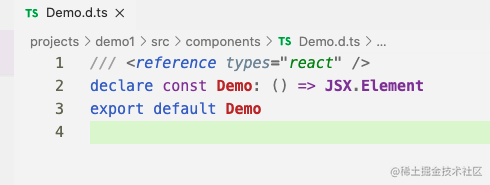
After pulling this type of file to the sub-project, the sub-project cannot recognize the type of the remote component, resulting in failure to compile successfully and type prompts.
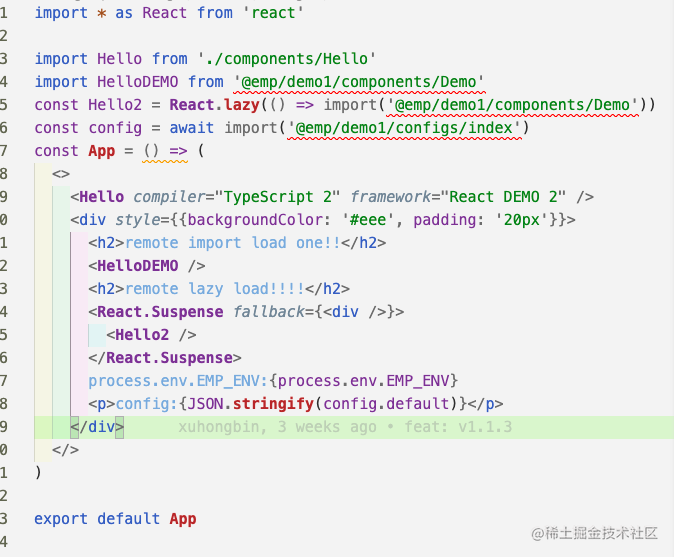
yarn emp build --ts, a type file index.d.ts with the current project name as the path prefix will be generated.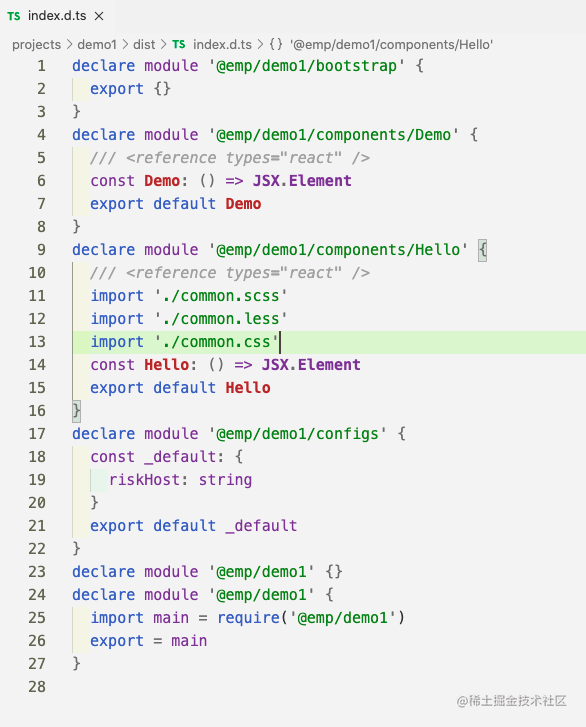
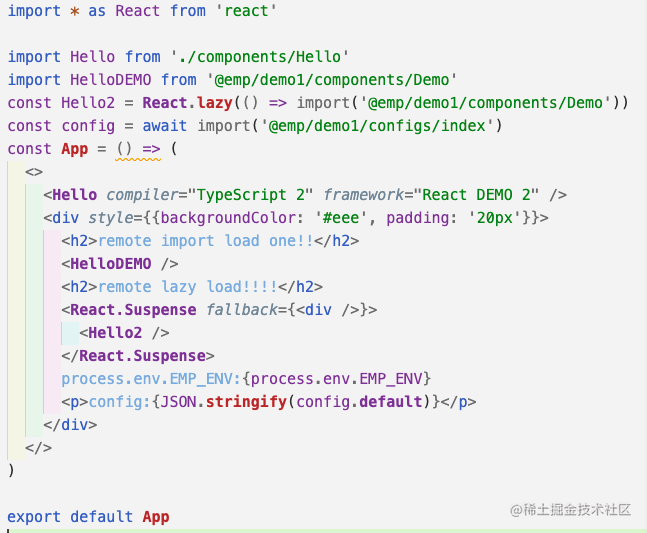
Drag the type file generated by emp-tune-dts-plugin to the sub-project, the sub-project can not only recognize the type of the remote component, but also compile successfully and have type prompts. Reference to remote components, methods, etc. and hints, there is a feeling of service discovery on microservices.
npm i @efox/emp-tune-dts-plugin or yarn add @efox/emp-tune-dts-plugin
``js`
const { TuneDtsPlugin } = require('@efox/emp-tune-dts-plugin')
Way 1 recommended
`js`
const createName = 'index.d.ts'
const createPath = './dist'
function operationDemo(fileData) {
console.log(fileData)
return fileData;
}
plugin.tunedts = {
plugin: TuneDtsPlugin,
args: [
{
output: path.join(createPath, createName),
path: createPath,
name: createName,
isDefault:true,
// Incoming function custom operation
operation: operationDemo
},
],
};
Way 2
`js`
function operationDemo(fileData) {
console.log(fileData)
return fileData;
}
plugins: [
new TuneDtsPlugin({
output: path.join(createPath, createName),
path: createPath,
name: createName,
isDefault:true,
// Incoming function custom operation
operation: operationDemo
})
]
Parameter explanation:
| Parameter | Type | Explanation |
| ---- | ---- | --- |
| output| string (Required)| d.ts File output directory|
| path| string (Required)| d.ts Folder path|
| name| string (Required)| d.ts File name|
| isDefault | boolean(Required) | Replace relative paths with absolute paths by default |
| isRmExportDefault | boolean(Optional) | remove default = |
| operation| Function (Optional)| Custom operation d.ts file function (when isDefault is true, operation will inherit the content after the default Replace). The input parameter is the content of the d.ts file, and the d.ts data must be returned after the operation is completed. operationDemo as an example|
+ After connecting to the Webpack Plugin, run Webpack to generate the type file of the current Module Federation project and save it in dist