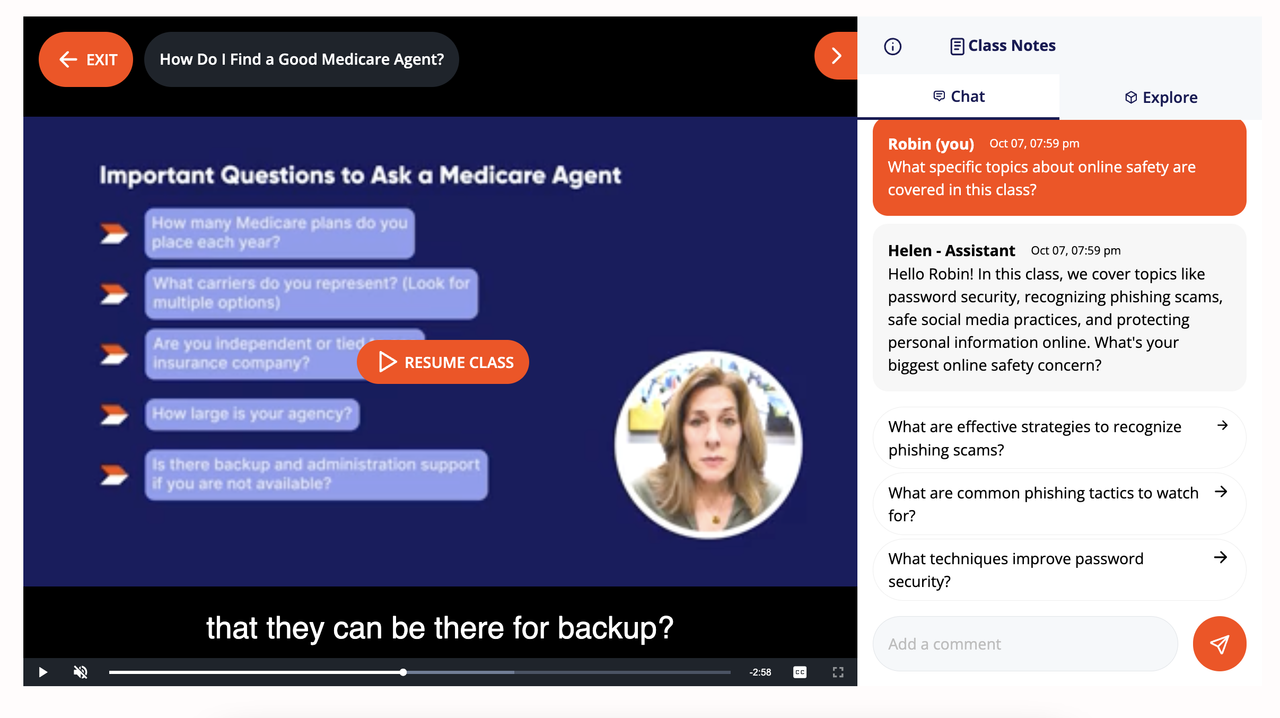
The **GetSetUp (GSU) HTML Embed** feature enables partners to integrate GSU content seamlessly into their existing websites. With this setup, partners can offer diverse GSU content (classes, series, articles, etc.) directly on their sites without redirect
npm install @getsetup-io/html-embedbash
npm install @getsetup-io/html-embed
`
---


Core Integration Methods


$3


This function initializes the embedded GSU app within a target HTML element on the partner’s site. It requires a
targetElementId (ID of the HTML container) and a partnerId (provided by GSU support).
Example:
`javascript
GSUEmbed.init({
targetElementId: "iframe-container",
partnerId: "-gsu-partner-id-",
});
`
#### Parameters:


-
targetElementId _(string, required)_ – The ID of the HTML element where GSU will be embedded.
- partnerId _(string, required)_ – The unique partner ID assigned by GSU support.
$3
To host the Discover page at a custom base path (e.g., https://www.example.com/learning/), specify the base URL in the target element using the data-gsuembed-discover-link-template attribute.
Example:
`html
id="iframe-container"
data-gsuembed-discover-link-template="/learning"
>
$3


Enable hotlinking for the Watch page with custom URL formats by specifying the
data-gsuembed-watch-link-template attribute. This allows URLs to follow a specific structure, such as https://www.example.com/classes/yoga-for-beginners/class:abcxyz. It works similarly for the other page templates: data-gsuembed-article-link-template and data-gsuembed-series-link-template.
Example with only watch template:
`html
id="iframe-container"
data-gsuembed-discover-link-template="/learning"
data-gsuembed-watch-link-template="/classes/[classSlug]/[classID]"
>
Example with all templates:
`html
id="iframe-container"
data-gsuembed-discover-link-template="/learning"
data-gsuembed-watch-link-template="/classes/[classSlug]/[classID]"
data-gsuembed-article-link-template="/article/[articleID]"
data-gsuembed-series-link-template="/series/[seriesID]"
data-gsuembed-watch-live-link-template="/watch/live/[classSlug]/[sessionID]"
>
---


4. Authentication & User Session Tracking (Optional)


Our solution provides a seamless way for partners to embed GetSetUp within their platforms, keeping it behind their own authentication systems. This allows partner platforms to control access for authenticated users while leveraging our solution’s features. Below is a guide to implementing and tracking authenticated user sessions with GetSetUp embedded in your platform.


$3


1. Embedding GetSetUp

   Partners can embed the GetSetUp interface directly into their applications. This interface will work behind the partner's authentication, allowing secure access only for authenticated users.


2. Tracking User Sessions (Optional)

   To track GetSetUp usage by authenticated users, we provide two functions to be used as hooks. These functions capture user sessions by sending data to GetSetUp based on the user's authentication state. This data enables partners to analyze usage patterns and better understand how their users engage with GetSetUp.


Partners can track and manage user sessions using two functions:
onAuthSuccess and onAuthReset. These functions capture session data whenever users log in or out.
$3
Called when an authenticated session is detected, this function requires a userId and supports additional optional information.
`javascript
GSUEmbed.onAuthSuccess({
userId: "uniqueUserId123",
additionalInfo: {
billing_id: "12345",
plan: "premium",
},
});
`
- userId _(required)_ – A unique identifier for the authenticated user.
- additionalInfo _(optional)_ – Object for additional data (e.g., billing ID, subscription plan).
$3
Called when a user logs out, this function clears session data. No parameters are required.
`javascript
GSUEmbed.onAuthReset();
`
---


Integration Flow Diagram


The following diagram provides an overview of the integration flow:
`mermaid
---
config:
layout: fixed
---
flowchart TD
A["Embed GSU on Partner Platform"] --> B["Partner Authenticates User"]
B --> C{"User Authentication Status"}
C -- Authenticated --> D["GSUEmbed.onAuthSuccess Called"]
D --> E["Session Data Sent to GSU"]
C -- Logged Out --> F["GSUEmbed.onAuthReset Called"]
F --> G["Session Data Cleared"]
`
!Diagram


---


Quick Start Examples


$3


Note: This example uses just the root path for the discover page "/", (earlier examples used "/learning"). Also the watch page is located at "/classes..." in this example, (earlier examples had used "/watch..."). These are settings and can be set to anything as long as it is consistent throughout an implementation.
`html
id="iframe-container"
data-gsuembed-discover-link-template="/"
data-gsuembed-article-link-template="/article/[articleID]"
data-gsuembed-series-link-template="/series/[seriesID]"
data-gsuembed-watch-link-template="/classes/[classSlug]/[classID]"
data-gsuembed-watch-live-link-template="/watch/live/[classSlug]/[sessionID]"
>
$3
`typescript
import { init, GSUEmbedOptions } from "@getsetup-io/html-embed";
init({
targetElementId: "iframe-container",
partnerId: "-gsu-partner-id-",
});
`
$3


#### Discover Page


Note: This example uses "/discover" for the discover page, (earlier examples used "/learning" and just "/").
`jsx
// Discover Page: /src/app/discover/page.tsx
"use client";
import { init } from "@getsetup-io/html-embed";
import { useEffect } from "react";
export default function DiscoverPage() {
useEffect(() => {
init({
targetElementId: "iframe-container",
partnerId: "-gsu-partner-id-",
});
});
return (
id="iframe-container"
data-gsuembed-discover-link-template="/discover"
data-gsuembed-article-link-template="/article/[articleID]"
data-gsuembed-series-link-template="/series/[seriesID]"
data-gsuembed-watch-link-template="/watch/[classID]"
data-gsuembed-watch-live-link-template="/watch/live/[sessionID]"
>
#### Watch Page
`jsx
// Watch Page: /src/app/watch/[classID]/page.tsx
"use client";
import { init } from "@getsetup-io/html-embed";
import { useEffect } from "react";
export default function WatchPage() {
useEffect(() => {
init({
targetElementId: "iframe-container",
partnerId: "-gsu-partner-id-",
});
});
return (
id="iframe-container"
data-gsuembed-discover-link-template="/discover"
data-gsuembed-article-link-template="/article/[articleID]"
data-gsuembed-series-link-template="/series/[seriesID]"
data-gsuembed-watch-link-template="/watch/[classID]"
>
#### Watch Live Page
`jsx
// Watch Live Page: /src/app/watch/live/[sessionID]/page.tsx
"use client";
import { init } from "@getsetup-io/html-embed";
import { useEffect } from "react";
export default function WatchPage() {
useEffect(() => {
init({
targetElementId: "iframe-container",
partnerId: "-gsu-partner-id-",
});
});
return (
id="iframe-container"
data-gsuembed-discover-link-template="/discover"
data-gsuembed-article-link-template="/article/[articleID]"
data-gsuembed-series-link-template="/series/[seriesID]"
data-gsuembed-watch-link-template="/watch/[classID]"
data-gsuembed-watch-live-link-template="/watch/live/[sessionID]"
>
);
}
`
---


Summary


This integration guide covers embedding, configuration, and user session management for GetSetUp content within partner platforms. By using GSUEmbed.init, along with optional hooks for user session tracking (onAuthSuccess and onAuthReset`), partners can provide a seamless experience while keeping GetSetUp content directly on their site. This setup offers a flexible, controlled, and secure way to deliver diverse GSU features to authenticated users.