@heleneb1/ts-errors
v1.2.1TypeScript
Lightweight TypeScript library to create, manage and log typed, structured errors for Node.js, Express and modern JavaScript apps. Simplify error handling, improve debugging, and keep your API responses clean and consistent.
0/weekUpdated 2 months agoMITUnpacked: 41.1 KB
Published by Heleneb1
npm install @heleneb1/ts-errors
🧱 ts-errors
ts-errors is a lightweight TypeScript library for creating structured, typed errors with style. Perfect for TypeScript, Node.js, Express, and JavaScript applications.


📘 This README is also available in 🇫🇷 French and 🇬🇧 English.
> Handle HTTP errors painlessly — with elegance, strict typing, and a touch of emoji ✨
A minimalist TypeScript library to create, format, and manage HTTP errors with style, structure, and expressiveness. Compatible with JavaScript, Express, and external loggers like winston, pino, etc.
---
💡 Why ts-errors ?
Because errors deserve better than
throw new Error("Oops").
ts-errors helps you to:
- Give meaning to your errors (categories, details, typing)
- Display them clearly (console, logs, API)
- Integrate them easily into your stack (Express, Winston, etc.)
---
Requirements: Node >= 18, TypeScript >= 5
---
NPM | GitHub
✨ Features
- ✅ Extensible CustomError class with emoji, statusCode, category, details
- 🎯 Ready-to-use errors (NotFoundError, UnauthorizedError, etc.)
- 🎨 Formatted output: compact, colorized, or tabular
- ⚙️ Built-in Express middleware
- 🔌 External logger support (winston, pino, etc.)
- 📦 Zero external dependencies
- 🧠 Strict typing + JS/TS autocompletion
---
$3
---
🚀 Installation
``
bash

With npm

npm install @heleneb1/ts-errors


Or yarn

yarn add @heleneb1/ts-errors
`
---


⚙️ Quick Start


$3
`ts
import { NotFoundError } from "@heleneb1/ts-errors";
throw NotFoundError("User not found", { userId: 42 });
`
$3
`js
const { NotFoundError } = require("@heleneb1/ts-errors");
throw NotFoundError("User not found", { userId: 42 });
`
---


🧩Using
CustomError
`ts
import { CustomError } from "@heleneb1/ts-errors";
throw new CustomError("Something went wrong", 500, {
context: "DB connection",
});
`
---


$3


The order of arguments matters!


💡 Signature:
`ts
new CustomError(
message: string, // error text
statusCode?: number, // HTTP status code (default 500)
details?: Record // additional info
)
`
✅ Correct example:
`ts
throw new CustomError("Joke not found", 404, {
info: Joke with id ${id} not found 😔, // free text, add anything you want
});
`
❌ Example to avoid:
`ts
// Wrong order → statusCode will be replaced by the details object
throw new CustomError("Joke not found", { jokeId: id }, 404);
`
💡 Tip:

You can also pass an object directly:
`ts
throw new CustomError({
message: "Joke not found",
statusCode: 404,
details: { jokeId: id },
});
`
---


🧰 Express Middleware
`ts
import express from "express";
import { errorMiddleware, CustomError } from "@heleneb1/ts-errors";
const app = express();
app.get("/test-error", (req, res, next) => {
next(new CustomError("Something went wrong!", 400, { route: "/test-error" }));
});
app.use(errorMiddleware);
`
> The errorMiddleware automatically serializes and sends JSON responses to the client.


---
`ts
// Exemple with Sequelize and DB error handling
import { Sequelize } from "sequelize";
import express from "express";
import { errorMiddleware, CustomError } from "@heleneb1/ts-errors";
const app = express();
const sequelize = new Sequelize("sqlite::memory:");
app.get("/db-error", async (req, res, next) => {
try {
await sequelize.query("SELECT * FROM jokes");
res.send("✅ DB query ok");
} catch (err) {
next(
new CustomError("Database error", 500, {
category: "DB",
details: err.message,
})
);
}
});
// simulated route to trigger a DB error
app.get("/db-error-test", (req, res, next) => {
next(
new CustomError("Database error", 500, {
category: "DB",
details: "Simulated error",
})
);
});
// Mount the error middleware
app.use(errorMiddleware);
`
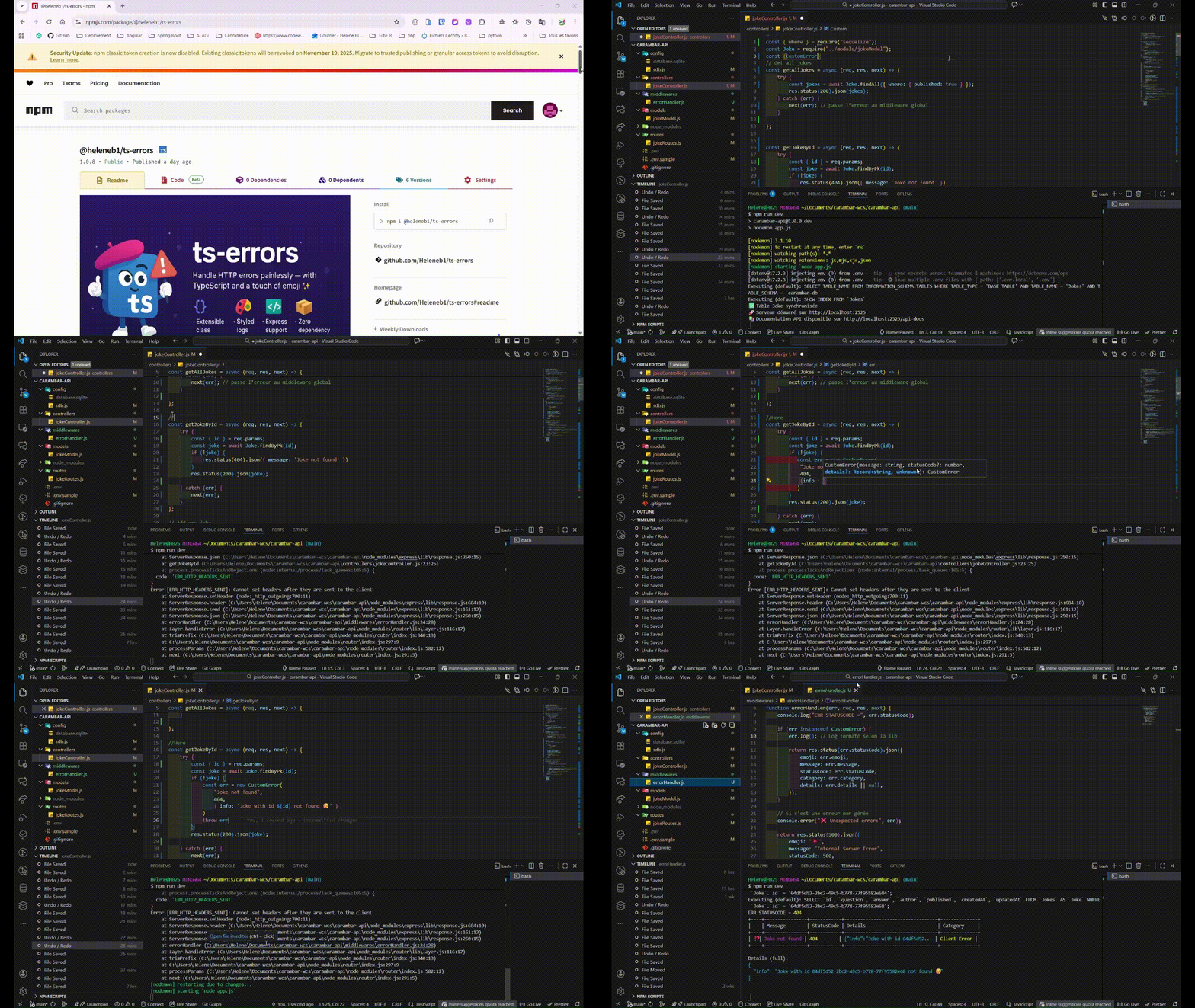
!sortie terminal @heleneb1/ts-errors


_Terminal output_


!sortie client @heleneb1/ts-errors


_Client output_
`json
{
"message": "Database error",
"statusCode": 500,
"emoji": "💥",
"category": "Server Error",
"details": {
"category": "DB",
"details": "Simulated error"
}
}
`
Best practices


Always include statusCode and details in your errors.


Configure global options (showEmoji, colorize, autoLog) according to dev/prod environment.


Use the middleware to centralize error handling.


Frontend errors can be logged using formattedMessage().


Exemples concrets


Express
`ts
app.get("/test-error", (req, res, next) => {
next(new CustomError("Something went wrong!", 400, { route: "/test-error" }));
});
`
NestJS
`ts
@Catch(CustomError)
export class CustomErrorFilter implements ExceptionFilter {
catch(exception: CustomError, host: ArgumentsHost) {
const response = host.switchToHttp().getResponse();
response.status(exception.statusCode || 500).json(exception.toJSON());
}
}
`
---


⚙️ Global Configuration
`ts
import { CustomError } from "@heleneb1/ts-errors";
CustomError.settings = {
showEmoji: false,
defaultCompact: true,
colorize: false,
};
CustomError.config({ showEmoji: true, colorize: true });
CustomError.setLogger(myWinstonLogger, "error");
`
---


🔌 External Logger Integration
`ts
import { CustomError } from "@heleneb1/ts-errors";
import winston from "winston";
const logger = winston.createLogger({
/ config /
});
CustomError.setLogger(logger, "error");
`
---


🖼️ Formatted Output
`ts
try {
throw NotFoundError("Page not found", { url: "/404" });
} catch (err) {
if (err instanceof CustomError) {
err.log(); // Affiche l’erreur formatée dans la console
}
}
`
$3


Each CustomError can be displayed as a table in the console using log() or retrieved as JSON using toJSON().
`ts
import { NotFoundError, CustomError } from "@heleneb1/ts-errors";
try {
throw NotFoundError(undefined, { userId: 42 });
} catch (err) {
if (err instanceof CustomError) {
// Display as a table in the console
err.log();
// Get the JSON object for API or other usage
console.log(err.toJSON());
}
}
`
!image @heleneb1/ts-errors


$3
`
+----+----------------+------------+----------------+--------------+

|    | Message        | StatusCode | Details        | Category     |

+----+----------------+------------+----------------+--------------+

| ⁉️ | Page not found | 404        | {"url":"/404"} | Client Error |

+----+----------------+------------+----------------+--------------+
`
_In your terminal_


!image ts-errors


_If details are too long, they're truncates in the table and printed bellow._
`
+----+----------------+------------+-----------------------------------+--------------+

|    | Message        | StatusCode | Details                           | Category     |

+----+----------------+------------+-----------------------------------+--------------+

| ⁉️ | Page not found | 404        | {"url":"/404","detail":"You ca... | Client Error |

+----+----------------+------------+-----------------------------------+--------------+


Details (full):

{

  "url": "/404",

  "detail": "You can add any detail here"

}
`
_In your terminal._


!image @heleneb1/ts-errors


---


⚡ Available Errors


- BadRequestError

- UnauthorizedError

- ForbiddenError

- NotFoundError

- ConflictError

- UnprocessableEntityError

- TooManyRequestsError

- InternalServerError

- ServiceUnavailableError

- GatewayTimeoutError


---


📚
CustomError API
| Propriété | Type | Description |
| ------------ | ------------------------- | ------------------------------------ |
| message | string | Error message |
| statusCode | number | HTTP status code |
| emoji | string | Associated Emoji |
| category | string | "Client Error" ou "Server Error" |
| details | Record | Additional data |
$3
- log() — prints the formatted error
- formattedMessage(compact, showEmoji, colorize) — returns a styled message
- toJSON() — serializes the error for API responses
---
🧱 Package Structure
`ts
export * from "./CustomError";
export * from "./createError";
export * from "./errorHelpers";
export * from "./middlewares/errorMiddleware";
`
---


🧪 Tests
`bash
npm run test
``
---
📝 Changelog
- 1.0.0 — Initial release
---
🛡️ License
MIT — see LICENSE for details.
You're free to use and modify this library as you see fit.
---
✨ Author
Made with ❤️ & TypeScript by HeleneB1 — creative technologist & digital art director.