@hurshore/react-native-paystack-webview
v5.0.3TypeScript
This package allows you to accept payment in your react native project using paystack
28/weekUpdated 1 years agoMITUnpacked: 52.5 KB
Published by Oluwatobi Shokunbi
React Native Paystack WebView


The package allows you accept payment using paystack, install, add keys and use. No stress :)
$3
Add React-Native-Paystack-WebView to your project by running;
npm install react-native-paystack-webview
or
yarn add react-native-paystack-webview
$3
To frontload the installation work, let's also install and configure dependencies used by this project, being react-native-webview
run
yarn add react-native-webview
for iOS: cd iOS && pod install && cd ..
for expo applications run;
expo install react-native-webview
and that's it, you're all good to go!
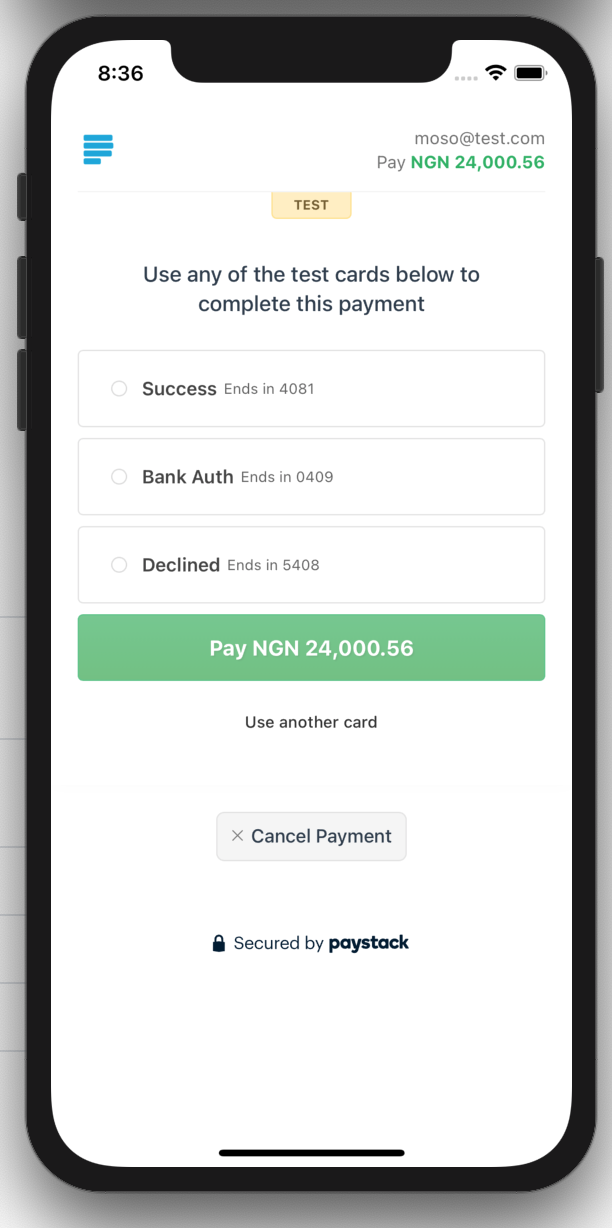
$3
``javascript
import React from 'react';
import { Paystack } from 'react-native-paystack-webview';
import { View } from 'react-native';
function Pay() {
return (
amount={'25000.00'}
billingEmail="paystackwebview@something.com"
activityIndicatorColor="green"
onCancel={(e) => {
// handle response here
}}
onSuccess={(res) => {
// handle response here
}}
autoStart={true}
/>
);
}
`
Usage 2 - Using Refs
Make use of a ref to start transaction. See example below;
`javascript
import React, { useRef } from 'react';
import { Paystack , paystackProps} from 'react-native-paystack-webview';
import { View, TouchableOpacity,Text } from 'react-native';
function Pay(){
const paystackWebViewRef = useRef
return (
billingEmail="paystackwebview@something.com"
amount={'25000.00'}
onCancel={(e) => {
// handle response here
}}
onSuccess={(res) => {
// handle response here
}}
ref={paystackWebViewRef}
/>
);
}
`
API's
#### [](https://github.com/just1and0/object-to-array-convert#all-object-to-array-convert-props)all React-Native-Paystack-WebView API
| Name | use/description | extra |
| :----------------------------------- | :-------------------------------------------------------------------------------------------------------------------------------------------------------------------------------------------------: | ---------------------------------------------------------: |
| paystackKey | Public or Private paystack key(visit paystack.com to get yours) | nill |amount
| | Amount to be paid | nill |activityIndicatorColor
| | color of loader | default: green |billingEmail(required by paystack)
| | Billers email | default: nill |billingMobile
| | Billers mobile | default: nill |billingName
| | Billers Name | default: nill |subaccount
| | Specify subaccount code generated from the Paystack Dashboard or API to enable Split Payment on the transaction. Here's an example of usage: subaccount: "SUB_ACCOUNTCODE" | default: nill |channels
| | Specify payment options available to users. Available channel options are: ["card", "bank", "ussd", "qr", "mobile_money"]. Here's an example of usage: channels={["card","ussd"]} | default: ["card"]|onCancel
| | callback function if user cancels or payment transaction could not be verified. In a case of not being verified, transactionRef number is also returned in the callback | default: nill |onSuccess
| | callback function if transaction was successful and verified (it will also return the transactionRef number in the callback ) | default: nill |autoStart
| | Auto start payment once page is opened | default: false |refNumber
| | Reference number, if you have already generated one | default: ''+Math.floor((Math.random() * 1000000000) + 1) |handleWebViewMessage
| | Will be called when a WebView receives a message | default: true` |
[](https://github.com/just1and0/object-to-array-convert#contributions)Contributions
Want to help make this package even more awesome? Read how to contribute and feel free to send in your PR!
[](https://github.com/just1and0/React-Native-Paystack-WebView#licensing)Licensing
This project is licensed under MIT license.
Related Projects
- React-Native-quidpay-WebView
- React-Native-rave-WebView
$3
- Accepting Payment With Paystack In React Native by just1and0
$3
Contributors ✨
Thanks goes to these wonderful people (emoji key):


This project follows the all-contributors specification. Contributions of any kind welcome!
Roadmap
we have a lot to get done before we hit stable, here's a list;
- Make the reference usage more user friendly
- Since you want it to conform to InlineJS, let the variable names also match
- Let the parameter types also conform to InlineJS parameter types
- Paystack is a word, hence when used as a package name/class name, let it use PascalCase (Paystack) and when used as a variable, camelCase (paystack)