@john-osullivan/react-window-dynamic-fork
v1.9.0-alpha.1
Temporary Fork: see https://github.com/bvaughn/react-window
0/weekUpdated 3 years agoMITUnpacked: 1.1 MB
Published by Brian Vaughn
npm install @john-osullivan/react-window-dynamic-forkreact-window-dynamic-fork
This fork of react-window is published from issues/6 @ bc9192b. I am publishing this fork in order to make the DynamicSizeList code available on npm, as installing directly from GitHub misbehaves in some CI/CD build environments. My only actual modification is the check-for-update.js file which runs on build. This is the full code of that file below; its only purpose is to check whether 1.9.0 (including an alpha version) has been published, exiting the process if it has.
``javascript
const npmApi = require('npm-api');
const semver = require('semver');
const process = require('process');
const npm = new npmApi();
const reactWindow = npm.repo('react-window');
reactWindow.package().then((pkgJson) => {
let version = pkgJson.version;
if (semver.satisfies(semver.coerce(version), '>=1.9.0')) {
throw new Error(react-window ${version} has been released, please uninstall this fork and reinstall react-window.);\nMost recent react-window version is ${version}, DynamicSizeList not yet available on npm.
} else {
console.log();\n${err}\n
console.log('This fork package will inform you when react-window @ 1.9.0 is available. \n')
}
}).catch((err) => {
console.log();`
process.exit(1)
});
react-window
> React components for efficiently rendering large lists and tabular data
  
Install
`bashYarn
yarn add react-window
NPM
npm install --save react-window
`
Usage
Learn more at react-window.now.sh:
Related libraries
: HOC that grows to fit all of the available space and passes the width and height values to its child.
* react-window-infinite-loader: Helps break large data sets down into chunks that can be just-in-time loaded as they are scrolled into view. It can also be used to create infinite loading lists (e.g. Facebook or Twitter).Frequently asked questions
$3
I wrote react-virtualized several years ago. At the time, I was new to both React and the concept of windowing. Because of this, I made a few API decisions that I later came to regret. One of these was adding too many non-essential features and components. Once you add something to an open source project, removing it is pretty painful for users.react-window is a complete rewrite of react-virtualized. I didn't try to solve as many problems or support as many use cases. Instead I focused on making the package smaller1 and faster. I also put a lot of thought into making the API (and documentation) as beginner-friendly as possible (with the caveat that windowing is still kind of an advanced use case).If
react-window provides the functionality your project needs, I would strongly recommend using it instead of react-virtualized. However if you need features that only react-virtualized provides, you have two options:1. Use
react-virtualized. (It's still widely used by a lot of successful projects!)
2. Create a component that decorates one of the react-window primitives and adds the functionality you need. You may even want to release this component to NPM (as its own, standalone package)! 🙂1 - Adding a
react-virtualized list to a CRA project increases the (gzipped) build size by ~33.5 KB. Adding a react-window list to a CRA project increases the (gzipped) build size by <2 KB.$3
react-virtualized-auto-sizer package: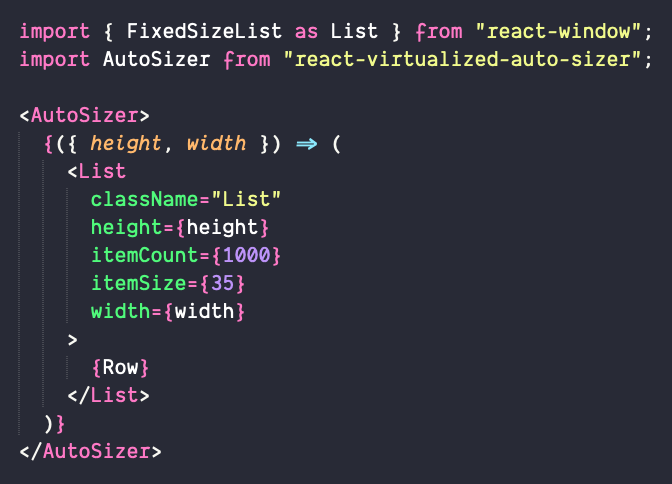
Here's a Code Sandbox demo.
$3
If your list looks something like this...
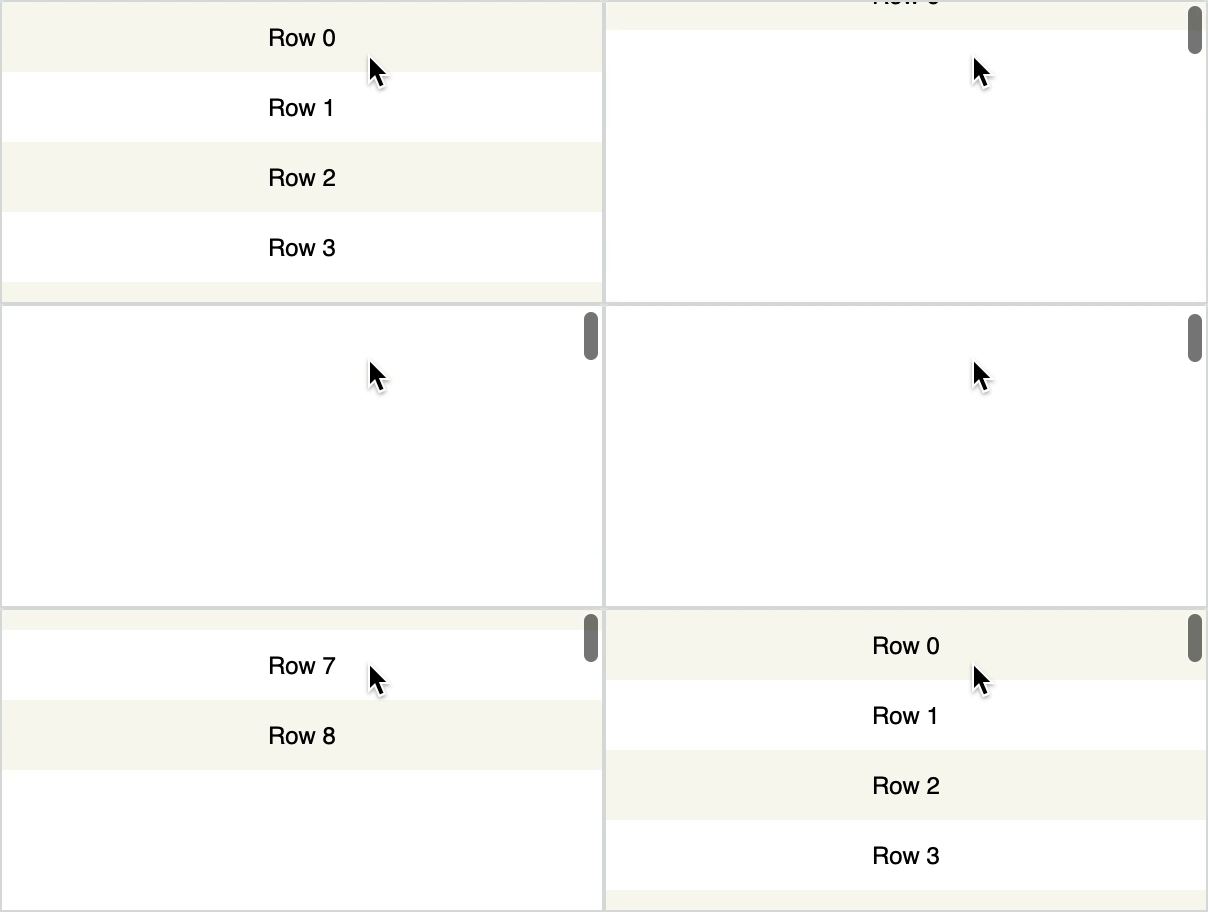
...then you probably forgot to use the
style parameter! Libraries like react-window work by absolutely positioning the list items (via an inline style), so don't forget to attach it to the DOM element you render!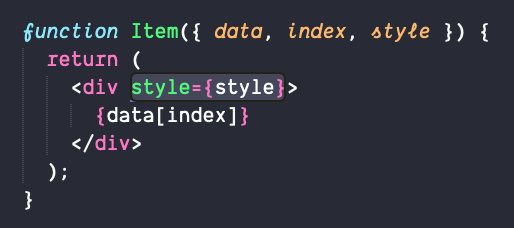
$3
react-window-infinite-loader package: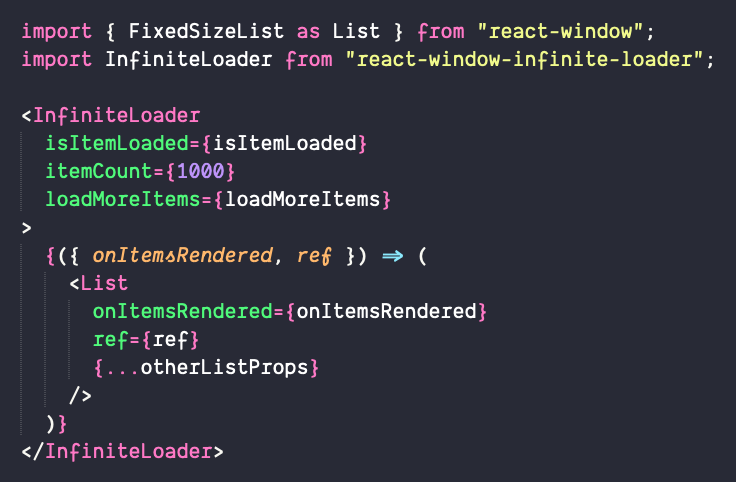
Here's a Code Sandbox demo.
$3
Yes, using the
outerElementType` prop.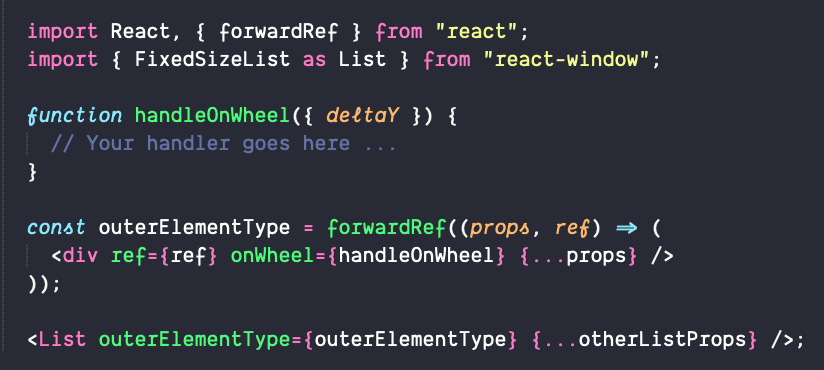
Here's a Code Sandbox demo.
$3
Yes, although it requires a bit of inline styling.
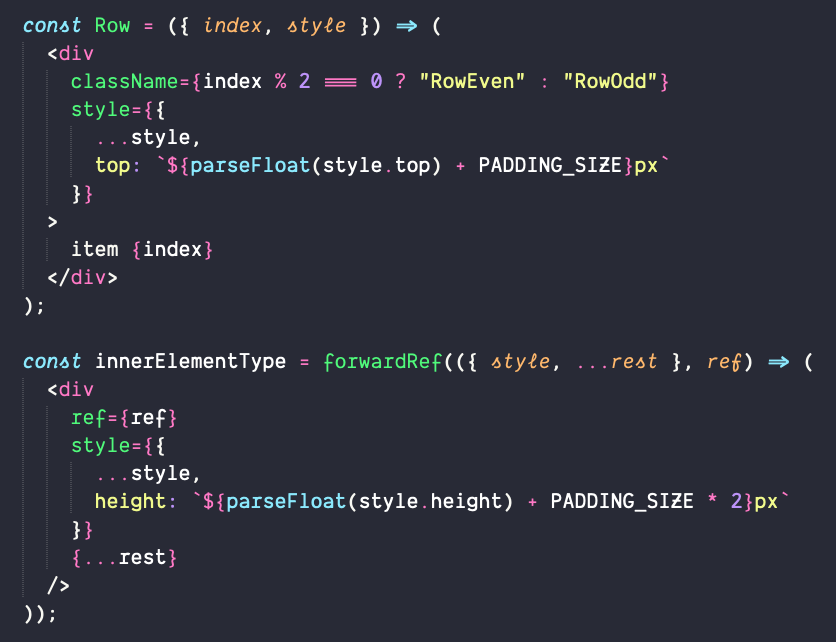
Here's a Code Sandbox demo.
$3
Yes, although it requires a bit of inline styling.
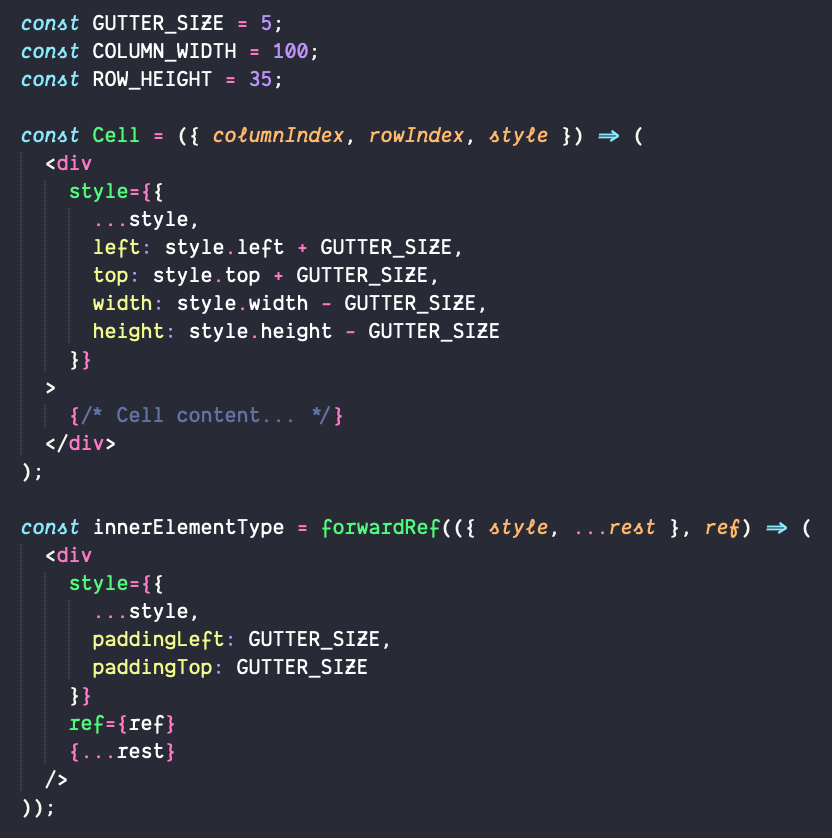
Here's a Code Sandbox demo.
$3
Yes, although it requires a small amount of user code. Here's a Code Sandbox demo.
License
MIT © bvaughn