@lvchengbin/cli-table
v0.0.1
Simply to render `Object`s or `Array`s as tables on the command line in node.js scripts.
0/weekUpdated 3 years agoMITUnpacked: 284.5 KB
Published by LvChengbin
npm install @lvchengbin/cli-tablecli-table
Simply to render Objects or Arrays as tables on the command line in node.js scripts.
Installation
``bash`
$ npm i @lvchengbin/cli-table --save
Usage
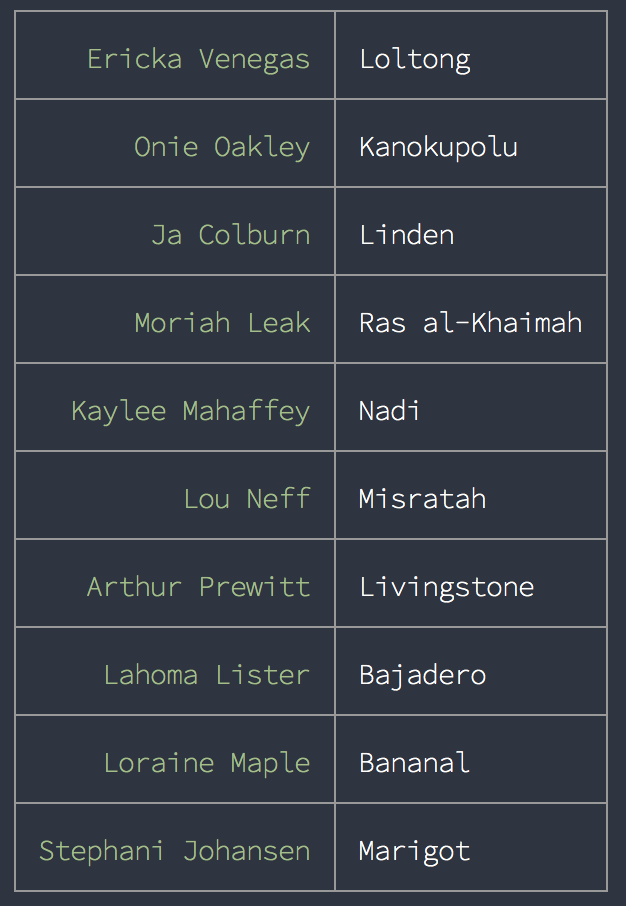
If an Object is passed to the constructor, the table will be rendered as a key=>value map with the keys in the first column and the values in the second column.
`js
const random = require( 'random-world' );
const Table = require( '@lvchengbin/cli-table' );
const obj = {};
for( let i = 0; i < 10; i += 1 ) {
obj[ random.fullname() ] = random.city();
}
const table = new Table( obj );
console.log( table.inspect() );
`
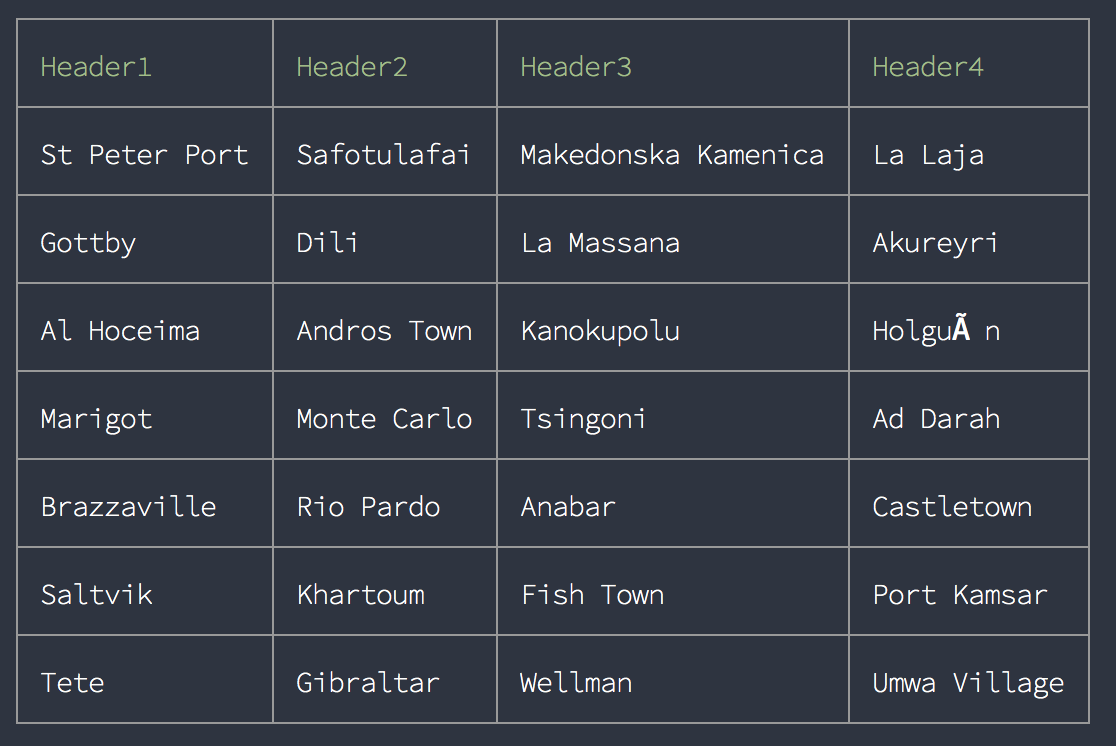
To render an Array as table:
`js
const random = require( 'random-world' );
const Table = require( '@lvchengbin/cli-table' );
const table = new Table( [
Array( 4 ).fill( '' ).map( () => random.city() ),
Array( 4 ).fill( '' ).map( () => random.city() ),
Array( 4 ).fill( '' ).map( () => random.city() ),
Array( 4 ).fill( '' ).map( () => random.city() ),
Array( 4 ).fill( '' ).map( () => random.city() ),
Array( 4 ).fill( '' ).map( () => random.city() ),
Array( 4 ).fill( '' ).map( () => random.city() )
] );
table.setHeader( [ 'Header1', 'Header2', 'Header3', 'Header4' ] );
console.log( table.inspect() );
`
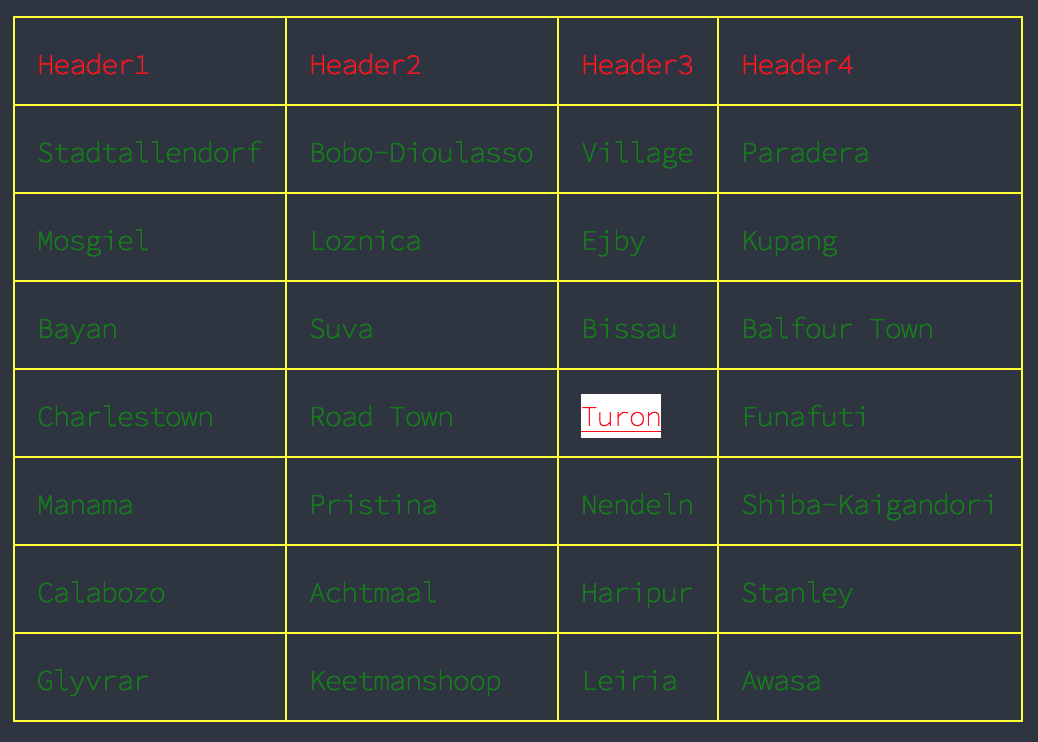
To set styles for table cells or table header:
`js
const random = require( 'random-world' );
const Table = require( '@lvchengbin/cli-table' );
const table = new Table( [
Array( 4 ).fill( '' ).map( () => random.city() ),
Array( 4 ).fill( '' ).map( () => random.city() ),
Array( 4 ).fill( '' ).map( () => random.city() ),
Array( 4 ).fill( '' ).map( () => random.city() ),
Array( 4 ).fill( '' ).map( () => random.city() ),
Array( 4 ).fill( '' ).map( () => random.city() ),
Array( 4 ).fill( '' ).map( () => random.city() )
], {
style : {
header : {
color : 'red'
},
cell : {
color : 'green'
},
border : {
color : 'yellow'
}
}
} );
table.rows[ 3 ].cells[ 2 ].style = {
bg : 'white',
color : 'red',
underline : true
};
table.setHeader( [ 'Header1', 'Header2', 'Header3', 'Header4' ] );
console.log( table.inspect() );
``