@mukeshsoni/react-image-editor
v0.2.0TypeScript
A Lightroom-style, non-destructive image editor for React (canvas-based).
30/weekUpdated 1 weeks agoMITUnpacked: 2.8 MB
Published by unstack2
npm install @mukeshsoni/react-image-editorReact Image Editor
A Lightroom-style, non-destructive image editor for React, built on top of the HTML Canvas 2D API.
- Drop-in React component: pass an imageSrc
- Non-destructive pipeline: edits are re-applied from the original for preview + export
- Crop/straighten, healing, tone/color adjustments, history + undo/redo
- Export PNG/JPEG (with JPEG quality)
Demo
!Demo
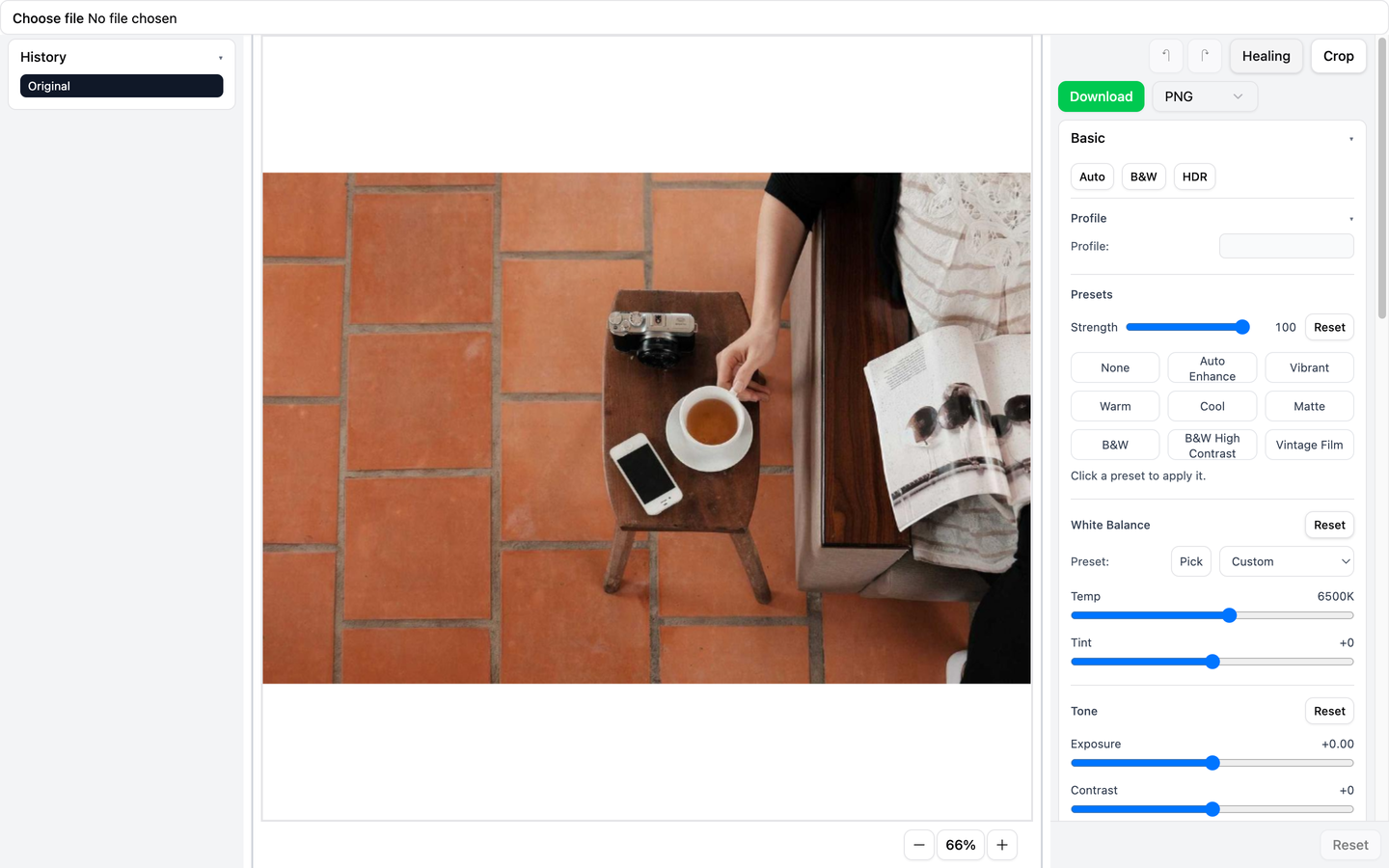
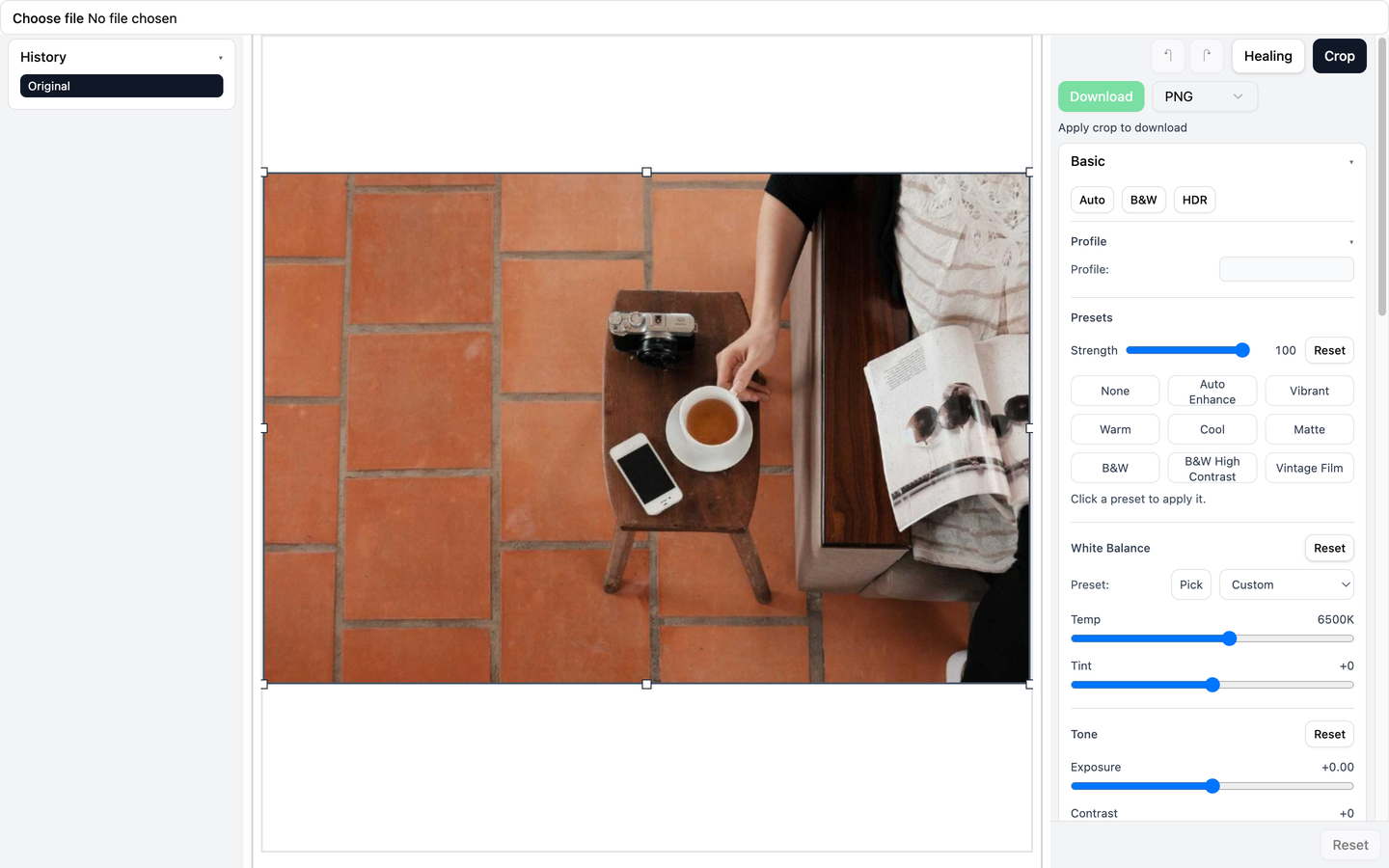
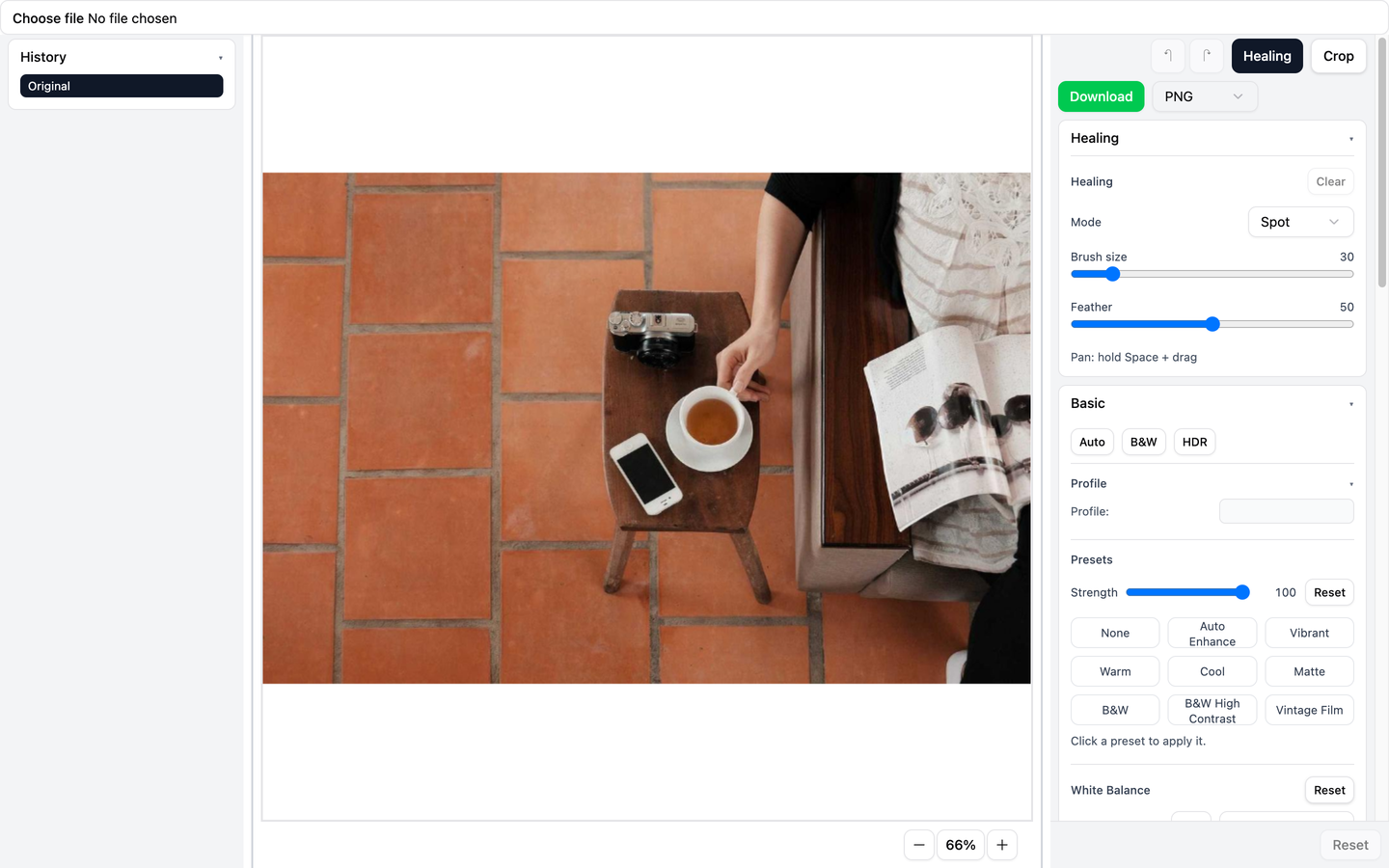
Features
$3
- Zoom with mouse wheel/trackpad, pinch-to-zoom on touch devices
- Zoom centers on the cursor/touch point (makes it easy to inspect details)
- Double-click / double-tap toggles between fit-to-canvas and a closer zoom
- Drag-to-pan with inertial panning
$3
- Interactive crop overlay: drag to move, drag handles to resize
- Aspect ratio presets + custom ratio input, optional aspect lock
- Rotate/straighten with live preview
- Apply crop (commits it) or reset crop
- Auto-straighten estimates a rotation angle from the image
$3
- White balance: temperature/tint, presets, and a click-to-pick eyedropper
- Tone: exposure, contrast, highlights/shadows, whites/blacks
- Color: vibrance and saturation
- Presets: built-in presets with adjustable strength (applies into manual sliders)
- Color mixer: per-color-band HSL tuning + point color picker with a configurable range
- Tone curve: point curve editing and region/parametric controls
- Details: sharpening and denoising controls
$3
- Perspective correction (vertical/horizontal/aspect)
- Lens corrections (distortion + chromatic aberration toggle)
- Optics: vignette, grain, dehaze
$3
- Spot removal, heal brush, and clone brush modes
- Brush size + feather
- Clone source selection (Alt/Option + click), plus pan while editing (Space + drag)
- Select spots and adjust their sample/source point; delete selected spots
$3
- Undo/redo (buttons + shortcuts)
- History list with time travel (click an entry to jump)
- Reset back to the original baseline
Tools & Adjustments
- Crop: aspect ratios, rotation/straighten, constrain crop, apply/reset
- Zoom & pan: wheel/pinch zoom to cursor, drag-to-pan with inertia, reset zoom
- Export: PNG/JPEG, JPEG quality
- Tone: exposure, contrast, highlights, shadows, whites, blacks
- Color: vibrance, saturation, per-band HSL color mixer, point color
- Tone curve: point curve + region/parametric
- Details: sharpening, denoise
- Geometry: perspective, lens distortion, chromatic aberration
- Optics: vignette, grain, dehaze
- Healing: spot/heal/clone with adjustable brush
- Presets: built-in presets with strength
Export
- Formats: PNG and JPEG
- JPEG quality control
- Export uses the committed crop and ignores the current zoom/pan (view-only)
- Download is disabled while crop mode is active; apply the crop first
Known gaps
- The "Auto", "B&W", and "HDR" buttons are currently present but do not apply edits
- The "Profile" control is present as a placeholder (disabled)
- "Guided Upright" UI is present, but the guided workflow is not implemented yet
Install
``bash`
npm install @mukeshsoni/react-image-editor
Peer dependencies:
- react
-
Quick Start
`tsx
import { useMemo, useState } from "react";
import { ReactImageEditor, type ImageEditorEdits } from "@mukeshsoni/react-image-editor";
import "@mukeshsoni/react-image-editor/styles.css";
export function MyEditor() {
const [file, setFile] = useState
const imageSrc = useMemo(() => {
if (!file) return null;
return URL.createObjectURL(file);
}, [file]);
return (
accept="image/*"
onChange={(e) => setFile(e.target.files?.[0] ?? null)}
/>
{imageSrc ? (
onEditsChange={(edits: ImageEditorEdits) => {
// Persist edits in your app, sync to server, etc.
console.log(edits);
}}
/>
) : null}
);
}
`
Component API
$3
Props:
-
- URL to load into the editor (e.g. or a CDN URL).
- onEditsChange?: (edits: ImageEditorEdits) => void
- Called when committed edits change (crop apply/reset, slider commits, healing ops, etc).$3
emits a serializable snapshot of the editor state.If you want to inspect the full shape, see
src/store/edits.ts.Keyboard + Interaction Cheatsheet
- Undo / redo:
Cmd+Z, Shift+Cmd+Z
- Zoom:
  - Mouse wheel / trackpad pinch over the canvas
  - Double-click / double-tap toggles fit vs zoomed
  - Buttons: zoom in/out + reset
- Keyboard: , Cmd/Ctrl -, Cmd/Ctrl 0
- Crop:
- Rotate: / ] (hold Shift for bigger step)
- Reset rotation: R
- Pickers:
  - Cancel white balance / point color picking:
- Healing:
- Pan while healing: hold + drag
- Clone source: hold Alt/Option and click (Clone mode)
- Delete selected spot: Delete / BackspaceStyling / CSS
The editor UI is built with Tailwind CSS v4 + shadcn/ui components.
When consumed as a library, Tailwind CSS is required in the host app (Tailwind v3 or v4).
1. Import the editor styles once in your app entry (Tailwind will compile it):
ts
import "@mukeshsoni/react-image-editor/styles.css";
`2. Ensure Tailwind scans the editor package output in
so its class names are included in your build. Without this, the UI will look partially unstyled.Example
tailwind.config.{js,ts}:`ts
export default {
content: [
"./index.html",
"./src/*/.{js,ts,jsx,tsx}",
"./node_modules/@mukeshsoni/react-image-editor/dist/*/.{js,ts,jsx,tsx}",
],
};
`CORS / Tainted Canvas Notes
If
 points to a remote image without permissive CORS headers, the canvas can become tainted.
That breaks features that read pixels (eyedroppers) and can block export.Recommendation: use same-origin images, or serve images with
Access-Control-Allow-Origin and proper CORS configuration.Limitations
- State is managed with Zustand stores; multiple editors on the same page may conflict unless the library is adapted to use per-instance stores.
Local Development (repo)
`bash
npm install
npm run dev
`Other useful commands:
bash
npm run build
npm run lint
npx vitest run
`Roadmap
See