@nestql/bull-board
v1.0.3TypeScript
Bull Dashboard for @nestjs/bull
0/weekUpdated 3 years agoMITUnpacked: 261.7 KB
Published by Serge Närhi
npm install @nestql/bull-board



Description
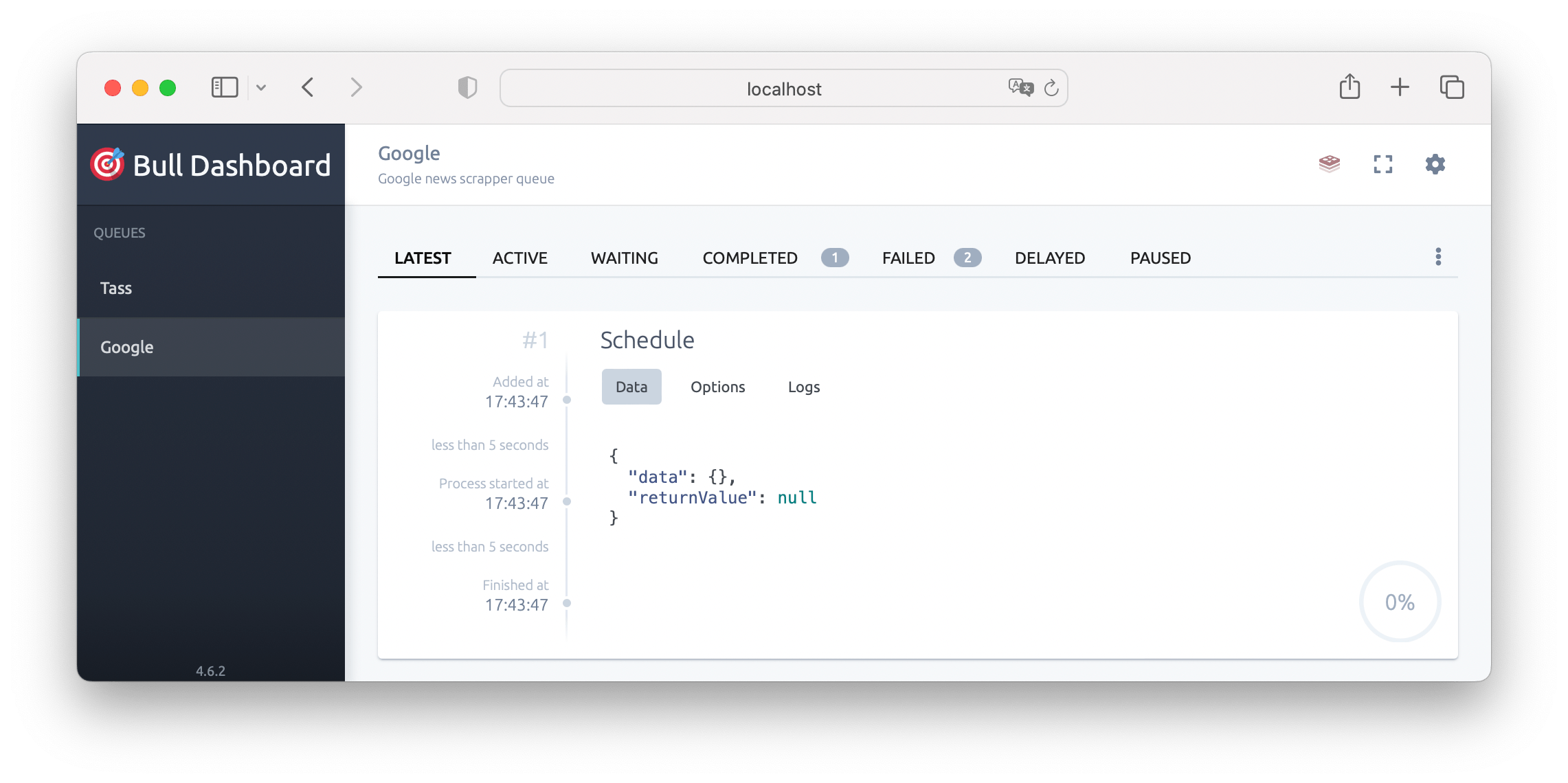
Dev friendly integration for Nest.js and Bull Dashboard – UI built to help you visually manage your @nestjs/bull or @nestjs/bullMQ queues and their jobs. With this library you get a beautiful UI for visualizing what's happening with each job in your queues, their status and some actions that will enable you to get the job done.
> ⚠️ THIS PACKAGE ONLY WORK WITH @nestjs/bull AND @nestjs/platform-express NOW ⚠️
Installation
``bash`
$ npm i --save @nestql/bull-board
Quick Start
Add module to your AppModule imports:
> 🎁 A working example is available at sample folder.
`typescript
import { Module } from '@nestjs/common';
import { BullModule } from '@nestjs/bull';
import { BullBoardModule } from './bull-board/bull-board.module';
@Module({
imports: [
BullModule.forRoot({
redis: {
host: 'localhost',
port: 6000,
},
}),
BullBoardModule.register(),
],
})
export class AppModule {}
`
Look at console output to find bull dashboard url:
`
[Nest] LOG [NestApplication] Nest application successfully started +2ms
[Nest] LOG 🦬 Explore bull on the board: http://localhost:3000/api/bull-board
[Nest] LOG 🚀 Application is running on: http://localhost:3000/api
Custom options
By default, all your queues are registered to the board with full access. Use module config to change behaviour.
> Keep in mind final path template is /${globalPrefix}/${path} (globalPrefix could be specified in main.ts).{ path: 'board' }
> So for final url will be /api/board, this integration will handle custom globalPrefix.
- path: string – (default: bull-board) mount dashboard at specified path.autoAdd: boolean
- – (default: true) if true will load all queues with default queueOptions.queueOptions: Partial
- – (default: {}) custom queueOptions for auto-added queues.guard: Type
- – (default: null) guard to be applied to board. Do not forget to add custom login flow.queues.add: (BullAdapterOptions | Queue | string)[]
- – add listed queues to the board. Use name, queue, QueueAdapter with option in any combination.queues.replace: (BullAdapterOptions | Queue | string)[]
- – replace listed queues on the board. Use name, queue, QueueAdapter with option in any combination. Useful in combination with autoAdd: true to specify custom queueOptions for some queues.queues.remove: (BullAdapterOptions | Queue | string)[]
- – remove listed queues from the board. Use name, queue, QueueAdapter with option in any combination. Useful in combination with autoAdd: true` to exclude some queues.
Roadmap
- [x] @nestjs/bull support
- [x] autoload queues
- [x] mount board (@nestjs/platform-express)
- [x] add config description and usage example
- [x] add working example apps
- [ ] @nestjs/bullmq support
- [ ] mount board (@nestjs/platform-fastify)
License
NestQL Bull Board is MIT licensed.