@nhonh/react-debugger
v1.0.1
Advanced debugging & performance optimization tool for ReactJS applications - Chrome Extension
0/weekUpdated yesterdayMITUnpacked: 65.2 KB
Published by NhoNH
npm install @nhonh/react-debugger⚛️ React Debugger Extension


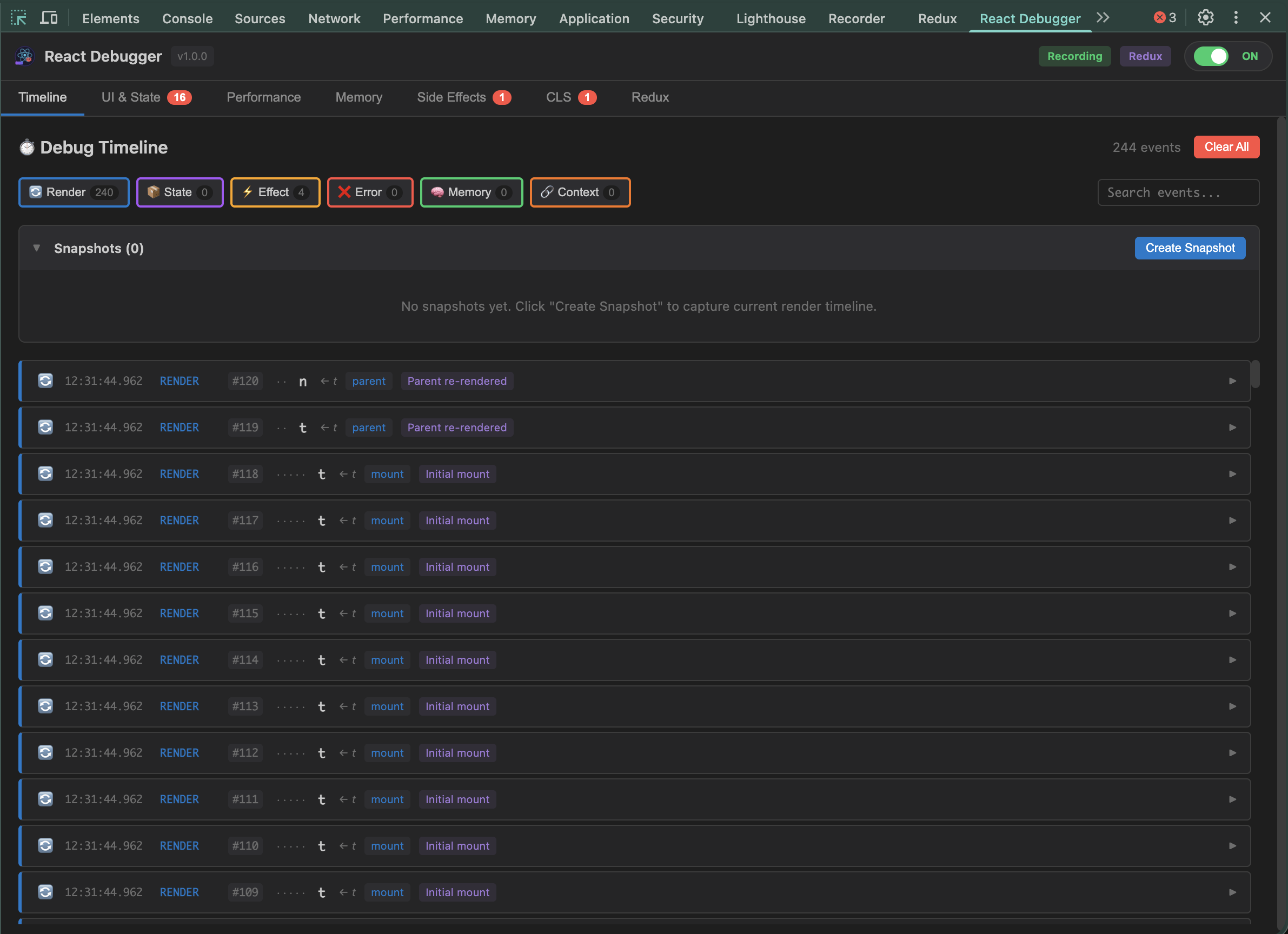
Advanced debugging & performance optimization tool for ReactJS applications.
---
🚀 Quick Install
``bash`
npx @nhonh/react-debugger
Or install to a specific folder:
`bash`
npx @nhonh/react-debugger ./my-extension
---
📦 What's Included
| Tab | Purpose | Key Metrics |
|-----|---------|-------------|
| 📊 Timeline | Visual timeline of all React events | Renders, state changes, effects, errors |
| 🎯 UI & State | Detect React anti-patterns | State mutations, missing/duplicate keys |
| ⚡ Performance | Track component performance | Render count, duration, Core Web Vitals |
| 💾 Memory | Monitor memory usage | Heap size, growth rate, leak detection |
| 🔄 Side Effects | Analyze useEffect hooks | Missing cleanups, dependency issues |
| 📐 CLS | Layout stability monitoring | Cumulative Layout Shift score |
| 🗄️ Redux | Redux state debugging | State tree, action history |
---
🔧 Installation Guide
$3
`bash`
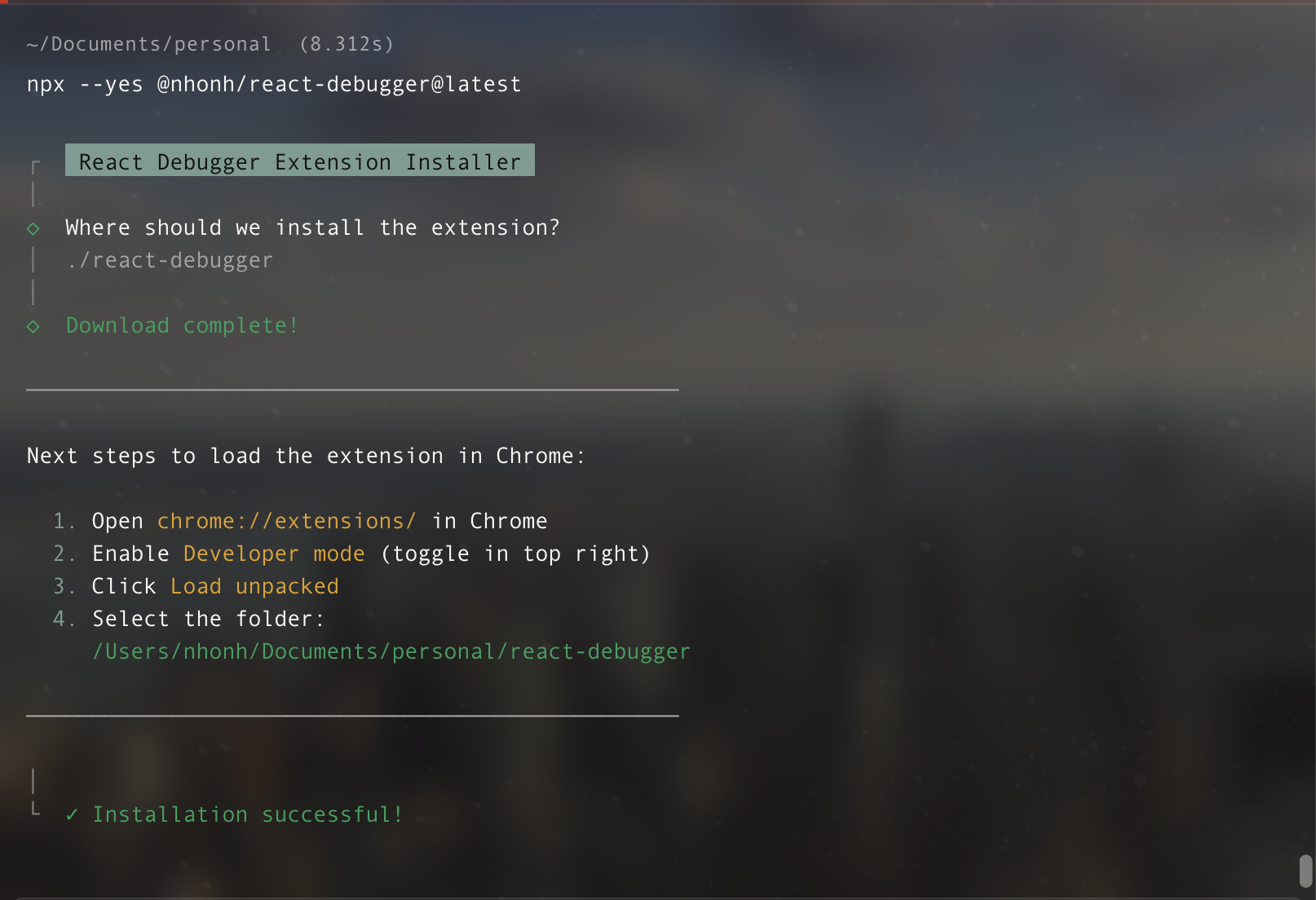
npx @nhonh/react-debugger
$3
1. Open Chrome → Navigate to chrome://extensions/
2. Enable Developer mode (toggle top-right)
3. Click "Load unpacked"
4. Select your installation folder
$3
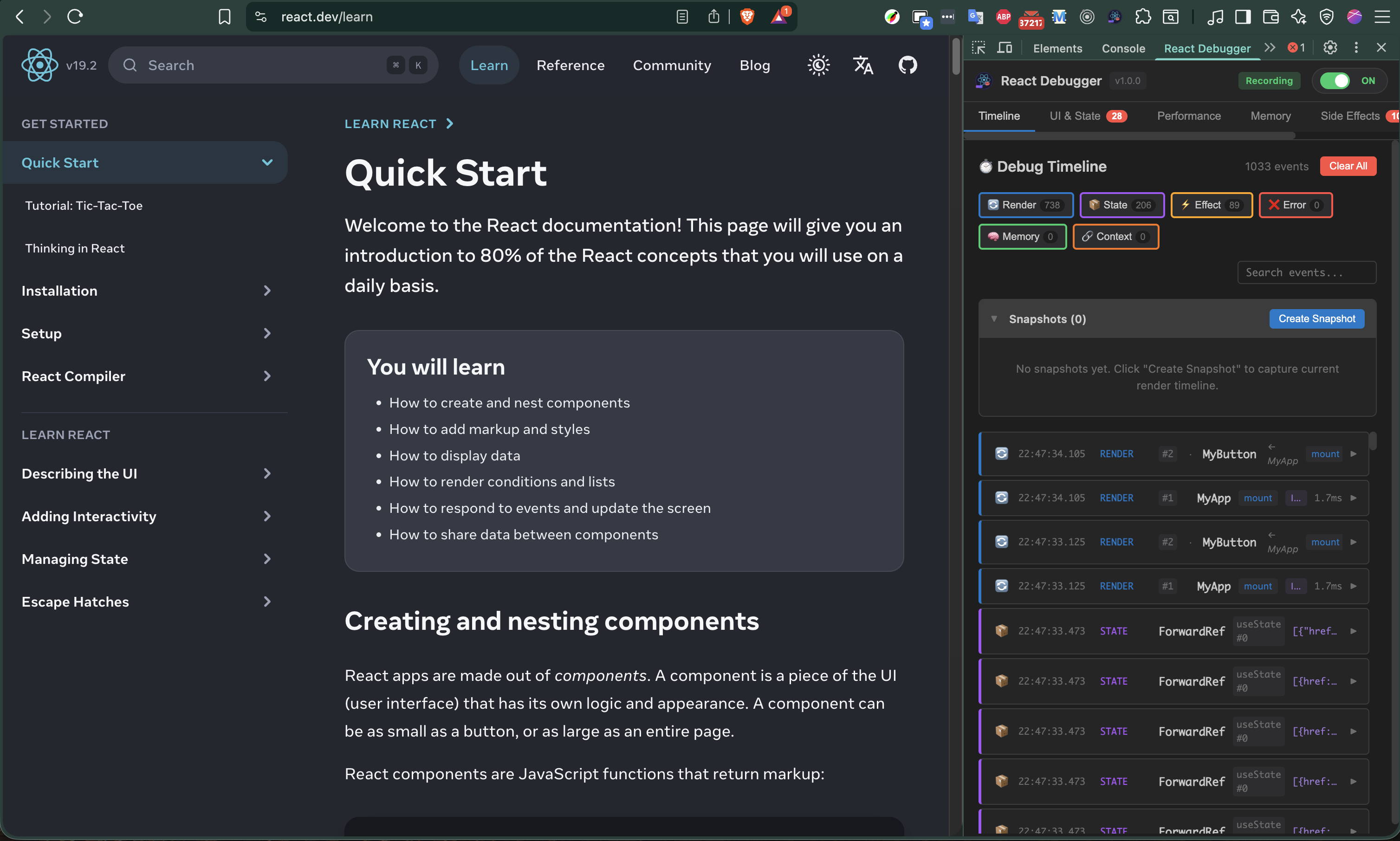
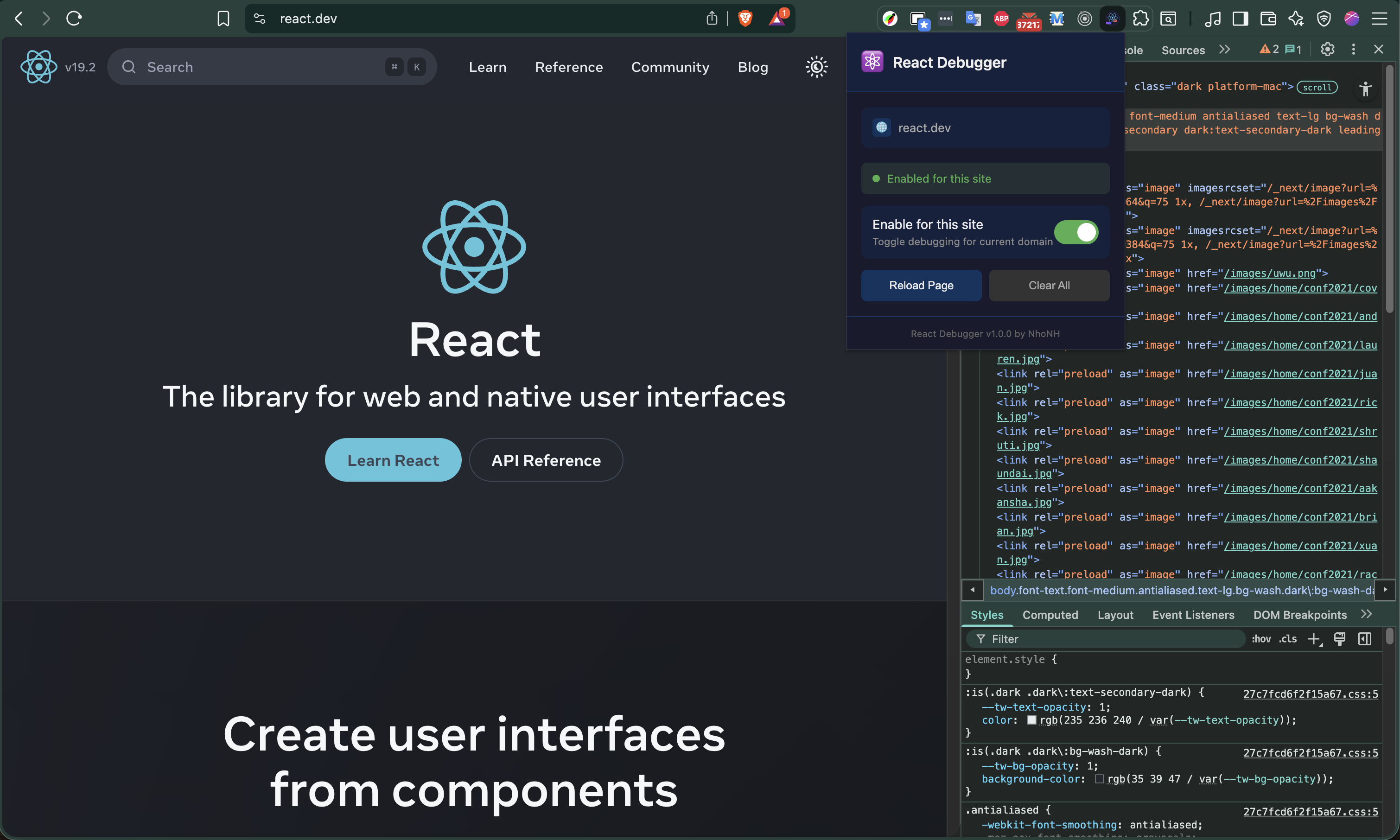
1. Open any React website
2. Press F12 to open DevTools
3. Click the "React Debugger" tab
---
📖 Quick Start Guide
$3
1. Open the Performance tab
2. Look at "Top Re-rendering Components" table
3. Components with high render counts need optimization
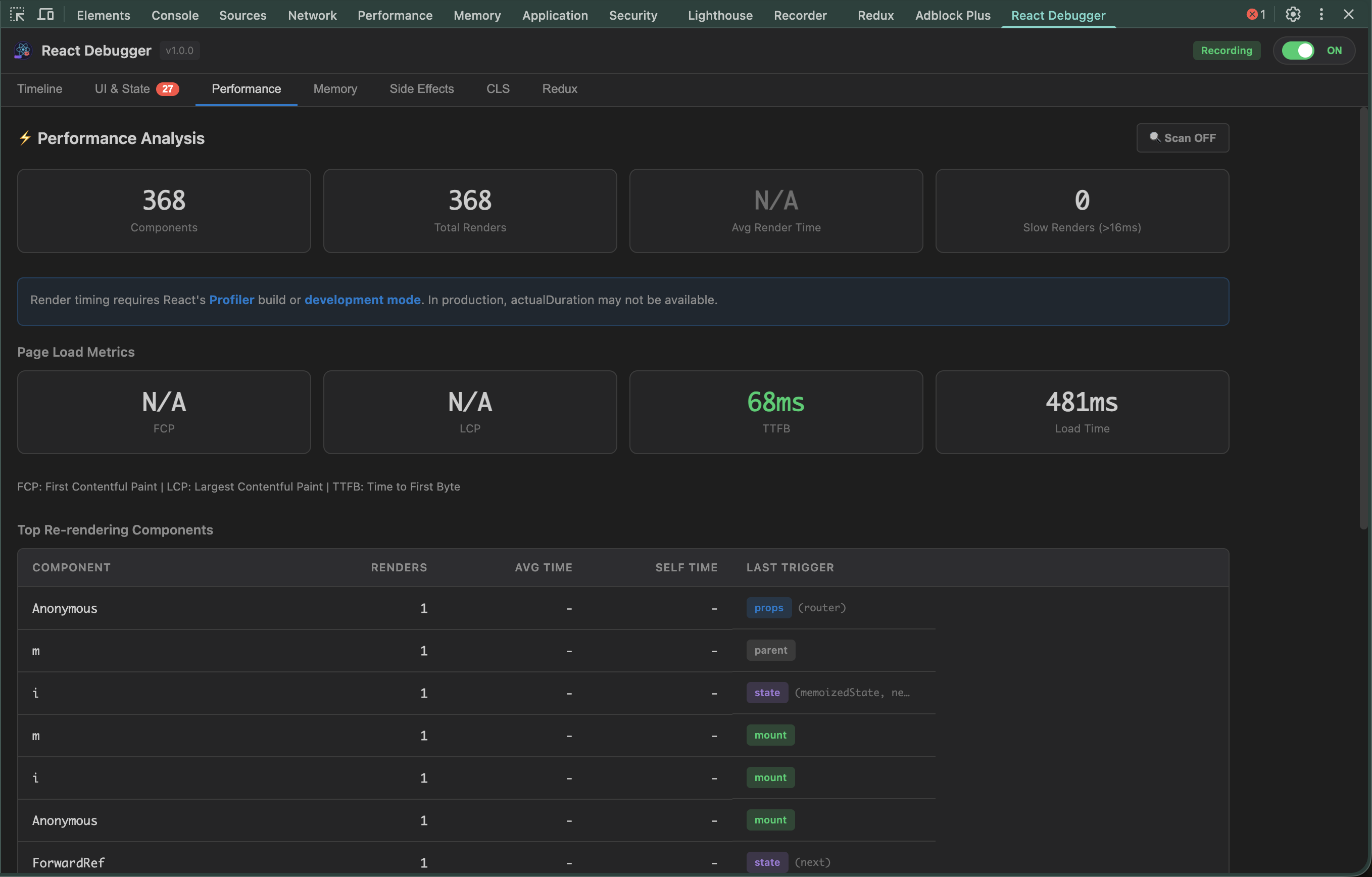
What the render triggers mean:
| Trigger | Cause | Solution |
|---------|-------|----------|
| props | Parent passed new props | Use React.memo() |state
| | Component's state changed | Reduce state updates |context
| | Context value changed | Split into smaller contexts |parent
| | Parent component re-rendered | Memoize this component |
$3
1. Open the UI & State tab
2. Issues are sorted by severity (Error → Warning → Info)
3. Click any issue to see details and fix suggestions
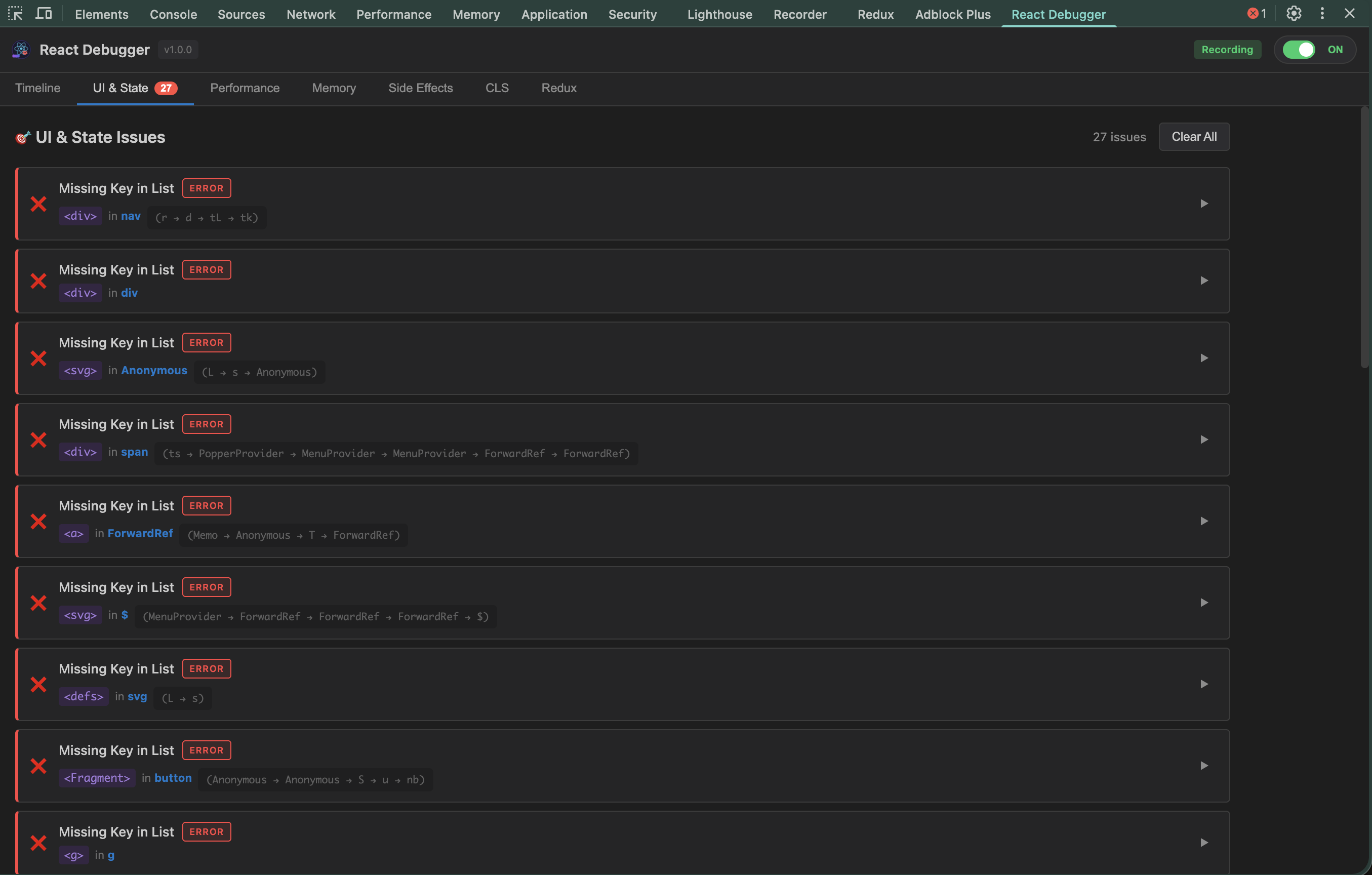
Common issues detected:
`jsx
// ❌ DIRECT_STATE_MUTATION
const [items, setItems] = useState([]);
items.push(newItem); // Mutating directly!
setItems(items);
// ✅ Fixed
setItems([...items, newItem]);
`
`jsx
// ❌ INDEX_AS_KEY
{items.map((item, i) =>
// ✅ Fixed
{items.map(item =>
`
$3
1. Open the Memory tab
2. Click "Start Monitoring"
3. Use your app for a few minutes
4. Check the Growth Rate - should be near 0 KB/s
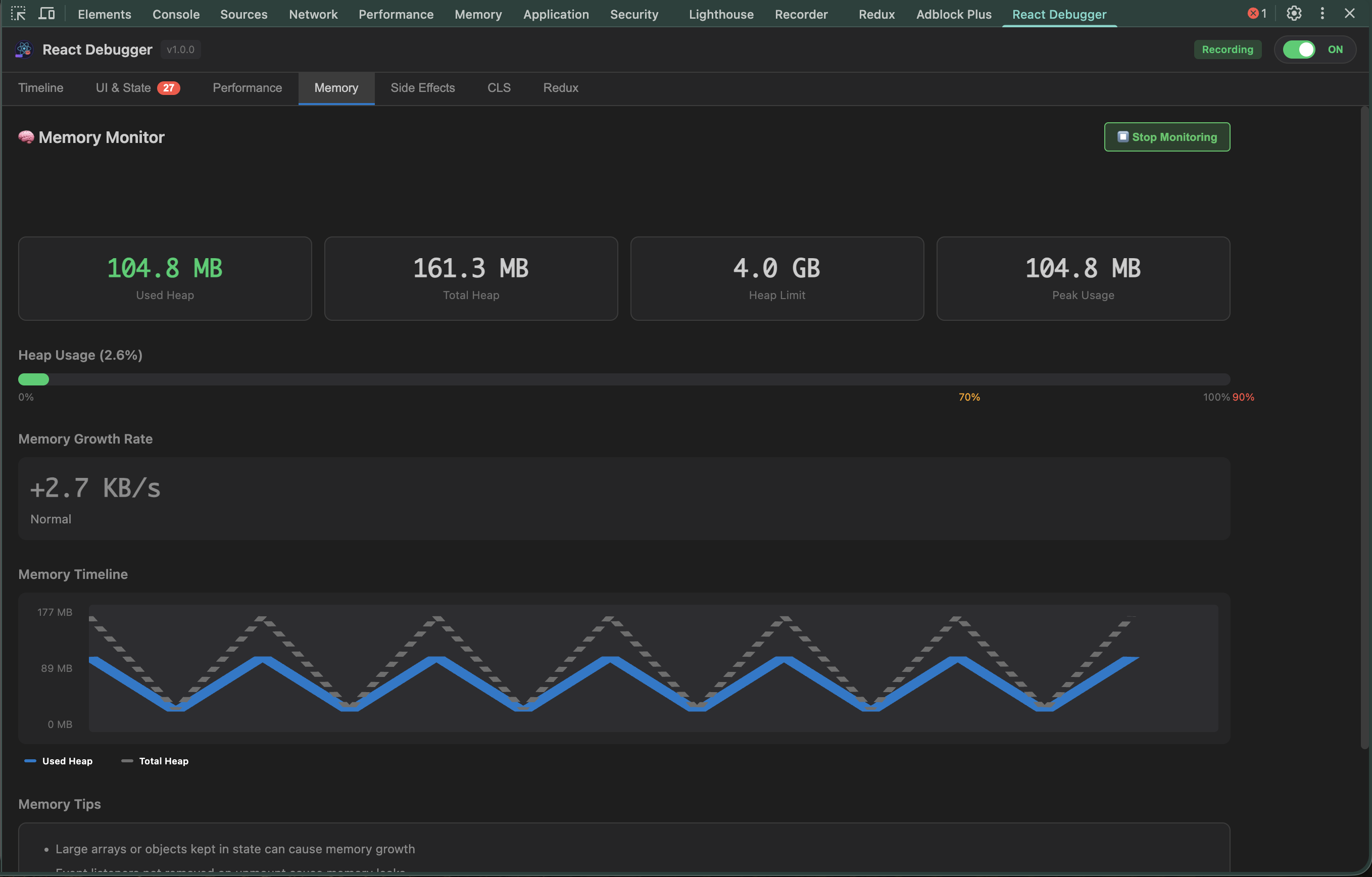
Memory health indicators:
| Usage | Status | Action |
|-------|--------|--------|
| < 70% | ✅ Healthy | No action needed |
| 70-90% | ⚠️ Warning | Monitor closely |
| > 90% | 🔴 Critical | Investigate immediately |
$3
1. Open the Timeline tab
2. Filter by event type (renders, state, effects, errors)
3. Click any event to see related events highlighted
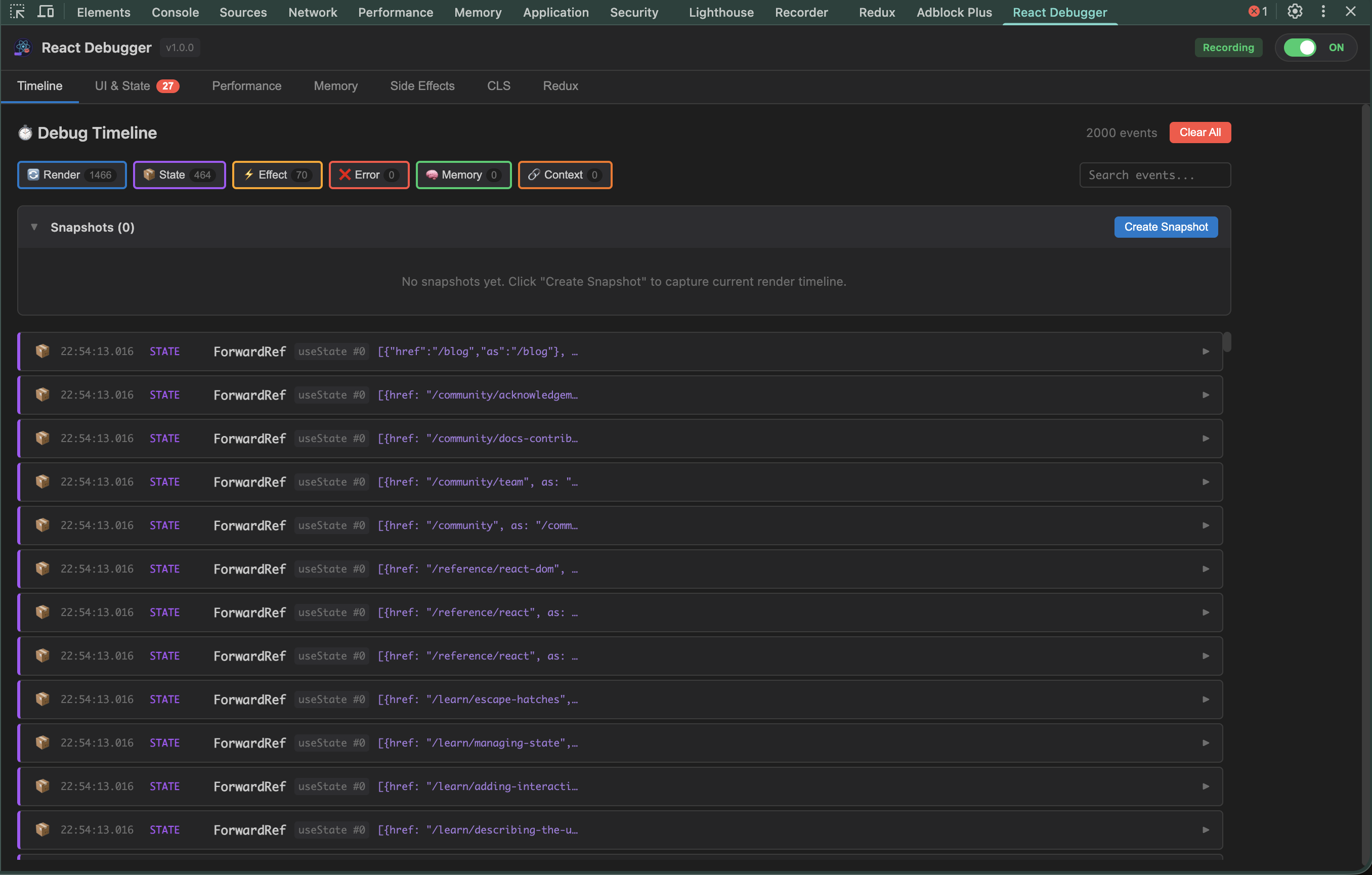
Event types:
| Icon | Type | What it captures |
|------|------|------------------|
| 🔄 | Render | Component mounts and re-renders |
| 📦 | State | useState and Redux state changes |
| ⚡ | Effect | useEffect runs and cleanups |
| ❌ | Error | JavaScript errors and crashes |
| 🧠 | Memory | Memory usage snapshots |
---
$3
Find issues with
hooks that cause bugs and memory leaks.
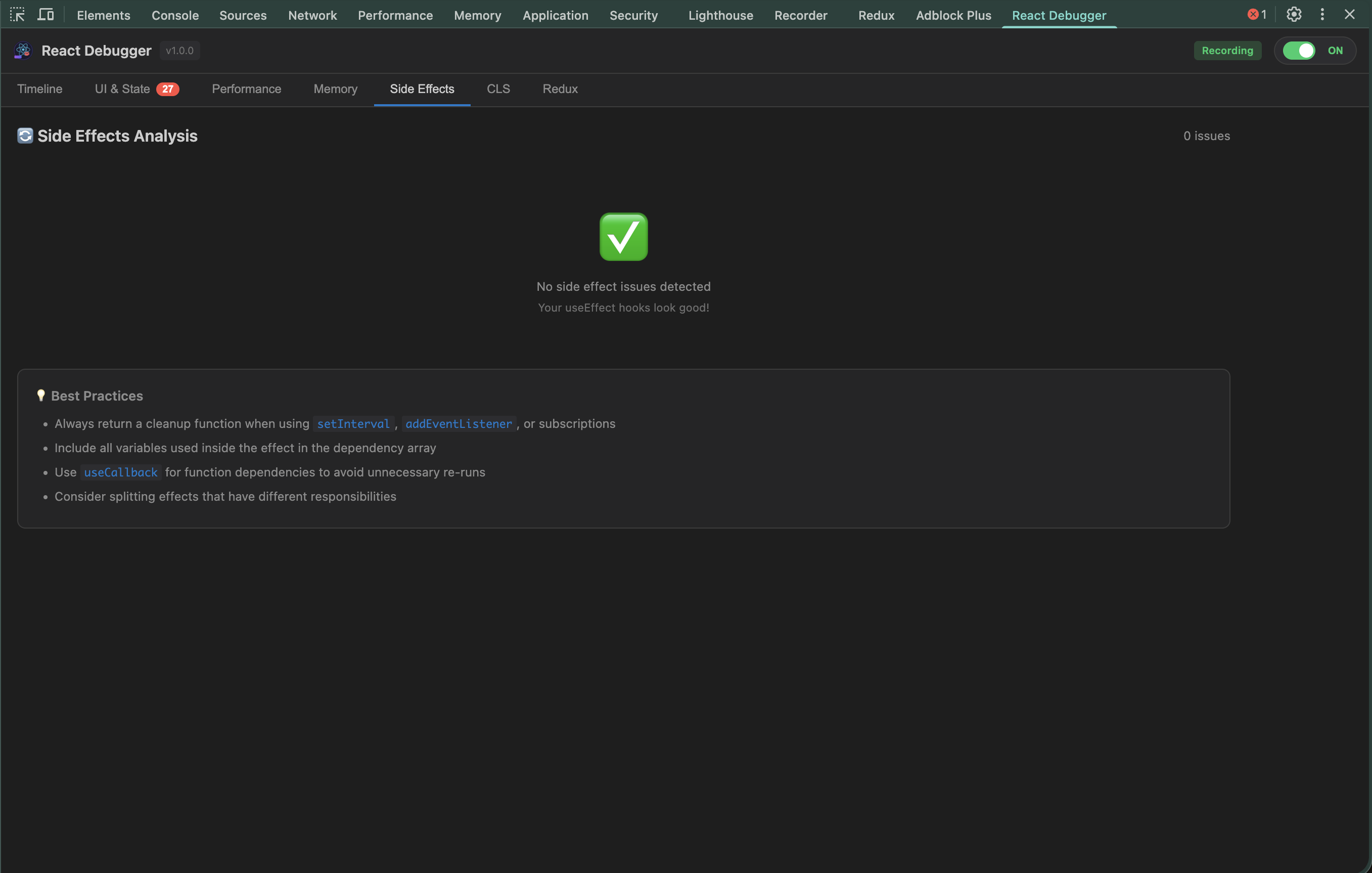
Issues detected:
| Issue | Severity | Problem |
|-------|----------|---------|
| MISSING_CLEANUP | ⚠️ Warning | Effect doesn't clean up timers/listeners |
| MISSING_DEP | ⚠️ Warning | Variable used but not in dependency array |
| INFINITE_LOOP_RISK | 🔴 Error | Effect updates state it depends on |
| STALE_CLOSURE | ⚠️ Warning | Callback captures outdated values |
Example fixes:
`jsx
// ❌ Missing cleanup - causes memory leak
useEffect(() => {
const id = setInterval(() => tick(), 1000);
// Timer keeps running after unmount!
}, []);// ✅ With cleanup
useEffect(() => {
const id = setInterval(() => tick(), 1000);
return () => clearInterval(id); // Cleanup!
}, []);
`jsx
// ❌ Stale closure - always logs initial value
useEffect(() => {
const handler = () => console.log(count);
window.addEventListener('click', handler);
return () => window.removeEventListener('click', handler);
}, []); // Missing count dependency!// ✅ Fixed - re-subscribe when count changes
useEffect(() => {
const handler = () => console.log(count);
window.addEventListener('click', handler);
return () => window.removeEventListener('click', handler);
}, [count]);
`---
$3
Monitor Cumulative Layout Shift - elements jumping around causes poor UX.
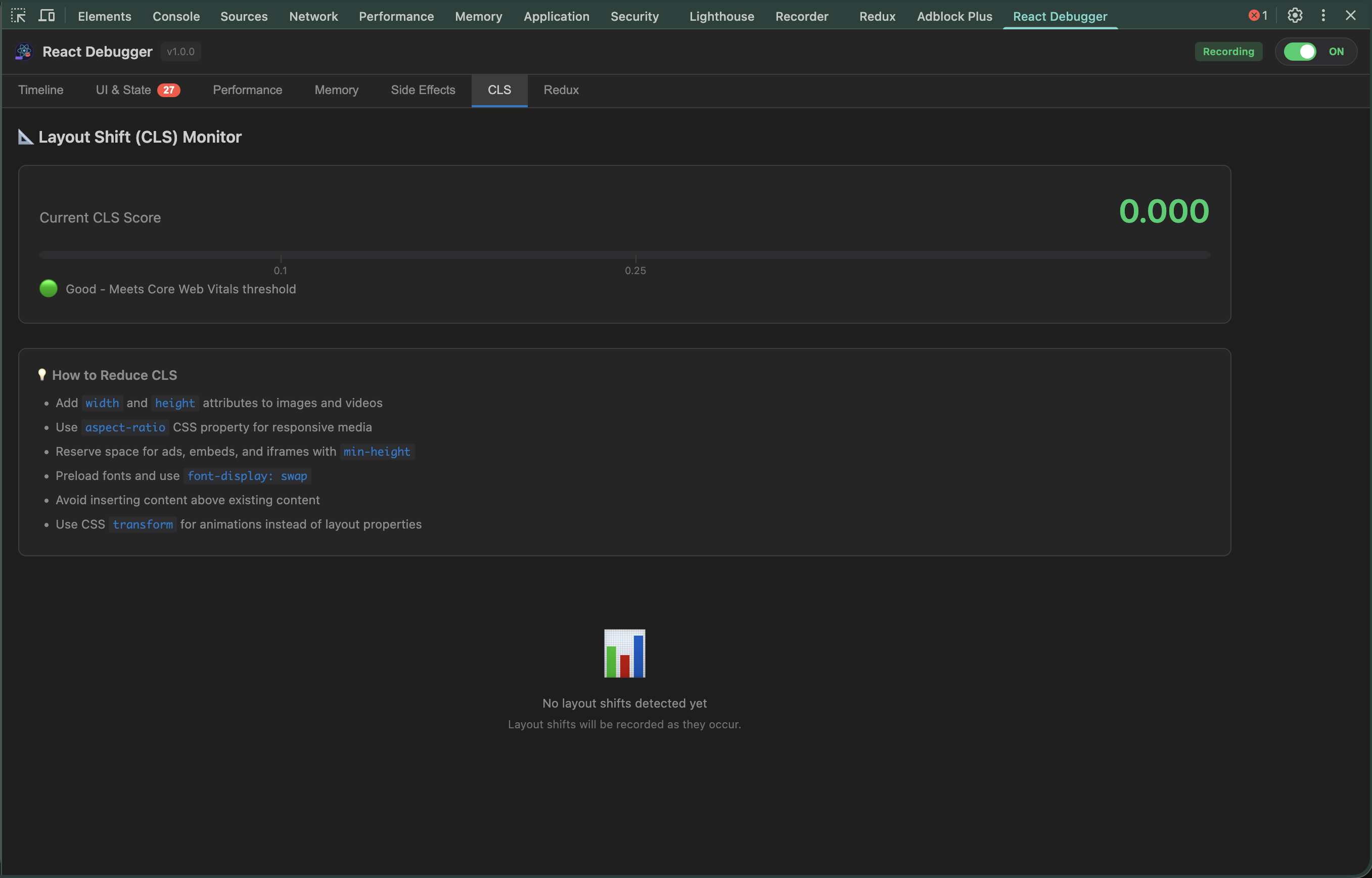
CLS Score:
| Score | Rating | User Experience |
|-------|--------|-----------------|
| < 0.1 | ✅ Good | Stable, no jumps |
| 0.1 - 0.25 | ⚠️ Needs Work | Noticeable shifts |
| > 0.25 | 🔴 Poor | Frustrating, elements jump |
Common causes & fixes:
jsx
// ❌ Image without dimensions - causes shift when loaded

// ✅ With dimensions - space reserved
`jsx
// ❌ Dynamic content pushes things down
{loaded && // ✅ Reserve space while loading
{loaded ?
`Top shift sources table shows which elements cause the most shifts - fix those first!
---
🎯 Common Debugging Scenarios
$3
1. Performance tab → Check "Slowest Components"
2. Look for render times > 16ms
3. Enable "React Scan" to see re-renders visually
4. Fix components with excessive renders
$3
1. Memory tab → Start Monitoring
2. Navigate around your app
3. If growth rate stays positive → memory leak
4. Side Effects tab → Check for missing cleanups
$3
1. CLS tab → See shift score
2. Check "Top Shift Sources" table
3. Add width/height to images
4. Reserve space for dynamic content
$3
1. Redux tab → Expand state tree
2. Check Action History for unexpected actions
3. Use Action Dispatcher to test
---
🗄️ Redux DevTools (Powerful Feature!)
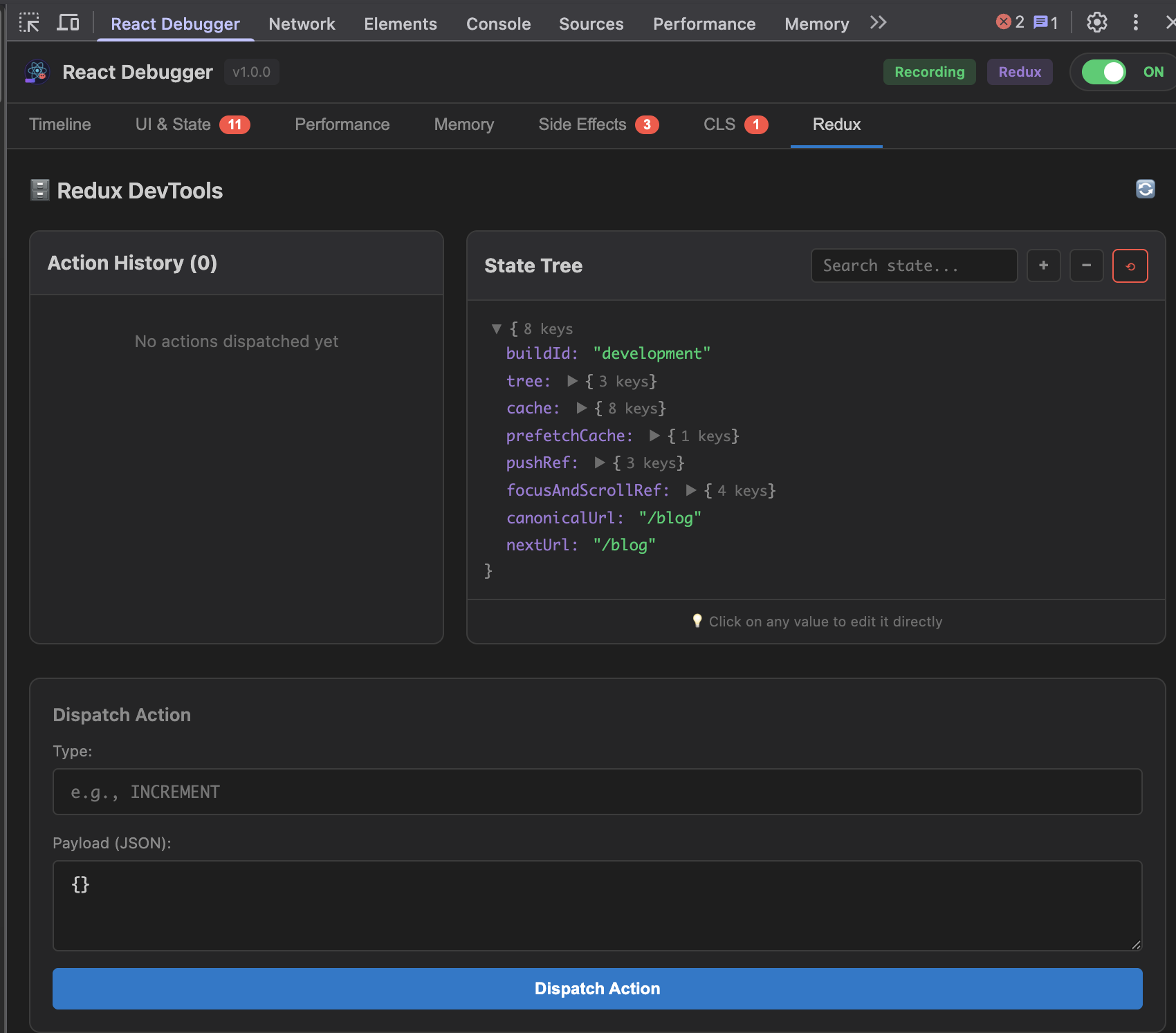
The Redux tab provides a complete debugging experience:
$3
Click any value to edit it directly - changes apply immediately!
State Tree:
▼ user
  ├─ name: "John"     ← Click to edit → "Jane" → Enter ✓
  ├─ role: "user"     ← Click → "admin" → See UI change!
  └─ balance: 100     ← Click → 0 → Test empty state
$3
Reorder or delete array items with one click:
▼ cart.items: Array(3)
  ├─ [0]: Book   [↑] [↓] [×]  ← Move up/down or delete
  ├─ [1]: Pen    [↑] [↓] [×]
  └─ [2]: Paper  [↑] [↓] [×]
$3
Test your reducers without writing code:
Type: cart/addItem
Payload: { "productId": 123, "quantity": 2 }
[Dispatch] → Watch state update instantly!
$3
| Scenario | Action |
|----------|--------|
| Test admin features | Edit
 → "admin" |
| Test empty states | Edit
posts → [] |
| Test error handling | Dispatch api/error action |
| Test loading UI | Dispatch fetch/pending action |
---
⌨️ CLI Options
`bash
npx @nhonh/react-debugger [destination] [options]Options:
-v, --version Show version number
-h, --help Show help
Examples:
npx @nhonh/react-debugger # Interactive mode
npx @nhonh/react-debugger ./extension # Install to ./extension
``---
📚 Full Documentation
- Getting Started Guide - Detailed setup instructions
- Understanding Each Tab - Deep dive into all features
- Troubleshooting - Common issues and solutions
---
🔗 Links
- GitHub Repository
- Report Issues
- Changelog
---
📋 Requirements
- Node.js >= 18.0.0
- Chrome, Brave, Edge, or any Chromium-based browser
- React 16+ application
---
📄 License
MIT © NhoNH