@nnao45/figma-use
v0.1.9
Control Figma from the command line. Full read/write access for AI agents.
0/weekUpdated yesterdayMITUnpacked: 11.4 MB
Published by nnao45
npm install @nnao45/figma-usefigma-use
CLI for Figma. Control it from the terminal — with commands or JSX.
``bashCreate and style
figma-use create frame --width 400 --height 300 --fill "#FFF" --layout VERTICAL --gap 16
figma-use create icon mdi:home --size 32 --color "#3B82F6"
figma-use set layout 1:23 --mode GRID --cols "1fr 1fr 1fr" --gap 16
Or render JSX
echo '
' | figma-use render --stdin --x 100 --y 100
`
Why
Figma's official MCP plugin can read files but can't modify them. This one can.
LLMs know CLI. LLMs know React. This combines both.
CLI commands are compact — easy to read, easy to generate, easy to chain. When a task involves dozens of operations, every saved token matters.
JSX is how LLMs already think about UI. They've seen millions of React components. Describing a Figma layout as
is natural for them — no special training, no verbose schemas.Demo
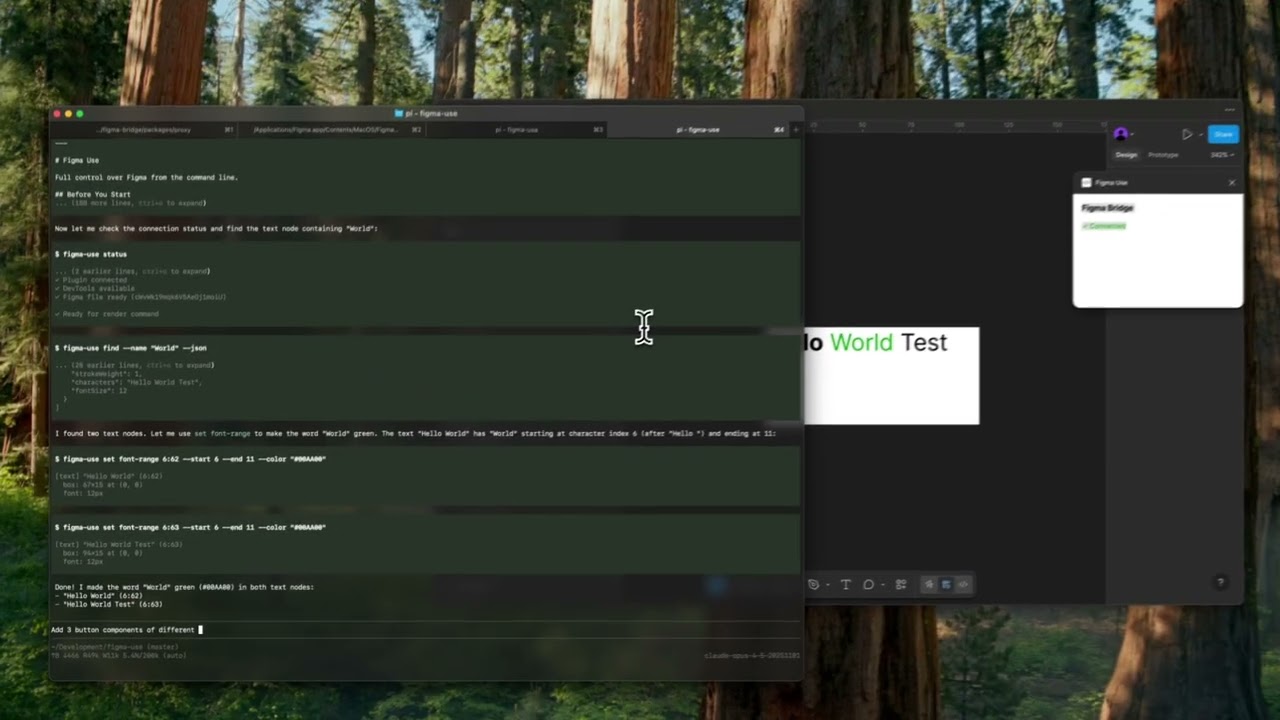
▶️ Button components
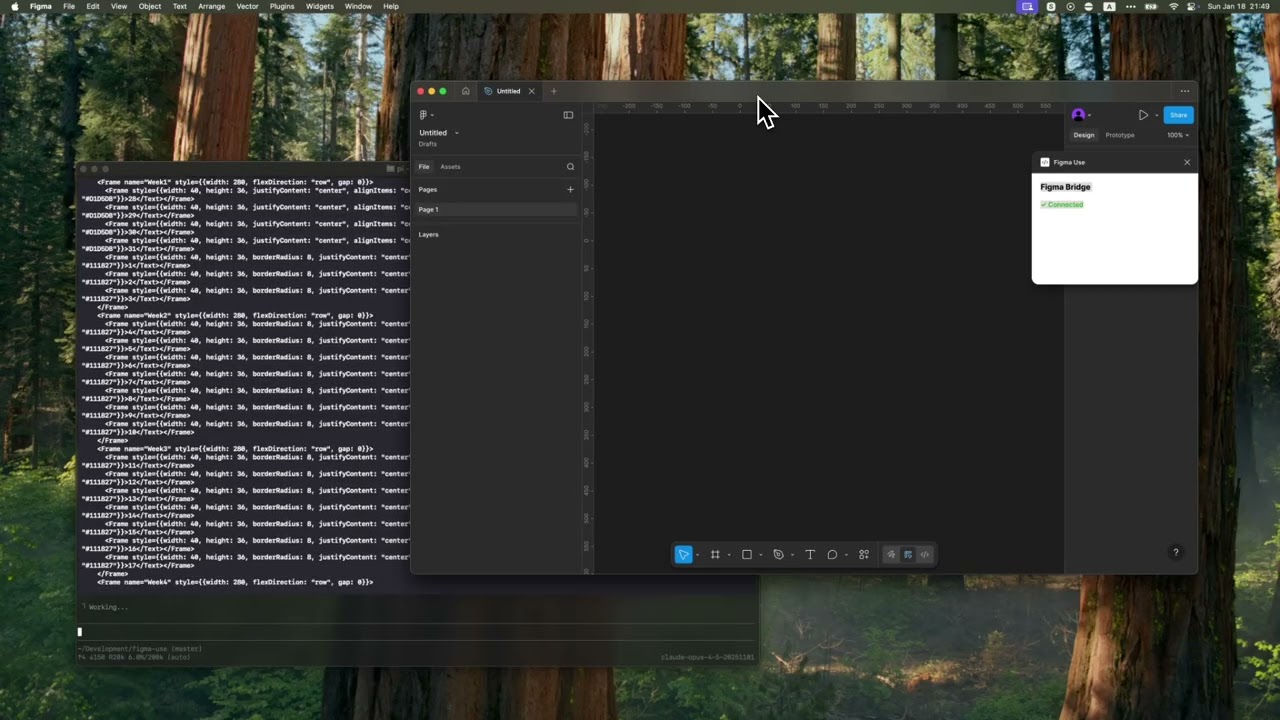
▶️ Tailwind UI calendar
Installation
`bash
npm install -g @nnao45/figma-use
`Or run directly without installing:
bash
npx @nnao45/figma-use status
`Start Figma with remote debugging enabled:
bash
macOS
open -a Figma --args --remote-debugging-port=9222Windows
"C:\Users\%USERNAME%\AppData\Local\Figma\Figma.exe" --remote-debugging-port=9222Linux
figma --remote-debugging-port=9222
`Check connection:
bash
figma-use status
`That's it. No plugins to install.
$3
On WSL2, the Linux version of Figma (
) has known font issues — listAvailableFontsAsync() returns 0 fonts due to an unhandled getModifiedFonts message in recent versions. A reliable workaround is to connect from WSL2 to the Windows Figma desktop app instead.1. Start Figma on Windows with remote debugging
`powershell
"C:\Users\%USERNAME%\AppData\Local\Figma\Figma.exe" --remote-debugging-port=9222
`2. Set up port forwarding on Windows (Admin PowerShell)
Figma binds to
, which isn't directly reachable from WSL2. Forward it:`powershell
netsh interface portproxy add v4tov4 listenaddress=0.0.0.0 listenport=9222 connectaddress=127.0.0.1 connectport=9222
netsh advfirewall firewall add rule name="Figma CDP" dir=in action=allow protocol=TCP localport=9222
`3. Forward localhost:9222 inside WSL2 to the Windows host
figma-use connects to
, so forward it to the Windows host IP:`bash
Find your Windows host IP
ip route show default | awk '{print $3}'
e.g. 192.168.64.1
Forward with a one-liner Node.js TCP proxy
node -e "
const net = require('net');
const server = net.createServer(c => {
const r = net.connect(9222, '$(ip route show default | awk \'{print $3}\')', () => { c.pipe(r); r.pipe(c); });
r.on('error', () => c.destroy());
c.on('error', () => r.destroy());
});
server.listen(9222, '127.0.0.1', () => console.log('forwarding to Windows Figma'));
" &
`4. Verify
bash
figma-use status
✓ Connected to Figma
`All 8000+ Windows fonts are now available — no font helper issues.
Two Modes
Imperative — one command at a time:
bash
figma-use create frame --width 400 --height 300 --fill "#FFF" --radius 12 --layout VERTICAL --gap 16
`Or declaratively — describe the structure in JSX and render it:
bash
echo '
  Card Title
  Description
' | figma-use render --stdin --x 100 --y 200
`The stdin mode accepts pure JSX only — no variables, no logic. For components, variants, and conditions, use
files.Elements:
Frame, Rectangle, Ellipse, Text, Line, Star, Polygon, Vector, Group, Icon, ImageExamples
$3
Insert any icon from Iconify by name. No downloading, no importing, no cleanup.
bash
figma-use create icon mdi:home
figma-use create icon lucide:star --size 48 --color "#F59E0B"
`In JSX:
tsx
`Browse 150k+ icons: icon-sets.iconify.design
$3
Create charts with d3-based commands.
bash
figma-use create chart scatter --data "10:20,30:40,50:60" --x-label "X" --y-label "Y"
figma-use create chart bubble --data "10:20:30,40:50:20,60:30:50" --max-radius 50
`$3
Load images from URL:
tsx
`$3
Add prototyping interactions:
bash
figma-use interaction add  --trigger ON_CLICK --action NAVIGATE --destination
figma-use interaction navigate   --transition SMART_ANIMATE
figma-use interaction overlay   --trigger ON_HOVER
figma-use interaction list
`$3
Convert any Figma node back to JSX:
bash
figma-use export jsx 123:456 --pretty
`Output:
tsx
import { Frame, Icon, Text } from 'figma-use/render'
export default function SaveButton() {
  return (


        Save


  )
}
`Match vector shapes to Iconify icons automatically:
bash
npm install whaticon  # Optional dependency
figma-use export jsx 123:456 --match-icons --prefer-icons lucide
`Compare two nodes as JSX diff:
bash
figma-use diff jsx 123:456 789:012
`$3
Export components as Storybook stories:
bash
figma-use export storybook --out ./stories
figma-use export storybook --out ./stories --match-icons --prefer-icons lucide
`Generates
with typed props from component properties.$3
In a
.figma.tsx file you can define components. First call creates the master, the rest create instances:`tsx
import { defineComponent, Frame, Text } from 'figma-use/render'const Card = defineComponent(
'Card',
Card
)
export default () => (
)
`$3
ComponentSet with all combinations:
tsx
import { defineComponentSet, Frame, Text } from 'figma-use/render'const Button = defineComponentSet(
'Button',
{
variant: ['Primary', 'Secondary'] as const,
size: ['Small', 'Large'] as const
},
({ variant, size }) => (
p: size === 'Large' ? 16 : 8,
bg: variant === 'Primary' ? '#3B82F6' : '#E5E7EB',
rounded: 8
}}
>
{variant} {size}
)
)
export default () => (
)
`This creates a real ComponentSet in Figma with all 4 variants, not just 4 separate buttons.
$3
CSS Grid for 2D layouts — calendars, dashboards, galleries:
tsx
display: 'grid',
cols: '1fr 1fr 1fr', // 3 equal columns
rows: 'auto auto', // 2 rows
gap: 16
}}
>
`Supports
, fr, and auto/hug. Separate gaps with colGap and rowGap.In CLI:
`bash
figma-use set layout --mode GRID --cols "100px 1fr 100px" --rows "auto" --gap 16
`$3
Bind colors to Figma variables by name. The hex value is a fallback:
tsx
import { defineVars, Frame, Text } from 'figma-use/render'const colors = defineVars({
bg: { name: 'Colors/Gray/50', value: '#F8FAFC' },
text: { name: 'Colors/Gray/900', value: '#0F172A' }
})
export default () => (
Bound to variables
)
`In CLI, use
or $Colors/Primary in any color option.$3
Compare two frames and get a patch:
`bash
figma-use diff create --from 123:456 --to 789:012
`diff
--- /Card/Header #123:457
+++ /Card/Header #789:013
@@ -1,5 +1,5 @@
type: FRAME
size: 200 50
pos: 0 0
-fill: #FFFFFF
+fill: #F0F0F0
-opacity: 0.8
+opacity: 1
`Apply the patch to the original frame. On apply, current state is validated against expected — if they don't match, it fails.
Visual diff highlights changed pixels in red:
bash
figma-use diff visual --from 49:275096 --to 49:280802 --output diff.png
`| Before | After | Diff |
| --------------------------------- | ------------------------------- | ------------------------------- |
| !before | !after | !diff |
$3
Page tree in readable form:
$ figma-use node tree
[0] frame "Card" (1:23)
    400×300 at (0, 0) | fill: #FFFFFF | layout: col gap=16
  [0] text "Title" (1:24)
      "Hello World" | 24px Inter Bold
Export any node or screenshot with one command.
$3
Import SVG or work with paths directly — read, modify, translate, scale, flip:
bash
figma-use path get
figma-use path set  "M 0 0 L 100 100 Z"
figma-use path scale  --factor 1.5
figma-use path flip  --axis x
`$3
Find nodes using XPath selectors:
bash
figma-use query "//FRAME"                              # All frames
figma-use query "//FRAME[@width < 300]"                # Narrower than 300px
figma-use query "//COMPONENT[starts-with(@name, 'Button')]"  # Name starts with
figma-use query "//FRAME[contains(@name, 'Card')]"     # Name contains
figma-use query "//SECTION/FRAME"                      # Direct children
figma-use query "//SECTION//TEXT"                      # All descendants
figma-use query "//*[@cornerRadius > 0]"               # Any node with radius
`Full XPath 3.1 support — predicates, functions, arithmetic, axes.
$3
Discovery tools for understanding design systems:
bash
Find repeated patterns (potential components)
figma-use analyze clustersColor palette — usage frequency, variables vs hardcoded
figma-use analyze colors
figma-use analyze colors --show-similar    # Find colors to mergeTypography — all font combinations
figma-use analyze typography
figma-use analyze typography --group-by sizeSpacing — gap/padding values, grid compliance
figma-use analyze spacing --grid 8Accessibility snapshot — extract interactive elements tree
figma-use analyze snapshot                 # Full page
figma-use analyze snapshot  -i         # Interactive elements only
`Example output:
[0] 48× frame "Header" pattern (100% match)
    1280×56 | Frame > [Frame×2, Text]
    examples: 53171:21628, 53171:21704#303030  ████████████████████ 1840× (var)
#E5E5E5  ████████████████████ 1726× (var)
#000000  ████████ 238×
$3
Check designs for consistency, accessibility, and best practices:
bash
figma-use lint                          # Recommended rules
figma-use lint --page "Components"      # Lint specific page
figma-use lint --preset strict          # Stricter for production
figma-use lint --preset accessibility   # A11y checks only
figma-use lint -v                       # With fix suggestions
`Output:
✖ Header/Title (1:234)
✖ Contrast ratio 2.1:1 is below AA threshold (4.5:1) color-contrast
⚠ Touch target 32x32 is below minimum 44x44 touch-target-size⚠ Card/Body (1:567)
⚠ Hardcoded fill color #1A1A1A no-hardcoded-colors
ℹ Frame with 3 children doesn't use Auto Layout prefer-auto-layout
────────────────────────────────────────────────────────────────
✖ 1 error ⚠ 3 warnings ℹ 1 info
17 rules across 6 categories:
| Category | Rules |
| ------------- | ------------------------------------------------------------------------------------------ |
| Design Tokens |
, consistent-spacing, consistent-radius, effect-style-required |
| Layout | prefer-auto-layout, pixel-perfect |
| Typography | text-style-required, min-text-size, no-mixed-styles |
| Accessibility | color-contrast, touch-target-size |
| Structure | no-default-names, no-hidden-layers, no-deeply-nested, no-empty-frames, no-groups |
| Components | no-detached-instances |JSON output for CI/CD:
`bash
figma-use lint --json > report.json
`$3
AI agents can wait for Figma comments and respond:
bash
figma-use comment watch --json   # Blocks until new comment
figma-use comment resolve    # Mark as done
`Returns comment text, author, and
— the exact element under the comment pin. Agent processes the request, resolves the comment, then runs watch again for the next one.Full Command Reference
See REFERENCE.md for the complete list of 100+ commands.
MCP Server
For AI agents that support Model Context Protocol:
`bash
figma-use mcp serve
`Exposes 90+ tools. See MCP.md for setup.
Configuration
For Storybook export and linting, create a config file:
bash
figma-use init
`Creates
:`json
{
"storybook": {
"page": "Components",
"out": "./stories",
"matchIcons": true,
"preferIcons": ["lucide", "tabler"]
},
"lint": {
"preset": "recommended"
},
"format": {
"pretty": true,
"semi": false,
"singleQuote": true
}
}
`CLI arguments override config values.
For AI Agents
Includes SKILL.md — a reference for Claude Code, Cursor, and other agents.
How It Works
┌─────────────┐            ┌─────────────┐
│   Terminal  │────CDP────▶│   Figma     │
│  figma-use  │  port 9222 │             │
└─────────────┘            └─────────────┘
figma-use communicates directly with Figma via Chrome DevTools Protocol (CDP). Just start Figma with
and you're ready.Commands are executed via
Runtime.evaluate` in Figma's JavaScript context, with full access to the Plugin API.License
MIT