@raruto/leaflet-elevation
v2.5.2
A Leaflet plugin that allows to add elevation profiles using d3js
3.3K/weekUpdated 4 months agoGPL-3.0Unpacked: 609.0 KB
Published by Felix “MrMufflon” Bache
npm install @raruto/leaflet-elevationleaflet-elevation.js


A Leaflet plugin that allows to add elevation profiles using d3js
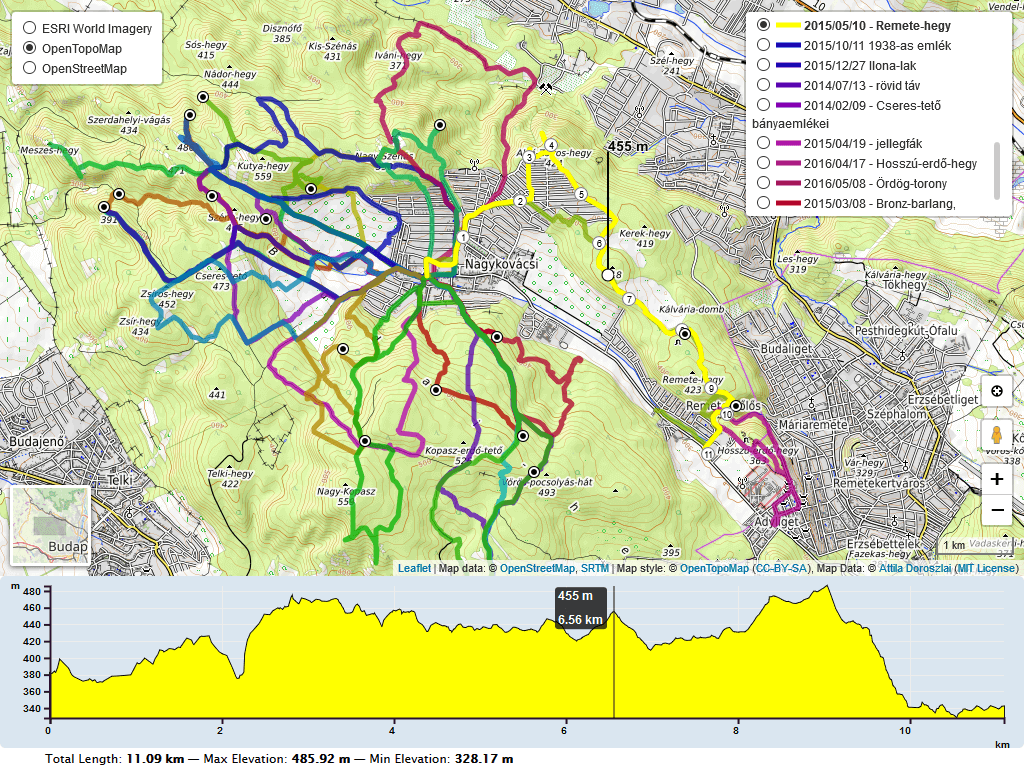
---
_For a working example see one of the following demos:_
- loading .gpx file
- loading .geojson file
- loading .kml file
- loading .tcx file
- loading a local .gpx file
- loading data from a textarea
- loading individual .geojson tracks
- loading individual .gpx tracks
- loading multiple .gpx tracks (hover to toggle)
- loading multiple .gpx tracks (click to toggle)
- loading multiple maps
- stacking multiple charts (elevation, slope, speed)
- translating plugin labels
- rotating chart labels
- using custom colors
- using .gpx extensions (cadence, heart, pace)
- using .gpx waypoint icons
- using .geojson waypoint icons
- autohide map
- autohide chart
- clear button
- collapsible button
- custom summary
- edge scale control
- follow marker
- layer almostover
- linear gradient
- slope chart
- speed chart
- temperature chart
- walking marker
---
Initially based on the work of Felix “MrMufflon” Bache
---
How to use
1. include CSS & JavaScript
``html
...
...
`
2. choose the div container used for the slippy map
html`
...
...
3. create your first simple “leaflet-elevation” slippy map
html`
$3
Within your local development environment:
`shell
git clone git@github.com:Raruto/leaflet-elevation.git
cd ./leaflet-elevation
npm i # install dependencies
npm run dev # start dev server at: http://localhost:8080
npm run build # generate "dist" files (once)
npm run test # test all "*.spec.js" files (once)
`
After that you can start developing inside the src and test folders (eg. open "http://localhost:8080/test" in your browser to preview changes). Check also CONTRIBUTING.md file for some information about it.
$3
1. How can I change the color of the elevation plot?
There are multiple options to achieve this:
You could either use some default presets (see: theme: "lightblue-theme" option in readme file and the following file leaflet-elevation.css for some other default "-theme" names).
* check out this example
* Or add the following lines for custom colors.
`css`
.elevation-control .area {
fill: red;
}
.elevation-control .background {
background-color: white;
2. How to enable/disable the leaflet user interface customizations?
These customizations are actually part of the leaflet-ui and can be toggled on/off using e.g. the following options:
`js`
var map = L.map('map', {
center: [41.4583, 12.7059], // needs value to initialize
zoom: 5, // needs value to initialize
mapTypeId: 'topo',
mapTypeIds: ['osm', 'terrain', 'satellite', 'topo'],
gestureHandling: false, // zoom with Cmd + Scroll
zoomControl: true, // plus minus buttons
pegmanControl: false,
locateControl: false,
fullscreenControl: true,
layersControl: true,
minimapControl: false,
editInOSMControl: false,
loadingControl: false,
searchControl: false,
disableDefaultUI: false,
printControl: false,
});
3. How can I import this library as ES module?
Usually, when working with a js bundler like Vite or Webpack, you need to provide to this library the full path to some dynamically imported files from the srcFolder:
`js
import './your-custom-style.css';
import 'leaflet/dist/leaflet.css';
import L from 'leaflet';
import '@raruto/leaflet-elevation/src/index.js';
import '@raruto/leaflet-elevation/src/index.css';
const map = L.map('map', {
center: [41.4583, 12.7059]
zoom: 5,
});
const controlElevation = L.control.elevation({
// CHANGE ME: with your own http server folder (eg. "http://custom-server/public/path/to/leaflet-elevation/src/")
srcFolder: 'http://unpkg.com/@raruto/leaflet-elevation/src/'
}).addTo(map);
// Load track from url (allowed data types: ".geojson", ".gpx", "*.tcx")
controlElevation.load("https://raruto.github.io/leaflet-elevation/examples/via-emilia.gpx");
``
4. Some real world projects based on this plugin?
- https://parcours.scasb.org/
- https://velocat.ru/velo/phpBB3/map.php
- https://plugins.qgis.org/plugins/track_profile_2_web/
- https://wordpress.org/plugins/os-datahub-maps/
- https://wordpress.org/plugins/extensions-leaflet-map/
- https://github.com/der-stefan/OpenTopoMap
- https://gpx.n-peloton.fr/
- https://walkaholic.me/map
_Related: Leaflet-UI presets, QGIS Integration_
$3
All notable changes to this project are documented in the releases page.
---
Compatibile with:


---
Contributors: MrMufflon, HostedDinner, ADoroszlai, Raruto
---
License: GPL-3.0+