@reactual/handsontable-pro
v1.14.3
Spreadsheet-like data grid editor
0/weekUpdated 3 years agoSEE LICENSE IN LICENSE
Published by Reactual
npm install @reactual/handsontable-pro
Handsontable Pro is a JavaScript/HTML5 UI Spreadsheet component for web apps. It easily integrates with any data source and comes with premium features like Filtering, Nested Headers, Dropdown Menu, Collapsing Columns and Export to File.
This is a commercial, paid software available for evaluation purposes only. To use it in a production environment you need to purchase a license and pass a valid license key in the configuration object.
If you are looking for an open source version, head to Handsontable Community Edition.
Table of contents
1. Installation
2. Basic usage
3. Examples
4. Features
5. Screenshot
6. Resources
7. Wrappers
8. Support
9. Pricing
10. License key
11. License
$3
There are many ways to install Handsontable Pro, but we suggest using npm:
``
npm install handsontable-pro
Alternative ways to install
- See the download section on how to install Handsontable Pro using nuget, bower, yarn and more.
$3
Assuming that you have already installed Handsontable Pro, create an empty
element that will be turned into a spreadsheet:`html
`
In the next step, pass a reference to that element into the Handsontable constructor and fill the instance with sample data:
`javascript
var data = [
["", "Tesla", "Volvo", "Toyota", "Honda"],
["2017", 10, 11, 12, 13],
["2018", 20, 11, 14, 13],
["2019", 30, 15, 12, 13]
];var container = document.getElementById('example');
var hot = new Handsontable(container, {
data: data,
rowHeaders: true,
colHeaders: true,
filters: true,
dropdownMenu: true
});
`
$3
- See a live demo
$3
It includes all of the Handsontable Community Edition (CE) features, plus:
- Filtering
- Export to file
- Dropdown menu
- Nested headers
- Collapsing columns
- Hiding rows
- Hiding columns
- Trimming rows
- Column summary
- Header tooltips
- Binding rows with headers
- Formulas (alpha)
- Nested rows (alpha)
- Gantt Chart (beta)
$3
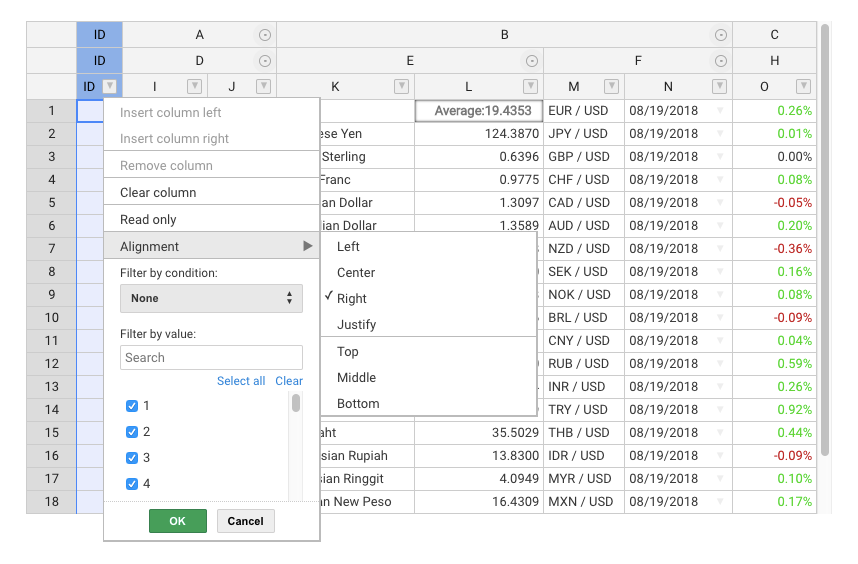
$3
- API Reference
- Compatibility
- Change log
- Roadmap
- Newsroom
$3
Handsontable Pro comes with wrappers and directives for most popular frameworks:- Angular
- Angular 1
- React
- Vue
- Polymer
- Typescript file
$3
Handsontable Pro is supported on a commercial basis. All the suggestions and issues should be sent to support@handsontable.com.
$3
The pricing page lists all pricing info, and contains links to purchase a new license, or to renew a maintenance plan.
$3
Handsontable Pro requires passing a valid license key in the configuration section.
You can find your purchased license key in your account at my.handsontable.com.An example of what the configuration object should look like:
javascript
hot = new Handsontable(container,{
  data: data,
  rowHeaders: true,
  colHeaders: true,
  licenseKey: '00000-00000-00000-00000-00000'
});
``Note that the license key is passed as a string so you need to wrap it in quotes ('').
$3
Handsontable Pro is released under a commercial license. Learn more
Copyright belong to Handsoncode sp. z o.o.