@replanejs/react
v1.0.6TypeScript
React SDK for Replane - feature flags and remote configuration
0/weekUpdated 1 weeks agoMITUnpacked: 71.3 KB
Published by tilyupo
npm install @replanejs/reactReplane React SDK
Dynamic configuration for React applications.




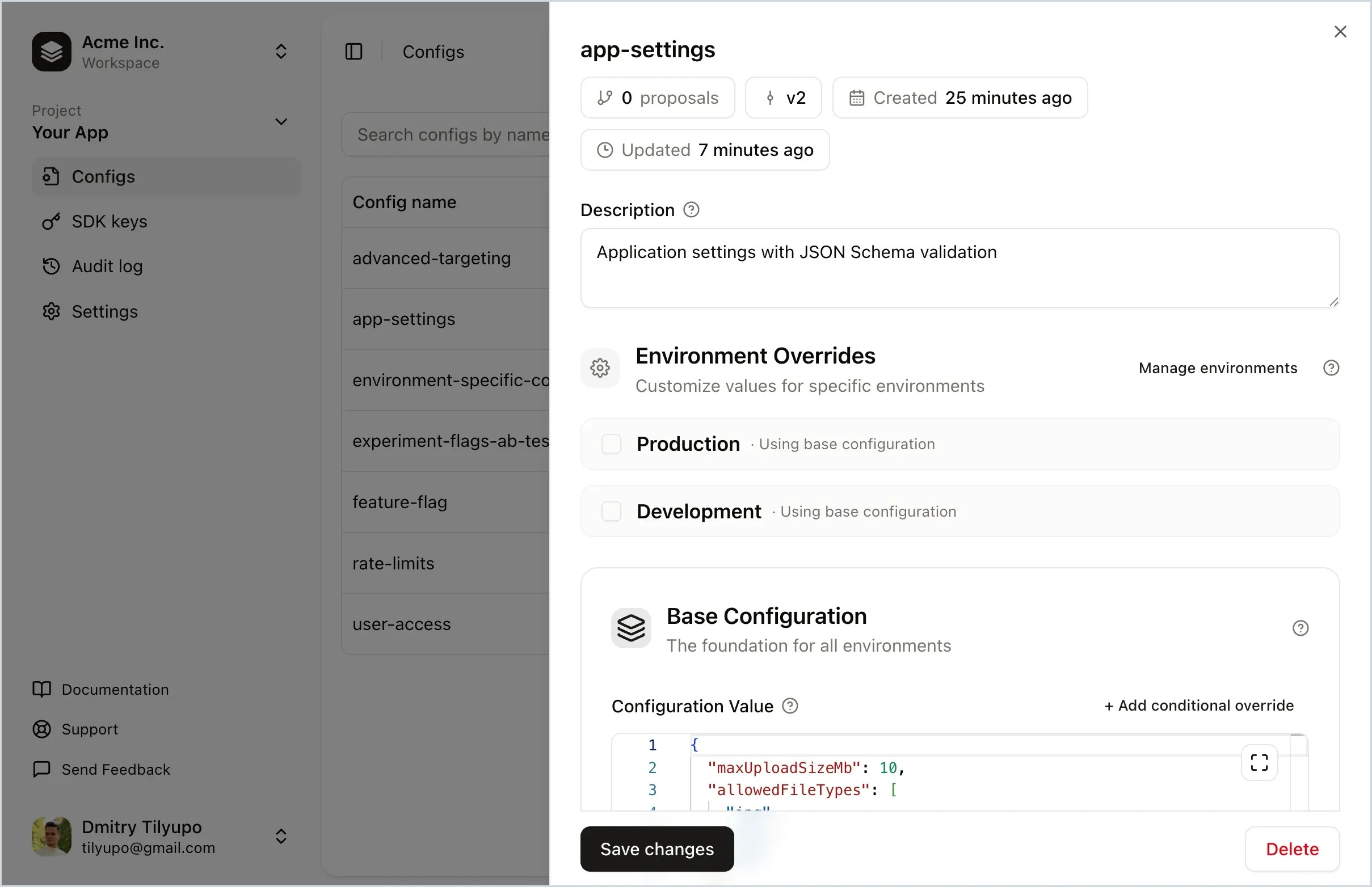
Replane is a dynamic configuration manager that lets you tweak your software without running scripts or building your own admin panel. Store feature flags, rate limits, UI text, log level, rollout percentage, and more. Delegate editing to teammates and share config across services. No redeploys needed.
Why Dynamic Configuration?
- Feature flags – toggle features, run A/B tests, roll out to user segments
- Operational tuning – adjust limits, TTLs, and timeouts without redeploying
- Per-environment settings – different values for production, staging, dev
- Incident response – instantly revert to a known-good version
- Cross-service configuration – share settings with realtime sync
- Non-engineer access – safe editing with schema validation
Installation
``bash`
npm install @replanejs/reactor
pnpm add @replanejs/reactor
yarn add @replanejs/react
Requirements
- React 18.0.0 or higher
- Node.js 18.0.0 or higher
Quick Start
`tsx
import { ReplaneProvider, useConfig } from "@replanejs/react";
function App() {
return (
baseUrl: "https://cloud.replane.dev", // or your self-hosted URL
sdkKey: "your-sdk-key",
}}
loader={
Loading...
}>
);
}
function MyComponent() {
const isFeatureEnabled = useConfig
return
{isFeatureEnabled ? "Feature is enabled!" : "Feature is disabled"}
;}
`
API
$3
Provider component that makes the Replane client available to your component tree. Supports multiple usage patterns:
#### 1. With connection (recommended)
The provider creates and manages the client internally. Use an Error Boundary to handle initialization errors:
tsx
import { ErrorBoundary } from "react-error-boundary";Failed to load configuration
baseUrl: "https://your-replane-server.com",
sdkKey: "your-sdk-key",
}}
loader={
>
;
`
#### Provider Props
| Prop | Type | Required | Description |
| ------------ | ------------------------- | -------- | ------------------------------------------------------------ |
|
| ConnectOptions \| null | Yes | Connection options (see below), or null to skip connection |
| defaults | Record | No | Default values if server is unavailable |
| context | Record | No | Default context for override evaluations |
| snapshot | ReplaneSnapshot | No | Snapshot for SSR hydration |
| logger | ReplaneLogger | No | Custom logger (default: console) |
| loader | ReactNode | No | Component to show while loading |
| suspense | boolean | No | Use React Suspense for loading state |
| async | boolean | No | Connect asynchronously (renders immediately with defaults) |#### Connection Options
The
connection prop accepts the following options:| Option | Type | Required | Description |
| --------------------- | -------------- | -------- | ----------------------------------------- |
|
baseUrl | string | Yes | Replane server URL |
| sdkKey | string | Yes | SDK key for authentication |
| connectTimeoutMs | number | No | SDK connection timeout (default: 5000) |
| requestTimeoutMs | number | No | Timeout for SSE requests (default: 2000) |
| retryDelayMs | number | No | Base delay between retries (default: 200) |
| inactivityTimeoutMs | number | No | SSE inactivity timeout (default: 30000) |
| fetchFn | typeof fetch | No | Custom fetch implementation |@replanejs/sdk documentation for more details.#### 2. With pre-created client
Use this when you need more control over client lifecycle:
`tsx
import { Replane } from "@replanejs/sdk";const client = new Replane();
await client.connect({
baseUrl: "https://your-replane-server.com",
sdkKey: "your-sdk-key",
});
`#### 3. With Suspense
Integrates with React Suspense for loading states:
tsx
Failed to load configuration baseUrl: "https://cloud.replane.dev", // or your self-hosted URL
sdkKey: "your-sdk-key",
}}
suspense
>
`
#### 4. With async mode
Connect in the background while rendering immediately with defaults:
tsx
baseUrl: "https://your-replane-server.com",
sdkKey: "your-sdk-key",
}}
defaults={{ featureEnabled: false }}
async
>
`#### 5. With snapshot (for SSR/hydration)
Restore a client from a snapshot obtained on the server. This is synchronous and useful for SSR scenarios:
tsx
// On the server
const serverClient = new Replane();
await serverClient.connect({ baseUrl: "...", sdkKey: "..." });
const snapshot = serverClient.getSnapshot();
// Pass snapshot to client via props, context, or serialized HTML// On the client
baseUrl: "https://your-replane-server.com",
sdkKey: "your-sdk-key",
}}
snapshot={snapshot}
>
;
`The restored client is immediately available with no loading state. The provider will establish a connection for real-time updates in the background.
$3
Hook to retrieve a configuration value. Automatically subscribes to updates and re-renders when the value changes.
tsx
function MyComponent() {
  // Basic usage
  const theme = useConfig("theme");  // With evaluation context
  const discount = useConfig("discount-percentage", {
    context: {
      userId: "123",
      isPremium: true,
    },
  });  return (

      Theme: {theme}, Discount: {discount}%

  );
}
`$3
Hook to access the underlying Replane client directly. Returns the client instance:
tsx
function MyComponent() {
const replane = useReplane(); const handleClick = () => {
// Access replane methods directly
const value = replane.get("some-config");
console.log(value);
};
return ;
}
`$3
Factory function to create a typed version of
. Returns a hook that provides the typed client directly:`tsx
import { createReplaneHook } from "@replanejs/react";// Define your config types
interface AppConfigs {
theme: { darkMode: boolean; primaryColor: string };
features: { beta: boolean; analytics: boolean };
maxItems: number;
}
// Create a typed hook
const useAppReplane = createReplaneHook();
function MyComponent() {
const replane = useAppReplane();
// replane.get is now typed - autocomplete works!
const theme = replane.get("theme");
// ^? { darkMode: boolean; primaryColor: string }
return
Dark mode: {theme.darkMode ? "on" : "off"};
}
`$3
Factory function to create a typed version of
. This provides autocomplete for config names and type inference for values:`tsx
import { createConfigHook } from "@replanejs/react";// Define your config types
interface AppConfigs {
theme: { darkMode: boolean; primaryColor: string };
features: { beta: boolean; analytics: boolean };
maxItems: number;
}
// Create a typed hook
const useAppConfig = createConfigHook();
function MyComponent() {
// Autocomplete for config names, automatic type inference
const theme = useAppConfig("theme");
// ^? { darkMode: boolean; primaryColor: string }
const features = useAppConfig("features");
// ^? { beta: boolean; analytics: boolean }
const maxItems = useAppConfig("maxItems");
// ^? number
// With context override
const premiumFeatures = useAppConfig("features", {
context: { userId: "123", plan: "premium" },
});
return (
Dark mode: {theme.darkMode ? "on" : "off"}
Beta enabled: {features.beta ? "yes" : "no"}
Max items: {maxItems}
);
}
`$3
Utility function to clear the suspense cache. Useful for testing or forcing re-initialization:
tsx
import { clearSuspenseCache } from "@replanejs/react";// Clear cache for specific options
clearSuspenseCache({
baseUrl: "https://your-replane-server.com",
sdkKey: "your-sdk-key",
});
// Clear entire cache
clearSuspenseCache();
`TypeScript
The SDK is fully typed. For the best TypeScript experience, use the hook factory functions:
tsx
// Define all your config types in one interface
interface AppConfigs {
"theme-config": {
darkMode: boolean;
primaryColor: string;
};
"feature-flags": {
newUI: boolean;
beta: boolean;
};
"max-items": number;
"welcome-message": string;
}// Create typed hooks once
const useAppReplane = createReplaneHook();
const useAppConfig = createConfigHook();
// Use throughout your app with full type safety
function Settings() {
const theme = useAppConfig("theme-config");
// ^? { darkMode: boolean; primaryColor: string }
const replane = useAppReplane();
const snapshot = replane.getSnapshot();
// ^? { configs: ConfigSnapshot[] }
return (
Dark mode: {theme.darkMode ? "enabled" : "disabled"}
);
}
`Error Handling
The provider throws errors during rendering so they can be caught by React Error Boundaries:
tsx
import { Component, ReactNode } from "react";class ErrorBoundary extends Component<
{ children: ReactNode; fallback: ReactNode },
{ hasError: boolean }
> {
state = { hasError: false };
static getDerivedStateFromError() {
return { hasError: true };
}
render() {
if (this.state.hasError) {
return this.props.fallback;
}
return this.props.children;
}
}
// Usage
Configuration failed to load
;
`
Or use a library like
:`tsx
import { ErrorBoundary } from "react-error-boundary";
Error: {error.message}
)}
onReset={() => clearSuspenseCache()}
>
;
``Community
Have questions or want to discuss Replane? Join the conversation in GitHub Discussions.
License
MIT