@sourcegraph/amp
v0.0.1770649291-g440f57
CLI for Amp, the frontier coding agent.
33.8K/weekUpdated todayAmp Commercial LicenseUnpacked: 8.9 MB
Published by The Amp Team
Amp CLI
Amp is the frontier coding agent for your terminal and editor.
- Multi-Model: Claude Opus 4.6, GPT-5.2, fast models—Amp uses them all, for what each model is best at.
- Opinionated: You're always using the good parts of Amp. If we don't use and love a feature, we kill it.
- On the Frontier: Amp goes where the models take it. No backcompat, no legacy features.
- Threads: You can save and share your interactions with Amp. You wouldn't code without version control, would you?
Amp has 3 agent modes:
- smart: unconstrained state-of-the-art model use (Claude Opus 4.6, GPT-5.2, and more)
- rush: fast and efficient, for narrowly defined tasks (Claude Haiku 4.5)
- deep: deep reasoning with GPT-5.2 Codex for extended thinking on complex problems
New users receive a $10 daily grant for free usage across all modes.
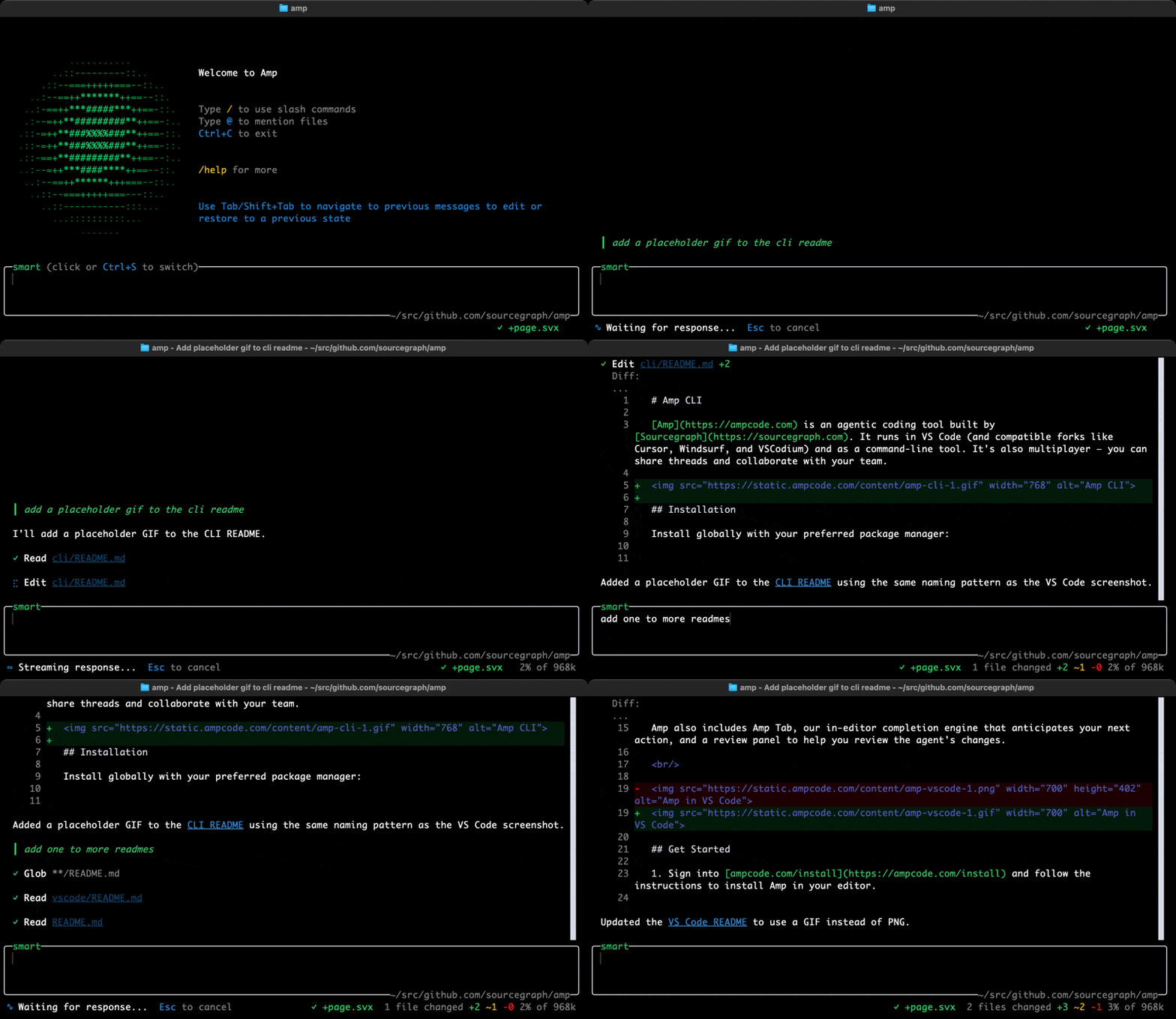
Get Started
1. Sign into ampcode.com/install and follow the instructions to install the Amp CLI.
2. Run amp and ask Amp to do something in your codebase.
See the Amp Owner's Manual and Switch to Amp for more information, and see ampcode.com/news for what we've recently shipped.
Recommended Installation
We recommend using our install script for macOS, Linux and WSL. It supports auto-updating and fast launch via Bun:
``bash`
curl -fsSL https://ampcode.com/install.sh | bash
Alternative Installation (npm)
If necessary, you can install via npm instead:
`bash`
npm install -g @sourcegraph/amp@latestor
yarn global add @sourcegraph/amp@latest
Or run without installing:
`bash`
npx -y @sourcegraph/amp@latest
Usage
After installation, run amp.
For non-interactive environments (e.g. scripts, CI/CD pipelines), set your API key in the AMP_API_KEY environment variable.
See amp --help and the Amp CLI documentation for more information.
Support
For help and feedback: mention @AmpCode on X, or email amp-devs@ampcode.com. You can also join our Amp Insiders community.
For account and billing help, contact amp-devs@ampcode.com.
---
Development
Binary Distribution (Experimental)
Pre-compiled binaries for platforms without Node.js/Bun. Version must match npm for update checks.
`bashBuild all platforms
LATEST_VERSION=$(npm view @sourcegraph/amp version)
AMP_BUILD_VERSION="$LATEST_VERSION" ./scripts/build-all-binaries.sh
Test
./scripts/test-binary-release.sh
`
See scripts:
, upload-binaries.sh, test-binary-release.sh`