@thi.ng/text-canvas
v3.0.106TypeScript
Text based canvas, drawing, plotting, tables with arbitrary formatting (incl. ANSI/HTML)
0/weekUpdated yesterdayApache-2.0Unpacked: 92.2 KB
Published by Karsten Schmidt
npm install @thi.ng/text-canvas!@thi.ng/text-canvas

!npm downloads

> [!NOTE]
> This is one of 214 standalone projects, maintained as part
> of the @thi.ng/umbrella monorepo
> and anti-framework.
>
> 🚀 Please help me to work full-time on these projects by sponsoring me on
> GitHub. Thank you! ❤️
- About
- Status
- Related packages
- Installation
- Dependencies
- Usage examples
- API
- Canvas creation
- Format identifiers
- Colors
- Variations
- Combined formats
- String conversion format presets
- Stroke styles
- Clipping
- Drawing functions
- Image functions
- Text functions
- Bars & bar charts
- Tables
- 3D wireframe cube example
- Multiple bar plots with additive blending
- Authors
- License
About
Text based canvas, drawing, plotting, tables with arbitrary formatting (incl. ANSI/HTML).
!Terminal based textmode bar plots
Status
STABLE - used in production
Search or submit any issues for this package
Related packages
- @thi.ng/text-format - Customizable color text formatting with presets for ANSI & HTML
Installation
``bash`
yarn add @thi.ng/text-canvas
ESM import:
`ts`
import * as tc from "@thi.ng/text-canvas";
Browser ESM import:
`html`
For Node.js REPL:
`js`
const tc = await import("@thi.ng/text-canvas");
Package sizes (brotli'd, pre-treeshake): ESM: 6.23 KB
Dependencies
- @thi.ng/api
- @thi.ng/arrays
- @thi.ng/checks
- @thi.ng/errors
- @thi.ng/geom-clip-line
- @thi.ng/math
- @thi.ng/strings
- @thi.ng/text-format
- @thi.ng/transducers
Note: @thi.ng/api is in _most_ cases a type-only import (not used at runtime)
Usage examples
Three projects in this repo's
/examples
directory are using this package:
| Screenshot | Description | Live demo | Source |
|:-------------------------------------------------------------------------------------------------------------------------|:------------------------------------------------------------------|:--------------------------------------------------------|:-------------------------------------------------------------------------------------|
| 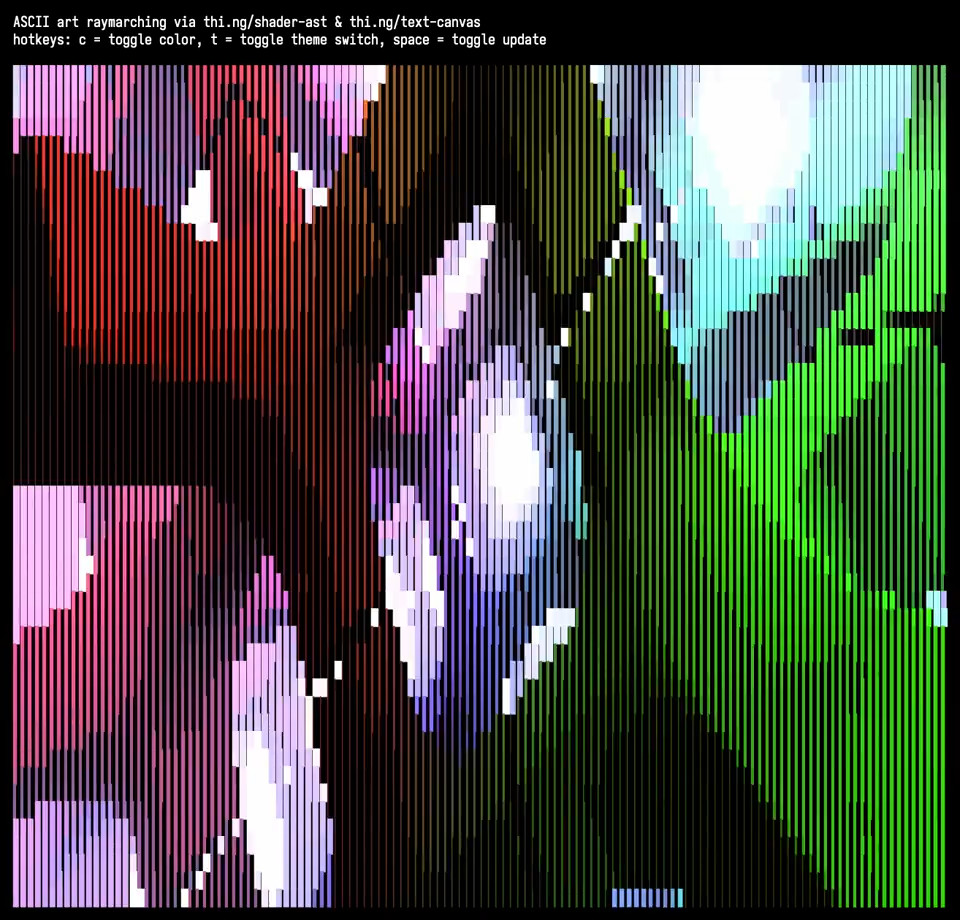 | ASCII art raymarching with thi.ng/shader-ast & thi.ng/text-canvas | Demo | Source |
| 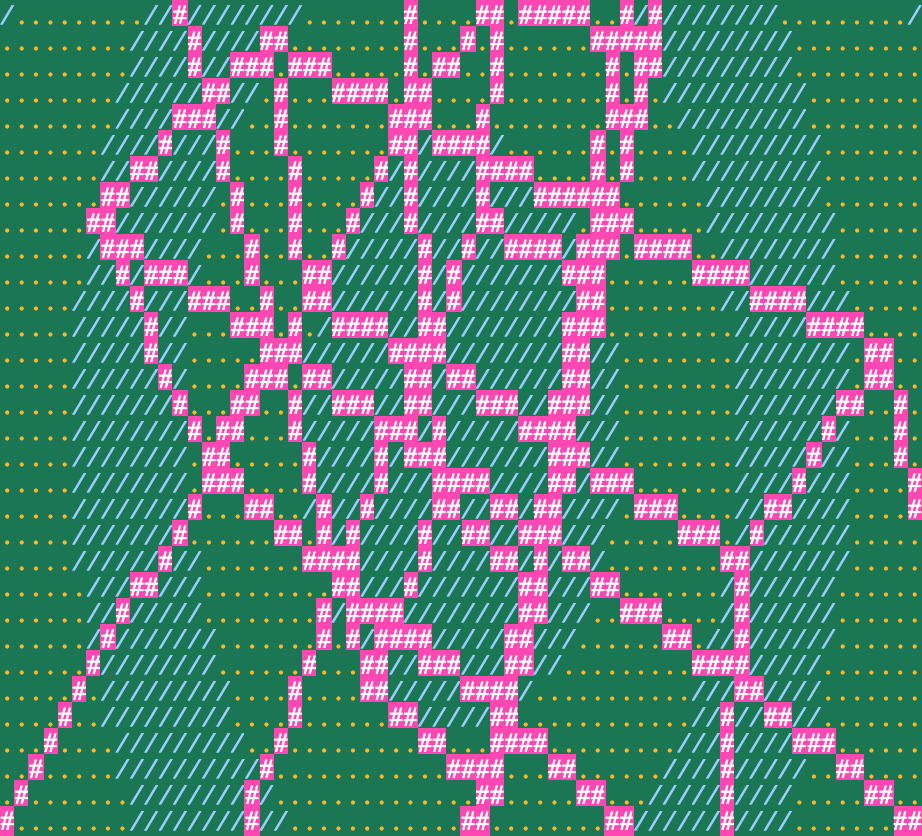 | 3D wireframe textmode demo | Demo | Source |
| 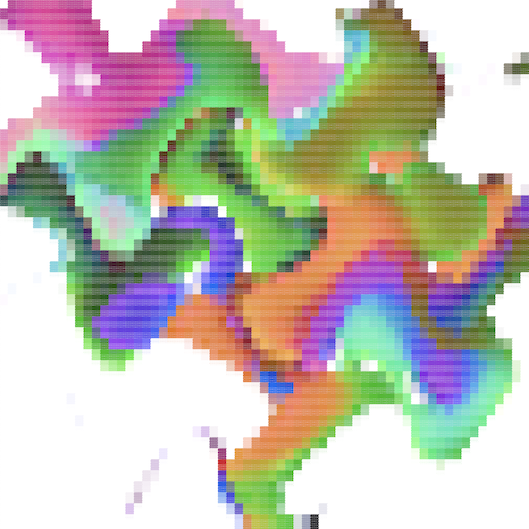 | Textmode image warping w/ 16bit color output | Demo | Source |
API
$3
`ts
import { canvas } from "@thi.ng/text-canvas";
const c = canvas(width, height, format?, style?);
`
$3
The text canvas stores all characters in a Uint32Array with the lower 16 bits
used for the UTF-16 code and the upper 16 bits for abitrary formatting data.
The package utilizes format identifier constants and formatters from the
@thi.ng/text-format
package,
which are tailored for the included ANSI & HTML formatters, but users are free to
choose use any other system (but then will also need to implement a custom
string formatter impl).
The default format ID layout used by text canvas is as shown:
Most drawing functions accept an optional format arg, but a defaultsetFormat(canvas, formatID)
format can also be set via .
The format IDs defined in @thi.ng/text-format are only compatible with these
formatters (also supplied by that package):
- FMT_ANSI16
-
-
**All constants and other formatters are also discussed in detail in the
@thi.ng/text-format
readme.**
#### Colors
These color IDs MUST be prefixed with either FG_ (foreground) or BG_
(background):
- BLACK
-
-
-
-
-
-
-
-
-
-
-
-
-
-
-
#### Variations
- BOLD
-
-
#### Combined formats
Format IDs can be combined via the binary OR operator (|), e.g.:
`ts
import { setFormat } from "@thi.ng/text-canvas";
import * as tf from "@thi.ng/text-format";
setFormat(canvas, tf.FG_BLACK | tf.BG_LIGHT_CYAN | tf.BOLD | tf.UNDERLINE);
`
$3
Canvas-to-string conversion is completely customizable via the StringFormat
interface
Currently the following presets are supplied (in the
@thi.ng/text-format
package):
- FMT_ANSI16 - translate built-in format IDs to 4-bit ANSI escape sequencesFMT_ANSI256
- - uses all 16 format bits for fg & bg colors (ANSI esc sequences)FMT_ANSI565
- - uses all 16 format bits for RGB565 fg colors (ANSI esc sequences)FMT_ANSI_RAW
- - verbatim use of format IDs to ANSI sequencesFMT_HTML_INLINE_CSS
- - HTML elements with inline CSSFMT_HTML_TACHYONS
- - HTML elements with TachyonsFMT_HTML565
CSS class names
- - HTML elements with RGB565 color codingFMT_NONE
- - dummy formatter outputting plain text only (all formatNO_COLOR
information discarded, e.g. for support)
`ts
import { formatCanvas } from "@thi.ng/text-canvas";
import { FMT_ANSI16, FMT_HTML_TACHYONS } from "@thi.ng/text-format";
// Terminal
process.stdout.write(formatCanvas(canvas, FMT_ANSI16));
// or
console.log(formatCanvas(canvas, FMT_ANSI16));
// Browser
const el = document.createElement("pre");
el.innerHTML = formatCanvas(canvas, FMT_HTML_TACHYONS);
`
$3
Built-in style presets:
- STYLE_ASCII
-
-
-
-
-
Functions:
- beginStyle(canvas, style)
-
$3
All drawing operations are constrained to the currently active clipping rect (by
default full canvas). The canvas maintains a stack of such clipping regions,
each newly pushed one being intersected with the previous top-of-stack rect:
- beginClip(canvas, x, y, w, h) - push new clip rectendClip(canvas)
- - restore previous clip rect
`text`
┌──────────────────┐
│ A │
│ ╔════════╗─────────┐
│ ║ ║ │
│ ║ A & B ║ │
│ ║ ║ │
└─────────╚════════╝ │
│ B │
└──────────────────┘
$3
- line()
-
-
-
- clear()
-
-
$3
- blit() / blitMask() / blitBarsV()
- / imageRaw() / imageCanvas565() / imageString565()
- / imageCanvasBraille() / imageStringBraille()
- / extract()
-
`ts
import { RGB565 } from "@thi.ng/pixel";
import { read } from "@thi.ng/pixel-io-netpbm";
// resize non-proportionally (to compensate
// for character aspect ratio, YMMV)
const img = read(readFileSync("chroma-rings.ppm"))
.resize(32, 32 / 2.25)
.as(RGB565)
// requires an ANSI 24bit compatible terminal
console.log(imageString565(img));
`
!example image output in NodeJS REPL
$3
- textLine()
-
- (word wrapped)textBox()
- (word wrapped)
$3
The following are string builders only, draw result via text functions:
- barHorizontal()
-
-
-
$3
Tables support individual column width, automatic (or user defined) row
heights, cell padding, as well as global and per-cell formats and the
following border style options:
| Border style | Result |
|------------------|-----------------------------------------------------------------------------------------------------------------|
| Border.ALL | !table |Border.NONE
| | !table |Border.H
| | !table |Border.V
| | !table |Border.FRAME
| | !table |Border.FRAME_H
| | !table |Border.FRAME_V
| | !table |
Table cell contents will be word-wrapped. By default, individual words longer
than the configured cell width will be truncated, but can be forced to wrap by
enabling the hard option (see example below).
`ts tangle:export/readme-table.ts
import { repeatedly } from "@thi.ng/transducers";
import * as tc from "@thi.ng/text-canvas";
import * as tf from "@thi.ng/text-format";
// generate 20 random values
const data = repeatedly(() => Math.random(), 20)
// format as bar chart string
const chart = tc.barChartVStr(4, data, 0, 1);
// create text canvas
const canvas = new tc.Canvas(64, 20);
// create table
tc.table(
canvas,
0,
0,
{
// column defs
cols: [{ width: 4 }, { width: 20 }, { width: 8 }],
// default cell format
format: tf.FG_BLACK | tf.BG_LIGHT_CYAN,
// default format for header cells (1st row)
formatHead: tf.FG_RED | tf.BG_LIGHT_CYAN | tf.BOLD | tf.UNDERLINE,
// border line style
style: tc.STYLE_DASHED_ROUNDED,
// border mode
border: tc.Border.ALL,
// internal cell padding [h,v]
padding: [1, 0],
// hard word wrap
hard: true,
},
// table contents (row major)
// each cell either a string or RawCell object
[
["ID", "Main", "Comment"],
[
"0001",
{ body: chart, format: tf.FG_BLUE | tf.BG_LIGHT_CYAN },
"This is a test!"
],
["0002", "Random data plot", "Word wrapped content"],
["0003", { body: "More details...", height: 4 }, ""]
]
);
// output as ANSI formatted string
console.log(tc.formatCanvas(canvas, tf.FMT_ANSI16));
`
For even more detailed control, tables can also be pre-initialized prior
to creation of the canvas via
initTable()
and then drawn via
drawTable().
The initTable function returns an object also containing the computedwidth
table size (, height keys) which can then be used to create a
canvas with the required size...
For convenience, the tableCanvas() function can be used to combine
these steps and to create an auto-sized canvas with the rendered table
as content.
$3
Code for this above example output (CLI version):
`ts tangle:export/readme-cube.ts
import * as geom from "@thi.ng/geom";
import * as mat from "@thi.ng/matrices";
import * as tc from "@thi.ng/text-canvas";
import * as tf from "@thi.ng/text-format";
const W = 64;
const H = 32;
// create text canvas
const canvas = new tc.Canvas(W, H, tf.BG_BLACK, tc.STYLE_THIN);
// cube corner vertices
const cube = geom.vertices(geom.center(geom.aabb(1))!);
// edge list (vertex indices)
const edges = [
[0, 1], [1, 2], [2, 3], [3, 0], [4, 5], [5, 6],
[6, 7], [7, 4], [0, 4], [1, 5], [2, 6], [3, 7]
];
// animated parameters
let rotx = 0;
let roty = 0;
// 3D transformation matrices
const view = mat.lookAt([], [0, 0, 1], [0, 0, 0], [0, 1, 0]);
const proj = mat.perspective([], 90, W / H, 0.1, 10);
const viewp = mat.viewport([], 0, W, H, 0);
setInterval(() => {
tc.clear(canvas, true);
// model rotation matrix
const model = mat.concat(
[],
mat.rotationX44([], rotx += 0.01),
mat.rotationY44([], roty += 0.03)
);
// combined model-view-projection matrix
const mvp = mat.concat([], proj, view, model);
// draw cube instances
// project 3D points to 2D viewport (canvas coords)
const pts = cube.map((p) => mat.project3([], mvp, viewp, p)!);
// draw cube edges
for (let e of edges) {
const a = pts[e[0]];
const b = pts[e[1]];
tc.line(canvas, a[0], a[1], b[0], b[1], "+", tf.FG_WHITE | tf.BG_RED);
}
// draw vertex labels
canvas.format = tf.FG_WHITE | tf.BG_BLUE;
for (let i = 0; i < 8; i++) {
const p = pts[i];
tc.textBox(canvas, p[0] - 1, p[1] - 1, 5, 3, ${i} );@thi.ng/text-canvas wireframe cube\n\nx: ${rotx.toFixed(2)}\ny: ${roty.toFixed(2)}
}
tc.textBox(
canvas,
2, 1, 24, -1,
,`
{
format: tf.FG_BLACK | tf.BG_LIGHT_CYAN,
padding: [1, 0]
}
);
// output as ANSI formatted string
process.stdout.write(
tf.ANSI_SYNC_START +
tf.ANSI_CLEAR_SCREEN +
tf.ANSI_HOME +
tc.formatCanvas(canvas, tf.FMT_ANSI16) +
tf.ANSI_SYNC_END
);
// ...our output as plain text
// console.log(tc.formatCanvas(canvas));
}, 16);
$3
`ts tangle:export/readme-barplot.ts
import { HERMITE_V, VEC4, ramp } from "@thi.ng/ramp";
import { canvas, formatCanvas, plotBarChartV } from "@thi.ng/text-canvas";
import { FG_BLUE, FG_GRAY, FG_GREEN, FG_RED, FMT_ANSI16 } from "@thi.ng/text-format";
// define curves for 4 params which will be computed via
// cubic hermite interpolation
const curves = ramp(
// use VEC4 interpolation preset
HERMITE_V(VEC4),
// keyframes
[
[0.0, [1, 0, 0.33, 0]],
[0.5, [0, 1, 0.06, -0.3]],
[1.0, [0, 0, 1, 0.5]],
]
);
const W = 100;
const H = 24;
const samples: number[][] = [];
// sample curves
for (let i = 0; i < W; i++) {
samples.push(
}
// create empty canvas
const plot = canvas(W, H);
// create all 4 bar plots in the same canvas, by default uses additive blending
// to composite each plot layer
plotBarChartV(
plot,
{ min: 0, max: 1 },
{ data: samples.map((x) => x[0]), color: FG_RED },
{ data: samples.map((x) => x[1]), color: FG_GREEN },
{ data: samples.map((x) => x[2]), color: FG_BLUE },
{ data: samples.map((x) => x[3]), color: FG_GRAY }
);
// format & print canvas using ANSI colors
console.log(formatCanvas(plot, FMT_ANSI16));
`
Authors
If this project contributes to an academic publication, please cite it as:
`bibtex``
@misc{thing-text-canvas,
title = "@thi.ng/text-canvas",
author = "Karsten Schmidt",
note = "https://thi.ng/text-canvas",
year = 2020
}
License
© 2020 - 2026 Karsten Schmidt // Apache License 2.0