Simple object inspector styled similarly to Chrome DevTools
npm install @tilastokeskus/react-object-inspector[DEPRECATION WARNING] future development will be at https://github.com/xyc/react-inspector
react-object-inspector
=====================


Simple object inspector made with React styled similarly to Chrome DevTools. You can use this tool to inspect Javascript Objects as an alternative to JSON.stringify(data, null, 2)
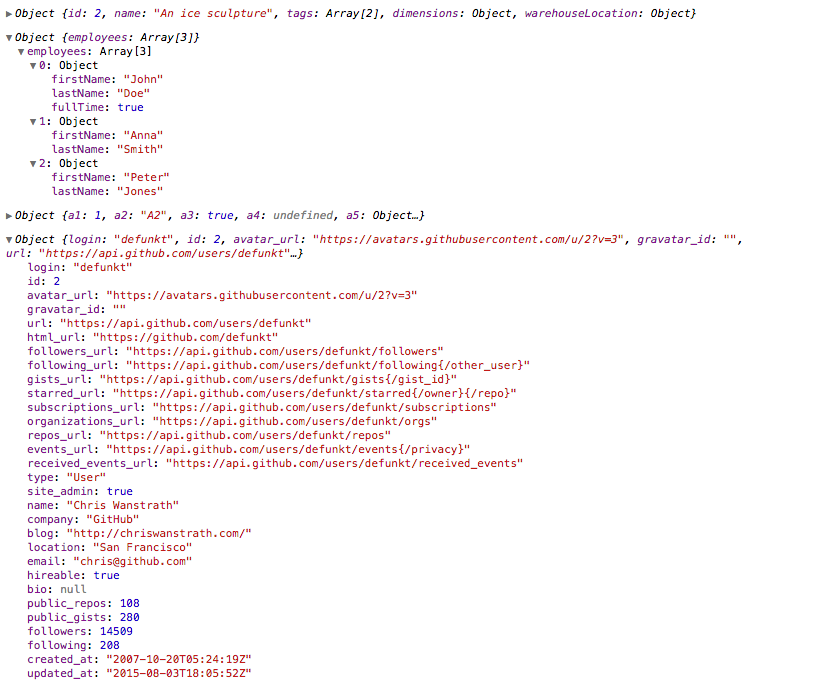
Tree state is saved at root. If you click to expand some elements in the hierarchy, the state will be preserved after the element is unmounted.
NPM:
``sh`
npm install react-object-inspector
Starting from 0.2.0, react-object-inspector uses inline styles and you don't need to include any additional CSS files.
: the Javascript object you would like to inspect####
name: specify the name of the root node, default to undefined####
: an array containing all the paths that should be expanded when the component is initialized.
- A path is a dot separated string like
root.foo.bar
- By default you can refer to root's path as , or the name prop if name is defined
- For example, ['root'] expands the first level nodes
- ['myCustomName'] can also expand the first level nodes if the component is setup as .
- ['root.foo.bar'] expands the path root.foo.bar if root.foo.bar is an existing property
- You can use wildcard to expand all paths on a specific level
- For example, to expand all first level and second level nodes, use ['root', 'root.*']
$3
js
import ObjectInspector from 'react-object-inspector';
let data = { / ... / };React.render(
document.getElementById('objectInspector')
);
`
One common usage is embedding this in a component's render() method to provide a view for its props/state.$3
sh
npm install && npm start
``