@vechain/vechain-kit
v2.4.2TypeScript
All-in-one React library for building VeChain applications with wallet integration, social logins, developer hooks, and pre-built UI components.
0/weekUpdated 5 days agoMITUnpacked: 5.8 MB
Published by VeChain Foundation
npm install @vechain/vechain-kitAn all-in-one SDK for building frontend applications on VeChain, supporting wallet integration, developer hooks, pre-built UI components, and more.
$3
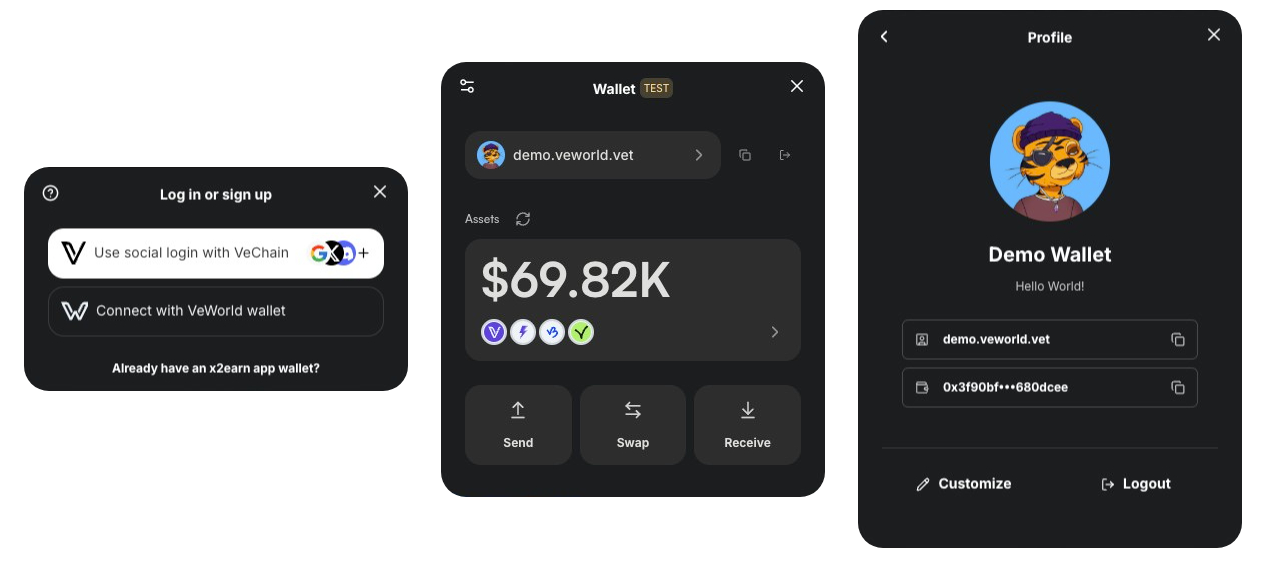
VeChain Kit is a comprehensive SDK designed to make building frontend applications on VeChain fast and straightforward. It offers:
- Seamless Wallet Integration: Support for VeWorld, Sync2, WalletConnect, and social logins.
- Developer-Friendly Hooks: Easy-to-use React Hooks that let you read and write data on the VeChainThor blockchain.
- Token Operations: Send and swap tokens, check balances, manage VET domains, and more—all in one place.
- Pre-Built UI Components: Ready-to-use components (e.g., TransactionModal) to simplify wallet operations and enhance your users’ experience.
> Note: Currently supports React and Next.js only
$3
$3
#### Install dependencies
Install the core package along with its peer dependencies:
``bash`
yarn add @vechain/vechain-kit \
@chakra-ui/react@^2.8.2 \
@emotion/react@^11.14.0 \
@emotion/styled@^11.14.0 \
@tanstack/react-query@^5.64.2 \
@vechain/dapp-kit-react@2.1.0-rc.1 \
framer-motion@^11.15.0
#### Setup Provider
Wrap your app with the VeChainKitProvider:
`typescript
'use client';
import { VeChainKitProvider } from '@vechain/vechain-kit';
export function Providers({ children }: { children: React.ReactNode }) {
return (
{children}
);
}
`
That's it! Your app is now ready to connect to VeChain mainnet with VeWorld wallet.
#### Add Wallet Button
`typescript
'use client';
import { WalletButton } from '@vechain/vechain-kit';
export function Page() {
return
}
``
For complete configuration options, check the full documentation.
---
Troubleshooting
Are you having issues using the kit?
- Check our Troubleshooting section.
- Contact us on Discord
- Open an issue on Github