TagCloud
v2.5.0TypeScript
3D TagCloud
444/weekUpdated 1 years agoMITUnpacked: 50.4 KB
Published by Cong Min
npm install TagCloudEnglish | 中文
TagCloud.js



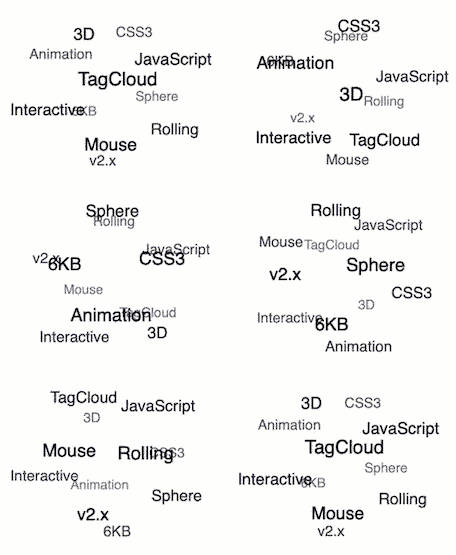
它是随着鼠标滚动的3D标签云,只有6kb大小,不依赖任何其他类库。 例子
- 如何使用
- npm
- 浏览器
- 构造函数
- TagCloud(container, texts, options)
- container
- texts
- options
- options.radius
- options.maxSpeed
- options.initSpeed
- options.direction
- options.keep
- options.containerClass
- options.itemClass
- options.useContainerInlineStyles
- options.useItemInlineStyles
- 实例方法
- tagcloud.update(texts)
- tagcloud.pause()
- tagcloud.resume()
- tagcloud.destroy()
- 自定义事件
- 使用事件委托机制来为标签云子项添加自定义事件]
- License
如何使用
$3
``bash`
$ npm i -S TagCloud
`js
const TagCloud = require('TagCloud');
const container = '.tagcloud';
const texts = [
'3D', 'TagCloud', 'JavaScript',
'CSS3', 'Animation', 'Interactive',
'Mouse', 'Rolling', 'Sphere',
'6KB', 'v2.x',
];
const options = {};
TagCloud(container, texts, options);
`
$3
`html`
`js`
TagCloud(container, texts, options);
构造函数
$3
返回 tagcloud 实例。
#### container
类型: String 或 HTMLElement 或 Array
用于构造标签云的容器。
#### texts
类型: Array
初始化时的标签文本列表。
#### options
类型: Object
##### options.radius
类型: Number\100
默认值: \px
单位:
滚动半径。
##### options.maxSpeed
可选值: 'slow', 'normal', 'fast'\'normal'
默认值:
滚动最大速度。
##### options.initSpeed
可选值: 'slow', 'normal', 'fast'\'normal'
默认值:
滚动初始速度。
##### options.direction
类型: Number\135
默认值: (向右下滚动)\deg
单位: 顺时针角度
滚动初始方向,例如 0 (向上滚动) , 90 (向左滚动), 135 (向右下滚动) ...
##### options.keep
类型: Boolean\true
默认值:
鼠标移除容器区域时是否保持继续滚动。默认为是 true,减速至初始滚动速度,然后继续随鼠标滚动。
##### options.reverseDirection
类型: Boolean\false
默认值:
当鼠标控制方向时,是否要逆转方向。
##### options.containerClass
类型: String\tagcloud
默认值:
用于 tagcloud 容器的CSS样式 class。
##### options.itemClass
类型: String\tagcloud--item
默认值:
用于 tagcloud 标签项的CSS样式 class。
##### options.useContainerInlineStyles
Type: Boolean\true
Default:
使用正常视图的内联样式添加到 tagcloud 容器上;禁用此选项后,你必须自己添加CSS。
##### options.useItemInlineStyles
类型: Boolean\true
默认值:
使用正常视图的内联样式添加到 tagcloud 标签项上;禁用此选项后,你必须自己添加CSS。
实例方法
$3
更新标签文本列表。
$3
暂停标签云动画。
$3
继续标签云动画。
$3
摧毁标签云实例。
自定义事件
$3
以下是示例,点击标签云子项跳转到 Google 去搜索关键字
`javascripthttps://www.google.com/search?q=${e.target.innerText}
let rootEl = document.querySelector('.content');
rootEl.addEventListener('click', function clickEventHandler(e) {
if (e.target.className === 'tagcloud--item') {
window.open(, '_blank');``
// your code here
}
});
License
MIT