aca.ts
v0.1.3
Aca.ts is a full stack development tool without backend development, which can automatically synchronize database schema and generate database query APIs according to a typescript ORM document; Automatically generate the client access server APIs accordin
0/weekUpdated 3 weeks agoMITUnpacked: 534.0 KB
Published by Guolie Liao
npm install aca.tsEnglish | 中文文档
Aca.ts
> Aca.ts is a full stack development tool without backend development, which can automatically synchronize databases and generate database query APIs according to a typescript ORM document; Automatically generate the frontend access backend APIs according to the backend functions and database query APIs, so that the backend code can be developed on the frontend.
Use the class syntax of Typescript to define ORM:
- Define a root namespace to represent your database
- Define a table with a class (class name as table name)
- Define a column or a relationship with a class property (property name as column name)
- Add constraints to a table or a column with decorators
An example could be found below:
example-blog.ts
``
typescript

namespace db {

  export class user {

    id: id

    @$_.unique name: string

    age?: int

    married = false

    profile?: profile

    posts: post[]

  }


  export class profile {

    id: id

    password: string

    @$_.foreign('userId') user: user

  }


  @$.view('select "user"."id" as "userid", "user"."name", "user"."married", "user"."age", "profile"."password" from "user" left join "profile" as "profile" on "user"."id" = "profile"."userId"')

  class userProfile {

    userid: id

    @$_.unique name: string

    married = false

    age?: int

    password?: string

  }


  export class post {

    id: id

    content: string

    score: float

    @$_.foreign('userId') user: user

    categories: category[]

  }


  export class category {

    id: id

    name: string

    @$_.foreign('categoryId') parent?: category

    children: category[]

    posts: post[]

  }

}
`
Installation
`bash
npm install -g aca.ts
`
Usage


1. Create an aca project:
`bash
$ aca create
$ cd
`
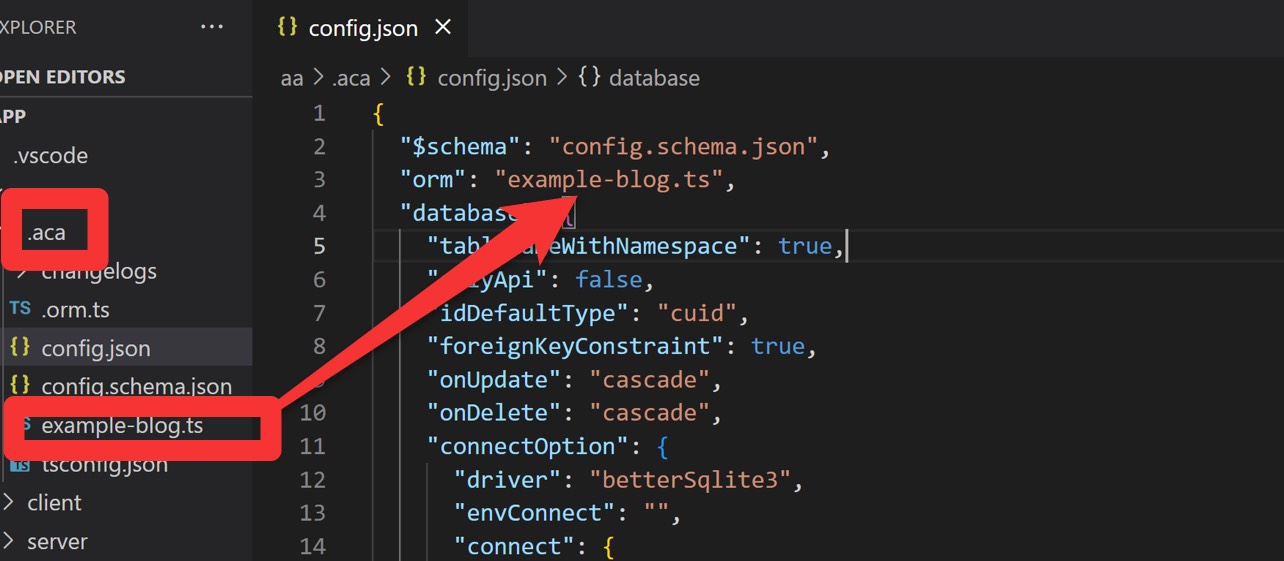
2. Open .aca directory, copy your custom ORM file into the directory, and add this file name to config.json/orm field.
3. Use the following method to create aca.ts apps:
Create a backend app (a simple koa framework):
`bash
$ aca server
`
Create a frontend app (a react app with create-react-app):
`bash
$ aca client
`
Add self built app to the project:
`bash
$ aca add --server --client --apiDir
path default: src/aca.server src/aca.client
`
4. Generate api
`bash
$ aca up
``
Then the database, frontend (if necessary), and backend are all set up, you can start your project now. Happy coding!
#
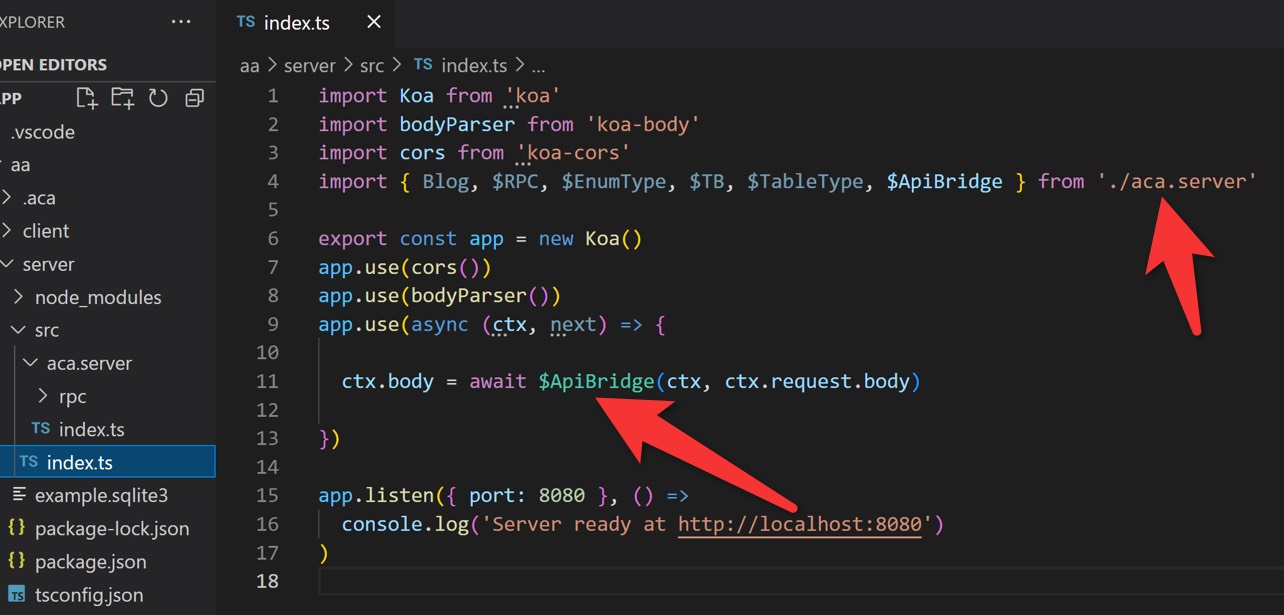
> The generated backend APIs usage example are as follows:
#
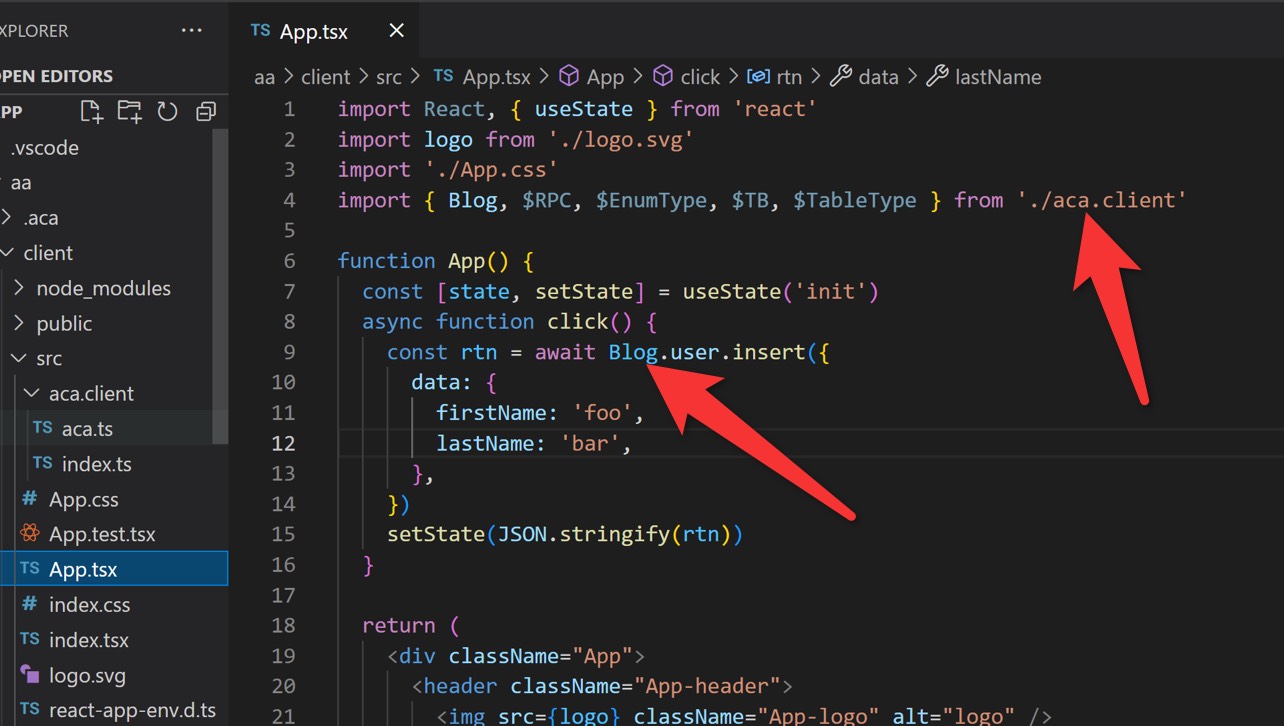
> The generated frontend APIs usage example are as follows:
#
Supported databases for now:
- PostgreSQL
- MSSQL
- Better-Sqlite3