aframe-border-component
v0.1.6
A component for creating borders in VR
0/weekUpdated 3 years agoMIT
Published by Mitch Allen
npm install aframe-border-componentaframe-border-component
==
A component for creating borders in VR
--
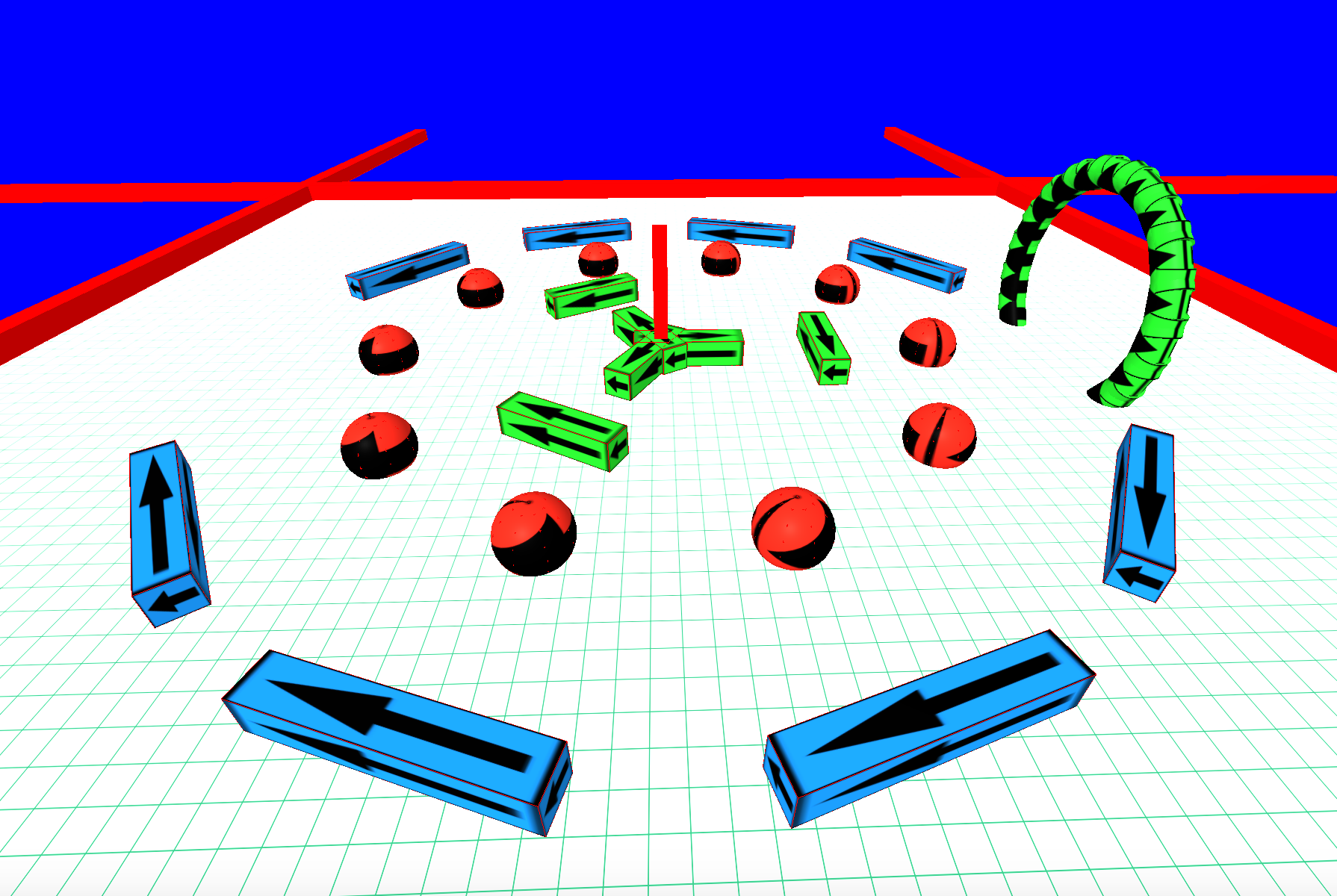





Browser Usage
$3
Here are some live examples of the component. The simpler demo is ideal for mobile.
* https://mitchallen.bitbucket.io/border/index.html - best viewed in Chrome
* https://mitchallen.bitbucket.io/border/simple.html - simpler demo for mobile
Demo notes:
* Works fine in Chrome on a Mac
* Having issues with player falling through floor on iOS for complex demos (keep it simple on mobile)
* On Windows 10 machine (Lenovo Yoga 710 laptop) can't seem to walk and turn at the same time
*
$3
Run this example in a browser (you'll need to add your own image files or get them from my repo). Step off the birds-eye view platform and wander around.


depth="1" width="100" height="1">
depth="1" width="4" height="1">
rotation="0 90 0"
depth="1" width="4" height="1">
depth="1" width="20" height="1">
depth="1" width="6" height="1">
depth="1" width="7" height="1">
color="red"
depth="0.5" width="0.5" height="10">
universal-controls
kinematic-body
position="0 10.8 20">
position="0 9.8 20"
color="tomato">
position='0 0.5 0'
rotation='0 0 0'>
position='0 0.5 0'
rotation='0 0 0'>
position='0 0.5 0'
rotation='0 0 0'>
position='0 0.5 0'
rotation='0 0 0'>
$3
Include the latest script. Update the @version in the URL as needed:
$3
Create an __a-assets__ section and add the following:
* an __img__ to act as a material for the border
* an entity, like __a-box__, __a-cylinder__ or __a-sphere__, to act as a border
Be sure to give each entity unique __id__ attributes. They will be needed to define the border.
The example below uses the __static-body__ component from __aframe-extras__ so the player can not go through the borders.
depth="1" width="4" height="1">
You can also set the __rotation__ for an asset. It will rotate relative to it's position and rotation along the border.
$3
A __border__ component can consist of the following:
* __sides__ - the number of sides to create for the border (__sides: 6;__)
* __radius__ - the distance from the parent entity to create each border wall (__radius: 10;__)
* __wall__ - the __id__ of the entity asset that will be used to create walls of the border (__wall: #wall-one;__)
* __open__ - a zero-based list of border walls that can be opened (not drawn) to allow entering and exiting (__open: 0 2;__)
Example border with no open walls:
position='0 0.5 0'>
A border with open walls:
position='0 0.5 0'>
$3
An example of how to remove and add border attributes though JavaScript. The target element should be an __a-entity__.
*
NPM Installation
$ npm init
$ npm install aframe-border-component --save
$3
Below is an example of requiring the module within a file to be passed to browserify.
The modules named export, __Component__, should be passed to __AFRAME.aframeCore.registerComponent__:
// Browser distribution of the A-Frame component.
(function () {
if (typeof AFRAME === 'undefined') {
console.error('Component attempted to register before AFRAME was available.');
return;
}
var border = require('aframe-border-component');
// Register all components here.
var components = {
"border": border.Component
};
var primitives = {
};
Object.keys(components).forEach(function (name) {
if (AFRAME.aframeCore) {
AFRAME.aframeCore.registerComponent(name, components[name]);
} else {
AFRAME.registerComponent(name, components[name]);
}
});
Object.keys(primitives).forEach(function (name) {
if (AFRAME.aframeCore) {
AFRAME.aframeCore.registerPrimitive(name, primitives[name]);
} else {
AFRAME.registerPrimitive(name, primitives[name]);
}
});
})();
$3
Use a grunt task to build the distribution file:
browserify: {
dist: {
options: {
browserifyOptions: {
// ...
},
transform: [['babelify', {presets: ['es2015']}]],
plugin: [[ "browserify-derequire" ]]
},
files: {
// substitute your component name for the distribution file
"./dist/YOUR-COMPONENT.js": ["./browser.js"]
}
}
},
For more information, review the __Gruntfile.js__ and __package.json__ files in the root of this projects source code.
*
Testing
To test, go to the root folder and type (sans __$__):
$ npm test
*
Repo(s)
* bitbucket.org/mitchallen/aframe-border-component.git
* github.com/mitchallen/aframe-border-component.git
*
Contributing
In lieu of a formal style guide, take care to maintain the existing coding style.
Add unit tests for any new or changed functionality. Lint and test your code.
*
Version History
#### Version 0.1.6
* updated doc to point to demos in their new location on bitbucket
#### Version 0.1.5
* brought code coverage up to 100%
#### Version 0.1.4
* added logging of name and version to console
* integrated travis-ci and codecov
#### Version 0.1.3
* code cleanup
* added MIT license
* updated examples to latest CDN
#### Version 0.1.2
* fixed / updated documentation
#### Version 0.1.1
* added cdn example
#### Version 0.1.0
* initial release
*