aframe-croquet-component
v0.0.11
A-Frame multiuser component based on Croquet V
0/weekUpdated 1 years agoMITUnpacked: 170.2 KB
Published by Nikolai Suslov
npm install aframe-croquet-componentA-Frame multi-user Croquet component
====================================
The component allows easily, while staying in A-Frame scene definition (plain HTML file), to add a multi-user features onto A-Frame entities in scene. Create Croquet (aka Croquet V) simulations on A-Frame entities.
A-Frame multi-user component works by synchronizing / replicating entities and their components to connected peers using Croquet application architecture. It relies on public Croquet reflectors, which are available online on the Internet.
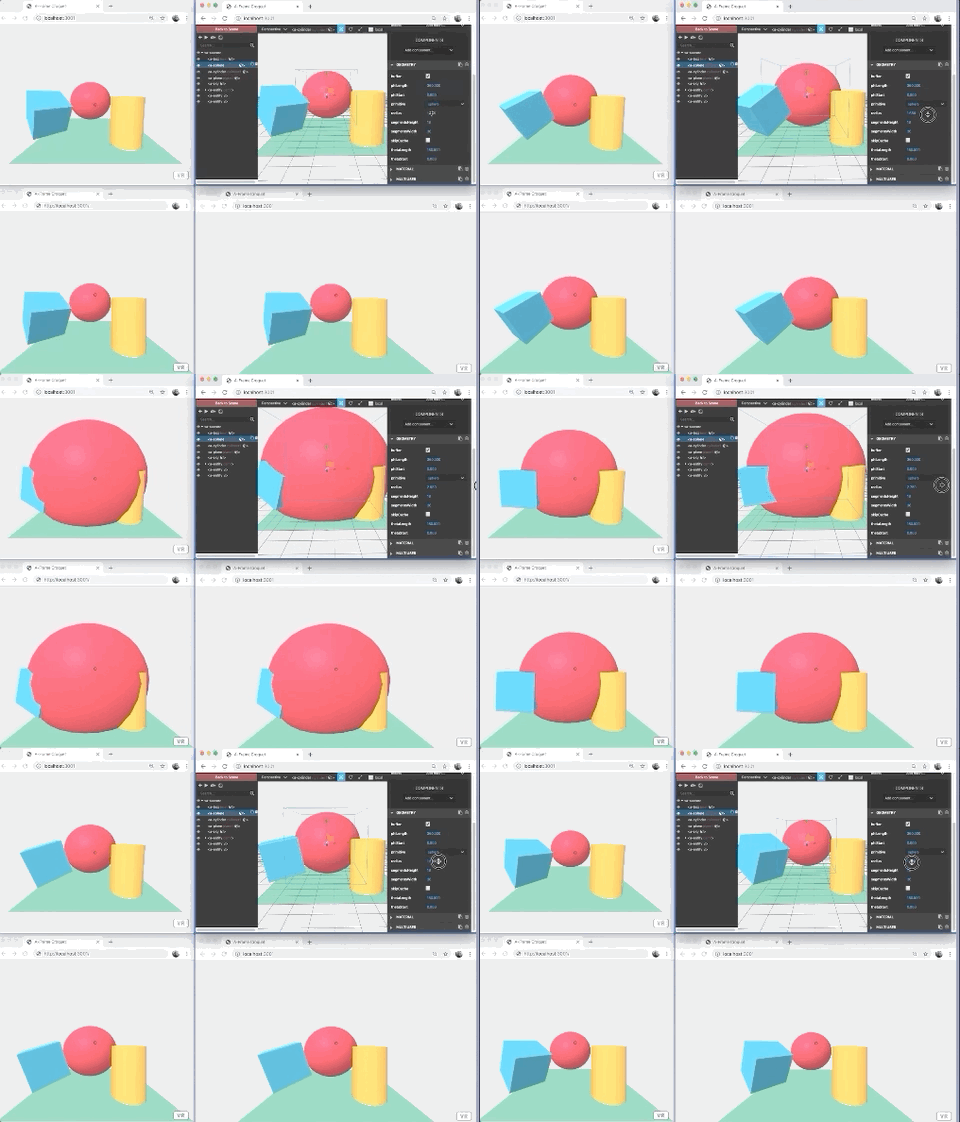
Live basic project at Glitch: https://glitch.com/~aframe-croquet-component
Sample world in this repository
Getting Started
---------------
$3
Add links to this component and croquet lib in the html header
``html`
or, to bundle aframe-croquet-component:
`javascript`
import 'aframe-croquet-component';
Add croquet component to the root
`html`
By default, the session name and password will be generated by Croquet app. Random key will be added in the url automatically, like:
`http://localhost:8080/?q=11e4rpm5ot#Lro7M5pHq7b4V_c7kkhezA`. Then, this link should be shared between users.
Optionally, you could specify a fixed session name, password and api key manually:
`html`
Croquet free API key could be get from https://croquet.io/keys
Give an id to the entity (if not exist) and finally add multiuser component
`html`
Open the same scene in several Web Browsers windows. The entity should be synced!
$3
Open Web Browser Developer Tools and select an entity with multiuser component`js`
let box = document.querySelector('a-scene').querySelector('#box1') `
Change entity attributes like, position, rotation, geometry or material etc., by replicating the entity propertiesjs`
box.setAttribute('position', {x:0, y: 1, z: -4});
box.setAttribute('rotation', {x:0, y: 45, z: 0});
box.setAttribute('material', {color: '#4BAC41'});
box.setAttribute('geometry', {width: 3}); `
Start a Croquet application attached to an entity, by replicating a computation (animation example)js`
box.setAttribute('multiuser', {anim: true});
Also, you could try to attach to scene the A-Frame scene Inspector by pressing `. Modify entity properties within it's GUI and observe how some of the properties replicates on other peers.
$3
When a user connects, other clients will look for an avatar template:
`html`
The first child of the template (and its children) will be cloned and used as an avatar for the newly-connected player.
The attribute will be set to a distinct color, but only primitives such as a-box will use that.
The position and rotation of that entity will be set from the other user's camera.
If the avatar model does not face the positive Z-axis and have eyes close to y=0, you will need to wrap the model entity in an outer entity, and set the position and/or rotation of the model entity.
$3
During Croquet initialization, the data-seeds attribute of the scene element will be set to a list of 25 random numbers - the same list on every client.
These numbers can be used for procedural generation of the world.
Croquet Component Attributes
----------------------------
$3
default: 'demo', that is, randomly generated
$3
default: 'demo', that is, randomly generated
$3
default: 'myApiKey'
$3
default: {x: 0, y: 0, z: 0}
User avatars will spawn near to and facing this point.
Multiuser Component Attributes
------------------------------
$3
default: false
Whether the element will be animated by its Croquet Model.
Basic Scene Example
-------------
source code
`html
``