ag-gl-vao
v1.3.1
Vertex array object wrapper/shim for WebGL
5/weekUpdated 3 years agoMIT
Published by Mikola Lysenko
npm install ag-gl-vaogl-vao
======
WebGL vertex array object wrapper/polyfill
Example
Try out the demo in your browser
``
javascript

var shell = require("gl-now")()

var createBuffer = require("gl-buffer")

var createVAO = require("gl-vao")

var glslify = require("glslify")

var createShader = require("gl-shader")


var vao, shader


shell.on("gl-init", function() {

  var gl = shell.gl


  //Create shader object

  shader = createShader(gl,

    glslify("\

      attribute vec2 position;\

      attribute vec3 color;\

      varying vec3 fragColor;\

      void main() {\

        gl_Position = vec4(position, 0, 1.0);\

        fragColor = color;\

      }"

      , {inline: true}

    ),

    glslify("\

      precision highp float;\

      varying vec3 fragColor;\

      void main() {\

        gl_FragColor = vec4(fragColor, 1.0);\

      }"

      , {inline: true}

    )

  );

  shader.attributes.position.location = 0

  shader.attributes.color.location = 1


  //Create vertex array object

  vao = createVAO(gl, [

    { "buffer": createBuffer(gl, [-1, 0, 0, -1, 1, 1]),

      "type": gl.FLOAT,

      "size": 2

    },

    [0.8, 1, 0.5]

  ])

})


shell.on("gl-render", function(t) {

  var gl = shell.gl


  //Bind the shader

  shader.bind()


  //Bind vertex array object and draw it

  vao.bind()

  vao.draw(gl.TRIANGLES, 3)


  //Unbind vertex array when fini

  vao.unbind()

})
`
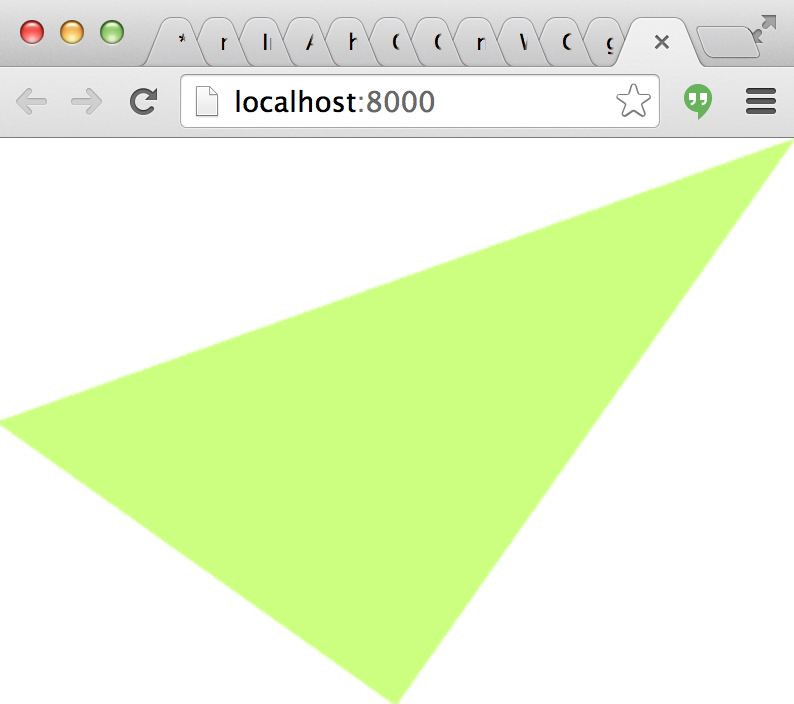
Assuming everything worked, here is what it should look like:
Install
Use npm:
npm install gl-vao
To compile demos in for your browser try browserify or beefy.
API
`javascript
var createVAO = require("gl-vao")
`
$3

Creates a vertex array object


*
gl is the gl context in which the vertex array object is created
* attributes is an array of objects that give the attributes bound to particular locations starting at 0. Each of these attributes is either an array-like object of length 4 or less representing a constant attribute value, or else it is an object with the following properties that correspond to the parameters passed to gl.vertexAttribPointer
+ buffer a gl-buffer object encoding a webgl buffer
+ size the size of the attribute (default 4)
+ type the type of the attribute (default gl.FLOAT)
+ normalized a flag that checks whether the attribute should be normalized or not
+ stride the stride of the attribute in bytes (default 0)
+ offset offset to the start of the attribute in the buffer in bytes (default 0)
* elements is a buffer created using gl-buffer encoding the state of the vertex elements
* elementsType the type of data contained within the element buffer, if given. Defaults to gl.UNSIGNED_SHORT. Acceptable values are gl.UNSIGNED_BYTE, gl.UNSIGNED_SHORT. If the OES_element_index_uint extension is available and active, gl.UNSIGNED_INT may also be used.
$3
Binds the vertex array object to the active vertex state.
$3
Unbinds the vertex array object.
Note You should call this method before switching back to using vertex arrays and buffers as usual. Failing to do so can cause the state of the vertex array object to become corrupted. However, it is acceptable to skip the unbind step if another vertex array object is immediately bound.
$3
Draws the vertex array object.
* mode is the mode to use when drawing the buffer, for example gl.TRIANGLES, gl.LINES, etc.
* count is the number of vertices to draw.
* offset is the offset to start drawing from. Default 0`
$3
Updates the contents of the vertex array object using the same syntax and conventions as the constructor.
$3
Destroys the vertex array object and releases all of its resources.
Credits
(c) 2013 Mikola Lysenko. MIT License