ai-model-application-suite
v0.0.5TypeScript
AI Model Application Suite - Unified AI model management, chat transceiver with auto-continue, reasoning display and Google Gemini support
4/weekUpdated 4 months agoMITUnpacked: 535.5 KB
Published by Point Fang
npm install ai-model-application-suite English | 中文
AI Model Application Suite
This AI Model Application Suite is developed in TypeScript and published as npm packages. It consists of two core modules: AI Model Selector and Unified AI Message Transceiver, which enable efficient interaction with different AI service providers through unified interfaces. This helps developers avoid the need to individually adapt to each service provider's protocols, lowering the barrier to multi-AI service integration.
🚀 Core Features
$3
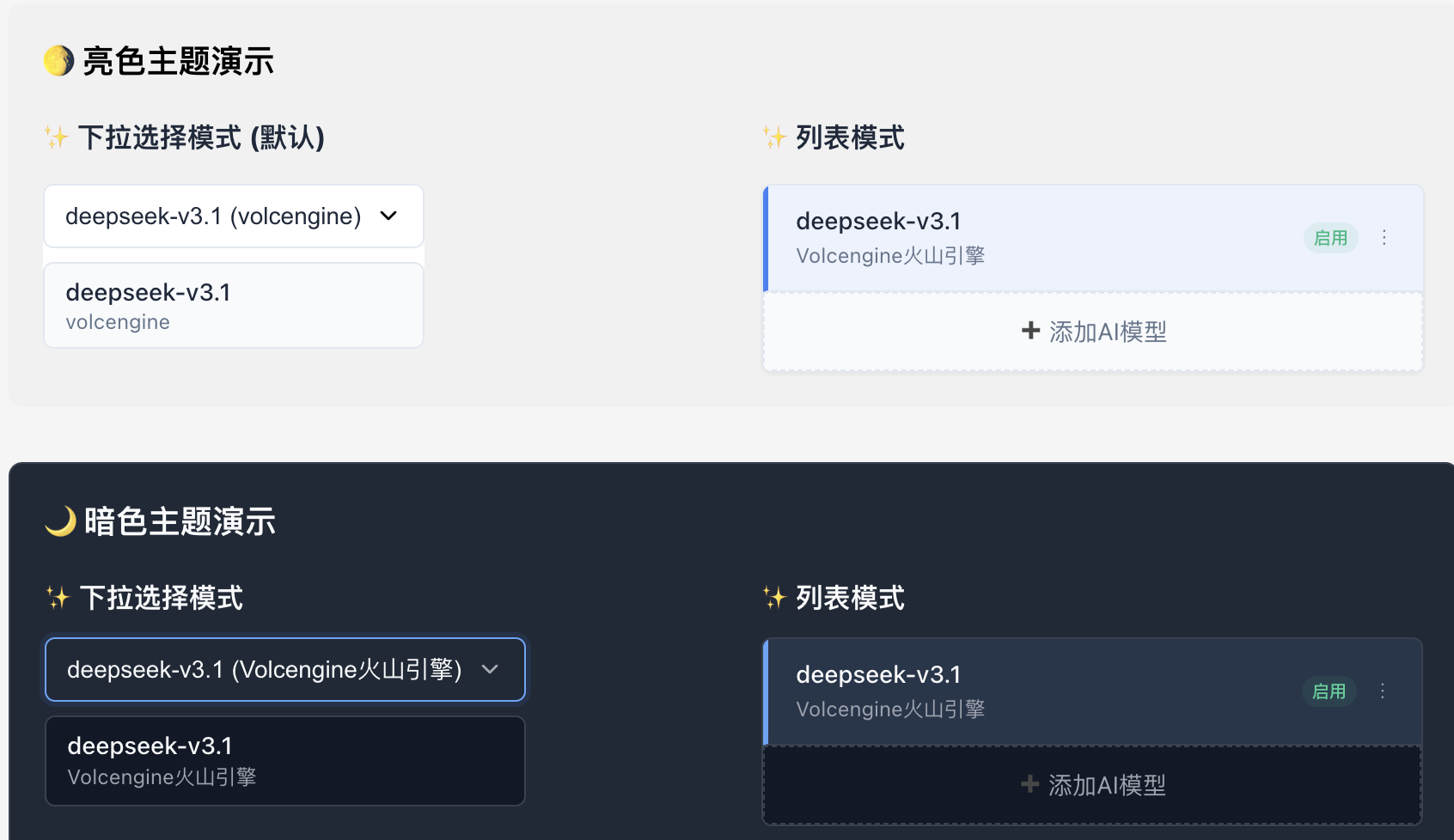
- ✨ No Third-party UI Dependencies: Built entirely with native React and CSS
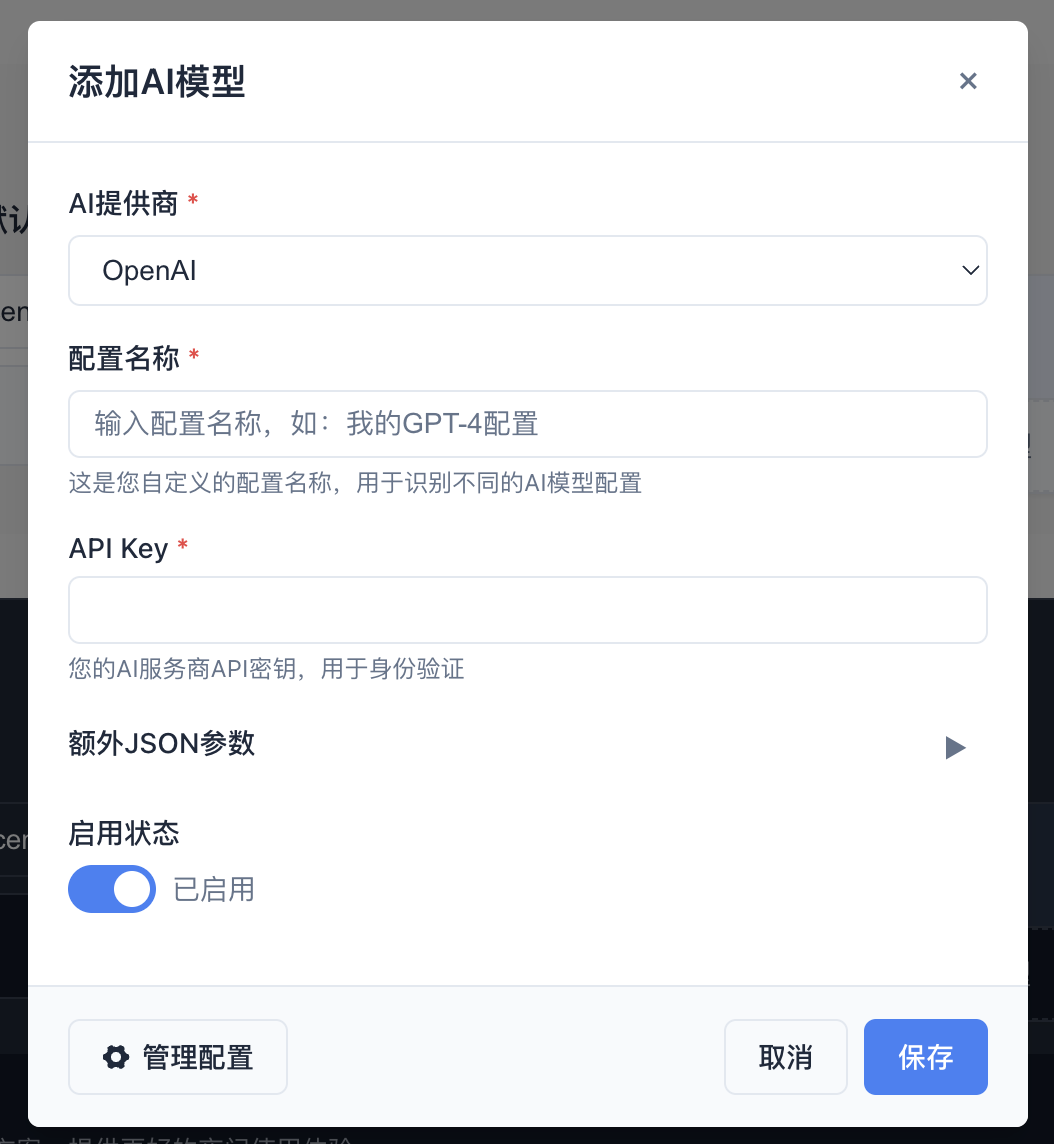
- 🔧 Flexible Storage Options: Supports localStorage, API, and custom storage
- 🎨 Customizable Styling: Provides base styles with CSS variable overrides
- 🤖 Multi-AI Provider Support: Built-in support for mainstream AI services like OpenAI, DeepSeek, Anthropic, Google, etc.
- 📱 Responsive Design: Supports both mobile and desktop
- 🔒 Type Safety: Fully written in TypeScript
- ⚙️ Flexible Configuration: Supports custom providers and configuration fields
- 🔄 State Persistence: Automatically saves selected state, auto-selects previous choice on next open
- 📡 Event-Driven Architecture: Provides unified manager instances supporting multi-component state sharing
$3
- 🔄 Unified Interface: Use the same API to interact with different AI service providers
- 🚀 Easy to Use: Clean API design for quick onboarding
- 🔌 Extensible: Supports adding new AI service providers
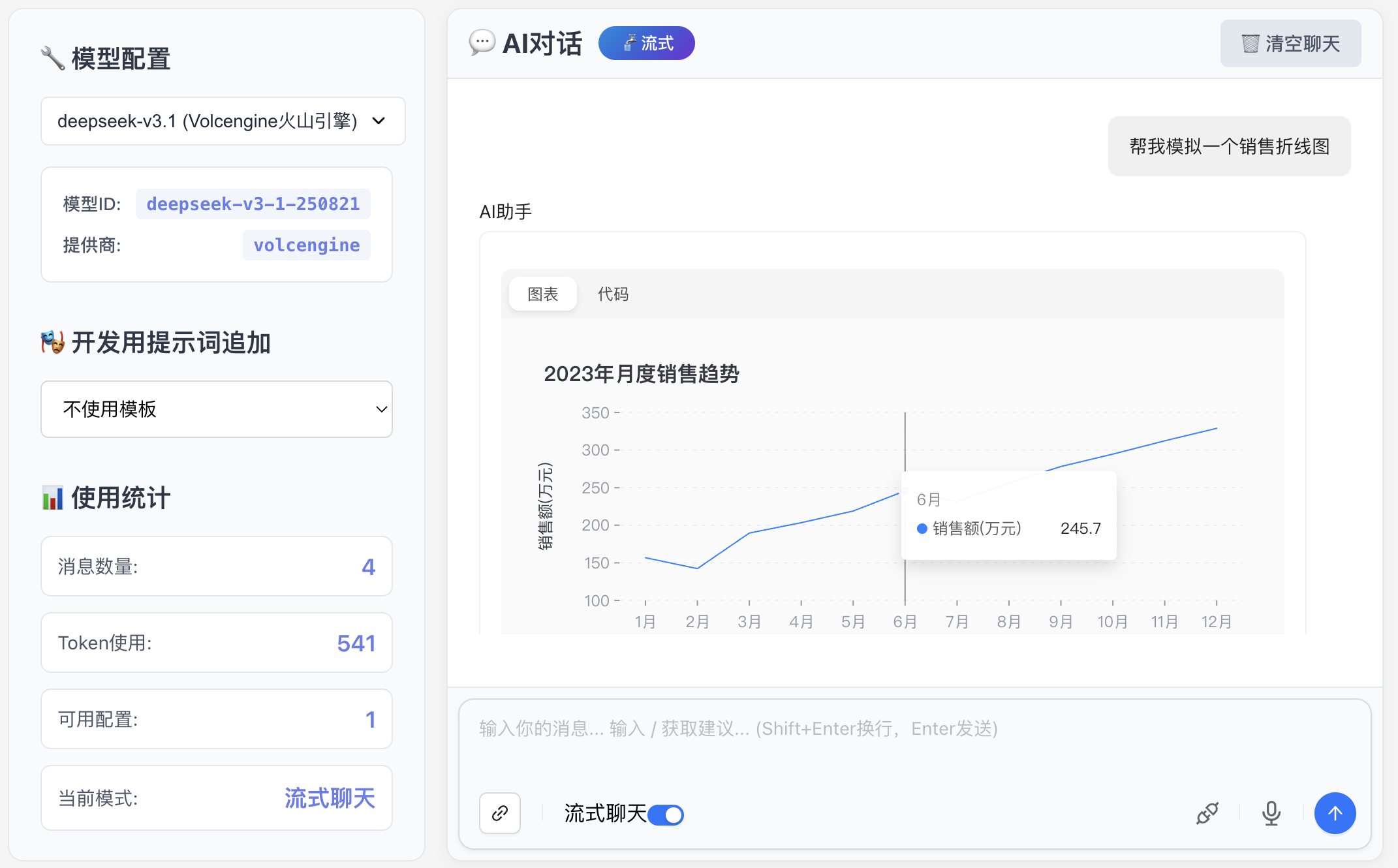
- 💬 Message Streaming: Supports both streaming and regular responses
- 🛡️ Type Safety: Complete TypeScript type support
- 🔄 Auto Continue: Intelligently detects response interruptions, automatically requests continuation and merges content with deduplication
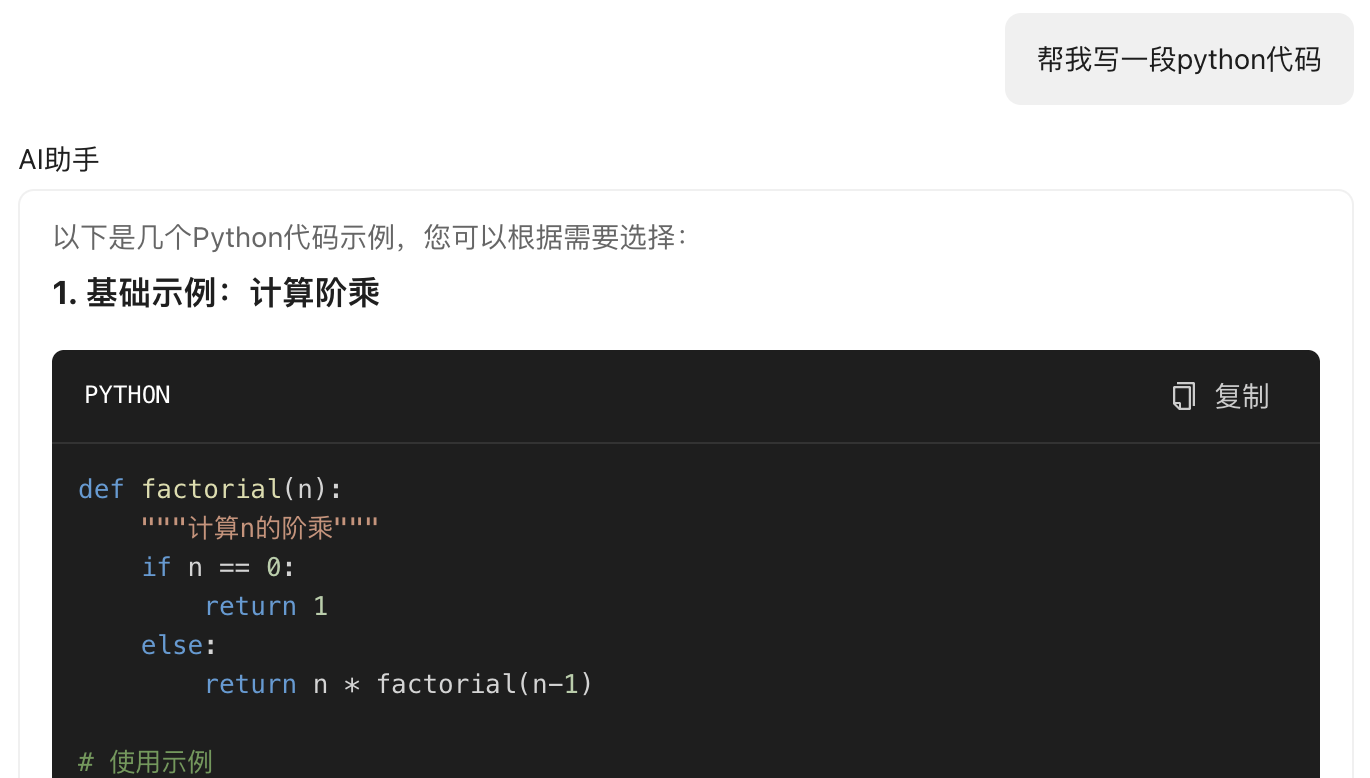
- 📝 Code Block Optimization: Supports automatic code block line wrapping, solves width overflow issues, provides better code reading experience
📦 Installation
``bash`
npm install ai-model-application-suiteor
yarn add ai-model-application-suite
$3
Install the following peer dependencies:
`bash`
npm install react react-domor
yarn add react react-dom
$3
Default Dependencies (Included):
- openai - Supports OpenAI, DeepSeek, Azure, Ollama, Volcengine and other OpenAI API compatible services
Optional Dependencies (Install as needed):
Install corresponding AI Providers as needed:
`bash`Google Gemini (if using)
npm install @google/genaior
yarn add @google/genai
> Note: If you try to use a Provider without installing its dependency, the system will prompt you to install the corresponding package.
🎯 Quick Start
$3
#### Using React Hook - Simplest Way
`tsx
import React from 'react';
import { useAIModel, useAIEvents } from 'ai-model-application-suite';
function App() {
// Get AI model state and operations
const {
currentModel,
configs,
setCurrentModel,
addConfig
} = useAIModel();
// Get AI event state and operations
const {
startConversation,
stopConversation,
sendMessage
} = useAIEvents();
return (
Current Model: {currentModel?.name || 'None'}
);
}
`
#### Using Global Manager - More Flexible Way
tsx
import React, { useEffect } from 'react';
import { globalAIModelManager, aiEventManager } from 'ai-model-application-suite';function App() {
  useEffect(() => {
    // Initialize manager
    globalAIModelManager.initialize();

    // Listen for model selection changes
    const unsubscribe = globalAIModelManager.subscribe('modelSelected', (event) => {
      console.log('Model selection changed:', event.data);
    });

    return unsubscribe;
  }, []);  return Using Global Manager;
}
`$3
tsx
import React from 'react';
import { AIModelSelect, useAIModel, AIProvider } from 'ai-model-application-suite';function App() {
const { currentModelId, setCurrentModel, configs } = useAIModel();
return (
onModelChange={setCurrentModel}
supportedProviders={[
AIProvider.OPENAI,
AIProvider.DEEPSEEK,
AIProvider.ANTHROPIC
]}
storage={{
type: 'localStorage',
localStorageKey: 'ai-model-configs'
}}
/>
);
}
`$3
tsx
import React from 'react';
import { AIModelSelect, useAIModel, AIProvider } from 'ai-model-application-suite';function App() {
const { currentModelId, setCurrentModel } = useAIModel();
return (
onModelChange={setCurrentModel}
supportedProviders={[
AIProvider.OPENAI,
AIProvider.DEEPSEEK,
AIProvider.ANTHROPIC
]}
formatLabel={(config) => config.name} // Show only config name
storage={{
type: 'localStorage',
localStorageKey: 'ai-model-configs'
}}
/>
);
}
`$3
tsx
import React, { useEffect } from 'react';
import { AIModelSelect, getGlobalAIModelManager } from 'ai-model-application-suite';
import type { AIModelConfig } from 'ai-model-application-suite/types';function App() {
useEffect(() => {
const manager = getGlobalAIModelManager({
type: 'localStorage',
localStorageKey: 'ai-model-configs'
});
// Listen for selection changes
const unsubscribe = manager.subscribe('modelSelected', (event) => {
console.log('Model selection changed:', event.data);
});
// Initialize manager
manager.initialize();
return unsubscribe;
}, []);
return (
placeholder="Please select AI model"
storage={{
type: 'localStorage',
localStorageKey: 'ai-model-configs'
}}
/>
);
}
`$3
tsx
import { createAIModelSender } from 'ai-model-application-suite';// Create sender instance
const sender = createAIModelSender({
provider: 'volcengine', // AI service provider
config: {
apiKey: 'your-api-key',
// Other configurations...
}
});
// Send message
const response = await sender.sendChatMessage([
{ role: 'user', content: 'Hello, please introduce yourself' }
]);
console.log(response.choices[0].message.content);
`$3
tsx
import { createAIModelSender } from 'ai-model-application-suite';const sender = createAIModelSender(config);
// Enable auto continue feature
const response = await sender.sendChatMessage([
{ role: 'user', content: 'Please explain the development history of artificial intelligence in detail, including important stages and milestone events.' }
], {
autoContinue: true, // Enable auto continue
maxAutoContinue: 3, // Maximum auto continue attempts
maxTokens: 500, // Intentionally set smaller token limit to test auto continue
temperature: 0.7
});
console.log('Final content:', response.choices[0].message.content);
console.log('Auto continue state:', response.autoContinueState);
// Streaming response also supports auto continue
const streamResponse = await sender.sendChatMessageStream([
{ role: 'user', content: 'Please write a long article about spring' }
], {
autoContinue: true,
maxAutoContinue: 2,
maxTokens: 300
}, (chunk) => {
// Real-time processing of streaming data
console.log('Streaming data:', chunk);
});
`$3
tsx
// Streaming response
const stream = await sender.sendMessageStream({
  messages: [
    { role: 'user', content: 'Please write a poem about spring' }
  ]
});for await (const chunk of stream) {
  if (chunk.type === 'content') {
    process.stdout.write(chunk.content);
  } else if (chunk.type === 'done') {
    console.log('\nComplete');
  }
}
`
📚 Detailed Usage Guide
$3
#### Custom Storage Method
tsx
import React from 'react';
import { AIModelSelect, createAIModelManager } from 'ai-model-application-suite';
import type { StorageConfig } from 'ai-model-application-suite/types';function CustomStorageExample() {
// Create custom manager instance
const customManager = createAIModelManager({
type: 'localStorage',
localStorageKey: 'my-custom-configs'
});
useEffect(() => {
// Listen for configuration list changes
const unsubscribe = customManager.onConfigsChange((configs) => {
console.log('Configuration list changed:', configs);
});
customManager.initialize();
return unsubscribe;
}, []);
return (
manager={customManager}
showAddButton={true}
addButtonText="Add New Model"
/>
);
}
`#### API Storage Method
tsx
import React from 'react';
import { AIModelSelect, createAIModelManager } from 'ai-model-application-suite';
import type { StorageConfig } from 'ai-model-application-suite/types';function APIStorageExample() {
  const apiStorageConfig: StorageConfig = {
    type: 'api',
    api: {
      getConfigs: () => fetch('/api/configs').then(r => r.json()),
      saveConfig: (config) => fetch('/api/configs', {
        method: 'POST',
        body: JSON.stringify(config)
      }),
      deleteConfig: (id) => fetch(
/api/configs/${id}, {
method: 'DELETE'
})
}
}; const apiManager = createAIModelManager(apiStorageConfig);
return (
manager={apiManager}
placeholder="Models loaded from API"
/>
);
}
`$3
#### Multi-turn Conversation
tsx
// Multi-turn conversation
const conversation = [
{ role: 'user', content: 'Hello' },
{ role: 'assistant', content: 'Hello! How can I help you?' },
{ role: 'user', content: 'Please introduce machine learning' }
];const response = await sender.sendMessage({
messages: conversation
});
console.log('AI response:', response.content);
`#### Custom Parameters
tsx
const response = await sender.sendMessage({
  messages: [
    { role: 'user', content: 'Please write a story' }
  ],
  options: {
    temperature: 0.7,
    maxTokens: 1000,
    topP: 0.9
  }
});
`#### Error Handling
tsx
try {
  const response = await sender.sendMessage({
    messages: [
      { role: 'user', content: 'Test message' }
    ]
  });
} catch (error) {
  if (error.code === 'RATE_LIMIT') {
    console.log('Request rate too high, please try again later');
  } else if (error.code === 'INVALID_API_KEY') {
    console.log('Invalid API key');
  } else {
    console.log('Send failed:', error.message);
  }
}
`🎨 Theme and Style Configuration
$3
tsx
import React from 'react';
import { AIModelSelect } from 'ai-model-application-suite';function ThemeExample() {
return (
{/ Light theme /}
theme="light"
placeholder="Light theme"
/>
{/ Dark theme /}
theme="dark"
placeholder="Dark theme"
/>
{/ System auto /}
theme="system"
placeholder="System auto"
/>
);
}
`$3
tsx
import React from 'react';
import { AIModelSelect } from 'ai-model-application-suite';function CustomStyleExample() {
return (
className="my-custom-class"
customClassName="color-blue size-large rounded-lg"
style={{
minWidth: '300px',
border: '2px solid #e2e8f0'
}}
primaryColorStyles={{
primary: '#8b5cf6',
primaryHover: '#7c3aed',
primaryLight: 'rgba(139, 92, 246, 0.1)',
primaryGlow: 'rgba(139, 92, 246, 0.3)'
}}
/>
);
}
`🔧 Supported Service Providers
$3
| Provider | Enum Value | NPM Package | Description |
|----------|------------|-------------|-------------|
| OpenAI | AIProvider.OPENAI | openai (default) | OpenAI GPT models |
| OpenAI Compatible | AIProvider.OPENAILIKE | openai (default) | OpenAI API compatible models |
| DeepSeek | AIProvider.DEEPSEEK | openai (default) | DeepSeek AI models |
| Google Gemini | AIProvider.GOOGLE | @google/genai (optional) | Google Gemini models |
| Azure | AIProvider.AZURE | openai (default) | Azure OpenAI service |
| Volcengine | AIProvider.VOLCENGINE | built-in | Volcengine Doubao models |
| Aliyun Bailian | AIProvider.ALIYUN_BAILIAN | built-in | Aliyun Bailian platform |
| Anthropic | AIProvider.ANTHROPIC | - (no implementation plan) | Anthropic Claude models |
| Ollama | AIProvider.OLLAMA | openai (default) | Local Ollama models |
$3
#### Volcengine
tsx
const sender = createAIModelSender({
  provider: 'volcengine',
  config: {
    apiKey: 'your-volcengine-key',
    region: 'cn-beijing', // optional
    model: 'deepseek-v3.1' // optional, default model
  }
});
`#### OpenAI
tsx
const sender = createAIModelSender({
  provider: 'openai',
  config: {
    apiKey: 'your-openai-key',
    baseURL: 'https://api.openai.com/v1', // optional
    model: 'gpt-4' // optional, default model
  }
});
`📖 API Reference
$3
#### AIModelSelect Props
| Property | Type | Default | Description |
|----------|------|---------|-------------|
|
| 'select' \| 'list' | 'select' | Display mode |
| selectedModelId | string | undefined | Currently selected model ID |
| onModelChange | (modelId: string) => void | undefined | Model selection change callback |
| onConfigChange | (configs: AIModelConfig[]) => void | undefined | Configuration list change callback |
| theme | 'light' \| 'dark' \| 'system' | 'system' | Theme mode |
| className | string | '' | Custom CSS class name |
| customClassName | string | '' | Custom style class name |
| style | React.CSSProperties | undefined | Inline styles |
| storage | StorageConfig | undefined | Storage configuration |
| supportedProviders | AIProvider[] | [OPENAI, DEEPSEEK, ...] | Supported providers |
| customProviders | AIProviderMeta[] | [] | Custom providers |
| showAddButton | boolean | true | Whether to show add button |
| addButtonText | string | 'Add AI Model' | Add button text |
| allowDelete | boolean | true | Whether to allow deletion |
| placeholder | string | 'Please select AI model' | Placeholder text |
| formatLabel | (config: AIModelConfig) => string | undefined | Custom option display format |
| manager | AIModelManager | undefined | Manager instance |
| width | number \| string | undefined | Width setting: number for pixels(px), string for percentage(%) |
| block | boolean | false | Block mode: width set to 100% when true |#### aiModelSelected Methods
| Method | Parameters | Return Value | Description |
|--------|------------|--------------|-------------|
|
onChange(callback) | (config: AIModelConfig \| null) => void | () => void | Listen for selection changes |
| onConfigsChange(callback) | (configs: AIModelConfig[]) => void | () => void | Listen for configuration list changes |
| getSelectedModel() | None | AIModelConfig \| null | Get currently selected model |
| getSelectedModelId() | None | string \| null | Get currently selected model ID |
| getConfigs() | None | AIModelConfig[] | Get all configurations |
| getConfigById(id) | string | AIModelConfig \| null | Get configuration by ID |
| setSelectedModel(modelId) | string \| null | Promise | Set selected model |
| saveConfig(config) | AIModelConfig | Promise | Save configuration |
| deleteConfig(id) | string | Promise | Delete configuration |
| updateConfig(id, updates) | string, Partial | Promise | Update configuration |
| initialize() | None | Promise | Initialize manager |
| destroy() | None | void | Destroy manager |$3
#### Core Interfaces
####
createAIModelSender(config)Create AI message sender instance.
Parameters:
-
: Service provider name
- config.config: Service provider configurationReturns:
AIModelSender instance####
sender.sendMessage(request)Send message and get response.
Parameters:
-
: Message array
- request.options: Optional parameters (temperature, maxTokens, etc.)Returns:
Promise####
Send message and get streaming response.
Parameters:
-
: Message array
- request.options: Optional parametersReturns:
Promise$3
typescript
interface SendMessageRequest {
messages: Message[];
options?: {
temperature?: number;
maxTokens?: number;
topP?: number;
[key: string]: any;
};
}interface SendMessageResponse {
content: string;
usage?: {
promptTokens: number;
completionTokens: number;
totalTokens: number;
};
}
interface Message {
role: 'user' | 'assistant' | 'system';
content: string;
}
interface ChatStreamResponse {
type: 'content' | 'done' | 'error';
content?: string;
error?: string;
}
interface AIModelConfig {
id: string;
name: string;
provider: AIProvider;
apiKey?: string;
baseURL?: string;
enabled: boolean;
createdAt: Date;
updatedAt: Date;
config?: Record;
}
`🎯 Best Practices
$3
#### 1. Error Handling
tsx
const sendMessageWithRetry = async (sender: AIModelSender, request: SendMessageRequest, maxRetries = 3) => {
  for (let i = 0; i < maxRetries; i++) {
    try {
      return await sender.sendMessage(request);
    } catch (error) {
      if (i === maxRetries - 1) throw error;
      await new Promise(resolve => setTimeout(resolve, 1000 * (i + 1)));
    }
  }
};
`#### 2. Message Management
tsx
class ConversationManager {
  private messages: Message[] = [];  addMessage(role: 'user' | 'assistant', content: string) {
    this.messages.push({ role, content });
  }  async sendMessage(sender: AIModelSender, content: string) {
    this.addMessage('user', content);

    const response = await sender.sendMessage({
      messages: this.messages
    });

    this.addMessage('assistant', response.content);
    return response;
  }  clear() {
    this.messages = [];
  }
}
`$3
1. Selection State Persistence: Selected state is automatically saved to localStorage with key
2. Manager Instance: Manager instances are singletons, multiple components can share the same instance
3. Memory Leaks: Remember to unsubscribe callbacks when components unmount to avoid memory leaks
4. Initialization: Call method before use
5. Naming Conventions: Use lowercase letter naming to avoid conflicts with React components
6. Storage Methods: Supports localStorage, API, and custom storage methods
7. Event-Driven: Event callback-based design supporting multiple components sharing the same manager instance🚀 Demo Applications
The project includes complete demo applications showcasing various features and usage of the components.
$3
`bash
AI Model Selector demo
cd examples/AIModelSelector && npm install && npm run devUnified AI Chat Transceiver demo
cd examples/UnifiedAIChatTransceiver && npm install && npm run devUnbuild Unified AI Chat Transceiver demo (includes code block line wrapping feature)
cd examples/UnbuildUnifiedAIChatTransceiver && npm install && npm run devUnbuild Selector demo
cd examples/UnbuildSelector && npm install && npm run dev
`$3
- 🌖 Light theme demo
- 🌙 Dark theme demo
- 📱 Dropdown selection mode
- 📋 List mode
- 🎨 Custom style configuration
- 💾 Multiple storage methods (LocalStorage, API simulation)
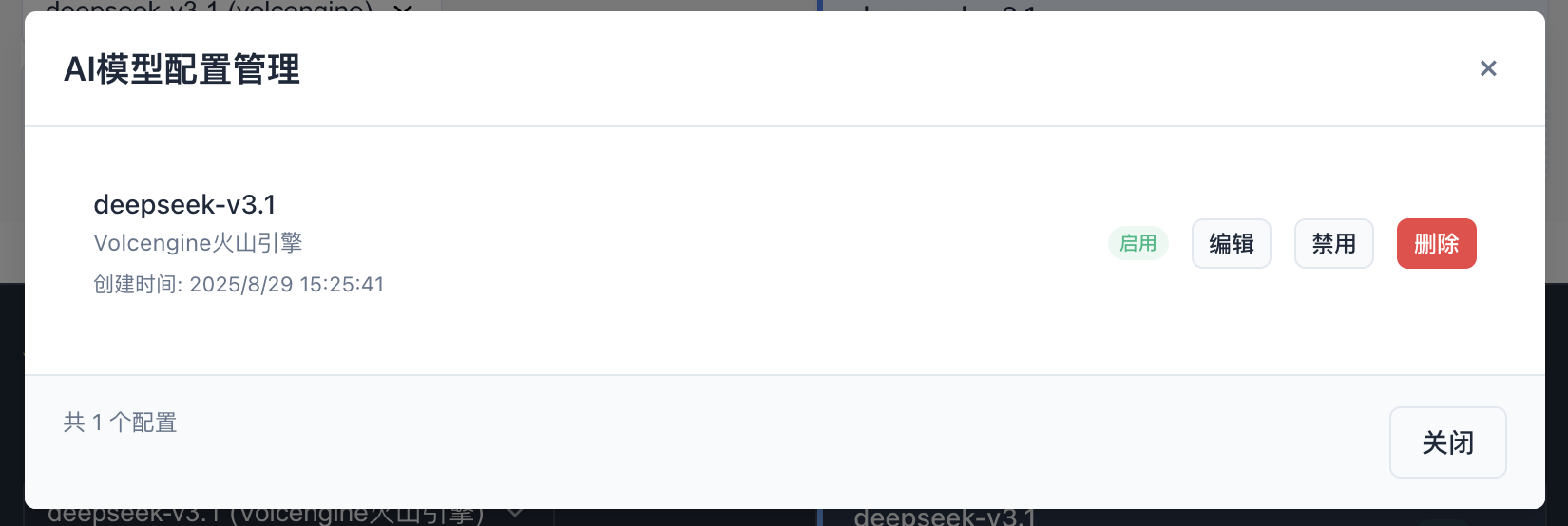
- ⚙️ AI model configuration management
- 🔄 Selection state persistence
- 📡 Event-driven architecture
- 💬 Message streaming response
- 🛡️ Error handling demo
- 🔄 Auto Continue Feature Demo - Complete demonstration of auto continue functionality usage and effects
- 🧪 Auto Continue Testing - Provides test components to verify auto continue functionality
- 📊 State Monitoring - Real-time display of auto continue state and progress
- 📝 Code Block Line Wrapping Demo - Demonstrates code block automatic line wrapping and width control functionality
🛠️ Development
$3
packages/
├── ai_model_application_suite/     # Main package
│   ├── src/
│   │   ├── components/       # React components
│   │   ├── types/           # TypeScript type definitions
│   │   ├── utils/           # Utility functions
│   │   │   ├── AutoContinueManager.ts  # Auto continue manager
│   │   │   ├── GlobalAIModelManager.ts # Global AI model manager
│   │   │   ├── AIEventManager.ts       # AI event manager
│   │   │   └── storage.ts              # Storage management
│   │   ├── providers/       # AI service provider implementations
│   │   ├── hooks/           # React Hooks
│   │   ├── examples/        # Example components
│   │   │   ├── AutoContinueExample.tsx # Auto continue usage example
│   │   │   └── AutoContinueTest.tsx    # Auto continue test component
│   │   └── styles/          # Style files
examples/
├── AIModelSelector/     # AI Model Selector demo
├── UnifiedAIChatTransceiver/  # Unified AI Chat Transceiver demo
├── UnbuildUnifiedAIChatTransceiver/  # Unbuild Unified AI Chat Transceiver demo
│   ├── components/
│   │   ├── css/
│   │   │   └── custom-code-block.css  # Code block line wrapping styles
│   │   └── MarkdownRenderer.tsx       # Markdown renderer
│   └── markdown-theme-samantha.css    # Markdown theme styles
└── UnbuildSelector/     # Unbuild Selector demo
$3
bash
Clone project
git clone
cd packages/ai_model_application_suiteInstall dependencies
yarn installStart development server
yarn devBuild library files
yarn build:libBuild demo applications
yarn build
`🛠️ Build Commands
$3
| Command | Description | Output Files | Use Case |
|---------|-------------|--------------|----------|
|
 | Full Build: Clean + Vite build + TypeScript declaration generation | JS files + CSS files + Declaration files (.d.ts) | Production release, CI/CD |
|
build:lib | Quick Build: Vite build only | JS files + CSS files | Development debugging, quick testing |$3
| Scenario | Recommended Command | Reason |
|----------|---------------------|--------|
| Development Debugging |
npm run build:lib | Fast build speed, suitable for frequent debugging |
| Local Testing | npm run build:lib | Quick feature validation, no type declarations needed |
| Pre-release Testing | npm run build | Complete build, ensures all files are generated correctly |
| Publishing to npm | npm run build | Users need TypeScript declaration files |
| CI/CD Pipeline | npm run build | Ensures build completeness and type safety |$3
`bash
Development phase - Quick build
npm run build:libRelease phase - Complete build
npm run build
`Note: Always use
before publishing to npm to ensure complete type declaration files are generated.$3
1. Add new provider enum value in
packages/ai_model_application_suite/src/types/index.ts
2. Add provider metadata configuration in
3. Add new service provider implementation in
4. Update documentation and type definitions📄 License
MIT
🤝 Contributing
Welcome to submit Issues and Pull Requests!
📝 Changelog
$3
- 🆕 Added Google Gemini Support - Support Google Gemini models through optional dependency
  - Support for Gemini Pro, Gemini 1.5 Pro, Gemini 1.5 Flash and other models
  - Full support for chat and streaming responses
  - Smart message format conversion, supports system prompts
  - Install only when needed, no extra dependencies if not using
- 🔧 Optimized Dependency Management - Only install package by default, other Providers install on demand
- Reduced package size, improved installation speed
- Clear dependency instructions and error messages
- Support for optional peerDependencies configuration
- 🆕 Added Reasoning Display - Support displaying AI's reasoning content (reasoning_content)
- Independent reasoning message area, doesn't interfere with main content
- Real-time streaming display of reasoning process
- Controllable show/hide
- Auto-scroll to latest reasoning content
- 🐛 Fixed Continue Response Issue - Fixed content accumulation error during manual continuation
- Correctly accumulate newly received content
- Support reasoning display during continuation
- Improved content merging logic
- 🗑️ Removed Unsupported Providers - Removed Mistral and Cohere related code and documentation
- 📝 Improved Documentation - Updated dependency instructions, Provider list and usage examples$3
- 🆕 Added Code Block Line Wrapping Support - Fixed AI output code block width overflow issues, supports inline line wrapping display
- Added custom-code-block.css style file, specifically handles code block line wrapping
- Optimized SyntaxHighlighter configuration, added whiteSpace: 'pre-wrap' and wordBreak: 'break-word'
- Updated styles, supports automatic code block line wrapping
- Improved code block Header styles, using more modern color scheme
- 🆕 Added Global AI Model Manager - Supports singleton pattern and publish-subscribe mechanism, provides GlobalAIModelManager and getGlobalAIModelManager()
- 🆕 Added React Hook Wrapper - Simplifies component usage, provides , useCurrentAIModel, useAIEvents, useConversation, useStreaming, etc.
- 🆕 Added AI Event Manager - Supports stopping conversations, creating new sessions and other events, provides AIEventManager and getAIEventManager()
- 🆕 Added Unified Error Handling - Global error capture and handling mechanism, supports custom error handlers
- 🆕 Added Streaming Response Management - Supports start/cancel streaming responses, provides method (stopStream() deprecated)
- 🆕 Added Chat Functionality Examples - Complete chat application examples, supports cancel functionality
- 🆕 Added Auto Continue Feature - When AI responses are interrupted due to length limits, automatically requests continuation and merges responses, supports deduplication synthesis
- Smart interruption detection: automatically identifies response interruptions due to token limits
- Auto continue requests: intelligently generates continuation requests, ensures content completeness
- Deduplication synthesis: automatically detects and merges duplicate content fragments
- State tracking: provides detailed auto continue state information
- Supports auto continue for both regular and streaming messages
- 🆕 Added AutoContinueManager - Specialized tool class for managing auto continue logic, supports smart interruption detection and content merging
- Singleton pattern design, ensures state consistency
- Multiple interruption detection strategies, improves accuracy
- Smart deduplication algorithm, content merging based on overlap detection
- Complete error handling and state management
- 🔧 Improved API Design - More concise API, better type safety, unified storage configuration management
- 🔧 Improved Singleton Pattern - Supports dynamic storage configuration, ensures state synchronization between multiple components
- 🔧 Improved Event System - Complete event listening and cancellation mechanism
- 🔧 Improved Long Text Processing - Through auto continue functionality, significantly improves completeness of long text responses
- 🔧 Improved Code Block Rendering - Optimized code block styles and interaction experience, solves width overflow issues$3
- 🆕 Added Global AI Model Manager - Supports singleton pattern and publish-subscribe mechanism, provides GlobalAIModelManager and getGlobalAIModelManager()
- 🆕 Added React Hook Wrapper - Simplifies component usage, provides , useCurrentAIModel, useAIEvents, useConversation, useStreaming, etc.
- 🆕 Added AI Event Manager - Supports stopping conversations, creating new sessions and other events, provides AIEventManager and getAIEventManager()
- 🆕 Added Unified Error Handling - Global error capture and handling mechanism, supports custom error handlers
- 🆕 Added Streaming Response Management - Supports start/cancel streaming responses, provides method (stopStream()` deprecated)- 🆕 Added Chat Functionality Examples - Complete chat application examples, supports cancel functionality
- 🆕 Added Auto Continue Feature - When AI responses are interrupted due to length limits, automatically requests continuation and merges responses, supports deduplication synthesis
- 🆕 Added AutoContinueManager - Specialized tool class for managing auto continue logic, supports smart interruption detection and content merging
- 🔧 Improved API Design - More concise API, better type safety, unified storage configuration management
- 🔧 Improved Singleton Pattern - Supports dynamic storage configuration, ensures state synchronization between multiple components
- 🔧 Improved Event System - Complete event listening and cancellation mechanism
- 🔧 Improved Long Text Processing - Through auto continue functionality, significantly improves completeness of long text responses
$3
- Initial version release
- Support for mainstream AI providers
- Provide localStorage and API storage methods
- Responsive design and custom theme support
- AI Model Selector state persistence
- AI Message Transceiver unified interface
- Streaming response support
TODO
- Chain of Thought