angular-project-generator
v9.1.32
Angular Project Generator
29/weekUpdated 3 years agoMITUnpacked: 4.5 MB
Published by Marc Kronberg
npm install angular-project-generator
Angular Project Generator (apg)
 
Setup a complete PWA based on angular and material design
###Command line interface (CLI) for angular 9.
Project generator based on angular-cli with best practices.
It helps you to generate an robust angular project seed.
To get help just type:
``
console

apg new --help
`
#### The generated app will have a lot of common features like:
- Based on angular material UI library
- Predefined pages/routes (Imprint, Login, ...)
- Responsive layout
- Basic PWA support
- It contains manifest file and service worker configuration.
- Dynamic routes with AuthGuardCanActivate
- Global data store via facade services (BehaviorSubject, Local Storage support)
- Usefull helpers like:
- AutofocusDirective
- typesafe FormGroup
- Version Indicator (shows build date)
- Couterdown & countup component (for session timeout, ...)
- Gherkin E2E test setup: chai, cucumber, jasmine, karma, protractor and predefined base steps (given, when, then)
- Integrated jest for better and faster unit testing
- Theme switcher for light and dark
- Predefined npm scripts
- A complete starter template: example app structure tailored for scalability, with examples and boilerplate code for every common thing needed in enterprise projects, such as unit tests, routing & authentication.
Coming soon:
- Better description of used patterns
- More Demo pages
- Generator für common services (REST, Store, ...)
- Generator for dialog patterns (list & detail dialogs, drill down dialogs, ...)
- Predefined Deutsche Bahn and Deutsche Bank SCSS according to the company style guides

#### Prerequisites
Both the CLI and generated project have dependencies that require Node 8.9 or higher, together with NPM 5.5.1 or higher.
#### Install apg
`console
npm i -g angular-project-generator@latest
`
#### Show help
`console
apg --help
apg new --help
apg generate --help
`
#### Updating npm, angular cli
`console
apg update
`
#### Generating app:
`console
apg new -a MyApp -p app -cp ma
Deutsche Bahn developer:
apg new -a click-n-ride -p app -cp cr -l deutschebahn -f
Deutsche Bank developer:
apg new -a TradeFinder -p app -cp tf -l deutschebank
`
The created app shell has a lot of complexity, which is not required for every project.

After generating the app:

 - configure the behaviour in environment.ts

 - delete unnecessary routes, modules and mock data


E2E


E2E tests can be written in Gherkin notation.
`gherkin
@homepage
Feature: 001 Login
The login page allows the users to log in.
@goto @happy
Scenario: Home Page
Given I am on the "anmelden" page
When I do nothing
Then I should see the page title "Anmelden"
@login @happy
Scenario: The login button should be disabled when I enter the login page
Given I am on the "anmelden" page
Then The button "anmelden-login-button" should be disabled
``
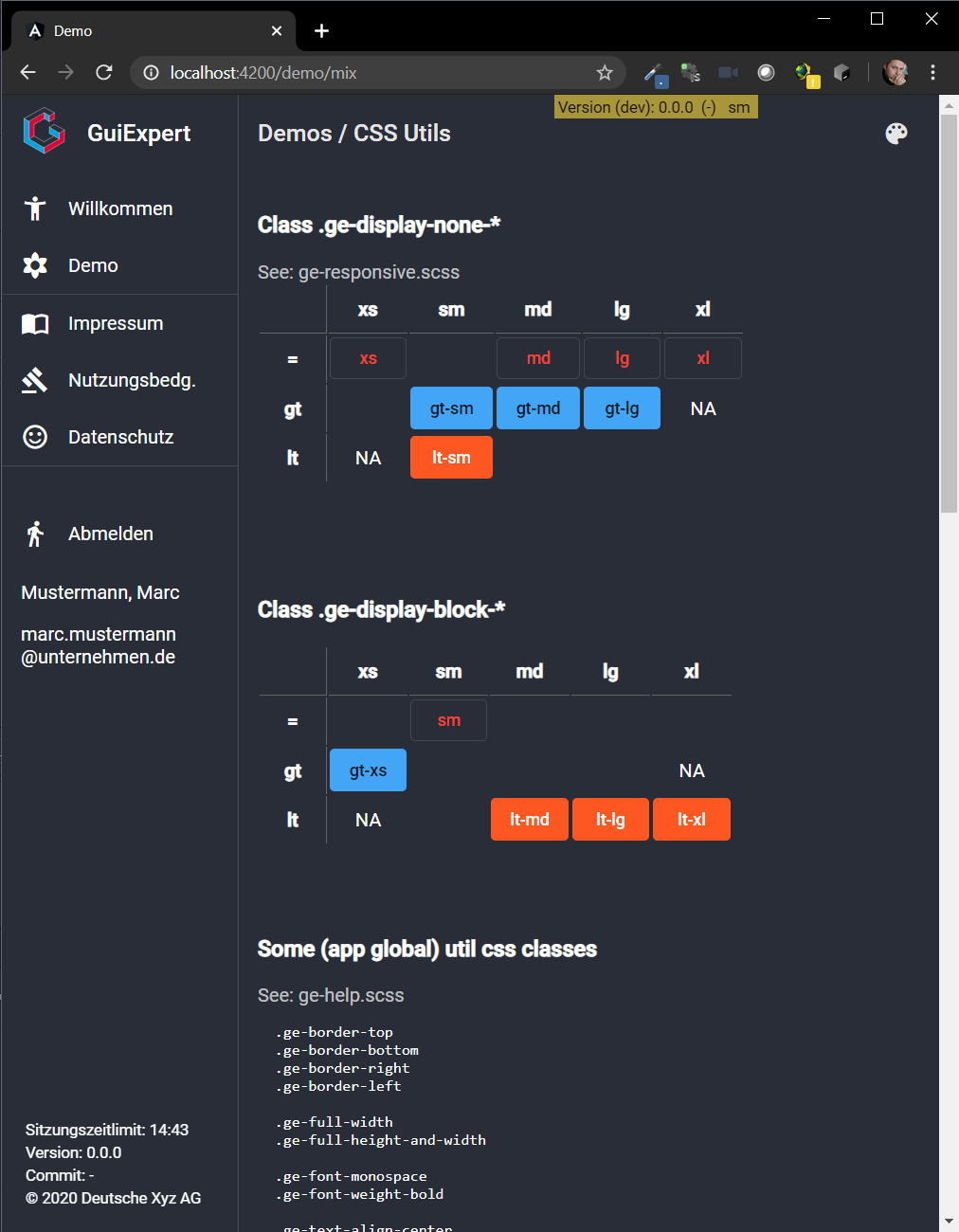
Screenshots
$3

$3

$3
$3

License
MIT
[license-url]: https://github.com/krocon/angular-project-generator/blob/master/LICENSE
[npm-badge-url]: https://www.npmjs.com/package/angular-project-generator