angular-ten-suneditor
v1.1.3
Angular 10 component for Suneditor WYSIWYG richt text editor
17/weekUpdated 3 years agoMITUnpacked: 1.3 MB
Published by Joshua Belarmino
npm install angular-ten-suneditor!GitHub
!GitHub Workflow Status
!GitHub release (latest by date)
Angular SunEditor
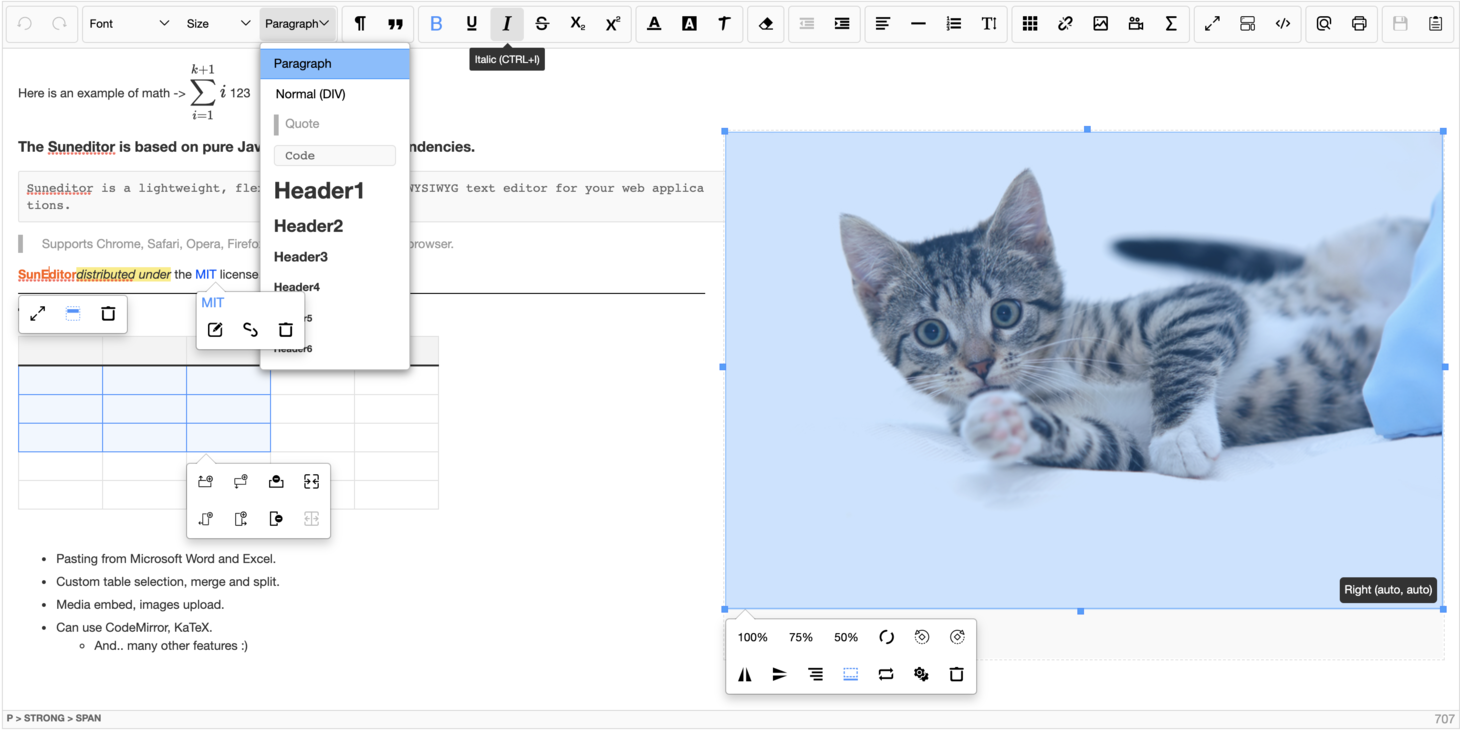
ngx-suneditor is an Angular module for the SunEditor WYSIWYG Editor.
---
About The Project
Supported Angular Versions: 12+
ngx-suneditor is a angular module for SunEditor implementing all features The Angular Way.
> SunEditor is a pure javscript based WYSIWYG web editor, with no dependencies.
For further information please visit on Github :octocat: or Web :earth_americas:

Powered by BauViso
Prerequisites
Install the SunEditor
- npm
``sh`
npm install suneditor --save
Installation
Install the ngx-suneditor
- npm
`sh`
npm install ngx-suneditor
Getting Started
After installation just import the NgxSuneditorModule to the imports array of your preffered module.
`javascript
import { NgModule } from "@angular/core";
import { BrowserModule } from "@angular/platform-browser";
import { NgxSuneditorModule } from "../../projects/ngx-suneditor/src/public-api";
import { AppComponent } from "./app.component";
@NgModule({
declarations: [AppComponent],
imports: [BrowserModule, NgxSuneditorModule],
providers: [],
bootstrap: [AppComponent],
})
export class AppModule {}
`
Import css in your styles.css or in angular.json styles array from CDN or node_modules
`scss`
@import "https://cdn.jsdelivr.net/npm/suneditor@latest/dist/css/suneditor.min.css";
orscss`
@import "../node_modules/suneditor/dist/css/suneditor.min";
Edit compilerOptions lib array in tsconfig.json to include APIs for the Windows Script Hosting System as SunEditor uses ActiveXObject
Add "scripthost" - tsconfig.jsonjson`
{
...
"compilerOptions": {
...
"lib": [... "scripthost"]
}
}
Use the ngx-suneditor component in your HTML.
`html`
Configuration
There are two ways to pass the options object.
You can pass the option on the Module with forRoot() or pass it by @Input as described below.
#### forRoot
You can pass it in your module to define a standard configuration for the imported editor. With this approch
the configuration will be shared over all editor instances.
example:
`javascript`
@NgModule({
declarations: [AppComponent],
imports: [
BrowserModule,
NgxSuneditorModule.forRoot({
plugins: plugins,
minWidth: '100%',
height: '70vh',
buttonList: [
['undo', 'redo'],
['font', 'fontSize', 'formatBlock'],
['paragraphStyle', 'blockquote'],
['bold', 'underline', 'italic', 'strike', 'subscript', 'superscript'],
['fontColor', 'hiliteColor', 'textStyle'],
['removeFormat'],
['outdent', 'indent'],
['align', 'horizontalRule', 'list', 'lineHeight'],
['table', 'link', 'image', 'video', 'audio'],
['fullScreen', 'showBlocks', 'codeView'],
['preview', 'print'],
['save'],
],
}),
],
providers: [],
bootstrap: [AppComponent],
})
export class AppModule {}
If you now use multiple editor instances, the options will be shared
component 1
`html`
component 2
`html`
#### @Input
Pass the configuration as input to give this instance a specific configuration or override the default configuration that was passed by forRoot.
example:
`javascript`
@NgModule({
declarations: [AppComponent],
imports: [BrowserModule, NgxSuneditorModule],
providers: [],
bootstrap: [AppComponent],
})
export class AppModule {}
`javascript`
@Component({
selector: "app-root",
templateUrl: "./app.component.html",
styleUrls: ["./app.component.scss"],
})
export class AppComponent {
editorOptions: SunEditorOptions = {
minWidth: "100%",
height: "80vh",
buttonList: [
["undo", "redo"],
["font", "fontSize", "formatBlock"],
["paragraphStyle", "blockquote"],
["bold", "underline", "italic", "strike", "subscript", "superscript"],
["fontColor", "hiliteColor", "textStyle"],
["removeFormat"],
["outdent", "indent"],
["align", "horizontalRule", "list", "lineHeight"],
["table", "link", "image", "video", "audio"],
["fullScreen", "showBlocks", "codeView"],
["preview", "print"],
["save", "template"],
],
};
}
`html`
#### forRoot & @Input
Combining forRoot and Input approach
example:
`javascript`
@NgModule({
declarations: [AppComponent],
imports: [
BrowserModule,
NgxSuneditorModule.forRoot({
minWidth: "100%",
height: "80vh",
buttonList: [
["undo", "redo"],
["font", "fontSize", "formatBlock"],
["paragraphStyle", "blockquote"],
["bold", "underline", "italic", "strike", "subscript", "superscript"],
],
}),
],
providers: [],
bootstrap: [AppComponent],
})
export class AppModule {}
component 1
`html
`
Events
All events from SunEditor are mapped to this component and passed by @Output.
Plese see the original documentation here and here
You can use all listed events as usual in angular:
`html`
(onClick)="myClickHandler($event)"
>
| name | Payload | description |
| ------------------------- | ----------------------------------------------------------------------------------- | ------------------------------------------------------ |
| created | NgxSunEditorComponent | Emitted after the editor compontent was created |Core
| onload | { core: ; reload: boolean } | When reloaded with the "setOptions" method |Event
| onScroll | { e: ; core: Core; } | Scroll event |Event
| onMouseDown | { e: ; core: Core; } | Mouse down |Event
| onClick | { e: ; core: Core; } | clicked |Event
| onInput | { e: ; core: Core; } | Wysiwyg editor area Input event |Event
| onKeyDown | { e: ; core: Core; } | keydown event |Event
| onKeyUp | { e: ; core: Core; } | keyup event |Event
| onFocus | { e: ; core: Core;} | Focus event |Event
| onBlur | { e: ; core: Core; } | Blur event |number
| onResizeEditor | { height: ; prevHeight: number; core: Core;} | Called when the editor is resized using the bottom bar |any[]
| onAudioUploadBefore | { files: ; info: audioInputInformation; core: Core; uploadHandler: Function; } | Called before the audio is uploaded |string
| onVideoUploadError | { errorMessage: ; result: any; core: Core; } | Called on video upload error |any[]
| onVideoUploadBefore | { files: ; info: videoInputInformation; core: Core; uploadHandler: Function; } | Called before the video is uploaded |string
| onImageUploadError | { errorMessage: ; result: any; core: Core; } | Called on image upload error |any[]
| onImageUploadBefore | { files: ; info: imageInputInformation; core: Core; uploadHandler: Function; } | Called before the image is uploaded |string
| onAudioUploadError | { errorMessage: ; result: any; core: Core; } | Called on audio upload error |Event
| onDrop | { e: ; cleanData: string; maxCharCount: number; core: Core; } | Drop event |string
| onChange | { content: ; core: Core; } | Called when the contents changes |string
| showController | { name: ; controllers: Controllers; core: Core; } | Called just after the controller is positioned and displayed on the screen |boolean
| toggleFullScreen | { isFullScreen: ; core: Core;} | Called when toggling full screen |boolean
| toggleCodeView | { isCodeView: ; core: Core; } | Called when toggling between code view and wysiwyg view |Element
| showInline | { toolbar: ; context: Context; core: Core; } | Called just before the inline toolbar is positioned and displayed on the screen |any[]
| onAudioUpload | { files: ; info: audioInputInformation; core: Core; uploadHandler: Function; } | Called on audio upload |HTMLIFrameElement
| onVideoUpload | { targetElement: \| HTMLVideoElement; index: number; state: string; info: fileInfo; remainingFilesCount: number; core: Core; } | Called on video upload |HTMLImageElement
| onImageUpload | { targetElement: ; index: number; state: string; info: fileInfo; remainingFilesCount: number; core: Core; } | Called on image upload |Event
| onCut | { e: ; clipboardData: any; core: Core; } | Called when cut to clipboard |Event
| onCopy | { e: ; clipboardData: any; core: Core; } | Called when copy to clipboard |
Inputs
The NgxSunEditorComponent
 has multiple inputs as described below:
editorID

HTML DOM id Property. default:
auto generated id
- Type:
content

Content to show in the Editor. If this value is set the content will be set.
 - Type:
options

SunEditorOptions Object is used once when the editor is created
 - Type:
onDrop_param

Parameter that is passed to the onDrop event to control the behavior. default: true
 - Type:
onCopy_param

Parameter that is passed to the onCopy event to control the behavior. default: true
 - Type:
onCut_param

Parameter that is passed to the onCut event to control the behavior. default: true
 - Type:
onAudioUploadError_param

Parameter that is passed to the onAudioUploadError event to control the behavior. default: true
 - Type:
onImageUploadBefore_param

Parameter that is passed to the onImageUploadBefore event to control the behavior. default: true
 - Type:
onImageUploadError_param

Parameter that is passed to the onImageUploadError event to control the behavior. default: true
 - Type:
onVideoUploadBefore_param

Parameter that is passed to the onVideoUploadBefore event to control the behavior. default: true
 - Type:
onVideoUploadError_param

Parameter that is passed to the onVideoUploadError event to control the behavior. default: true
 - Type:
onAudioUploadBefore_param

Parameter that is passed to the onAudioUploadBefore event to control the behavior. default: true
 - Type:
onResizeEditor_param

Parameter that is passed to the onResizeEditor event to control the behavior. default: {}
 - Type:
imageUploadHandler

Callback to replace the default imageUploadHandler function
 - Type:
videoUploadHandler

Callback to replace the default videoUploadHandler function
 - Type:
audioUploadHandler

Callback to replace the default audioUploadHandler function
 - Type:
localStorageConfig

localStorageConfig Object {id: string, autoSave: boolean, autoLoad: boolean}

 id - localStorageKey where the Content gets saved.
 autoSave - decides if the content should be automaticly saved in the onChange event
 autoLoad - decides if the content should be automaticly loaded on startUp
 default: {id: 'ngxSunEditor', autoSave: false, autoLoad: false}
 - Type:
Functions
As described in the SunEdtior documentation there are plenty functions the editor provides.
All functions provided by the original
can be used directly on the NgxSunEditorComponent. Here you can find Additional Functions that are only available in this Angular Module.You can get the
NgxSunEditorComponent to your component by using @Viewchild or listening to the created event which also returns the instance after it has been created.
It's also possible to get the raw SunEditor object that is returned by the editor internal even if it shouldn't be needed for the most usecases.example (@Viewchild):
`javascript
@Component({
selector: "app-root",
templateUrl: "./app.component.html",
styleUrls: ["./app.component.scss"],
})
export class AppComponent implements AfterViewInit {
@ViewChild(NgxSuneditorComponent) ngxSunEditor: NgxSuneditorComponent; // Make sure that you access it in ngAfterViewInit at the earliest
// so you can be sure that the viewchild is set
ngAfterViewInit() {
// Call some method on the Viewchild instance
const history = this.ngxSunEditor.getHistory();
console.log(history); // do your logic ...
}
}
`html
`
example (created event):
javascript
@Component({
  selector: 'app-root',
  templateUrl: './app.component.html',
  styleUrls: ['./app.component.scss'],
})
export class AppComponent implements AfterViewInit {
  private ngxSunEditor: NgxSuneditorComponent;  onEditorCreated(comp: NgxSuneditorComponent) {
    // Set the editor that is passed as event payload
    this.ngxSunEditor = comp;
    // Call some method on the Viewchild instance
    const history = this.ngxSunEditor.getHistory();

    console.log(history); // do your logic ...
  }
}
`html
`
example (raw editor):
javascript
@Component({
  selector: "app-root",
  templateUrl: "./app.component.html",
  styleUrls: ["./app.component.scss"],
})
export class AppComponent implements AfterViewInit {
  ngAfterViewInit() {
    // Get the raw editor object instance
    const rawEditor = this.ngxSunEditor.getEditor();
    console.log(rawEditor); // do something wiht the instance
  }
}
`
You can use all listed functions:

setToolbarButtons

Set the toolbar buttons
 - Param: buttonList -
- Return: javascript
const buttonList = [
['undo', 'redo'],
['font', 'fontSize', 'formatBlock'],
['paragraphStyle', 'blockquote'],
['bold', 'underline', 'italic', 'strike', 'subscript', 'superscript'],
['fontColor', 'hiliteColor', 'textStyle'],
['removeFormat'],
['outdent', 'indent'],
['align', 'horizontalRule', 'list', 'lineHeight'],
['table', 'link', 'image', 'video', 'audio'],
['fullScreen', 'showBlocks', 'codeView'],
['preview', 'print'],
['save', 'template'],
];
this.ngxSunEditor.setToolbarButtons(buttonList);
`
setOptions

Pass a
 object to the editor to change the options after the editor was created
 - Param: options -
SunEditorOptions
- Return: javascript
const options: SunEditorOptions = {
plugins: plugins,
minWidth: '100%',
height: '80vh',
buttonList: [
['undo', 'redo'],
],
}
this.ngxSunEditor.setOptions(options);
`
setDefaultStyle

Define the style of the edit area without re render
 - Param:
- Return: javascript
const styles = 'background-color: coral;'
this.ngxSunEditor.setDefaultStyle(styles);
`
noticeOpen

Opens a message in the notice panel (Alert)
 - Param:
- Return: javascript
const message = 'I ! <3 any';
this.ngxSunEditor.noticeOpen(message);
`
noticeClose

Closes the notice panel (Alert)
 - Param:
- Return: javascript
this.ngxSunEditor.noticeClose();
`
save

Copying the contents of the editor to the original textarea and return the content or the full textarea. When passed true as param it only returns the content. Otherwise the original
 is returned
 - Param:
boolean
- Return: javascript
// when called with false the full textarea is returned
const textarea = this.ngxSunEditor.save(false) as HTMLInputElement;
console.log(textarea.value); // when called with true the content returned
const content = this.ngxSunEditor.save(true);
console.log(content);
`
getContext

Gets the SunEditor's context object. Contains settings, plugins, and cached element objects
 - Param:
- Return: javascript
const ctx = this.ngxSunEditor.getContext();
`
getContents

Gets the contents of the suneditor
 - Param:
 Return only the contents of the body without headers when the "fullPage" option is true
- Return: stringjavascript
const content = this.ngxSunEditor.getContents(true);
`
getText

Gets only the text of the suneditor contents
 - Param:
- Return: javascript
const rawText = this.ngxSunEditor.getText();
`
insertImage

Upload images using image plugin
 - Param:
- Return: javascript
this.ngxSunEditor.insertImage(files);
`
setContents

Change the contents of the suneditor
 - Param:
- Return: javascript
this.ngxSunEditor.setContents('I ! <3 any');
`
appendContents

Change the contents of the suneditor
 - Param:
- Return: javascript
this.ngxSunEditor.appendContents('I ! <3 any');
`
readOnly

Switch "ReadOnly" mode.
 - Param:
- Return: javascript
this.ngxSunEditor.readOnly(true);
`
disabled

Disable the suneditor
 - Param:
- Return: javascript
this.ngxSunEditor.disabled();
`
enabled

Enables the suneditor
 - Param:
- Return: javascript
this.ngxSunEditor.enabled();
`
show

Show the suneditor
 - Param:
- Return: javascript
this.ngxSunEditor.show();
`
hide

Hide the suneditor
 - Param:
- Return: javascript
this.ngxSunEditor.hide();
`
toggleDisplayBlocks

Toggle display blocks
 - Param:
- Return: javascript
this.ngxSunEditor.toggleDisplayBlocks()
`
toggleCodeViewMode

Toggle codeView on/off
 - Param:
- Return: javascript
this.ngxSunEditor.toggleCodeViewMode()
`
undo

Undo changes
 - Param:
- Return: javascript
this.ngxSunEditor.undo()
`
redo

Redo changes
 - Param:
- Return: javascript
this.ngxSunEditor.redo()
`
removeFormat

Remove format of the currently selected range
 - Param:
- Return: javascript
this.ngxSunEditor.removeFormat()
`
print

Prints the current contents of the editor.
 - Param:
- Return: javascript
this.ngxSunEditor.print()
`
toggleFullScreenMode

Toggle the editor fullscreen mode
 - Param:
- Return: javascript
this.ngxSunEditor.toggleFullScreenMode()
`
showBlocks

Display blocks in the editor
 - Param:
- Return: javascript
this.ngxSunEditor.showBlocks()
`
insertHTML

Inserts an HTML element or HTML string or plain string at the current cursor position
 - Param:
- Return: javascript
this.ngxSunEditor.insertHTML(' I ! <3 any
');
`
getCharCount

Get the editor's number of characters or binary data size. You can use the "charCounterType" option format.
 - Param:
- Return: javascript
const charCount = this.ngxSunEditor.getCharCount()
`
preview

Open a new tab as preview window.
 - Param:
- Return: javascript
this.ngxSunEditor.preview()
`
getHistory

Get the actual history Stack
 - Param:
- Return: javascript
const history = this.ngxSunEditor.getHistory()
`
selectAll

Select all in the editor
 - Param:
- Return: javascript
this.ngxSunEditor.selectAll()
`
getSelection

Get window selection obejct
 - Param:
- Return: javascript
const selectionObj = this.ngxSunEditor.getSelection()
`
showLoading

Set the editor in loading mode. Show a loading spinner, disable inputs and grey out
 - Param:
- Return: javascript
this.ngxSunEditor.showLoading()
`
closeLoading

Remove the loading mode
 - Param:
- Return: javascript
this.ngxSunEditor.closeLoading()
`
submenuOn

Enabled submenu
 - Param:
- Return: javascript
this.ngxSunEditor.submenuOn(ele);
`
submenuOff

Disable submenu
 - Param:
- Return: javascript
this.ngxSunEditor.submenuOff()
`
containerOn

Enable container
 - Param:
- Return: javascript
this.ngxSunEditor.containerOn(ele);
`
containerOff

Disable container
 - Param:
- Return: javascript
this.ngxSunEditor.containerOff()
`
addClass

Append the className value of the argument value element
 - Param:
- Return: javascript
this.ngxSunEditor.addClass(ele, 'custom-class');
`
removeClass

Delete the className value of the argument value element
 - Param:
- Return: javascript
this.ngxSunEditor.removeClass(ele, 'custom-class');
`
setStyle

Set style, if all styles are deleted, the style properties are deleted
 - Param:
- Return: javascript
this.ngxSunEditor.setStyle(ele, 'marginLeft', 50);
`
addDocEvent

Add an event to document. When created as an Iframe, the same event is added to the document in the Iframe.
 - Param:
- Return: javascript
this.ngxSunEditor.addDocEvent('click', listener, false);
`
removeDocEvent

Remove events from document. * When created as an Iframe, the event of the document inside the Iframe is also removed.
 - Param:
- Return: javascript
this.ngxSunEditor.removeDocEvent('click', listener);
`
actionCall

Run plugin calls and basic commands.
 - Param:
- Return: javascript
this.ngxSunEditor.actionCall('custom command', 'command', ele);
`
indent_outdent

Set indentation separator "indent" or "outdent"
 - Param:
- Return: javascript
this.ngxSunEditor.indent_outdent('indent');
`
getImagesInfo

Gets uploaded images informations
 - Param:
- Return: javascript
const img_info = this.ngxSunEditor.getImagesInfo()
`
getFilesInfo

Gets uploaded files(plugin using fileManager) information list.
 - Param:
- Return: javascript
const filesInfo = this.ngxSunEditor.getFilesInfo('video');
`
commandHandler

Execute command of command button(All Buttons except submenu and dialog) (undo, redo, bold, underline, italic, strikethrough, subscript, superscript, removeFormat, indent, outdent, fullscreen, showBlocks, codeview, preview, print, copy, cut, paste)
 - Param:
- Return: javascript
this.ngxSunEditor.commandHandler(ele, 'strikethrough');
`
Additional Functions
There are some functions that are only available on this Angular module as they are not part of the original .
This functions are our implementation! We provide this while having in mind the most convenient usage without conflicting the original behavior.Everyone is welcome to report a feature request by opening a new issue: Feature request to help us improve this module :rocket:
These are the functions we provide:
getEditorID
Returns the HTML id Attribute that is randomly generated on startup on every editor instance.
- Param:
none
- Return: javascript
const id = this.ngxSunEditor.getEditorID();
`
getEditor

Returns the raw editor instance.
 - Param:
- Return: javascript
const rawEditor = this.ngxSunEditor.getEditor();
`
loadLocalStorageContent

loads the localStorageContent to the Editor
 - Param:
- Return: javascript
this.ngxSunEditor.loadLocalStorageContent();
`
saveToLocalStorage

Save Content to LocalStorage
 - Param:
- Return: javascript
this.ngxSunEditor.saveToLocalStorage();
`
getLocalStorageKey

Returns the LocalStorageKey
 - Param:
- Return: javascript
const lsKey = this.ngxSunEditor.getLocalStorageKey();
`
getIsAutoSaveToLocalStorage

Returns the current state of AutoSaveToLocalStorage
 - Param:
- Return: javascript
const autoSaveLs = this.ngxSunEditor.getIsAutoSaveToLocalStorage();
`
getIsAutoLoadToLocalStorage

Returns the current state of AutoLoadToLocalStorage
 - Param:
- Return: javascript
const autoLoadLs = this.ngxSunEditor.getIsAutoLoadToLocalStorage();
`
isReadOnly

Returns the readonly state of the SunEditor
 - Param:
- Return: javascript
const readonly = this.ngxSunEditor.isReadOnly()
if (readonly) {
// do something while editor is readonly
};
`
isHidden

Returns the hidden state of the editor
 - Param:
- Return: javascript
const hidden = this.ngxSunEditor.isHidden()
if (hidden) {
// do something while editor is hidden
};
`
isDisplayBlocks

Returns the displayBlocks state of the editor
 - Param:
- Return: javascript
const isDisplayBlocks = this.ngxSunEditor.isDisplayBlocks()
if (isDisplayBlocks) {
// do something while editor is isDisplayBlocks
};
`
isDisabled

Returns the disabled state of the SunEditor
 - Param:
- Return: javascript
const disabled = this.ngxSunEditor.isDisabled()
if (disabled) {
// do something while editor is disabled
};
`
isCodeViewMode

Returns the CodeViewMode state of the editor
 - Param:
- Return: javascript
const isCodeViewMode = this.ngxSunEditor.isCodeViewMode()
if (isCodeViewMode) {
// do something while editor is isCodeViewMode
};
`
isFullScreenMode

Returns the fullScreenMode state of the editor
 - Param:
- Return: javascript
const isFullScreenMode = this.ngxSunEditor.isFullScreenMode()
if (isFullScreenMode) {
// do something when editor is isFullScreenMode
}
`
isLoading

Returns the loading state of the SunEditor
 - Param:
- Return: javascript
const loading = this.ngxSunEditor.isLoading()
if (loading) {
// do something while editor is loading
};
`
Plugins
How to use plugins is shown in the documentation.
Just import the plugins to your module or component as pass it through the options like described in Configuration section.
example:
javascript
import { NgModule } from '@angular/core';
import { BrowserModule } from '@angular/platform-browser';
import { NgxSuneditorModule } from '../../projects/ngx-suneditor/src/public-api';
import { AppComponent } from './app.component';
import plugins from 'suneditor/src/plugins'; // Import all offical available plugins@NgModule({
  declarations: [AppComponent],
  imports: [
    BrowserModule,
    NgxSuneditorModule.forRoot({
      plugins: plugins, // pass the imported plugins
      minWidth: '100%',
      height: '80vh',
      buttonList: [
        ['undo', 'redo'],
        ['font', 'fontSize', 'formatBlock'],
        ['paragraphStyle', 'blockquote'],
        ['bold', 'underline', 'italic', 'strike', 'subscript', 'superscript'],
        ['fontColor', 'hiliteColor', 'textStyle'],
        ['removeFormat'],
        ['outdent', 'indent'],
        ['align', 'horizontalRule', 'list', 'lineHeight'],
        ['table', 'link', 'image', 'video', 'audio'],
        ['fullScreen', 'showBlocks', 'codeView'],
        ['preview', 'print'],
        ['save', 'template'],
      ],
    }),
  ],
  providers: [],
  bootstrap: [AppComponent],
})
export class AppModule {}
`Please visit CustomPlugins if you wan't to create your own plugin.
Register Upload Handler
You can override the default callback functions for upload handlers to include your logic on uploads.
-
 - Callback to replace the default imageUploadHandler function
-
videoUploadHandler - Callback to replace the default videoUploadHandler function
- audioUploadHandler - Callback to replace the default audioUploadHandler functionTo overrite the default callback pass your function as
@Input to the NgxSunEditorComponentjavascript
ngAfterViewInit() {
this.ngxSunEditor.audioUploadHandler = (xmlHttp: XMLHttpRequest, info: audioInputInformation, core: Core) => {
// do something here ...
return;
}; }
`Please see the original Documentation for further information.
View Component
In addition to the editor, there is also a view component
 to display the content.
This component can bypass angular's
DomSanitizer using a SafeHtmlPipe.The component has two
@Input properties.-
content - HTML content generated by the editor to display-
bypassSantiziser - Bypass angular's DomSanitizer
remember to import the
suneditor-contents.css before using it!example:
`javascript
``Editor

View

Thanks And Contributing
Special Thanks to JiHong88 - The creator of SunEditor.
Contributions are welcome :heart: - please read CONTRIBUTING.md
License
ngx-suneditor may be freely distributed under the MIT license.