angular-typeform
v0.1.3
An angular 1.x directive for Typeform
0/weekUpdated 3 years agoMIT
Published by Adrian Latorre
npm install angular-typeformangular-typeform
An Angular 1.x directive for Typeform
The purpose of this simple directive is to wrap Typeform's logic in order to make it work with angular.
Download
You can also install the package using npm
``
npm install angular-typeform
No dependencies besides angular are required!
Config
To use the directive, include the JS file on your project, then include the module in your app:
`javascript`
app = angular.module('myApp', ['angularTypeform'])
then configure it with your account
`javascript`
app.config(function (typeformConfigProvider) {
typeformConfigProvider.setAccount('MYACCOUNT');
});
*You can find your account as a subdomain of any Typeform's link
https://MYACCOUNT.typeform.com/to/TYPEFORM_ID*
Usage
$3
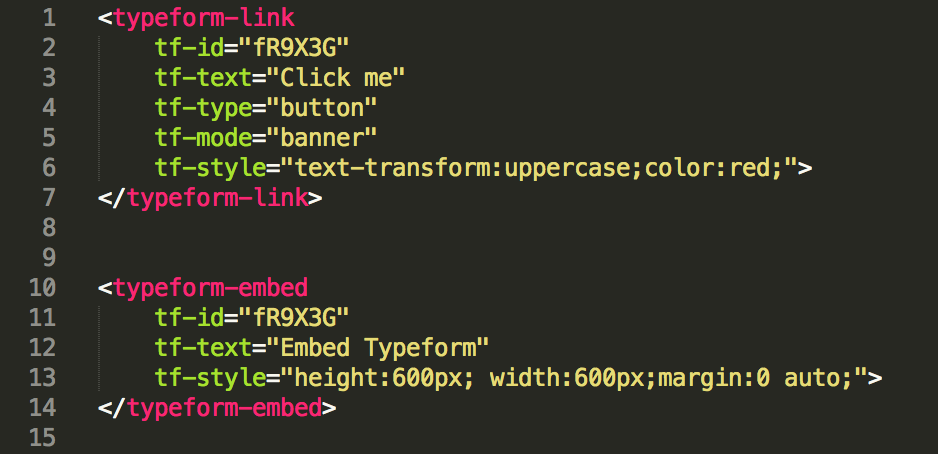
To embed a Typeform just use the following directive
`javascript
tf-text="Any text that you want"
tf-style="height:600px; width:600px;margin:0 auto;">
`
You can configure the style of the div container adding you CSS in the `tf-style` attribute
$3
To add a link to a Typeform just use the following directive
`javascript
tf-text="Click me"
tf-type="button"
tf-mode="banner"
tf-style="text-transform:uppercase;color:red;">
`
The direcctive supports the following attributes
tf-type: choose between `link` or `button`, by default it uses link*
tf-mode: choose between `banner` or `popup``, by default it uses popup*
tf-style: You can configure the style of the link adding your CSS. Keep in mind that Typeform adds its own css for the button* directive, so you'll have to override certain params.
License
As AngularJS itself, this module is released under the permissive MIT License. Your contributions are always welcome.