brs-node
v2.0.5TypeScript
BrightScript Simulation Engine - Run Roku apps on Node.js or Terminal (CLI)
0/weekUpdated 1 months agoMITUnpacked: 3.3 MB
Published by Marcelo Lv Cabral
npm install brs-nodeBrightScript Simulation Engine for Node.js
An interpreter for the BrightScript language that runs as a CLI and Roku apps in Node.js.


Overview
The BrightScript Simulation Engine provides a complete a set of libraries and a command-line interface for executing, testing, and packaging Roku apps on Node.js platforms. Perfect for automation, CI/CD pipelines, development workflows, and server-side BrightScript execution.
> 🚨 Important:
>
> Since v1.9.0, this package was split from the browser package, to use the simulation engine with web based applications check out the brs-engine package.
Key Features
$3
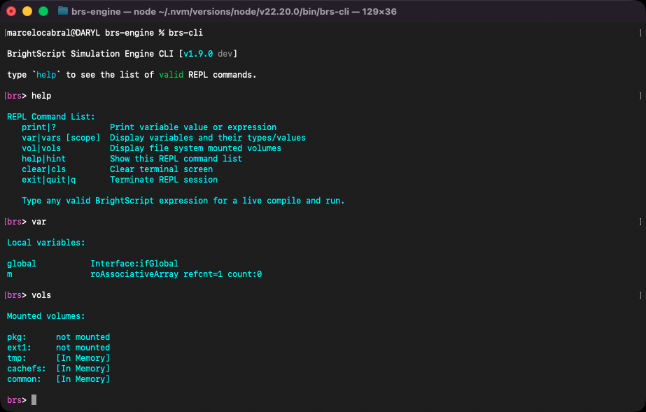
- Interactive REPL - Read-eval-print loop for BrightScript
- File Execution - Run .brs, .zip, and .bpk files directly
- Folder Execution - Run BrightScript apps from a folder
- App Packaging - Create encrypted .bpk packages from .zip files
- ASCII Rendering - Run Roku apps using ASCII rendering in the terminal
- Batch Processing - Execute multiple files and automate workflows
$3
- Full BrightScript language interpreter, with specs aligned up to Roku OS 15.0
- Draw 2D API - Full support for the BrightScript 2D drawing components
- SceneGraph Framework - Experimental support for the Roku SceneGraph components (see section below)
- Video Playback - Via roVideoPlayer and Video node
- Audio Playback - Via roAudioResources, roAudioPlayer and Audio node
- Image Processing - Support for PNG, JPEG, GIF, BMP and WEBP formats
$3
- Screen resolutions - Support for various Roku display modes
- Input Handling - Keyboard and gamepad simulation for remote control input, see docs for more details
- File System Simulation - Including pkg:/, tmp:/, cachefs:/, common:/ and ext1:/ volumes
- Registry simulation - Roku device registry emulation saved on browser local storage
- Micro Debugger - Step-through debugging capabilities, similar to the Roku experience
- ECP Server - External Control Protocol for remote control
- SSDP Discovery - Device discovery simulation
- Localization - Language and region settings
- Customization - You can customize device features and behaviors, see docs for more details
SceneGraph Extension
The brs-scenegraph extension is integrated to the brs-node package by default. The CLI app loads it so the REPL and apps can run SceneGraph without additional setup. Use the --no-sg flag if you want to disable it for a given CLI session. For your Node.js apps register it manually by calling registerExtension(() => new BrightScriptExtension()). Refer to extensions guide for more information about the extension package.
> ⚠️ Note:
>
> SceneGraph extension is currently under development, with pre-release alpha versions available for testing. See the current state of the SceneGraph implementation and other limitations of the engine in the Current Limitations document.
Installation
$3
``bash`
npm install -g brs-node
$3
`bash`
npm install brs-node
$3
The package libraries require Node.js v22 or higher, and are organized as follows:
| Library File | Description |
| --- | --- |
| bin/brs.cli.js | Executable CLI application that can be used from the terminal |bin/brs.node.js
| | A NodeJS library, that exposes the language interpreter to be used by Node.js applications |bin/brs.ecp.js` | A NodeJS Worker library, used by the CLI to launch the ECP and SSDP services. |
|
Documentation
Learn how to use the package and its libraries by reading the documents below:
- How to use the Node.js Library
- How to run as a Command Line Interface
- How to customize the Engine behavior
- Remote Control Simulation
- How to build from source
- How to contribute to this Project
$3
- Read the project changelog to view the release notes.
Developer Links
- My website: https://lvcabral.com
- My threads: @lvcabral
- My Bluesky: @lvcabral.com
- My X/twitter: @lvcabral
- My podcast: PODebug Podcast
- Check my other GitHub repositories
License
Copyright © 2019-2026 Marcelo Lv Cabral. All rights reserved.
Licensed under the MIT license.