chii
v1.15.5
Chrome devtools framework
0/weekUpdated 5 months agoMITUnpacked: 13.2 MB
Published by redhoodsu
npm install chii
Chii
Remote debugging tool.
[![NPM version][npm-image]][npm-url]
[![Build status][ci-image]][ci-url]
[![License][license-image]][npm-url]
[npm-image]: https://img.shields.io/npm/v/chii?style=flat-square
[npm-url]: https://npmjs.org/package/chii
[ci-image]: https://img.shields.io/github/actions/workflow/status/liriliri/chii/main.yml?branch=master&style=flat-square
[ci-url]: https://github.com/liriliri/chii/actions/workflows/main.yml
[license-image]: https://img.shields.io/npm/l/chii?style=flat-square
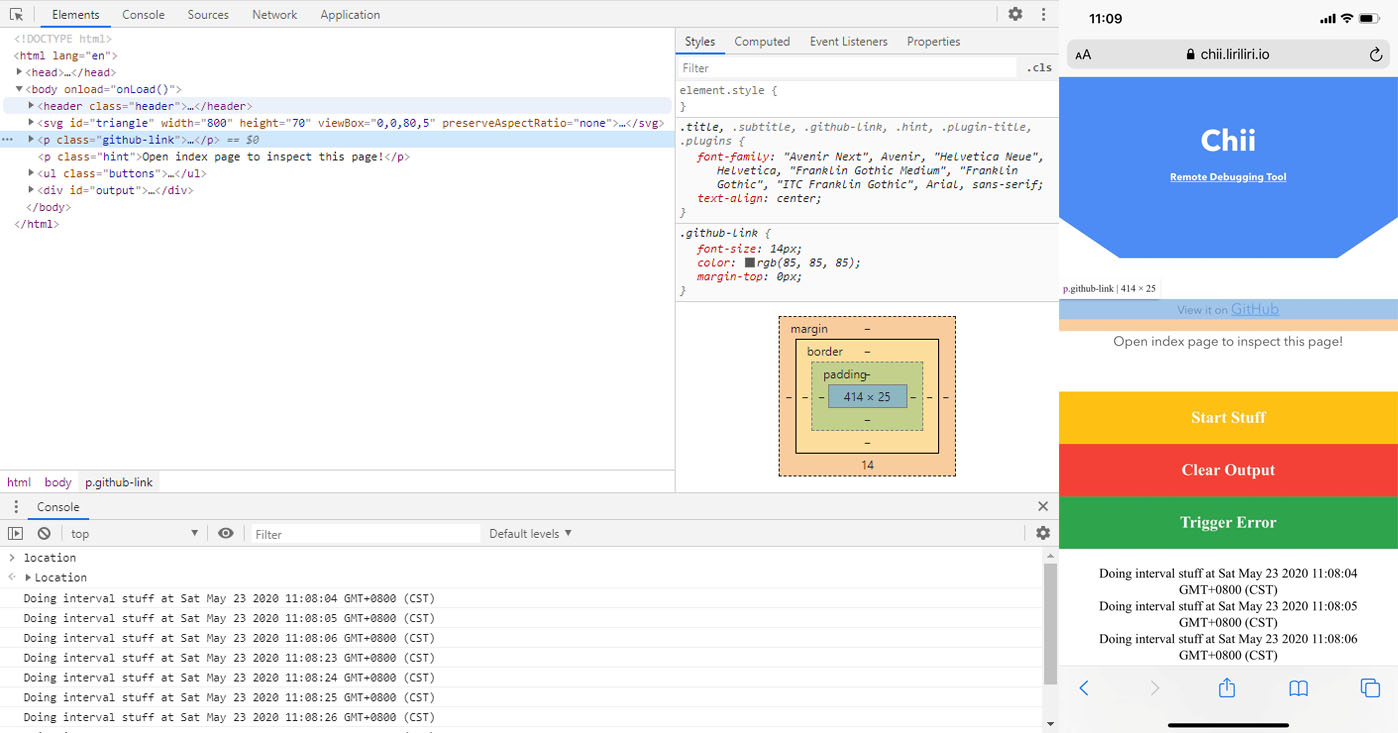
Remote debugging tool like weinre, replacing web inspector with the latest chrome devtools frontend.
Demo
!Demo
Browse it on your phone: https://chii.liriliri.io/playground/test/demo.html
Open https://chii.liriliri.io/playground/ and click inspect to start debugging the demo page.
Install
You can get it on npm.
``bash`
npm install chii -g
Usage
Start the server with the following command.
`bash`
chii start -p 8080
Use this script to inject the target code into your webpage.
`html``
Then browse to http://localhost:8080 to start debugging your page.
For more detailed usage instructions, please read the documentation at chii.liriliri.io!
Related Projects
* whistle.chii: Whistle Chii plugin.
* chobitsu: Chrome devtools protocol JavaScript implementation.
* vivy: Icon image generation.
Contribution
Read Contributing Guide for development setup instructions.