clip-path-polygon
v0.1.14
jQuery plugin that makes easy to use clip-path on whatever tag under different browsers
0/weekUpdated 3 years agoMITUnpacked: 35.0 KB
Published by Karol Andrusieczko
npm install clip-path-polygonclip-path-polygon 
===============
This is a jQuery plugin that makes using clip-path property easy on whatever tag under different browsers.
Tested on latest Chrome, Safari, Firefox and Opera.
It should work on Chrome ≥31, Firefox ≥31, Safari ≥7 and Opera ≥30.
What it does?
Let's say that you want to achieve something like this:
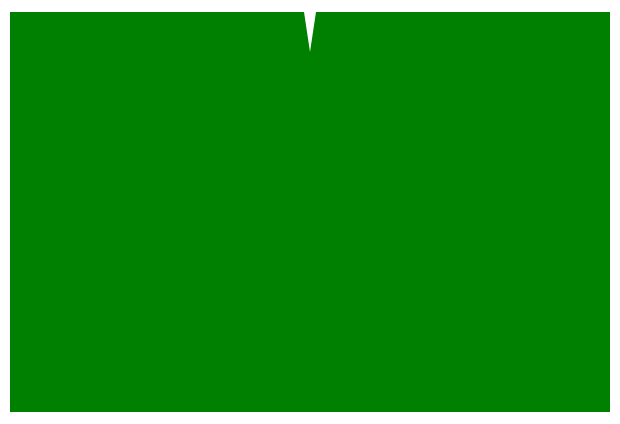
Take a look at the example html file!
So you need to have a rectangle (e.g. 300x200) and you have to crop this image with such coordinates:(0; 0), (145; 0), (150; 20), (155; 0), (300; 0), (300; 200), (0; 200), (0; 0)
$3
In Webkit all you have to do is to write a css style:-webkit-clip-path: polygon(0 0, 145px 0, 150px 20px, 155px 0, 300px 0, 300px 200px, 0 200px, 0 0)
In Firefox and in W3C standard what you should do is:clip-path: url(#my-definition) and somewhere in the file:
``html`
$3
If your design is resposive, you might want to use relative unit - percents. Then, the expected values would be:
- Webkit: polygon(0 0, 49% 0, 50% 10%, 51% 0, 100% 0, 100% 100%, 0 100%, 0 0)
- Firefox:
clip-path-polygon does this job for you!
Installation
$3
Install with https://npmjs.org or add it to your package.json:
$ npm install clip-path-polygon
Then require it:
`javascript`
require('clip-path-polygon');
and use:
`javascript`
$myElement.clipPath();
$3
$ bower install clip-path-polygon --save
and then add bower_components/clip-path-polygon/build/clip-path-polygon.min.js to your scripts.
`html`
I'm assuming here that your bower installation folder is called bower_components.
$3
Download clip-path-polygon.min.js (minified) or clip-path-polygon.js (dev) and add it to you HTML file:
`html`
Compilation
-----------
If you want to compile the whole package with unit tests, run:
npm install and then grunt (compilation) or grunt test (tests).
I use mocha, sinonjs and expect.js for testing.
Changelog
---------
Changlelog is available here: CHANGELOG.md
API
-------
Definition:
clipPath(points [, options])
You can call it on a jQuery element:
`javascript`
$('#my-element').clipPath(points);
where points is an array of two-elements arrays: [[x0, y0], [x1, y1], [x2, y2]...] crops the element to this area defined by these points.
There are some options that you can use:
| Option | Default | Description |
|---|---|---|
| isPercentage | false | specifies whether you want to use absolute numbers (pixels) or relative unit (percents) |
| isForWebkit | true | specifies if -webkit-clip-path property should be added to element |
| isForSvg | true | specifies if -clip-path property and |
| svgDefId | clipPathPolygonGenId | specifies id of SVG clippath definition |
Examples
-------
$3
`html`
which gives you such an html code (remember that svg element has to have http://www.w3.org/2000/svg namespace!):
`html
`
$3
To use relative values, you have to pass isPercentage option. You might want to name the SVG clippath definition differently too:
`html`
which gives you such an html code (remember that svg element has to have http://www.w3.org/2000/svg namespace!):
`html
``