cloki
v2.0.31
LogQL API with Clickhouse Backend
0/weekUpdated 3 years agoAGPL-3.0Unpacked: 15.0 MB
Published by lorenzo.mangani@gmail.com
npm install cloki

!CodeQL
cLoki
$3
cLoki is a flexible Loki [^1] compatible LogQL API built on top of ClickHouse
- Built in Explore UI and LogQL CLI for querying and extracting data
- Native Grafana [^3] and LogQL APIs for querying, processing, ingesting, tracing and alerting [^2]
- Powerful pipeline to dynamically search, filter and extract data from logs, events, traces _and beyond_
- Ingestion and PUSH APIs transparently compatible with LogQL, PromQL, InfluxDB, Elastic _and more_
- Ready to use with Agents such as Promtail, Grafana-Agent, Vector, Logstash, Telegraf and _many others_
- Cloud native, stateless and compact design
:octocat: Get started using the cLoki Wiki :bulb:
$3
The Loki API and its Grafana native integration are brilliant, simple and appealing - but we just love ClickHouse.
cLoki implements a complete LogQL API buffered by a fast bulking LRU sitting on top of ClickHouse tables and relying on its columnar search and insert performance alongside solid distribution and clustering capabilities for stored data. Just like Loki, cLoki does not parse or index incoming logs, but rather groups log streams using the same label system as Prometheus. [^2]

$3
cLoki implements a broad range of LogQL Queries to provide transparent compatibility with the Loki API
The Grafana Loki datasource can be used to natively query _logs_ and display extracted _timeseries_
:tada: _No plugins needed_

- Log Stream Selector
- Line Filter Expression
- Label Filter Expression
- Parser Expression
- Log Range Aggregations
- Aggregation operators
- Unwrap Expression.
- Line Format Expression
:fire: Follow our examples to get started
--------
$3
cLoki supports input via Push API using JSON or Protobuf and it is compatible with Promtail and any other Loki compatible agent. On top of that, cLoki also accepts and converts log and metric inserts using Influx, Elastic, Tempo and other common API formats.
Our _preferred_ companion for parsing and shipping log streams to cLoki is paStash with extensive interpolation capabilities to create tags and trim any log fat. Sending JSON formatted logs is _suggested_ when dealing with metrics.
--------
$3
cLoki implements custom query functions for ClickHouse timeseries extraction, allowing direct access to any existing table
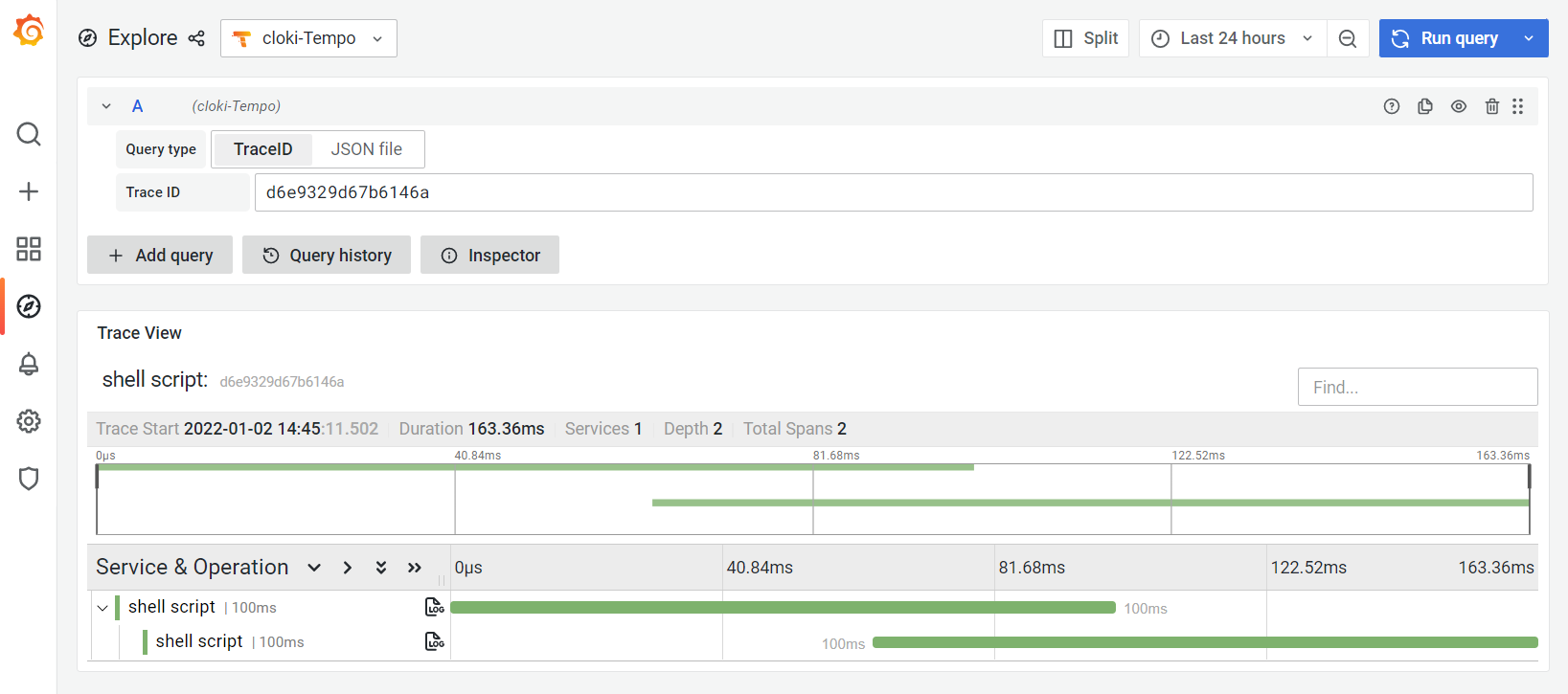
###### Examples #### ClickHouse ###### Query Options cLoki Pulse offers experimental support for the Grafana Tempo API providing span ingestion and querying At database level, Tempo Spans/Traces are stored as tagged Logs and are accessible from both LogQL and Tempo APIs ------------ Check out the Wiki for detailed instructions or choose a quick method: ##### :busstop: GIT (Manual) ##### :busstop: Docker #### Logging #### Configuration |ENV |Default |Usage | #### Contributors #### Disclaimer ©️ QXIP BV, released under the GNU Affero General Public License v3.0. See LICENSE for details. [^1]: cLoki is not affiliated or endorsed by Grafana Labs or ClickHouse Inc. All rights belong to their respective owners. [^2]: cLoki is a 100% clear-room api implementation and does not fork, use or derivate from Grafana Loki code or concepts. [^3]: Grafana®, Loki™ and Tempo® are a Trademark of Raintank, Grafana Labs. ClickHouse® is a trademark of ClickHouse Inc. Prometheus is a trademark of The Linux Foundation.
#### Timeseries
Convert columns to tagged timeseries using the emulated loki 2.0 query format
`` where
`
avg by (source_ip) (rate(mos[60])) from my_database.my_table
sum by (ruri_user, from_user) (rate(duration[300])) from my_database.my_table where duration > 10
Convert columns to tagged timeseries using the experimental functionnpm
#### Example
clickhouse({
db="my_database",
table="my_table",
tag="source_ip",
metric="avg(mos)",
where="mos > 0",
interval="60"
})
| parameter | description |
|---|---|
|db | clickhouse database name |
|table | clickhouse table name |
|tag | column(s) for tags, comma separated |
|metric | function for metric values |
|where | where condition (optional) |
|interval | interval in seconds (optional) |
|timefield| time/date field name (optional) |
--------$3
$3
Clone this repository, install with and run using nodejs 14.x (or higher)`bash`
npm install
CLICKHOUSE_SERVER="my.clickhouse.server" CLICKHOUSE_AUTH="default:password" CLICKHOUSE_DB="cloki" node cloki.js
##### :busstop: NPM
Install as global package on your system using npmbashwhich cloki
sudo npm install -g cloki
cd $(dirname $(readlink -f )) \`
&& CLICKHOUSE_SERVER="my.clickhouse.server" CLICKHOUSE_AUTH="default:password" CLICKHOUSE_DB="cloki" cloki
##### :busstop: PM2bashwhich cloki
sudo npm install -g cloki pm2
cd $(dirname $(readlink -f )) \`
&& CLICKHOUSE_SERVER="my.clickhouse.server" CLICKHOUSE_AUTH="default:password" CLICKHOUSE_DB="cloki" pm2 start cloki
pm2 save
pm2 startup
For a fully working demo, check the docker-compose example
--------------
The project uses pino for logging and by default outputs JSON'ified log lines. If you want to see "pretty" log lines you can start cloki with
The following ENV Variables can be used to control cLoki parameters and backend settings.
|--- |--- |--- |
| CLICKHOUSE_SERVER | localhost | Clickhouse Server address |
| CLICKHOUSE_PORT | 8123 | Clickhouse Server port |
| CLICKHOUSE_DB | cloki | Clickhouse Database Name |
| CLICKHOUSE_AUTH | default: | Clickhouse Authentication (user:password) |
| CLICKHOUSE_PROTO | http | Clickhouse Protocol (http, https) |
| CLICKHOUSE_TIMEFIELD | record_datetime | Clickhouse DateTime column for native queries |
| BULK_MAXAGE | 2000 | Max Age for Bulk Inserts |
| BULK_MAXSIZE | 5000 | Max Size for Bulk Inserts |
| BULK_MAXCACHE | 50000 | Max Labels in Memory Cache |
| LABELS_DAYS | 7 | Max Days before Label rotation |
| SAMPLES_DAYS | 7 | Max Days before Timeseries rotation |
| HOST | 0.0.0.0 | cLOKi API IP |
| PORT | 3100 | cLOKi API PORT |
| CLOKI_LOGIN | undefined | Basic HTTP Username |
| CLOKI_PASSWORD | undefined | Basic HTTP Password |
| READONLY | false | Readonly Mode, no DB Init |
| FASTIFY_BODYLIMIT | 5242880 | API Maximum payload size in bytes |
| FASTIFY_REQUESTTIMEOUT | 0 | API Maximum Request Timeout in ms |
| FASTIFY_MAXREQUESTS | 0 | API Maximum Requests per socket |
| TEMPO_SPAN | 24 | Default span for Tempo queries in hours |
| TEMPO_TAGTRACE | false | Optional tagging of TraceID (expensive) |
| DEBUG | false | Debug Mode (for backwards compatibility) |
| LOG_LEVEL | info | Log Level |
| HASH | short-hash | Hash function using for fingerprints. Currently supported and xxhash64` (xxhash64 function)
------------