cordova.plugin.googleplus
v4.0.2
Use your Google account to authenticate with the app.
0/weekUpdated 3 years agoMIT
Published by mszuchman
npm install cordova.plugin.googleplusGoogle+ Cordova/PhoneGap Plugin
by Eddy Verbruggen
0. Index
1. Description
2. Screenshots
3. Google+ API setup
4. Installation (CLI / Plugman)
5. Installation (PhoneGap Build)
6. Usage
7. Troubleshooting
8. Changelog
9. License
1. Description
This plugin allows you to log on with your Google account on iOS and Android.
You will not only get the email address of the user, but also stuff like their full name and gender.
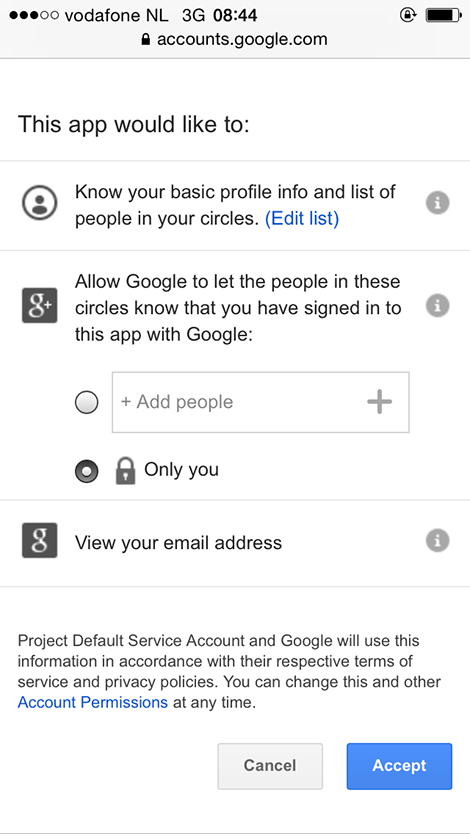
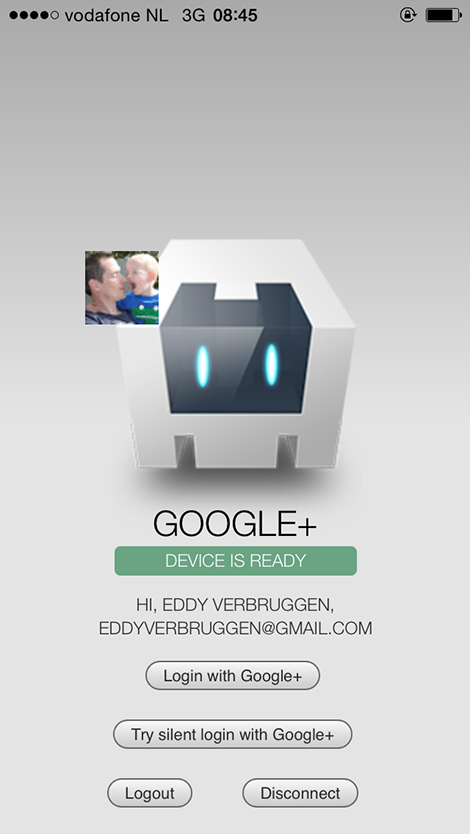
2. Screenshots
Android
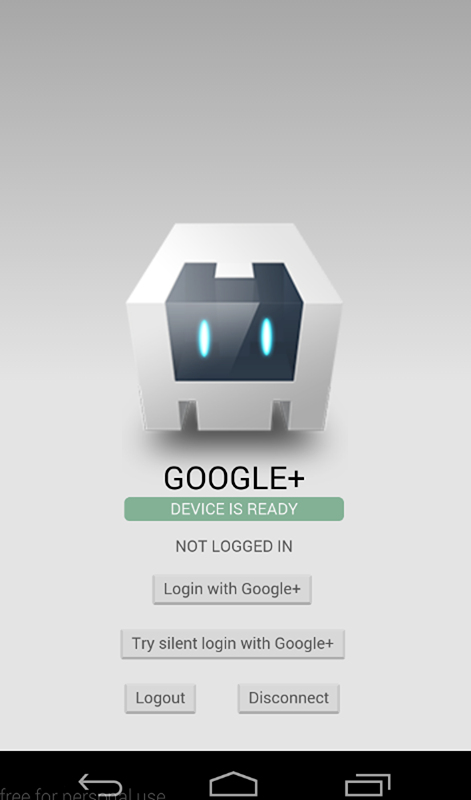
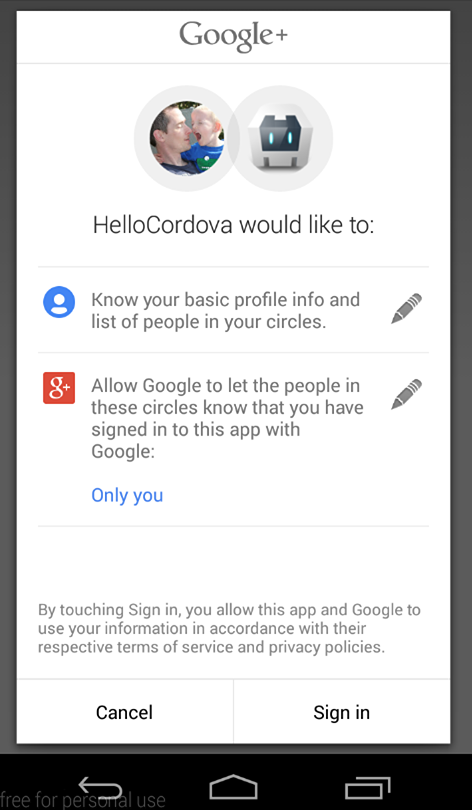
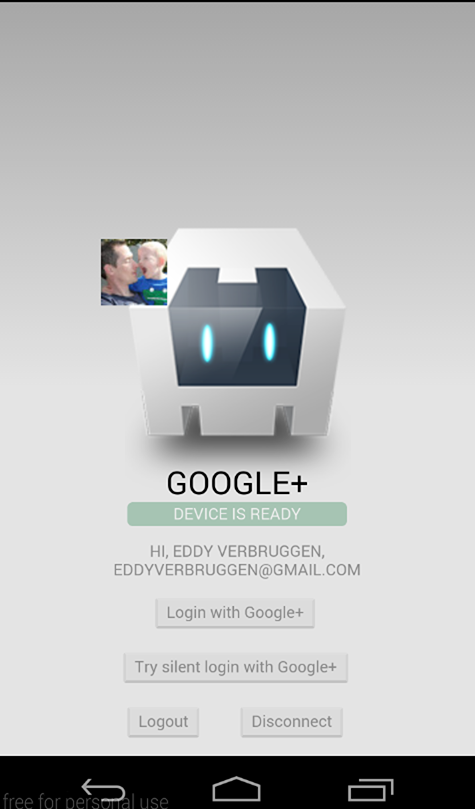
iOS
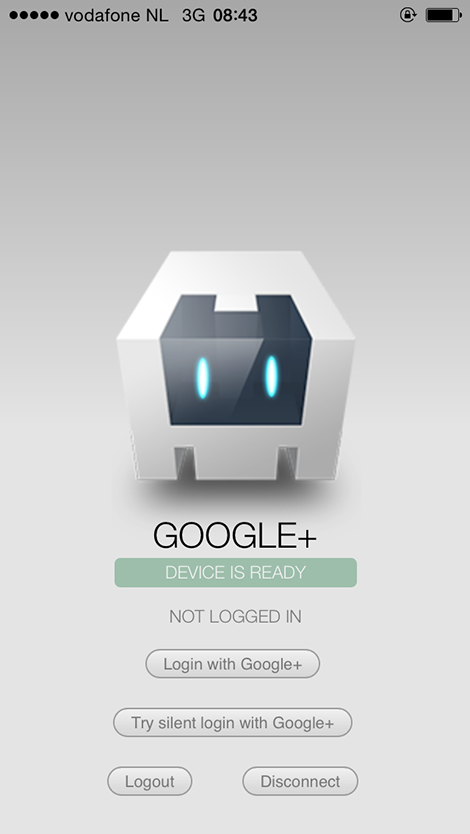
3. Google+ API setup
To communicate with Google+ you need to do some tedious setup, sorry.
$3
To get your iOS API key, follow Step 1 of this guide
get a configuration file here.
This
GoogleService-Info.plist file contains the REVERSED_CLIENT_ID you'll need during installation.$3
To configure Android, follow Step 1 of this guide
Make sure you execute the keytool steps as well or authentication will fail.
4. Installation (PhoneGap CLI / Cordova CLI)
This plugin is compatible with Cordova Plugman, compatible with PhoneGap 3.0 CLI, here's how it works with the CLI (backup your project first!):
Using the Cordova CLI and npm
``
$ cordova plugin add cordova-plugin-googleplus --variable REVERSED_CLIENT_ID=myreversedclientid
$ cordova prepare
To fetch the latest version from GitHub, use
`
$ cordova plugin add https://github.com/EddyVerbruggen/cordova-plugin-googleplus --variable REVERSED_CLIENT_ID=myreversedclientid
$ cordova prepare
GooglePlus.js is brought in automatically. There is no need to change or add anything in your html.
5. Installation (PhoneGap Build)
Add this to your config.xml:
`
xml
`6. Usage
Check the demo app to get you going quickly, or hurt yourself and follow these steps. has fired.$3
You'll want to check this before showing a 'Sign in with Google+' button.On iOS it will check whether or not the Google+ app is installed. If it's not and you invoke the
login function,
your app will redirect to Safari which seems an app rejection reason these days.On Android it will check whether or not Google Play Services is available. It's more likely than not that it is.
`javascript
window.plugins.googleplus.isAvailable(
function (available) {
if (available) {
// show the Google+ sign-in button
}
}
);
`$3
javascript
window.plugins.googleplus.login(
    {
      'scopes': '... ', // optional space-separated list of scopes, the default is sufficient for login and basic profile info
      // there is no API key for Android; you app is wired to the Google+ API by listing your package name in the google dev console and signing your apk (which you have done in chapter 4)
    },
    function (obj) {
      alert(JSON.stringify(obj)); // do something useful instead of alerting
    },
    function (msg) {
      alert('error: ' + msg);
    }
);
`Note that if you're only targeting Android you can pass
for the first argument.The success callback (second argument) gets a JSON object with the following contents, with example data of my Google+ account:
`javascript
obj.email // 'eddyverbruggen@gmail.com'
obj.userId // user id
obj.displayName // 'Eddy Verbruggen'
obj.gender // 'male' (other options are 'female' and 'unknown'
obj.imageUrl // 'http://link-to-my-profilepic.google.com'
obj.givenName // 'Eddy'
obj.middleName // null (or undefined, depending on the platform)
obj.familyName // 'Verbruggen'
obj.birthday // '1977-04-22'
obj.ageRangeMin // 21 (or null or undefined or a different number)
obj.ageRangeMax // null (or undefined or a number)
obj.idToken
obj.oauthToken
`$3
When the user comes back to your app and you're not sure if he needs to log in,
you can call to try logging him in.If it succeeds you will get the same object as the
login function gets,
but if it fails it will not show the authentication dialog to the user.The code is exactly the same a
login, except for the function name.
`javascript
window.plugins.googleplus.trySilentLogin(
{},
function (obj) {
alert(JSON.stringify(obj)); // do something useful instead of alerting
},
function (msg) {
alert('error: ' + msg);
}
);
`$3
This will clear the OAuth2 token.
 javascript
window.plugins.googleplus.logout(
    function (msg) {
      alert(msg); // do something useful instead of alerting
    }
);
`$3
This will clear the OAuth2 token and forget which account was used to login.
On Android this will always force the user to authenticate the app again,
on iOS using logout seems to do the job already. Need to investigate this a bit more..
 javascript
window.plugins.googleplus.disconnect(
    function (msg) {
      alert(msg); // do something useful instead of alerting
    }
);
`7. Troubleshooting
- Q: After authentication I'm not redirected back to my app.
- A: You probably changed the bundle id of your app after installing this plugin. Make sure that (on iOS) the bit in your .plist file is the same as the actual bundle id originating from config.xml.- Q: I can't get authentication to work on Android. And why is there no ANDROID API KEY?
- A: On Android you need to execute the
keytool steps, see the installation instructions for details.8. Changelog
4.0.1: Login on Android would crash the app if isAvailable was invoked beforehand.
4.0.0: Removed the need for iosApiKey, reverted Android to Google playservices framework for wider compatibility, documented scopes feature a bit.
3.0.0: Using Google Sign-In for iOS, instead of Google+.
1.1.0: Added isAvailable`, for issue #371.0.0: Initial version supporting iOS and Android
9. License
Permission is hereby granted, free of charge, to any person obtaining a copy
of this software and associated documentation files (the "Software"), to deal
in the Software without restriction, including without limitation the rights
to use, copy, modify, merge, publish, distribute, sublicense, and/or sell
copies of the Software, and to permit persons to whom the Software is
furnished to do so, subject to the following conditions:
The above copyright notice and this permission notice shall be included in
all copies or substantial portions of the Software.
THE SOFTWARE IS PROVIDED "AS IS", WITHOUT WARRANTY OF ANY KIND, EXPRESS OR
IMPLIED, INCLUDING BUT NOT LIMITED TO THE WARRANTIES OF MERCHANTABILITY,
FITNESS FOR A PARTICULAR PURPOSE AND NONINFRINGEMENT. IN NO EVENT SHALL THE
AUTHORS OR COPYRIGHT HOLDERS BE LIABLE FOR ANY CLAIM, DAMAGES OR OTHER
LIABILITY, WHETHER IN AN ACTION OF CONTRACT, TORT OR OTHERWISE, ARISING FROM,
OUT OF OR IN CONNECTION WITH THE SOFTWARE OR THE USE OR OTHER DEALINGS IN
THE SOFTWARE.