create-chakra-icons
v1.3.0TypeScript
<p align="center"> <label style="font-weight:bold;font-size:200%">Transform SVG to React Chakra UI <Icon \/> ✨ </label> <br/><label style="font-weight:bold;font-size:small;font-style:italic">from SVG file to CODE</label> <br/> <br/> <img src="ht
623/weekUpdated 2 years agoMITUnpacked: 25.5 KB
Published by ri7nz
npm install create-chakra-icons
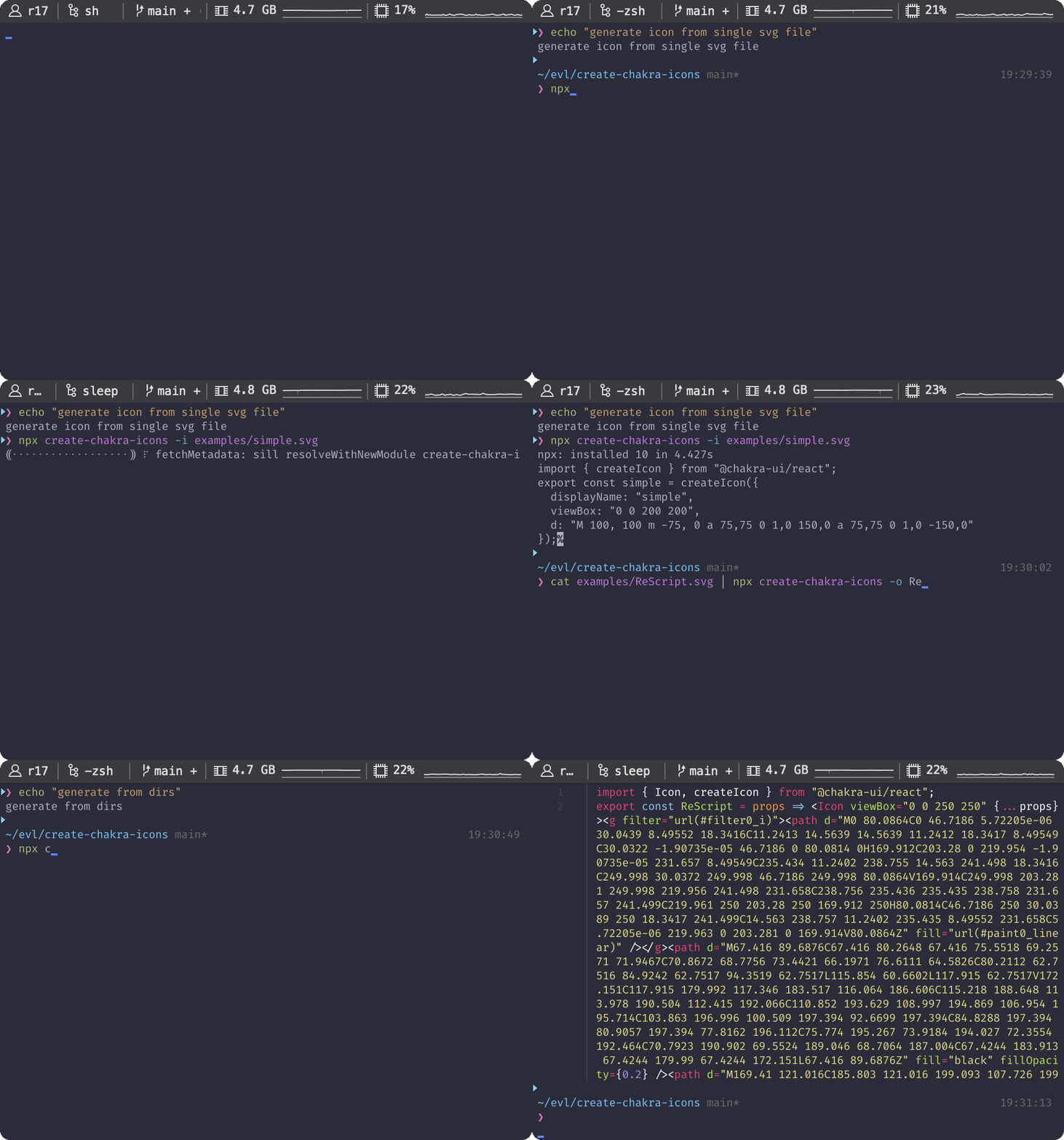
Features
- [x] Transform to Chakra-UI Icon Component or Functional createIcon(...).
-
- createIcon(...) Functional, See.
- [x] Multiple input with directories or files as input value for option -i or --input.
- [x] Support case in export name declaration (camel|snake|pascal|constant).
- [x] Suffix and Prefix for generated code of export name declaration.
- [x] Support type annotation when code generated is
Usage
$3
``console`
create-chakra-icons [FLAGS] [OPTIONS] [INPUT]
$3
`console`
-h, --help Prints help information
-V, --version Prints version information
$3
`consoledisplayName
-i, --input
[e.g.: -i some/path , -i file.svg]
-o, --output
-n, --name properties
(*ONLY for pipelines command). [default: Unamed] [e.g. -n "MyIcon"]
-C, --case
Sets for case [snake|camel|constant|pascal] in export named declaration
output. [default: pascal]
-S, --suffix
-P, --prefix
[e.g.: -S "Icon"]
--ts, --typescript Sets output as TypeScript code.
-T, --type
(F|f). Sets output code with function \createIcon({...})\.(props) =>
(C|c). Sets output code with Component Icon \.
[e.g.: -T C]
`
$3
`console`
[INPUT] This option for read the input from PATH of FILE or DIRECTORIES.
[e.g.: create-chakra-icons ./MyICON.svg ~/assets]
$3
#### Pipelines command:
- input in pipe
`console`
echo "
" | create-chakra-icons -n "KodingNinjaIcon"
- output in stdout
`jsx`
import { createIcon } from "@chakra-ui/react";
export const KodingNinjaIcon = createIcon({
displayName: "KodingNinjaIcon",
viewBox: "0 0 200 200",
d: "M 100, 100 m -75, 0 a 75,75 0 1,0 150,0 a 75,75 0 1,0 -150,0",
});
#### Multiple Input
- input per-file
`console`
create-chakra-icons -o Icons.js ./Facebook.svg ./Apple.svg ./Amazon.svg ./Netflix.svg ./Google.svg
- input directories
`console`
create-chakra-icons -o Icons.js ./social-icons
- input directories and per-file at the same time
`console`
create-chakra-icons -o Icons.js ./MyCompany.svg ./social-icons
- output will be make in Icons.js (argument -o or --output).
Roadmap
- [x] TypeScript Support (Type Annotation or Type Definition).
- Only when code generated is component See.
- [ ] ReScript Support.
- [ ] Per file input is Per file output. ⁉️ 🤔
- [ ] Feel free for give me any feedback or feature request (create an issue first).
Maintainer
- Rin (@ri7nz)
Contribution
Feel free for making an issue, pull request, or give any feedback. 🙌
$3
- Write the documentation 📝, you just need to modify comments in lib/*.js.yarn docs
- When you done write the documentation, you just need to run in the root repository.yarn docs
- The command will modify README.md` and see the changes.