create-conical-gradient
v1.1.0TypeScript
A pretty extension for CanvasRenderingContext2D to create a pattern of the conical gradient.
145/weekUpdated 3 years agoMITUnpacked: 45.8 KB
Published by parksben
npm install create-conical-gradientCreate Conical Gradeint
A pretty extension for CanvasRenderingContext2D to create a pattern of the conical gradient.
🥐 Preface
CSS3 already supports the conical gradients by the property conic-gradient, but unfortunately, HTML Canvas API does not yet. One good news to you is that use this package to implement that, by a method similar to CanvasRenderingContext2D.createLinearGradient() and CanvasRenderingContext2D.createRadialGradient().
🥪 Demo Online
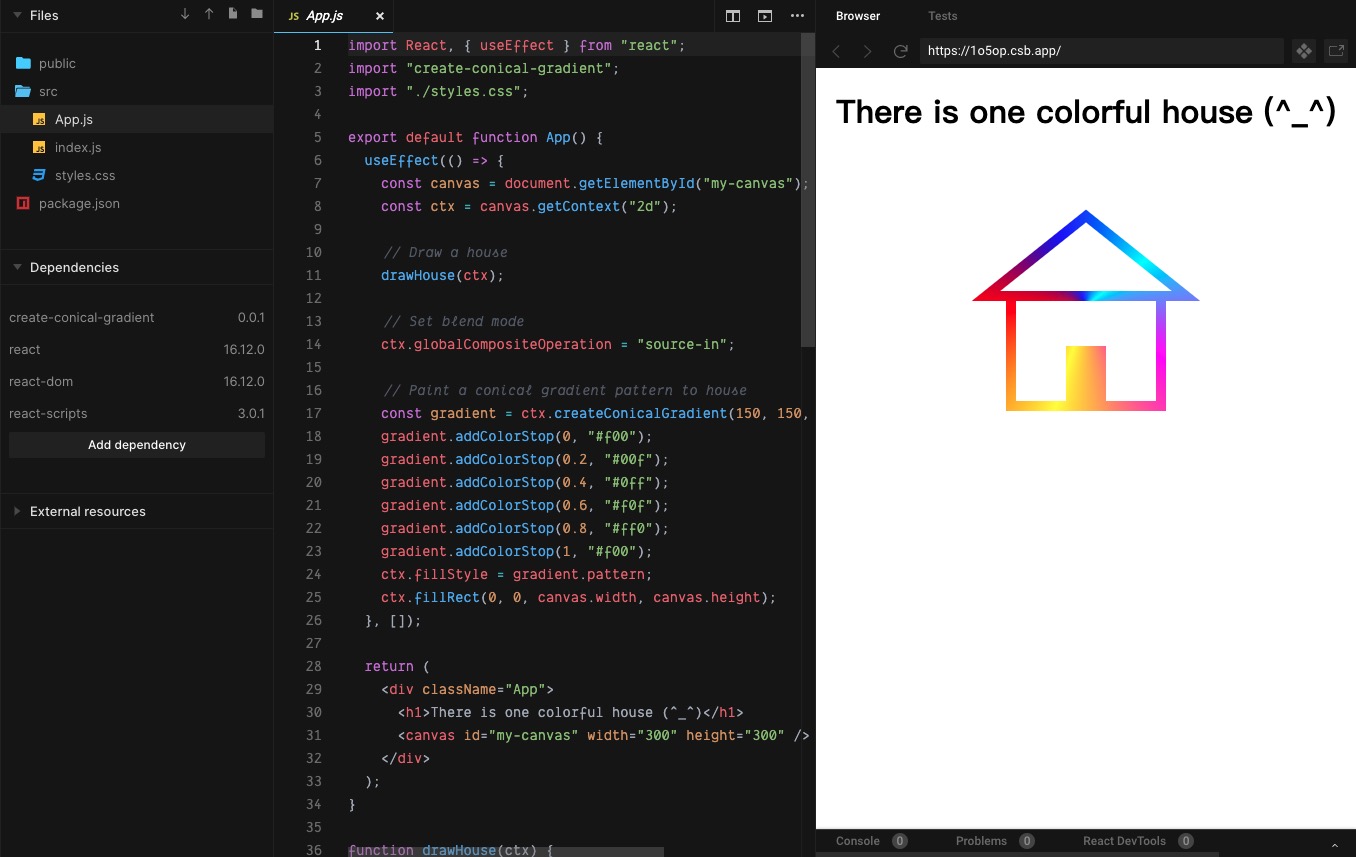

🌮 Install
Install the npm package for development:
``bashnpm i --save create-conical-gradient
yarn add create-conical-gradient # OR
Of course, you can also use the umd resources for production:
`html`
🥯 Quickstart
Codes:
`html`
`js
import 'create-conical-gradient'; // If you use the npm package.
const canvas = document.getElementById('my-canvas');
const ctx = canvas.getContext('2d');
const gradient = ctx.createConicalGradient(240, 135, -Math.PI, Math.PI);
gradient.addColorStop(0, '#f00');
gradient.addColorStop(0.2, '#00f');
gradient.addColorStop(0.4, '#0ff');
gradient.addColorStop(0.6, '#f0f');
gradient.addColorStop(0.8, '#ff0');
gradient.addColorStop(1, '#f00');
ctx.fillStyle = gradient.pattern;
ctx.fillRect(0, 0, canvas.width, canvas.height);
`
Output:
🍔 Docs
$3
#### Syntax
`js`
void ctx.createConicalGradient(ox, oy, startAngle, endAngle, anticlockwise);
#### Parameters
##### ox
The x-axis coordinate of the origin of the gradient pattern, which default value is 0.
##### oy
The y-axis coordinate of the origin of the gradient pattern, which default value is 0.
##### startAngle
The angle at which the arc starts in radians measured from the positive x-axis, which default value is 0.
##### endAngle
The angle at which the arc ends in radians measured from the positive x-axis, which default value is 2 * Math.PI.
##### anticlockwise
An optional Boolean. If true, draws the gradient counter-clockwise between the start and end angles. The default is false (clockwise).
$3
#### Syntax
`js`
void gradient.addColorStop(offset, color);
#### Parameters
##### offset
A number between 0 and 1, inclusive, representing the position of the color stop. 0 represents the start of the gradient and 1 represents the end; an INDEX_SIZE_ERR is raised if the number is outside that range.
##### color
A CSS \