css-fade
v1.0.9
Fade with css masks instead of adding extra linear gradient elements to the DOM. Works with TailwindCSS, UnoCSS, and CSS.
0/weekUpdated 10 months agoMITUnpacked: 20.7 KB
Published by dan-smt
npm install css-fade
> ## TailwindCSS v4.1 Note:
> Consider mask utilities before installing another package if you're on version 4.1.
css-fade
css-fade fades out one or multiple sides of html elements it's applied to, including all nested elements; using the css mask property.
Works in TailwindCSS, UnoCSS, and vanilla CSS.
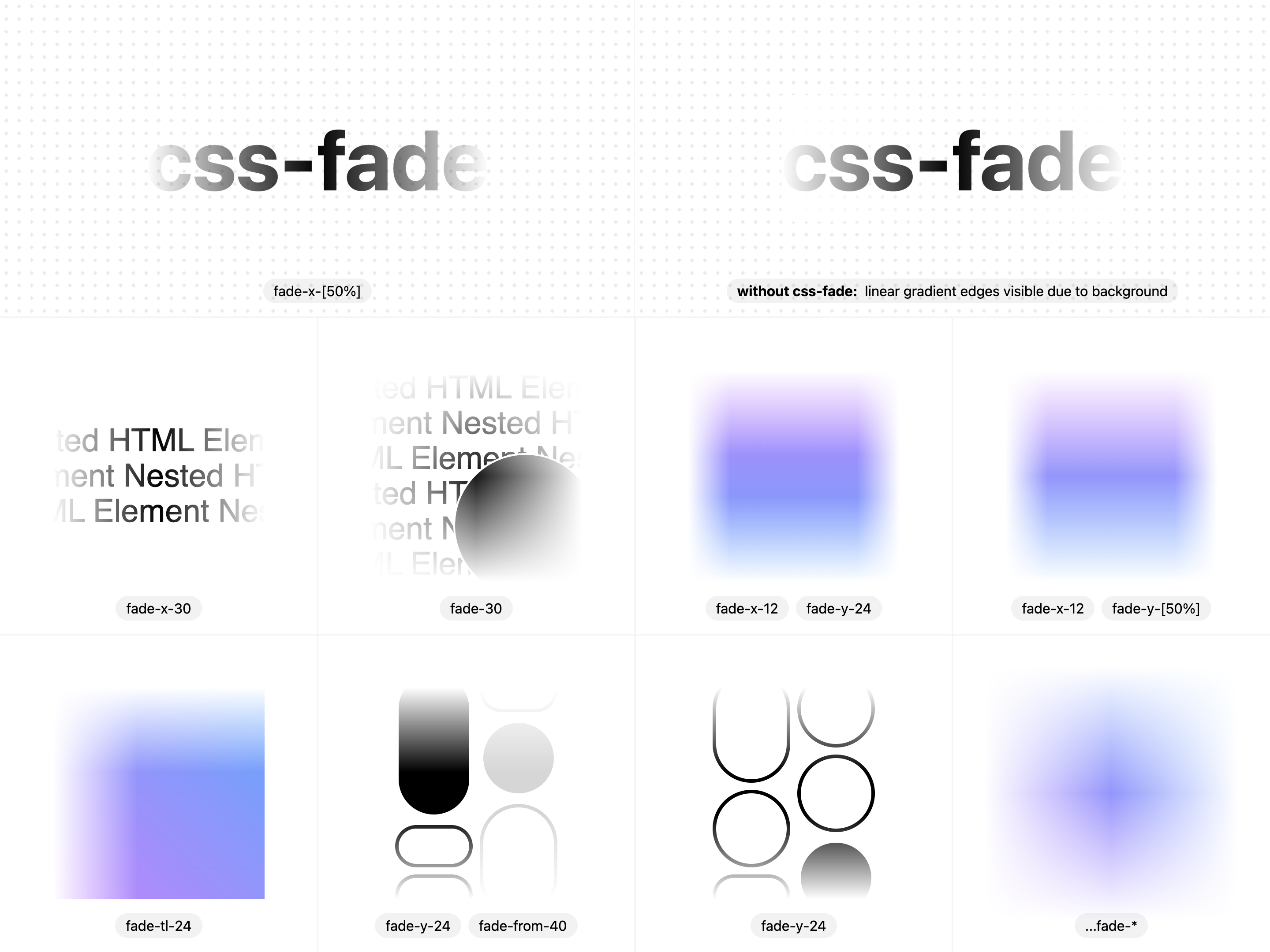
Usage with TailwindCSS & UnoCSS
$3
Usage with UnoCSS, and TailwindCSS are the same, the only difference is TailwindCSS values are strict while UnoCSS values aren't. TailwindCSS values are the same values you'll find on spacing properties.
``html
`
$3
Use fade-from-<0-100>
and fade-to-<0-100> to set the opacity from which the fade starts from, and ends at. the from value is the center, the to value are the edges.`html`Installation Guides
- TailwindCSS
- UnoCSS
- CSS
$3
css-fade comes in a single unified package for all frameworks.shpnpm add css-fade
npm install css-fade
yarn install css-fade
`$3
After installing the unified
package, add css-fade to your tailwind.config.*:`js
// tailwind.config.mjs/* @type {import('tailwindcss').Config} /
// import pluginFade from 'css-fade/tailwindcss' // <=== you may also choose to import it
export default {
plugins: [
require('css-fade/tailwindcss') // <=== add using require
// pluginFade // <===== or import it
],
}
`$3
After installing the unified
package, add css-fade to your uno.config.*:`ts
// uno.config.tsimport presetFade from "css-fade/unocss" // <=== import
import {
defineConfig,
presetWind,
} from "unocss"
export default defineConfig({
presets: [
presetWind(),
presetFade() // <=== pass in as preset
],
})
`$3
You may use css-fade in CSS by importing the base CSS, or by copying over the core css.
#### Importing base CSS
After installing the unified
package, import css-fade/css into your entry file.`ts
// /src/main.ts
import 'css-fade/css' // <==== import base css`#### Copying CSS
You can find the base CSS for css-fade in
Limitations
Even though you can fade on 2 dimensions (vertically & horizontally) it's not recommended to do so with this library in most cases as ugly lines may appear. Due to the way positioning & sizing works in css backgrounds which we're using to generate the mask templates dynamically we had to choose between two appraoches,
- Approach 1: code named BurningPaper (find implementation in playground/astro-css/src/components/BurningPaper.astro )
This approach gives us smooth transitions between dimensions, and allows us to add extra utility classes for improved gradient smoothing but does not allow relative (%) values to be used.
- Approach 2: code named RadicalRabbit (find implementation in playground/astro-css/src/components/RadicalRabbit.astro )
This approach is a little more janky with transitions between dimensions, and although improvements are possible, does not allow easy improvements to the gradient smoothing.
In vast majority of cases likely usage will be in one dimension, and being able to set a % based fade will be handy, so this package primarily uses Approach 2.
You can find comparison between the 2 approaches at playground/astro-css/src/pages/approaches.astro.
TODO:
- Make property animatable: mdn @property when caniuse css mask & caniuse @property are at similar adoption.