css-spring
v4.1.0
Generate physics based css-keyframe animations
0/weekUpdated 3 years agoMIT
Published by Christoph Werner
npm install css-springcss-spring 🚀


#### Generate physics based css keyframe animation objects or strings for the css-in-js solution of your choice.
##### Works with simple numeric css properties (with units or without), combined properties such as padding and rgb hex colors. Eliminates duplicate values and unused keyframes to optimize animation size.
#### ~3kb gzipped.
| 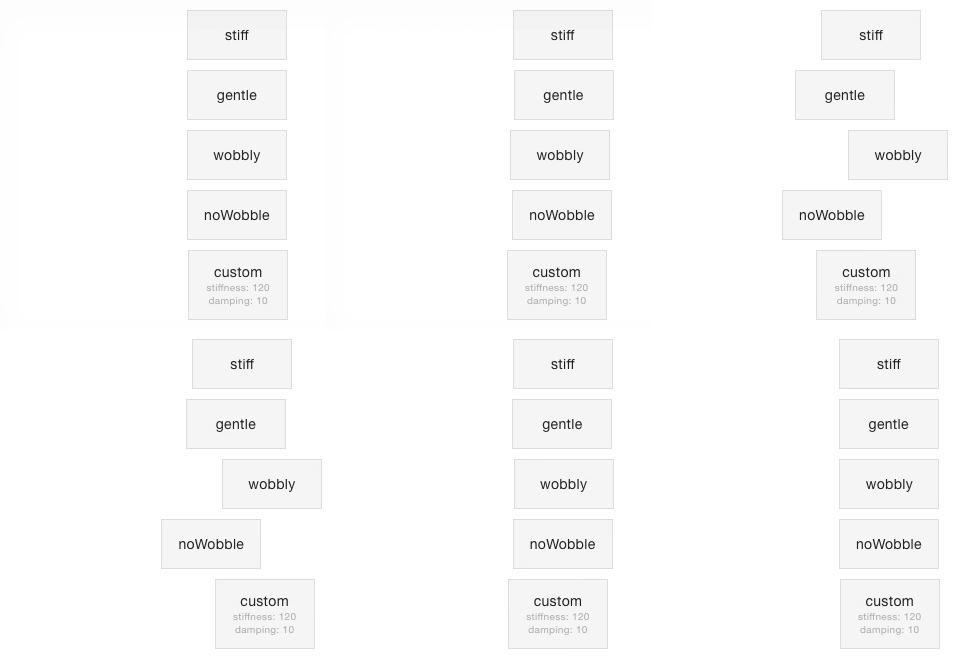 |
TOC
- Introduction
- Examples
- styled-components
- glamor
- API
- spring(start, target, options)
- toString(keyframes, formatter)
- Contributing
Introduction
This library was inspired heavily by react-motion, which allows you to create spring-based animations by repeatedly updating an elements inline styles. When animating lots of elements at the same time, this can be a burden on performance. Also, based on my own experience, integrating with some css-in-js libraries is hard.
This is where css-spring enters the stage. Enter the desired starting properties and target properties of your animation, optionally adjust the spring settings and css-spring generates a keyframe object or keyframe animation css for your spring-based animation of choice.
The library is small and easy to work with. Nevertheless, it is in the early stages of development. There is a lot of improvements to be made - read the Contributing section if you want to know how you can help.
Examples
This section lists some examples of popular css-in-js libraries such as styled-components and glamor. If you have additional examples, feel free to add them!
$3
When used with the styled-components keyframes helper, generated keyframe animations can be applied to a styled component like this:
``javascript
import spring, { toString } from 'css-spring'
import styled, { keyframes } from 'styled-components'
const springLeft = toString(spring(
{ left: '50px' }, { left: '250px' }, { preset: 'gentle' }
))
const StyledDiv = styled.div
animation: ${keyframes${springLeft}} 1s linear infinite;
$3
When used with the keyframes method of glamor, the keyframe object can be used as-is and there is no need to convert it to a string:
`jsx
import { css } from 'glamor';
import spring from 'css-spring';
const springLeft = css.keyframes('springLeft', spring(
{ left: '50px' }, { left: '250px' }, { preset: 'gentle' }
));
const MyComponent = () => (
${springLeft} 1s linear infinite
 })}>
    gentle
)
`
API
$3
This method creates spring-based keyframes. Called with
and targetProp arguments
reflecting the starting and ending properties of the animation, it returns an object with the
interpolated animation values.#### Arguments
-
startProps (_Object_): The start properties for the animation.
`javascript
// startProps example
{ 'margin-left': '0px', opacity: 0, background: '#f00' }
`
- (_Object_): The end properties for the animation.
`javascript
// endProps example
{ 'margin-left': '250px', opacity: 1, background: '#bada55' }
` -
 (_Object_, optional): Animation options with these properties:
    -
precision (_Number_, optional, defaults to 3) Specifies the number of decimals in the rounding of interpolated values.
- preset (_String_, optional): Presets for stiffness and damping, overriding any stiffness and damping values given. Available presets:
- stiff stiffness 210, damping 20
- gentle stiffness 120, damping 14
- wobbly stiffness 180, damping 12
- noWobble stiffness 170, damping 26
- stiffness (_Number_, optional, default: 170): The stiffness of your spring-based animation.
- damping (_Number_, optional, default: 26): The damping of your spring-based animation.#### Returns
An object with keyframes between
0% and 100%, having the interpolated values for each step of the animation, e.g.:`javascript
{
'0%': { 'margin-left': '5px', opacity: 0.02, background: '#fe0402' },
'1%': { 'margin-left': '13px', opacity: 0.05, background: '#fb0b04' },
'2%': { 'margin-left': '25px', opacity: 0.1, background: '#f81508' },
// meaningful frames between 2% and 88%
'88%': { 'margin-left': '250px' },
'100%': { 'margin-left': '250px', opacity: 1, background: '#bada55' }
}
`Redundant values and empty keyframes are removed to optimize the size of the resulting css. There is simply no point in having a
value of '250px' in every keyframe ranging from 88% to 100%.$3
This method takes the return value of
spring and converts it to a css string.#### Arguments
-
keyframes (_Object_): The interpolated animation values object given by spring.
- formatter (_Function_, optional): The formatter function that is invoked for every property/value combination.
`javascript
// default formatter
(property, value) => ${property}:${value};
#### Returns
A css keyframe string.
#### Example
A keyframes object based on
and targetValues = { rotate: '180deg', left: '20px' } will be converted to this css string:`css
0%{rotate:0deg;left:10px}
/ ... /
100%{rotate:180deg;left:20px;}
`In order to have this formatted to a valid css transform, you could use a custom formatter like this one:
javascript
const keyframeCss = toString(keyframes, (property, value) =>
  property === 'rotate'
    ?
transform:${property}(${value});
:
)
This would net you the following css:
css
0%{transform:rotate(0deg);left:10px}
/ ... /
100%{transform:rotate(180deg);left:20px;}
``Contributing
There's a lot of ideas floating in my head that could make working with css-spring easier. Some of these are:
- adding a plugin system to use things such as autoprefixer or cssnano minification (#8)
- a commandline to generate spring keyframe animations for usage in your css files (#4)
Feel free to contribute with your own issues and ideas, your thoughts on the ones listed above, example documentation for usage with other css-in-js frameworks or pull requests for features/improvements you'd like to see.