ember-chrome-devtools
v0.2.0
Chrome DevTools addon for Ember.js
0/weekUpdated 3 years agoMIT
Published by dwickern
npm install ember-chrome-devtoolsember-chrome-devtools


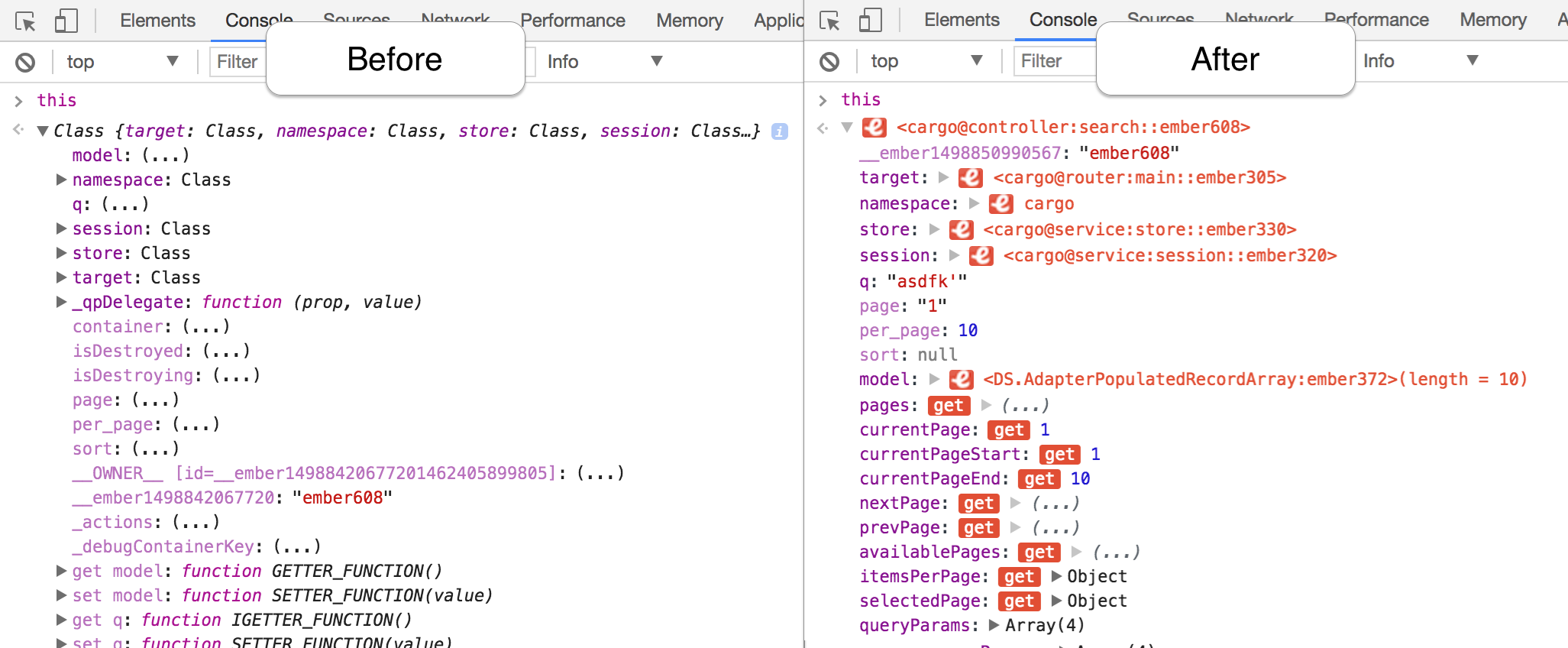
This addon formats Ember objects so that you can see their type and internal state at a glance. No more typing .get() into your console!
Installation
1. Install the addon:
``
ember install ember-chrome-devtools
(it will not affect your production build)
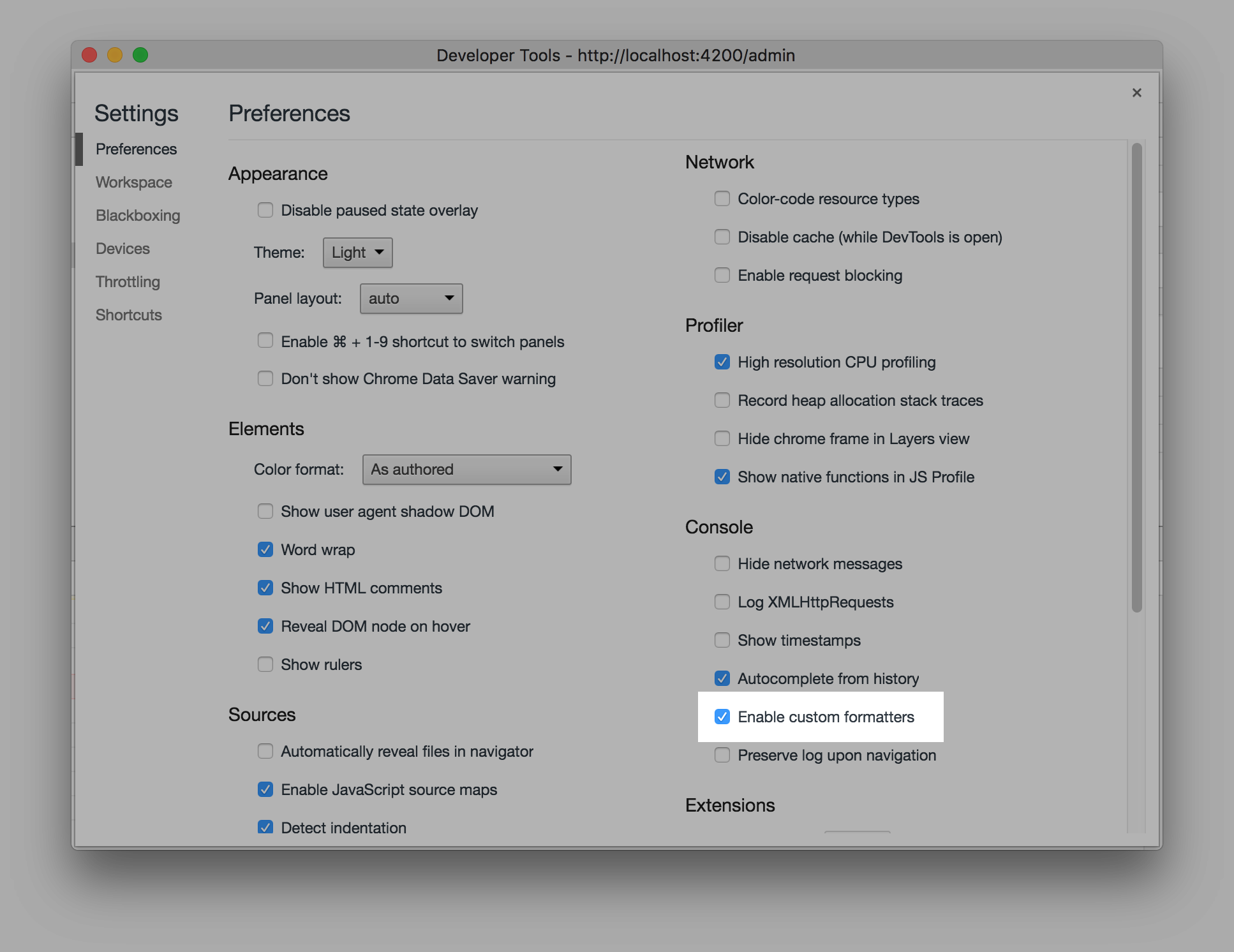
2. Enable custom formatters in DevTools Settings:
Running
* ember serve
* Visit your app at http://localhost:4200.
Running Tests
* npm test (Runs ember try:each to test your addon against multiple Ember versions)ember test
*
*
Building
* ember build`
Debugging the debugger
It can be helpful to inspect the html created by the formatters. Fortunately you can debug DevTools using a second DevTools instance.
1. Hit Cmd-Alt-I to open DevTools
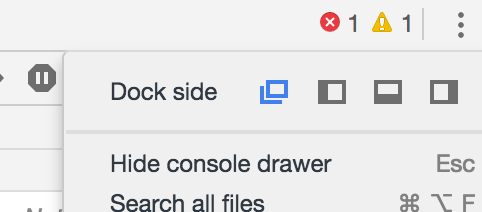
1. Split DevTools in its own window using the first "Dock side" option:
1. With DevTools focused, hit Cmd-Alt-I to open a second DevTools