eslint-plugin-hexagonal-architecture
v1.0.3
A plugin that helps you to enforce hexagonal architecture best practises.
0/weekUpdated 2 years agoSEE LICENCE IN LICENCEUnpacked: 62.3 KB
Published by Codely
npm install eslint-plugin-hexagonal-architecture

🎯 Codely's ESLint Hexagonal Architecture plugin


A plugin that helps you to enforce hexagonal architecture best practises. Valid for your JavaScript or TypeScript projects 🤟
Stars are welcome 😊
🤔 What it does
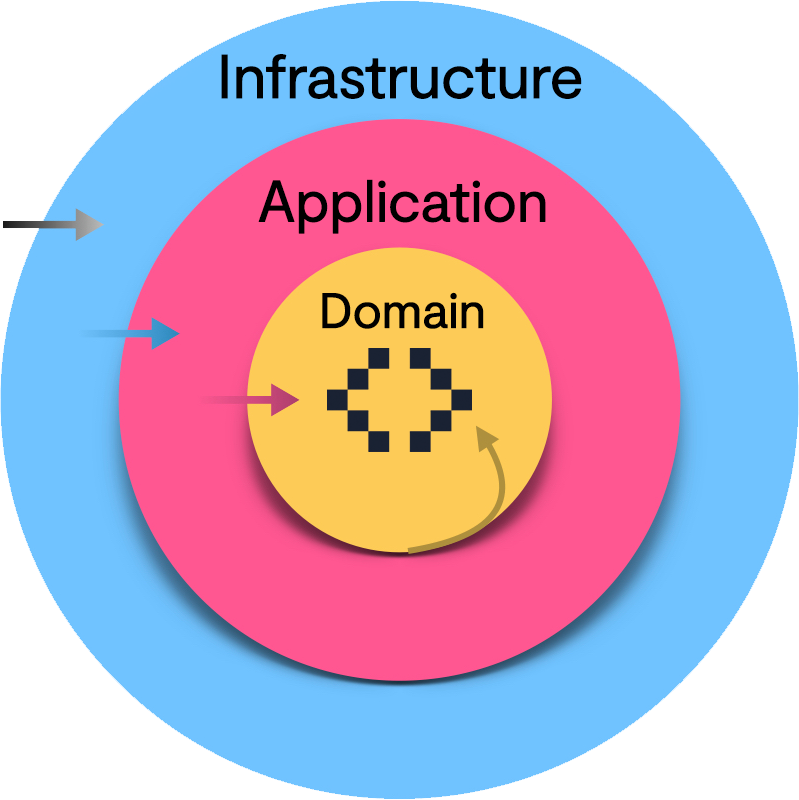
- Enforce conventional folder naming: only domain, application and infrastructure are valid folder names (under the glob pattern you specify)
- Prevent imports from restricted layers:
- domain can only import files from the same folder
- application can only import from application and domain
- infrastructure can import from application, domain and infrastructure
👀 How to use
1. Install the dependency
``bash`
npm install --save-dev eslint-plugin-hexagonal-architecture
2. Add the plugin to your file:`
js`
{
plugins: ["hexagonal-architecture"],
}
`
3. Enable the rule for the specific folders that will contain your logic using ESLint's Glob Patterns overrides:
js``
{
overrides: [
{
files: ["contexts/{backend,frontend}//src//.ts"],
rules: {
"hexagonal-architecture/enforce": ["error"],
},
},
]
}
👌 Codely Code Quality Standards
Publishing this package we are committing ourselves to the following code quality standards:
- 🤝 Respect Semantic Versioning: No breaking changes in patch or minor versions
- 🤏 No surprises in transitive dependencies: Use the bare minimum dependencies needed to meet the purpose
- 🎯 One specific purpose to meet without having to carry a bunch of unnecessary other utilities
- ✅ Tests as documentation and usage examples
- 📖 Well documented ReadMe showing how to install and use
- ⚖️ License favoring Open Source and collaboration