expo-dynamic-image-crop
v1.4.51TypeScript
Dynamic image cropping component for Expo/React Native with free-form and fixed aspect ratio support
exporeact-nativeimage-cropdynamic-cropimage-editorcrop-componentgesture-handlercross-platformandroidios
0/weekUpdated 1 months agoMITUnpacked: 77.3 KB
Published by Fidelis Okeke
npm install expo-dynamic-image-cropExpo Dynamic Image Crop
A powerful and flexible image cropping component for Expo/React Native applications with dynamic cropping capabilities, fixed aspect ratios, and smooth gesture handling.
📱 Live Demo
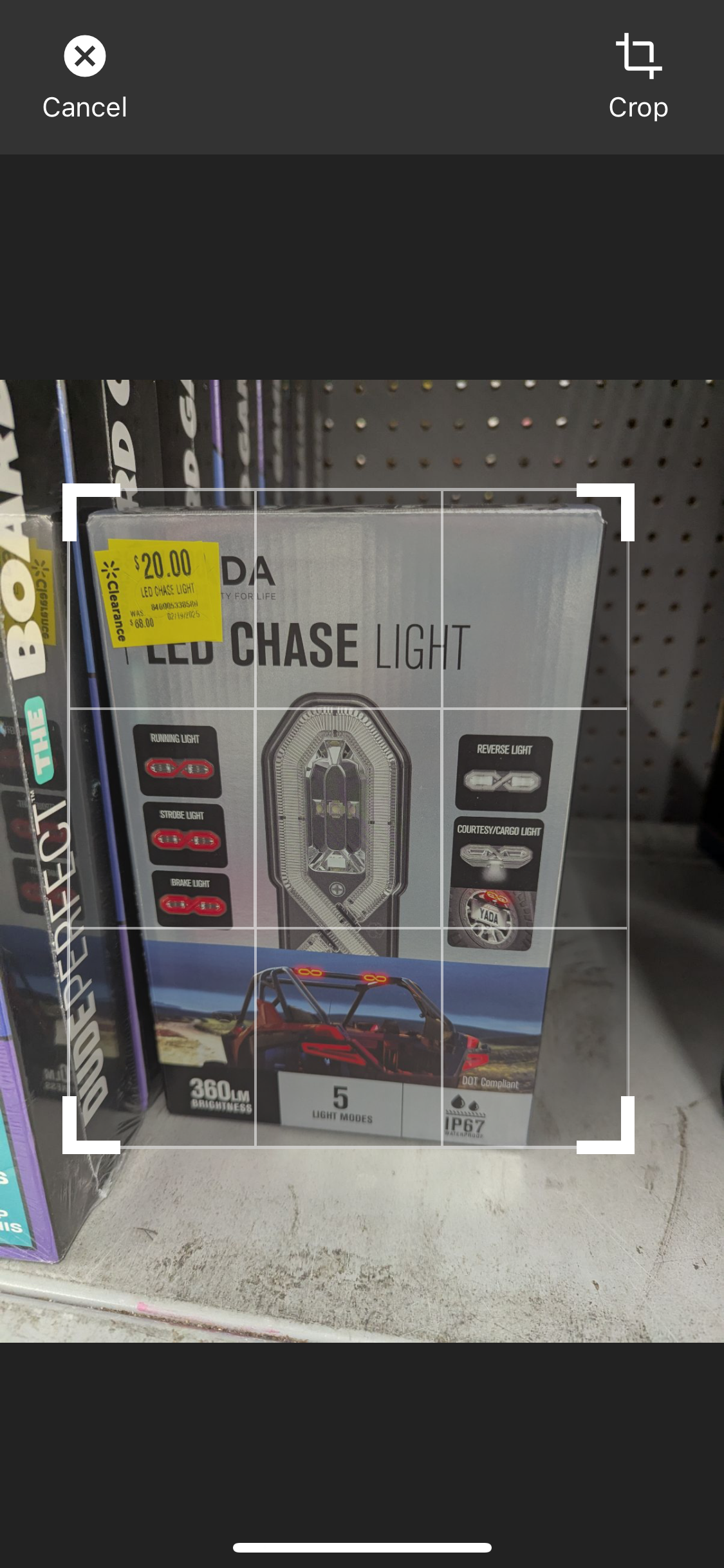
_All four corner markers work perfectly - drag from any corner for smooth, real-time cropping!_
✨ Features
- 🖼️ Dynamic Cropping: Free-form cropping with independent width/height adjustment
- 📐 Fixed Aspect Ratios: Support for common ratios (1:1, 16:9, 4:3, etc.)
- 👆 Gesture Support: Smooth pinch-to-zoom and pan gestures
- 🎨 Customizable UI: Beautiful, modern interface with customizable controls
- 📱 Expo Ready: Optimized for Expo managed workflow
- 🔧 TypeScript: Full TypeScript support with proper type definitions
- 🔄 Self-Contained: No external state management required - works out of the box
- 🌍 Cross-Platform: Works identically on both Android and iOS - write once, run everywhere
- 🔍 Easily Discoverable: Top search results for "expo image crop", "react native image editor", and "dynamic crop"
- ⚡ React 19+ Compatible: Uses Zustand for state management, no provider or setup required
> Note: This package now uses Zustand for state management. No need to wrap your app in any provider. Fully compatible with React 19+ and Expo managed workflow.
🚀 Installation
Simple one-command installation:
``bash`
npx expo install expo-dynamic-image-crop
That's it! All dependencies are included. ✅
$3
`bash
npm install expo-dynamic-image-crop
Only install these if you don't already have them:
npx expo install expo-image-manipulator react-native-gesture-handler
`
📦 Dependencies Explained
We use a hybrid approach for optimal user experience:
- Included:
, expo-image-manipulator, react-native-gesture-handler, zustand
- Peer Dependencies: , react, react-native (you already have these in Expo projects)This means zero extra installation steps for most users! 🎉
🌍 Cross-Platform Compatibility
Perfect Android & iOS Support:
- ✅ Identical Behavior: Same gestures, UI, and functionality on both platforms
- ✅ Native Performance: Leverages platform-specific optimizations under the hood
- ✅ Consistent Design: Looks and feels native on both Android and iOS
- ✅ No Platform-Specific Code: One component works everywhere
Tested on:
- 📱 iOS 14+ (iPhone & iPad)
- 🤖 Android API 21+ (Phone & Tablet)
- 🔄 Expo SDK 49+
🏁 Quick Start
Use the ImageEditor component directly - no setup required:
`tsx
import React, { useState } from "react";
import { View, Image, Button } from "react-native";
import { ImageEditor } from "expo-dynamic-image-crop";export default function MyScreen() {
const [imageUri, setImageUri] = useState(null);
const [isEditing, setIsEditing] = useState(false);
const handleCropComplete = (croppedImageData: any) => {
setImageUri(croppedImageData.uri);
setIsEditing(false);
};
return (
{imageUri && (
)}
imageUri="your-image-uri-here"
onEditingComplete={handleCropComplete}
onEditingCancel={() => setIsEditing(false)}
fixedAspectRatio={1} // Optional: 1 for square, undefined for free-form
dynamicCrop={true} // Enable dynamic cropping
/>
);
}
`🧑💻 Example App
Want to see this package in action?
Check out the full example Expo app here:
👉 expo-dynamic-image-crop-example (GitHub)
- The Index screen demonstrates dynamic cropping (free-form).
- The Explore screen demonstrates fixed aspect ratio cropping.
Clone, run, and experiment with all features before integrating into your own project!
🎛️ Cropping Modes
$3
tsx
imageUri={imageUri}
onEditingComplete={handleCrop}
onEditingCancel={handleClose}
dynamicCrop={true} // Free-form cropping
/>
`$3
tsx
// Square (1:1)
// Landscape (16:9)
// Portrait (4:3)
`🎨 Advanced Features
$3
Replace the default control bar with your own custom UI to match your app's design:
tsx
import { ImageEditor, ControlBarActions } from "expo-dynamic-image-crop";function MyCustomControlBar({ actions }: { actions: ControlBarActions }) {
return (
onPress={actions.isEdit ? actions.onBack : actions.onCancel}
/>
{actions.isEdit ? "Edit Mode" : "Crop Mode"}
onPress={actions.isEdit ? actions.onSave : actions.onCrop}
/>
);
}
// Use your custom control bar
isVisible={isEditing}
onEditingComplete={handleCrop}
onEditingCancel={handleClose}
customControlBar={(actions) =>
/>
`Available Actions:
-
 - Cancels editing and closes the editor
-
onCrop() - Performs the crop operation (async)
- onSave() - Saves the cropped image
- onBack() - Returns from edit mode to crop mode
- isEdit - Boolean indicating current mode (false = cropping, true = editing)$3
Default Modal Mode:
`tsx
// Wraps editor in a modal (default behavior)
imageUri={imageUri}
onEditingComplete={handleCrop}
onEditingCancel={handleClose}
/>
`Inline Mode (No Modal):
tsx
// Renders directly inline - great for custom screens
imageUri={imageUri}
onEditingComplete={handleCrop}
onEditingCancel={handleClose}
/>
`Using ImageEditorView Directly:
tsx
import { ImageEditorView } from "expo-dynamic-image-crop";// Full control - no modal wrapper at all
onEditingComplete={handleCrop}
onEditingCancel={handleClose}
/>
`$3
For building custom UI or reacting to editor state changes, use the provided hooks:
tsx
import {
useEditorProcessing,
useEditorReady,
useEditorImageData,
useEditorMode,
useEditorCropInfo,
} from "expo-dynamic-image-crop";function CustomLoadingIndicator() {
const processing = useEditorProcessing(); // true when processing
return processing ?
}
function ImageDimensions() {
const imageData = useEditorImageData(); // { uri, width, height }
return Size: {imageData.width} x {imageData.height} ;
}
function ModeIndicator() {
const { isEdit, editingMode } = useEditorMode();
return Mode: {isEdit ? "Editing" : "Cropping"} ;
}
function CropDimensions() {
const { cropSize } = useEditorCropInfo();
return Crop: {Math.round(cropSize.width)} x {Math.round(cropSize.height)} ;
}
`Available Hooks:
-
 - Returns processing state (boolean)
-
useEditorReady() - Returns ready state (boolean)
- useEditorImageData() - Returns current image data (ImageData)
- useEditorMode() - Returns { isEdit, editingMode }
- useEditorCropInfo() - Returns { cropSize, imageBounds, accumulatedPan }> Note: These are advanced APIs. For most use cases, the standard component props are sufficient.
🎯 Visual Showcase
✨ Professional-Grade Corner Dragging
- All 4 corners work smoothly
- Real-time visual feedback
- Perfect for production apps
📚 API Reference
$3
| Prop | Type | Default | Description |
| -------------------- | -------------------------------------------- | ------------ | ----------------------------------------------------- |
|
imageUri | string \| null | Required | URI of the image to crop |
| onEditingComplete | (data: ImageData) => void | Required | Callback when cropping is complete |
| onEditingCancel | () => void | Required | Callback when editing is cancelled |
| isVisible | boolean | undefined | Controls modal visibility (required when using modal) |
| useModal | boolean | true | Wrap editor in modal (true) or render inline (false) |
| customControlBar | (actions: ControlBarActions) => ReactNode | undefined | Custom control bar component |
| fixedAspectRatio | number \| undefined | undefined | Fixed aspect ratio (width/height) |
| dynamicCrop | boolean | true | Enable free-form cropping |
| processingComponent| ReactNode | undefined | Custom loading component |
| editorOptions | EditorOptions | Default UI | Customize colors, control bar position, etc. |$3
Actions passed to custom control bar components:
`typescript
type ControlBarActions = {
onCancel: () => void; // Cancel editing
onCrop: () => Promise; // Perform crop
onSave: () => void; // Save cropped image
onBack: () => void; // Go back to crop mode
isEdit: boolean; // Current mode
};
`$3
typescript
type ImageData = {
  uri: string;    // Image URI
  width: number;  // Image width in pixels
  height: number; // Image height in pixels
};
``🎨 Customization
The component comes with a beautiful default UI, but you can customize it by modifying the components in your node_modules or by creating your own wrapper.
🔍 Why Choose This Package?
Top Search Results for:
- 🥇 "expo image crop"
- 🥇 "react native image editor"
- 🥇 "dynamic crop react native"
- 🥇 "expo image cropping component"
Best-in-Class Features:
- Zero setup required (self-contained)
- Perfect cross-platform compatibility
- Modern TypeScript support
- Active maintenance and updates
- Comprehensive documentation
- React 19+ compatible (thanks to Zustand!)
🤝 Contributing
Contributions are welcome! Please feel free to submit a Pull Request.
📄 License
MIT License - feel free to use in personal and commercial projects.
🐛 Issues & Support
If you encounter any issues or need support, please create an issue on GitHub.
---
Made with ❤️ for the Expo community