Node based tool to format `flow --json` output to a quickfix friendly format
npm install flow-vim-quickfixCommandline tool to either consume flow --json generated output via stdin or
by spawning a specific flow executable on it's own and generate VIM quickfix
friendly lines, ready for errorformat parsing.
This tool was built for replacing the default flow maker in
Neomake and thrives to enhance the UX for
getting useful flow messages in VIM.
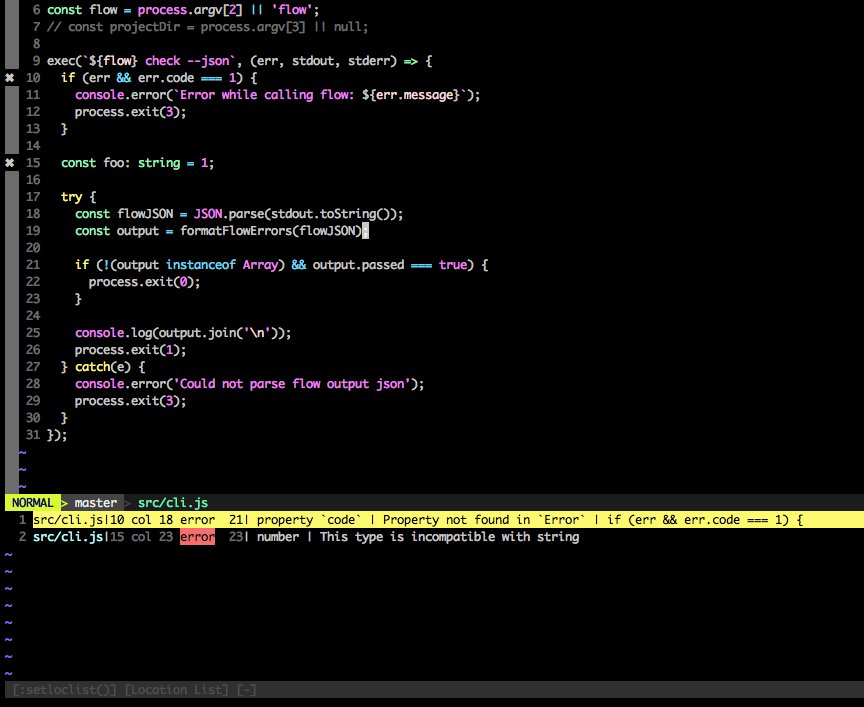
``
$ npm install -g flow-vim-quickfix
For now, you will need to add and enable a custom maker to your .vimrc or.config/nvim/init.vim file, like this:
`viml
function! StrTrim(txt)
return substitute(a:txt, '^\n\s\(.\{-}\)\n\s$', '\1', '')
endfunction
let g:neomake_javascript_enabled_makers = []
let g:flow_path = StrTrim(system('PATH=$(npm bin):$PATH && which flow'))
if findfile('.flowconfig', '.;') !=# ''
let g:flow_path = StrTrim(system('PATH=$(npm bin):$PATH && which flow'))
if g:flow_path != 'flow not found'
let g:neomake_javascript_flow_maker = {
\ 'exe': 'sh',
\ 'args': ['-c', g:flow_path.' --json | flow-vim-quickfix'],
\ 'errorformat': '%E%f:%l:%c\,%n: %m',
\ 'cwd': '%:p:h'
\ }
let g:neomake_javascript_enabled_makers = g:neomake_javascript_enabled_makers + [ 'flow']
endif
endif
" This is kinda useful to prevent Neomake from unnecessary runs
if !empty(g:neomake_javascript_enabled_makers)
autocmd! BufWritePost * Neomake
endif
`
Now, after re-sourcing your vim config, the maker should run the flow binary and
pipe it through flow-vim-quickfix. Why do we use sh here? Because the shellflow
is much faster spawning the process than node, resulting in much fasterBufWrite
feedback on each in VIM.
If you want to use the cli command for other purposes than VIM:
`Assuming you have been installing flow via
...
flow --json | flow-vim-quickfix
to spawn flow for you