flowbite-qwik
v1.1.2TypeScript
Official Qwik components built for Flowbite and Tailwind CSS
0/weekUpdated 7 months agoMITUnpacked: 1.0 MB
Published by xqwikerx
npm install flowbite-qwikFlowbite Qwik - UI Component Library

Build websites even faster with components on top of Qwik and Tailwind CSS



---
$3
Table of Contents
- Documentation
- Getting started
- Require via npm
- Components
- Copyright and license
Documentation
Documentation for flowbite-qwik is not yet finished.
[//]: # 'If you want to browse the components, visit flowbite.com.'
If you want to learn more about Flowbite, visit Flowbite docs.
Getting started
To use flowbite-qwik, you just need to setup flowbite normally and install flowbite-qwik from npm.
flowbite can be included as a plugin into an existing Tailwind CSS project.
$3
Flowbite-qwik can be automatically installed using its CLI, simply use this command :
``
npx flowbite-qwik-cli@latest init
Click here for more details.
$3
Make sure that you have Node.js and Tailwind CSS installed.
1. Install flowbite-qwik as a dependency using npm by running the following command:
`bash`
yarn add -D flowbite flowbite-qwik flowbite-qwik-icons
pnpm add -D flowbite flowbite-qwik flowbite-qwik-icons
npm i --save-dev flowbite flowbite-qwik flowbite-qwik-icons
2. Update you root CSS file (global.css) adding this configuration :
`css
@plugin 'flowbite/plugin';
@source "../node_modules/flowbite-qwik";
@custom-variant dark (&:where(.dark, .dark *));
@theme {
--color-bgContrast: #fff;
}
@layer theme {
.dark {
--color-bgContrast: #111827;
}
}
@theme {
--animate-from-left: slideFromLeft 0.2s 1;
--animate-from-right: slideFromRight 0.2s 1;
--min-width-screen-lg: 1024px;
--container-8xl: 90rem;
@keyframes slideFromLeft {
0% {
transform: translateX(-100%);
}
100% {
transform: translateX(0);
}
}
@keyframes slideFromRight {
0% {
transform: translateX(100%);
}
100% {
transform: translateX(0);
}
}
--color-green-50: #ecfdf5;
--color-green-100: #d1fae5;
--color-green-200: #a7f3d0;
--color-green-300: #6ee7b7;
--color-green-400: #34d399;
--color-green-500: #10b981;
--color-green-600: #059669;
--color-green-700: #047857;
--color-green-800: #065f46;
--color-green-900: #064e3b;
--color-green-950: oklch(.266 .065 152.934);
--color-pink-50: #fdf2f8;
--color-pink-100: #fce7f3;
--color-pink-200: #fbcfe8;
--color-pink-300: #f9a8d4;
--color-pink-400: #f472b6;
--color-pink-500: #ec4899;
--color-pink-600: #db2777;
--color-pink-700: #be185d;
--color-pink-800: #9d174d;
--color-pink-900: #831843;
--color-purple-50: #f5f3ff;
--color-purple-100: #ede9fe;
--color-purple-200: #ddd6fe;
--color-purple-300: #c4b5fd;
--color-purple-400: #a78bfa;
--color-purple-500: #8b5cf6;
--color-purple-600: #7c3aed;
--color-purple-700: #6d28d9;
--color-purple-800: #5b21b6;
--color-purple-900: #4c1d95;
--color-purple-950: oklch(.291 .149 302.717);
--color-gray-50: #f9fafb;
--color-gray-100: #f3f4f6;
--color-gray-200: #e5e7eb;
--color-gray-300: #d1d5db;
--color-gray-400: #9ca3af;
--color-gray-500: #6b7280;
--color-gray-600: #4b5563;
--color-gray-700: #374151;
--color-gray-800: #1f2937;
--color-gray-900: #111827;
--color-gray-950: oklch(.13 .028 261.692);
--color-blue-50: #eff6ff;
--color-blue-100: #dbeafe;
--color-blue-200: #bfdbfe;
--color-blue-300: #93c5fd;
--color-blue-400: #60a5fa;
--color-blue-500: #3b82f6;
--color-blue-600: #2563eb;
--color-blue-700: #1d4ed8;
--color-blue-800: #1e40af;
--color-blue-900: #1e3a8a;
--color-blue-950: oklch(.282 .091 267.935);
}
`
3. Setup flowbite-qwik providers
In your src/root.tsx file, import the FlowbiteProvider and wrap your app with it and define the theme and toast position.
Default values are theme="blue" and toastPosition="top-right".
If you want to use the dark mode, you will also need to add the FlowbiteProviderHeader component in the head of your app.
`tsx
import { FlowbiteProvider } from 'flowbite-qwik'
export default component$(() => {
return (
// Add this line to detect user's system preference
// Add the FlowbiteProvider component to wrap your app
)
})
``
Components
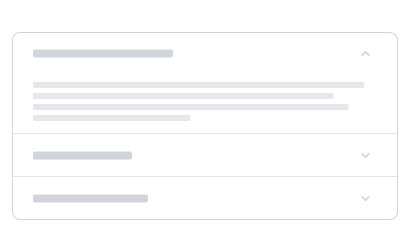 | 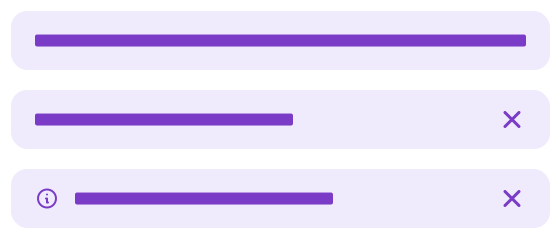 |  |
 | 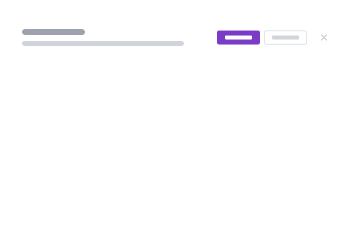 |  |
 |  |  |
 |  |  |
 |  |  |
 |  |  |
 |  |  |
 |  |  |
 |  |  |
 |  |  |
 |  |  |
 |  |  |
 |  |  |
 |  |  |
 |
Composables / hooks
- useToasts
- useDarkMode
- useDebounce
- useMediaQuery
- useOuterClick
- useToggle
[//]: # '## Community'
[//]: #
[//]: # 'If you need help or just want to discuss about the library join the community on Github:'
[//]: #
[//]: # '⌨️ Discuss about Flowbite on GitHub'
[//]: #
[//]: # 'For casual chatting with others using the library:'
[//]: #
[//]: # '💬 Join the Flowbite Discord Server'
[//]: #
[//]: # '## Contributing'
[//]: #
[//]: # 'Thank you for your interest in helping! Feel free to get started.'
[//]: #
[//]: # '## Figma'
[//]: #
[//]: # 'If you need the Figma files for the components you can check out our website for more information:'
[//]: #
[//]: # '🎨 Get access to the Figma design files'
Copyright and license
The Flowbite name and logos are trademarks of Crafty Dwarf Inc.