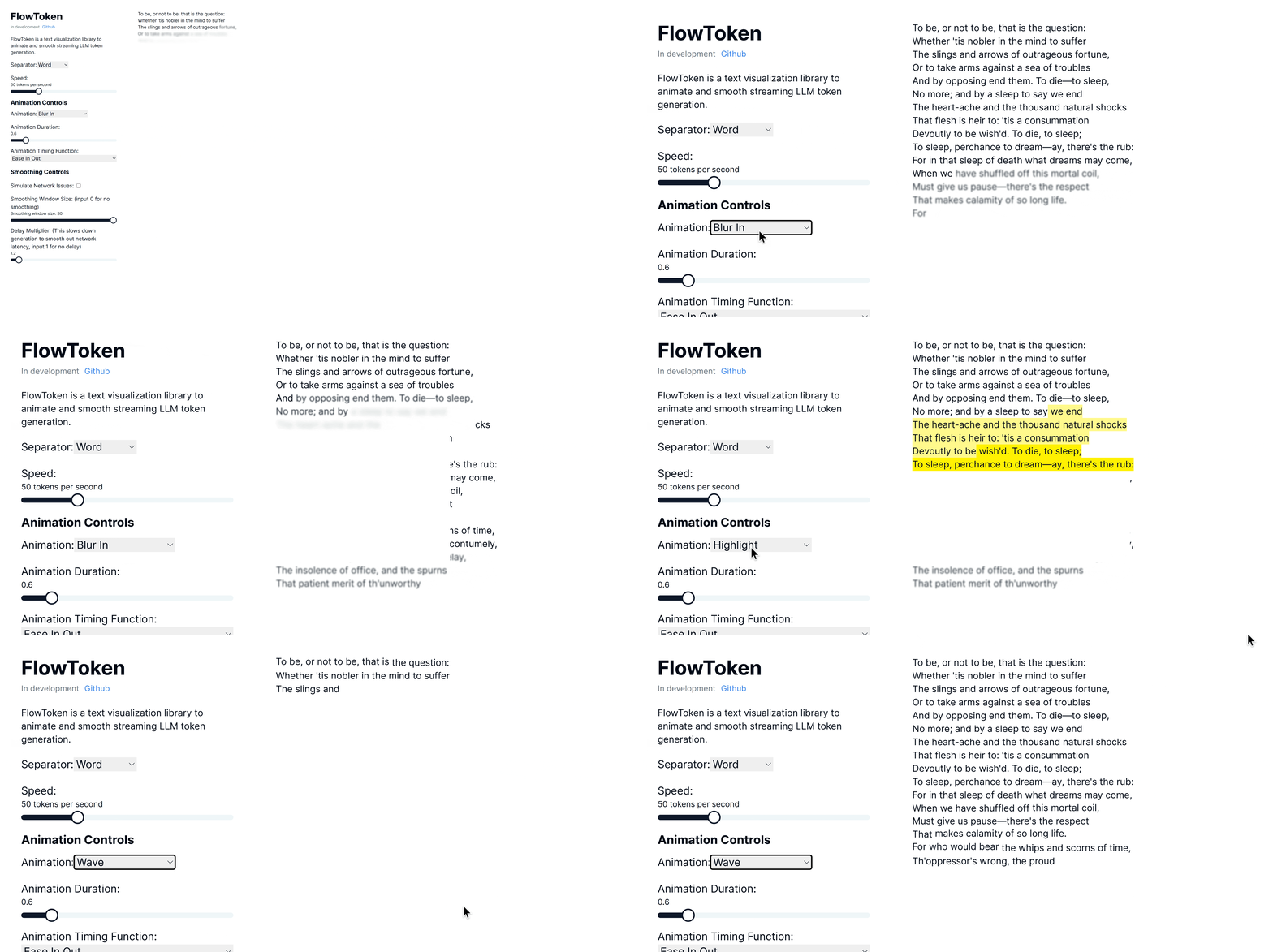
npm install flowtoken-nextFlowToken is a React component library designed to enhance the visual presentation of text streaming from large language models (LLMs). This library offers a variety of animations that make the text appear smoothly and dynamically, providing an engaging user experience.
Try the demo here: Demo link
FlowToken includes several key features:
- Customizable Animations: A range of animations such as fade, blur-in, drop-in, slide from the left, typewriter effect, word pull-up, flip text, gradual spacing, and more.
- Smooth Text Streaming: Options to control the speed and manner of text appearance to handle the variability in text generation speed.
- Responsive and Lightweight: Optimized for performance and compatibility across all modern browsers.
Install FlowToken using npm:
``bash`
npm install flowtoken
Or using yarn:
`bash`
yarn add flowtoken
When using FlowToken with Next.js 15 and Turbopack, it's recommended to import and use the injectStyles function in your layout or page component. This resolves CSS loading issues that may occur with direct CSS imports:
`jsx
import { injectStyles } from 'flowtoken';
import { useEffect } from 'react';
export default function Layout({ children }) {
// Inject the styles globally on the client side
useEffect(() => {
injectStyles();
}, []);
return
Alternatively, you can create a global CSS file in your project and import the styles:
css
/ In your global.css /
@import '~flowtoken/dist/styles.css';
`Usage
Markdown Support
To use markdown, import the
component.`jsx
import React from 'react';
import { AnimatedMarkdown } from 'flowtoken';const App = () => {
return (
sep="word"
animation="fadeIn"
animationDuration="0.5s"
animationTimingFunction="ease-in-out"
/>
);
};
export default App;
`$3
jsx
'use client'import { useChat } from 'ai/react'
import { AnimatedMarkdown } from 'flowtoken';
export default function Chat() {
const { messages, input, handleInputChange, handleSubmit } = useChat()
return (
{messages.map(m => (
{m.role}:
animation={"fadeIn"}
animationDuration="0.5s"
animationTimingFunction="ease-in-out"
/>
))}
)
}
`$3
You can use custom components by passing a
prop to the AnimatedMarkdown component where the key is the regex pattern (ex. /\{\{.*?\}\}/) or HTML tag (ex. MyComponent) to match and the value is the component to render. Then just prompt your LLM to output the custom component syntax and it will be rendered with your custom component.#### Example
This is an example of a custom component.
$3
- content: The text to be displayed.
- sep:
word or char.
- animation: Name of the CSS animation to apply. See below for options or define your own in css.
- animationDuration: CSS Duration of the animation. Ex. 0.6s
- animationTimingFunction: CSS Timing function of the animation. Ex. , ease-in-out, etc
- codeStyle: The highlighter js style object to use.
- customComponents: An object where the key is the regex pattern (ex. /\{\{.*?\}\}/) or HTML tag (ex. MyComponent) to match and the value is the react component to render.
- htmlComponents: An object where the key is the HTML tag (ex. code, h1, h2, etc) to match and the value is the react component to render.Animations
FlowToken supports various CSS animations:
- fadeIn
- blurIn
- typewriter
- slideInFromLeft
- fadeAndScale
- rotateIn
- bounceIn
- elastic
- highlight
- blurAndSharpen
- dropIn
- slideUp
- wave
For custom animations, define your keyframes in CSS and pass the animation name to the
animation prop.$3
To lower the memory footprint, disable animations by setting the
animation parameter to null on any completed messages.If using tailwind with generated markdown, be sure to setup tailwind typography: https://github.com/tailwindlabs/tailwindcss-typography
and add
prose lg:prose-md prose-pre:p-0 prose-pre:m-0 prose-pre:bg-transparent to your flowtoken markdown container.StreamText
Here is a simple example of how to use the
StreamText component from FlowToken, which does not render markdown:`jsx
import React from 'react';
import { StreamText } from 'flowtoken';const App = () => {
return (
windowSize={5}
delayMultiplier={1.1}
sep="word"
animation="fadeIn"
animationDuration="0.5s"
animationTimingFunction="ease-in-out"
/>
);
};
export default App;
`This includes the option to smooth the rate of text display in effect reducing fluctuations in token generation speed by applying a simple moving average.
$3
- content: The text to be displayed.
- windowSize: Number of tokens to consider for smoothing animations.
- delayMultiplier: Multiplier to adjust the delay for each token or character's appearance.
- sep:
or char`Contributions are welcome! Please feel free to submit pull requests or open issues to suggest features or report bugs.
FlowToken is MIT licensed.