Add copy buttons to code snippets
npm install gatsby-remark-code-buttonsAdd buttons to markdown code snippets.
> This plugin doesn't support MDX. Example
of MDX copy button.
``bash`
npm install gatsby-remark-code-buttons --save-dev
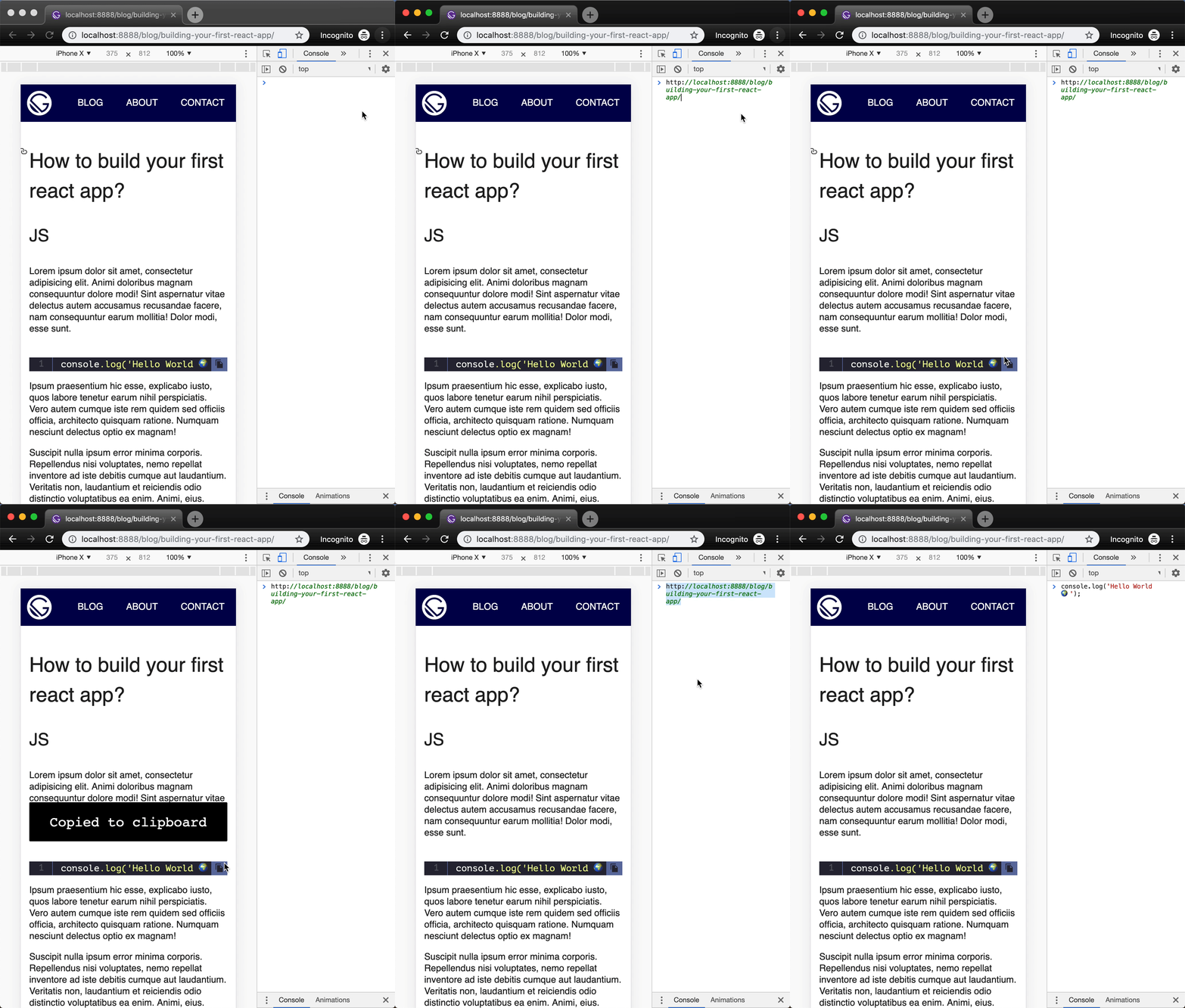
in your gatsby-config.js
`js`
plugins: [
{
resolve: 'gatsby-transformer-remark',
options: {
plugins: ['gatsby-remark-code-buttons']
}
}
]
`jscustomButtonContainerClass
plugins: [
{
resolve: 'gatsby-transformer-remark',
options: {
plugins: [
{
resolve: 'gatsby-remark-code-buttons',
options: {
// Optional button container class name. Defaults
// to 'gatsby-code-button-container'.
buttonContainerClass: ,customButtonClass
// Optional button class name. Defaults to 'gatsby-code-button'.
buttonClass: ,customButtonText
// Optional button text. Defaults to ''.
buttonText: ,customSvgIconClass
// Optional svg icon class name. Defaults to 'gatsby-code-button-icon'.
svgIconClass: ,iconClass
// Optional svg icon. Defaults to svg string and can be
// replaced with any other valid svg. Use custom classes
// in the svg string and skip option.customSvgIcon
svgIcon: ,customTooltipText
// Optional tooltip text. Defaults to ''.
tooltipText: ,customToasterClass
// Optional toaster class name. Defaults to ''.
toasterClass: ,customToasterTextClass
// Optional toaster text class name. Defaults to ''.
toasterTextClass: ,`
// Optional toaster text. Defaults to ''.
toasterText: 'customToasterText',
// Optional toaster duration. Defaults to 3500.
toasterDuration: 5000
}
}
]
}
}
]
Now that we've injected the custom button, we need to style it!
`css`
.gatsby-code-button-container {}
.gatsby-code-button {}
.gatsby-code-button-icon {}
.gatsby-code-button-toaster {}
.gatsby-code-button-toaster-text {}
To apply custom styles import stylesheet in your app's root gatsby-browser.js.
`js`
// gatsby-browser.js
import './src/styles/custom-code-buttons.scss';
In your Markdown content
````js`js`
alert('click to copy 💾');
This plugin will parse the Markdown AST, pluck the button, and then "clean" the code snippet language for further
processing. With the default config options this plugin will create the following structure, injecting a custom div:
`htmlalert('how cool is this');
data-toaster-id=""
data-toaster-class="gatsby-code-button-toaster"
data-toaster-text-class="gatsby-code-button-toaster-text"
data-toaster-text=""
data-toaster-duration="3500"
onClick="copyToClipboard()"
>
With
config enabled this plugin will inject a custom toaster node:`html
`Don't show button
js
`js:clipboard=false
alert('will not be copied 💾');
`