Yeoman generator for beet projects
npm install generator-beet> Yeoman generator for Beet projects
``bash`
npm install -g yo generator-beet
Generating Python projects requires Poetry:
OSX / Linux:
`bash`
curl -sSL https://raw.githubusercontent.com/python-poetry/poetry/master/get-poetry.py | python -
Windows (Powershell):bash`
(Invoke-WebRequest -Uri https://raw.githubusercontent.com/python-poetry/poetry/master/get-poetry.py -UseBasicParsing).Content | python -
(More on how to install Poetry)
bash
yo beet
`Features
$3
bash
datapack
└╴data
  ├╴minecraft
  │ └╴tags
  │   └╴functions
  │     ├╴load.json # Registers 'load' function
  │     └╴tick.json # Registers 'tick' function
  └╴
    └╴functions
      └╴
        ├╴tick.mcfunction # Called once every tick
        └╴load.mcfunction # Called after datapack is (re)loaded
`
To prevent naming conflicts between datapacks, all your functions, advancements, etc are located in the unique namespace .
E.g. if the author is Oran9eUtan and the project name is Teleporter, the load function can be called like this: function oran9eutan:teleporter/load$3
bash
resourcepack
├╴assets
│ ├╴.mcassetsroot
│ └╴minecraft
│   ├╴models
│   └╴textures
└╴pack.png
`$3
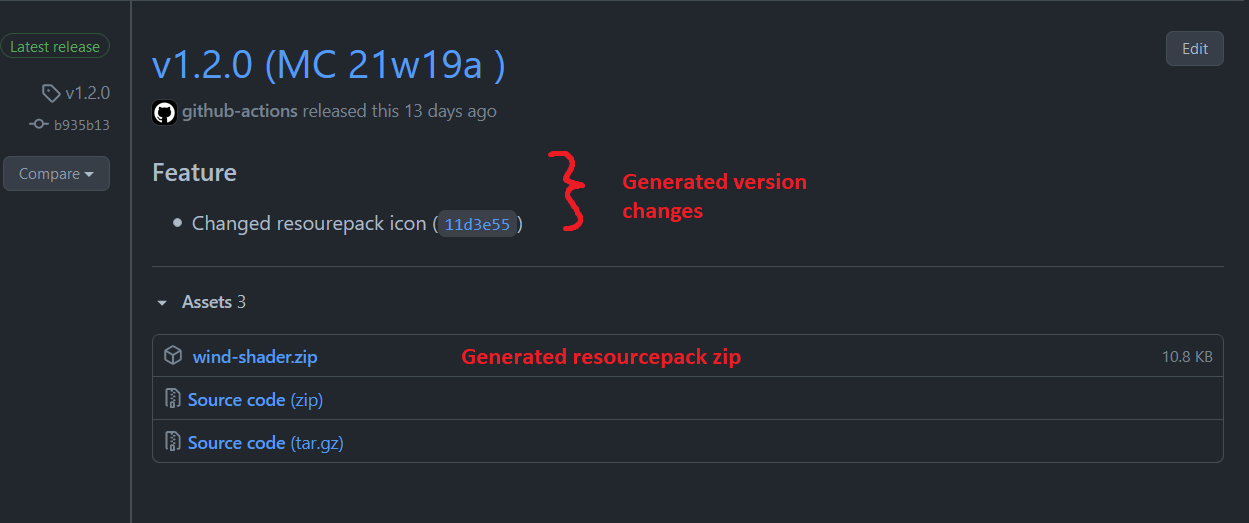Automatically generates releases of your data-/resourcepacks on Github.
bash
.github
└╴workflows
  └╴release.yml
`How to create a new release:
1. Push/Pull-Request to the release branch on Github
2. The release action gets automatically triggered
3. semantic-release analyses commits to determin if a new version is required
4. semantic-release bumps version, updates CHANGELOG.md, runs
and creates a new Github releaseAvailable commands
`bash
Generate new beet project
yo beet [project-name]
--datapack # Generate datapack
--resourcepack # Generate resourcepack
--license # Include a license
--git # Initialize git repository
--python # Create a Python projectOnly generate datapack
yo beet:datapackOnly generate resourcepack
yo beet:resourcepack
`Contributing
$3
A yeoman generator consists out of multiple sub-generators composed together. Each of them has their own directory in , the default beeing generators/app.
Each sub-generator can be run like so: yo beet:.`shell
Directory structure:
generators/
├─app
├─datapack
├─git
├─poetry
└─resourcepack
`$3
To try out the generator during development, run this command from the root of the project.
It installs your local files as a symlinked global module.
shell
npm link
`
To remove it run this command from the root directory of the project.
npm unlink generator-beet
MIT © Oran9eUtan
[License]: https://img.shields.io/badge/License-MIT-blue.svg
[npm-url]: https://npmjs.org/package/generator-beet
[NPM version]: https://img.shields.io/npm/v/generator-beet.svg