npm install gl-buffergl-buffer
=========
A wrapper for WebGL buffer objects.
Example
View this demo in your browser
``javascript
var shell = require("gl-now")()
var glslify = require("glslify")
var createBuffer = require("gl-buffer")
var createShader = glslify({
vertex: "\
attribute vec2 position;\
varying vec2 uv;\
void main() {\
gl_Position = vec4(position, 0.0, 1.0);\
uv = position.xy;\
}",
fragment: "\
precision highp float;\
uniform float tick;\
varying vec2 uv;\
void main() {\
gl_FragColor = vec4(0.5(uv+1.0), 0.5(cos(tick)+1.0), 1.0);\
}",
inline: true
})
var buffer, shader
shell.on("gl-init", function() {
var gl = shell.gl
//Create buffer
buffer = createBuffer(gl, [-1, 0, 0,-1, 1, 1])
//Create shader
shader = createShader(gl)
shader.attributes.position.location = 0
})
shell.on("gl-render", function(t) {
var gl = shell.gl
shader.bind()
buffer.bind()
shader.attributes.position.pointer()
shader.uniforms.tick = Date.now() / 1000.0
gl.drawArrays(gl.TRIANGLES, 0, 3)
})
`
Output:
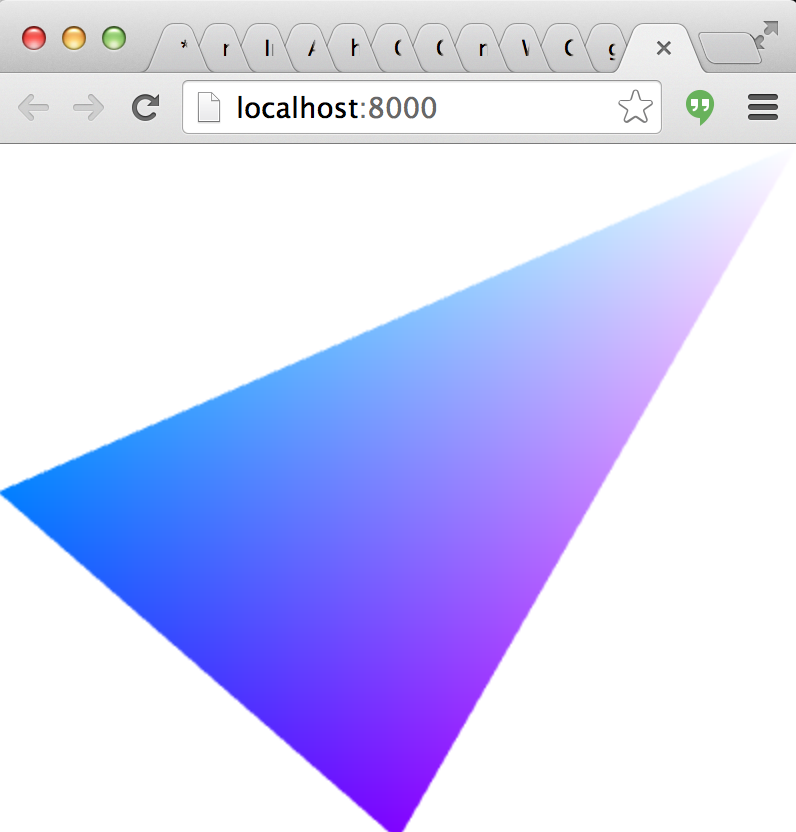
Install
npm install gl-buffer
API
`javascript`
var createBuffer = require("gl-buffer")
Constructor
The constructor for a GL buffer works as follows:
$3
* gl is a WebGL contextdata
* is either an integer, an array, a typed array, an array buffer or an ndarray representing the data of the buffer. Default is 0
* is an optional parameter specifying the type of the webgl buffer. Default is gl.ARRAY_BUFFER.usage
* is an optional parameter representing the intended usage for the buffer (in the WebGL sense). It is not clear this does anything in current WebGL implementations. Default gl.DYNAMIC_DRAW
Properties
$3
A reference to the buffer's WebGL context
$3
A handle to the underlying WebGLBuffer object
$3
The type of the buffer (either gl.ARRAY_BUFFER
or gl.ELEMENT_ARRAY_BUFFER)$3
The size of the buffer in bytes$3
The internal WebGL usage for the buffer.Methods
$3
Binds the buffer to the appropriate target. Equivalent to gl.bindBuffer( ... )$3
Deletes the buffer releasing all associated resources. Equivalent to $3
Updates the data in the buffer. There are two basic modes to this function. In the first, it calls to update a portion of the buffer in place, and in the second it calls gl.bufferData to completely resize the buffer.*
data the new data to add to the buffer. This follows the same semantics as in the constructor.
offset the offset in bytes to copy data into the buffer from or* if unspecified then the buffer is resized by calling gl.bufferData instead of gl.bufferSubData. Default 0`.Credits
(c) 2013-2014 Mikola Lysenko. MIT License